Make a price quote
Write a quote with prices for a customer before they decide to buy.
Who can do this: Owner, Manager and Cashier
This is not in every plan. See Pricing.
A quotation, or quote, lists the prices of what a customer wants. It helps them decide before they buy. You make a quote at the till, the same way as a bill. A quote takes no money, and it does not change your stock.
Make the quote
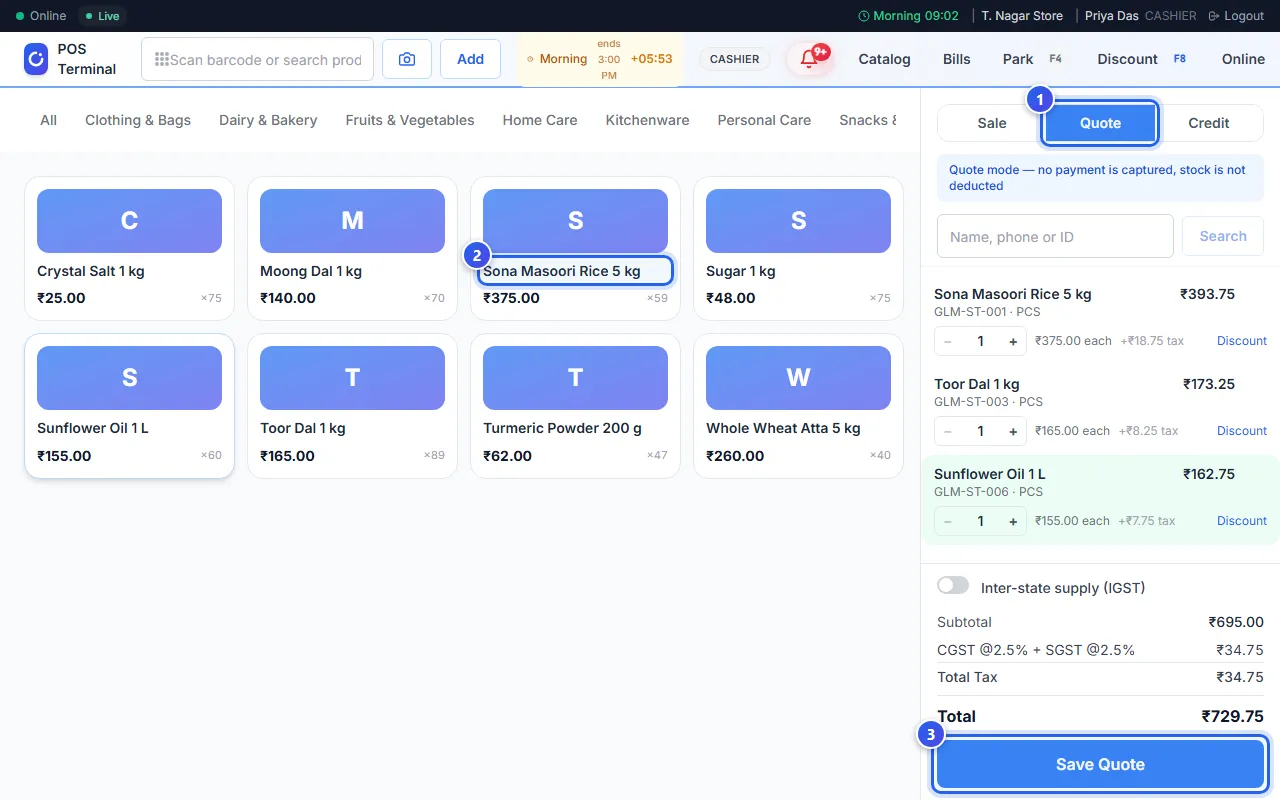
- On the billing screen, press Quote at the top of the bill.
- Add the items. Scan them, or press them on the screen.
- Press Save Quote.
- A box asks who the quote is for. Type the customer's phone number and press Look Up.
- Press Attach & Continue.
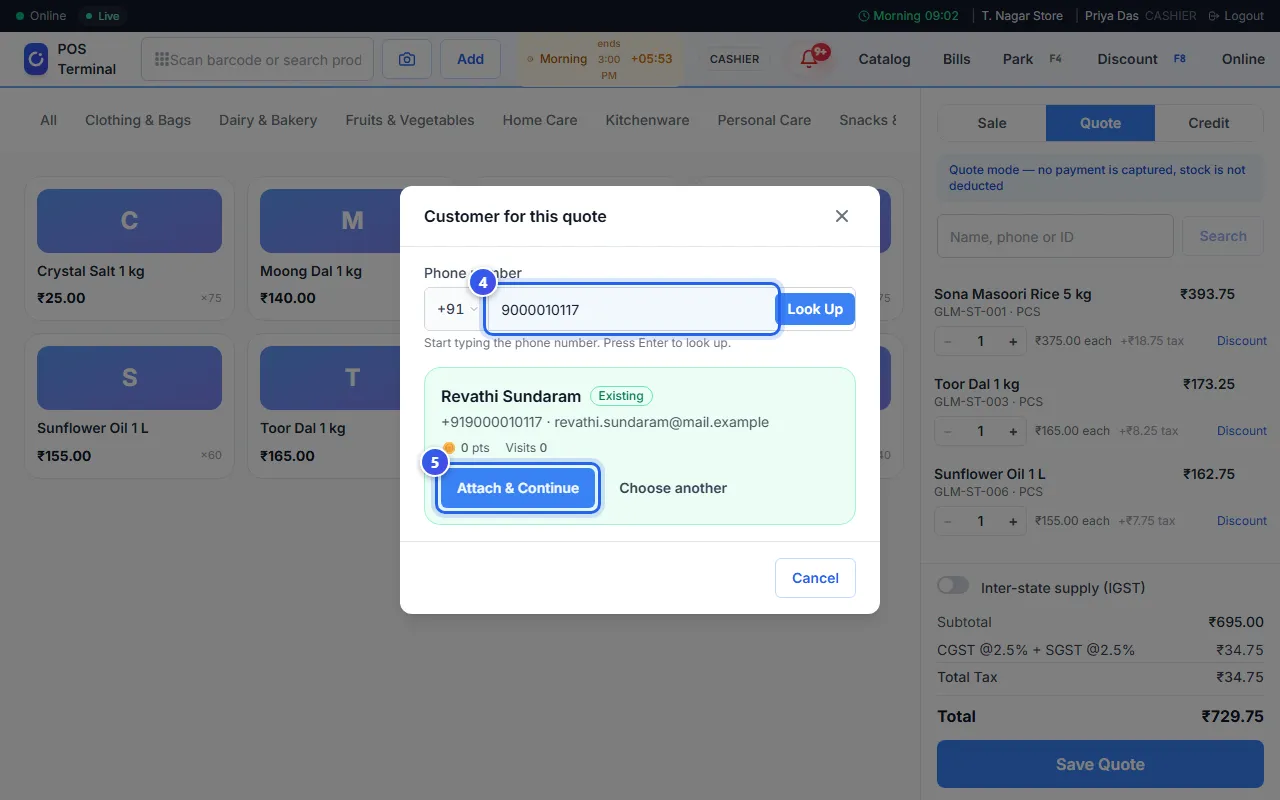
Orio360 saves the quote and shows its number. Press Open quote to see it.
In quote mode, a blue note at the top says that no payment is taken. Press Sale to go back to normal bills.
A new customer
Is the phone number new? Type the customer's name, and their email if you like. Then press Add & Continue. Orio360 adds the customer and saves the quote.
You can also add the customer before step 3. Search for them in Name, phone or ID on the bill. Then Save Quote saves the quote at once.
Good to know
- A quote made at the till is good for 3 days. After that, it says Expired.
- A Manager or an Owner can press Edit on the quote to change it.
- In the admin app, New Quote on the Quotations page opens the till in quote mode.
Related help
Follow up your quotes
Send a quote to your customer and see if they said yes.
On some plans
What customers see on a quote
See the quote page your customer opens to say yes or ask for changes.
On some plans
Make a sales order
Turn a quote into a sales order when the customer sends their purchase order.
On some plans
Make a bill
Scan or search for items and add them to a bill at the till.
Still need help?