Skip to content
Orio360

For shops and restaurants in India

Run everything from one place.

Orio360 helps your shop or restaurant make bills, keep track of stock and look after your customers.

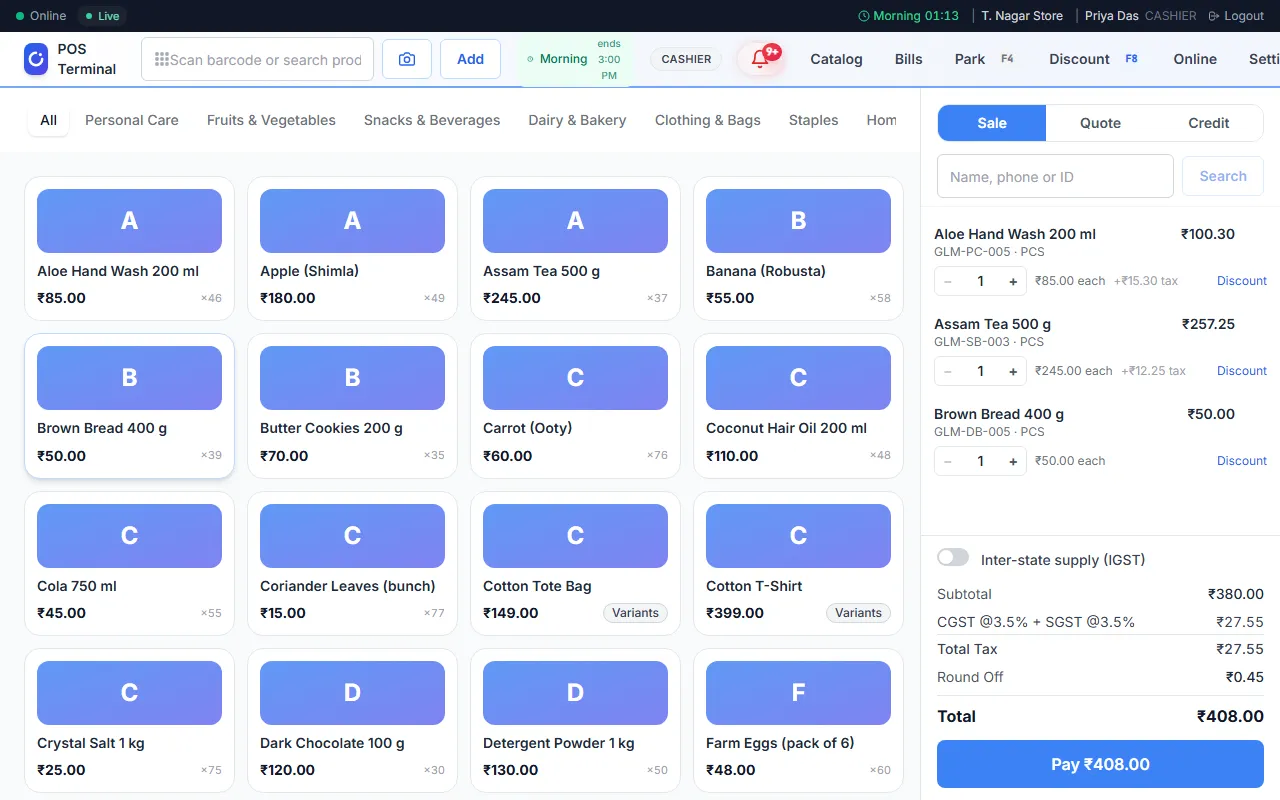
The Orio360 POS app with three items on a bill

Why Orio360

What makes Orio360 different

Here is what Orio360 does for you, in plain words.

  • Bills keep going with no internet

    If the internet stops, the POS app still makes bills. It keeps them on your device. When the internet is back, it sends them to Orio360 on its own.

  • GST on every bill

    Orio360 adds the right GST to each item on the bill. It makes the GSTR-1 report for your tax return. You can also export your sales to Tally, on some plans.

  • Made for shops and for restaurants

    We set up your business as a shop or a restaurant. A shop scans barcodes and sells items in many sizes and colours. A restaurant takes orders at the table and keeps a recipe for each dish.

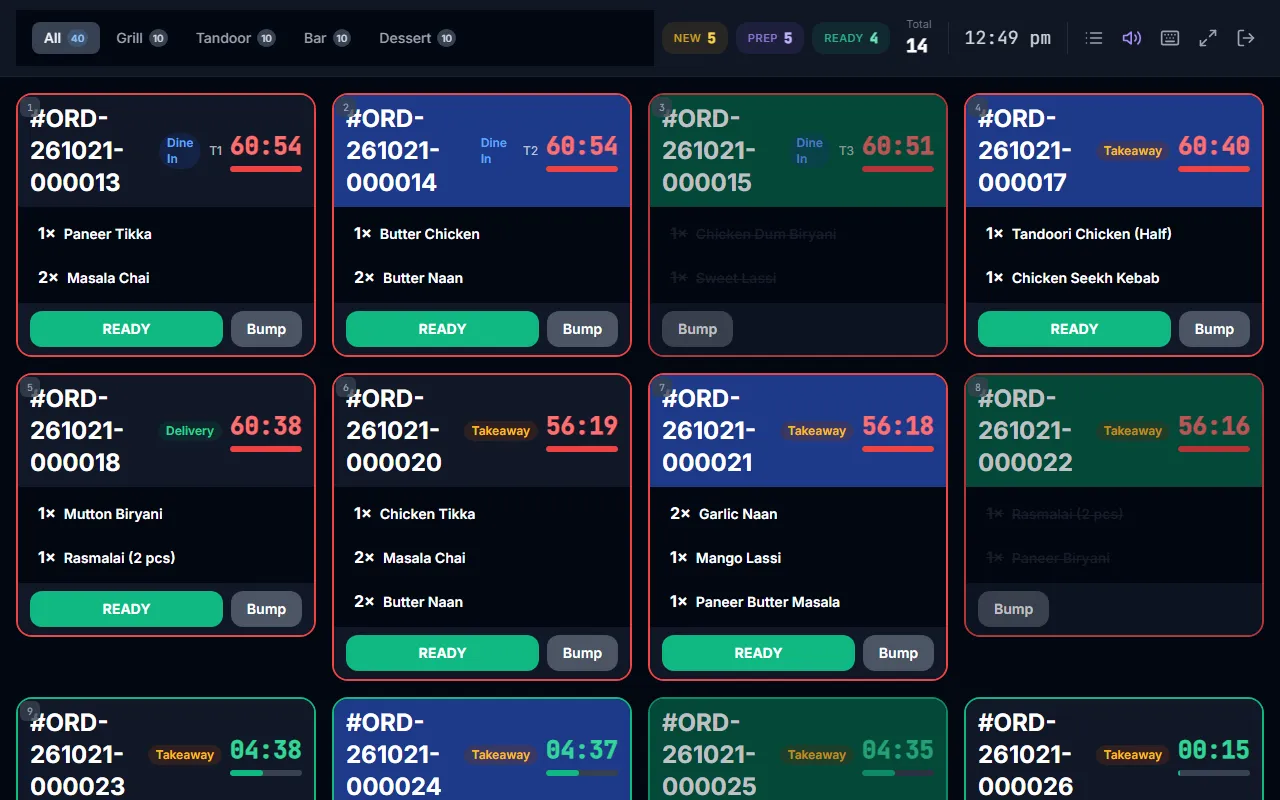
  • A kitchen screen for each station

    Each new order shows on a screen in the kitchen. Each station, like the grill or the bar, sees only the dishes it makes. This is on some plans.

  • Bills and re-order links on WhatsApp

    Send a bill to your customer on WhatsApp, from your own WhatsApp Business account. You can also send a link to order the same items again. Both are on some plans.

  • Your own online store

    Your products show on your own online store, with its own web address. Customers order there, and you see their orders in Orio360. This is on some plans.

  • Phone apps for your waiters and for you

    Waiters take orders at the table with the Waiter app. They send the KOT to the kitchen from there. You check your sales and approve expenses with the Manager app.

  • A locked part keeps your data

    If a part is not in your plan, you still see it, with a lock. We never delete its data. Move to a plan that has it, and your data is back.

Shops and restaurants

Made for the way you sell

A shop and a restaurant do not work the same way. Orio360 has the right tools for each one.

For shops

  1. Scan
  2. Bill
  3. Pay
  4. Stock goes down

When you sell, Orio360 takes the items out of stock at that location.

  • Scan a barcode to put an item on the bill.
  • Sell one product in many sizes and colours.
  • Park a bill and finish it later.
  • Take items back as a return or an exchange.
See Orio360 for shops

The apps

One app for each job

Each person opens the app made for their work.

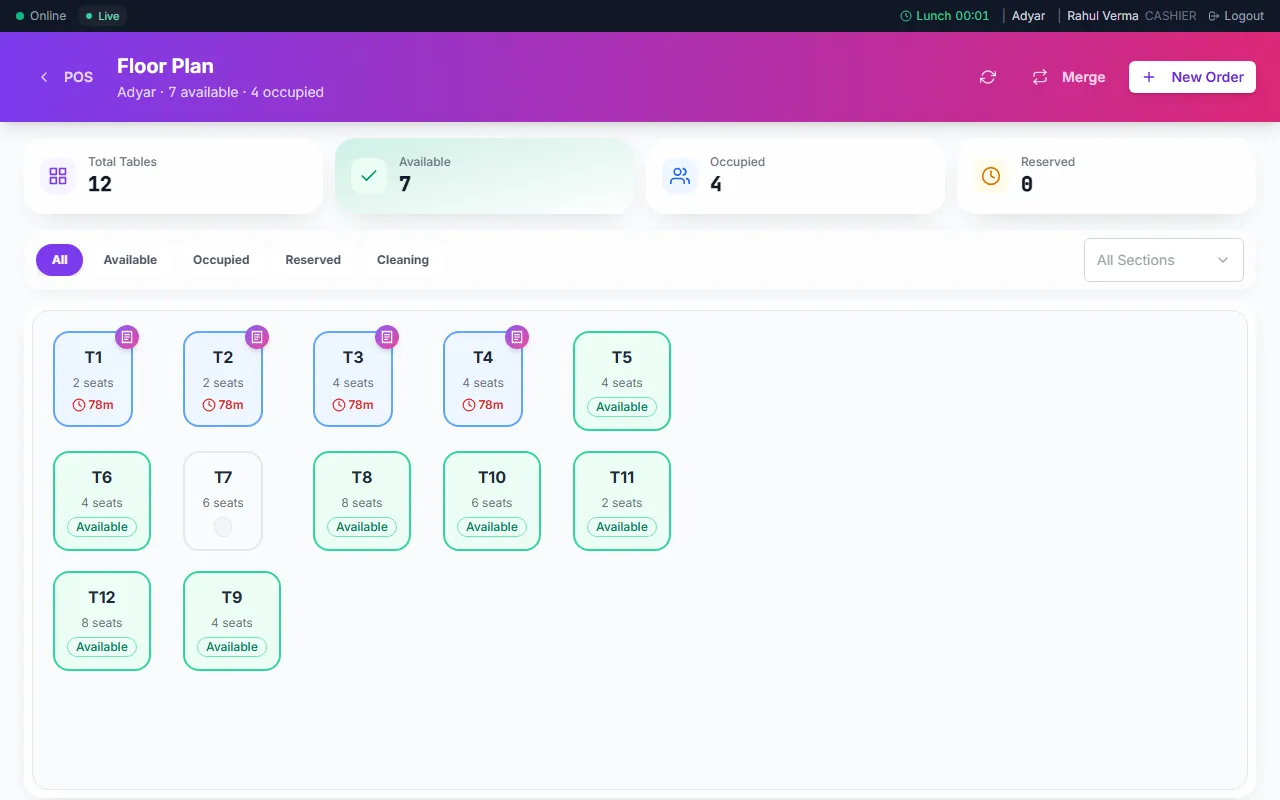
  • The POS app showing the tables of a restaurant

    The till

    POS app

    Make bills at the counter. Take cash, UPI or card. In a restaurant, it also shows your tables.

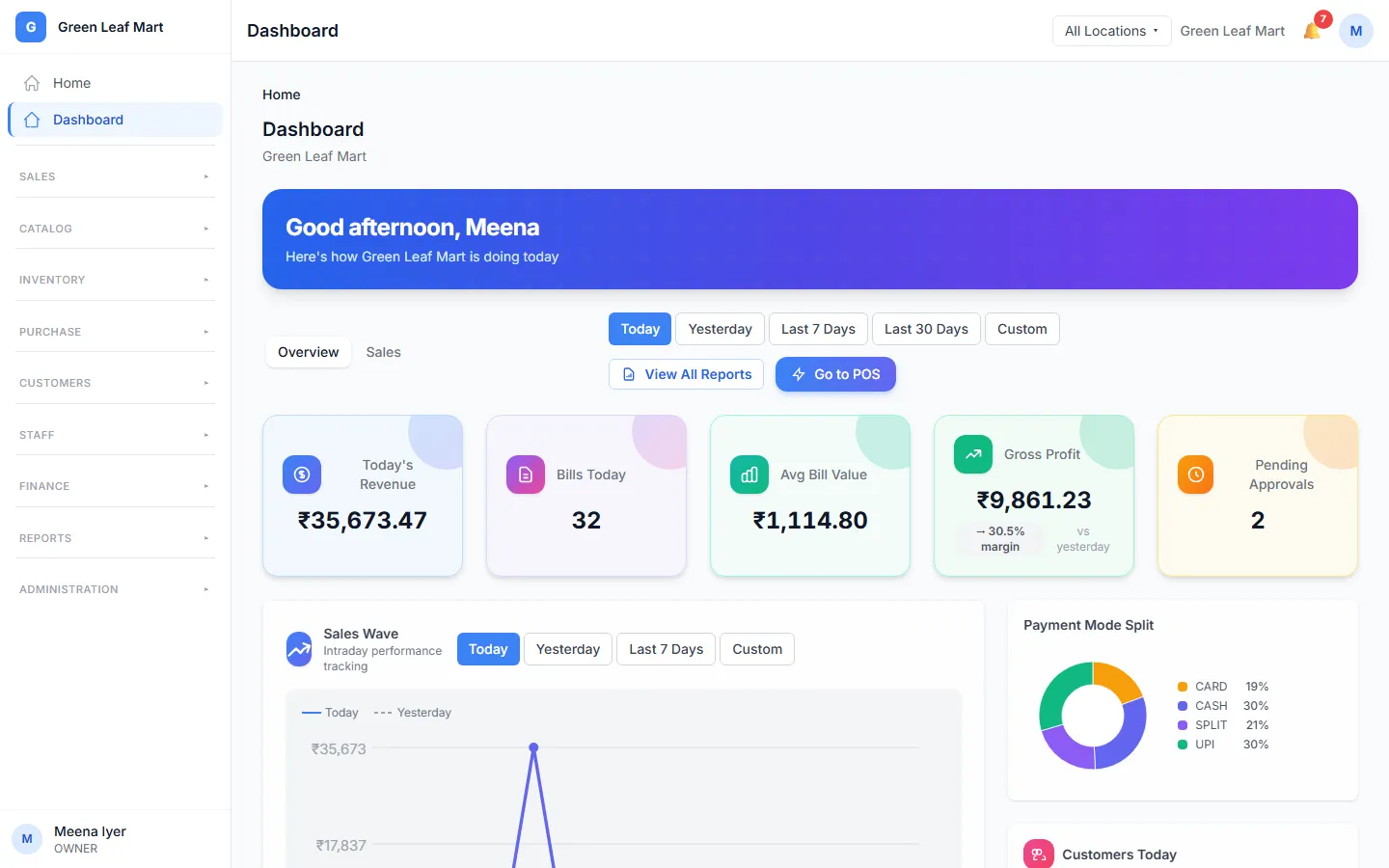
  • The admin app home page with the sales of the day

    The back office

    Admin app

    Add products, set prices and add your staff. See your sales and reports here.

  • The kitchen screen with orders for the cooks

    The kitchen screen

    For restaurants

    Each new order shows on a screen in the kitchen. Cooks see the orders for their station. This is on some plans.

  • The phone apps

    Waiter app and Manager app

    Waiters take orders at the table with the Waiter app. You check your sales and approve expenses with the Manager app.

Plans

Plans and prices

Every plan has the till, your stock and your reports. Pick the plan that fits your business.

See Orio360 at work

Tell us about your shop or restaurant. Our team will show you how Orio360 works for you.