A day with Orio360
A day in your restaurant
Here is how a day goes, from the first order to the last bill.
The kitchen cooks
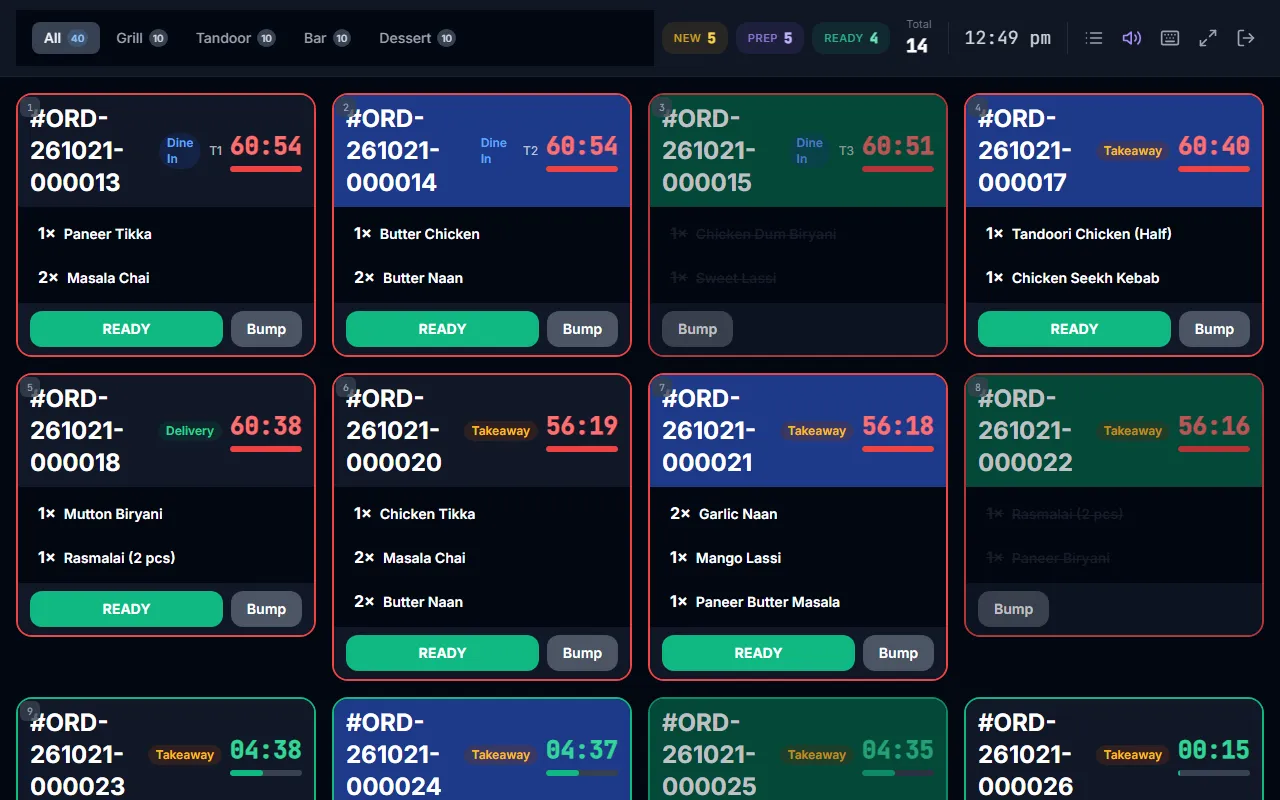
The order shows on the kitchen screen. Each station, like the grill or the bar, sees only its own dishes. The cook marks the order ready. This is on some plans.
Bill the table
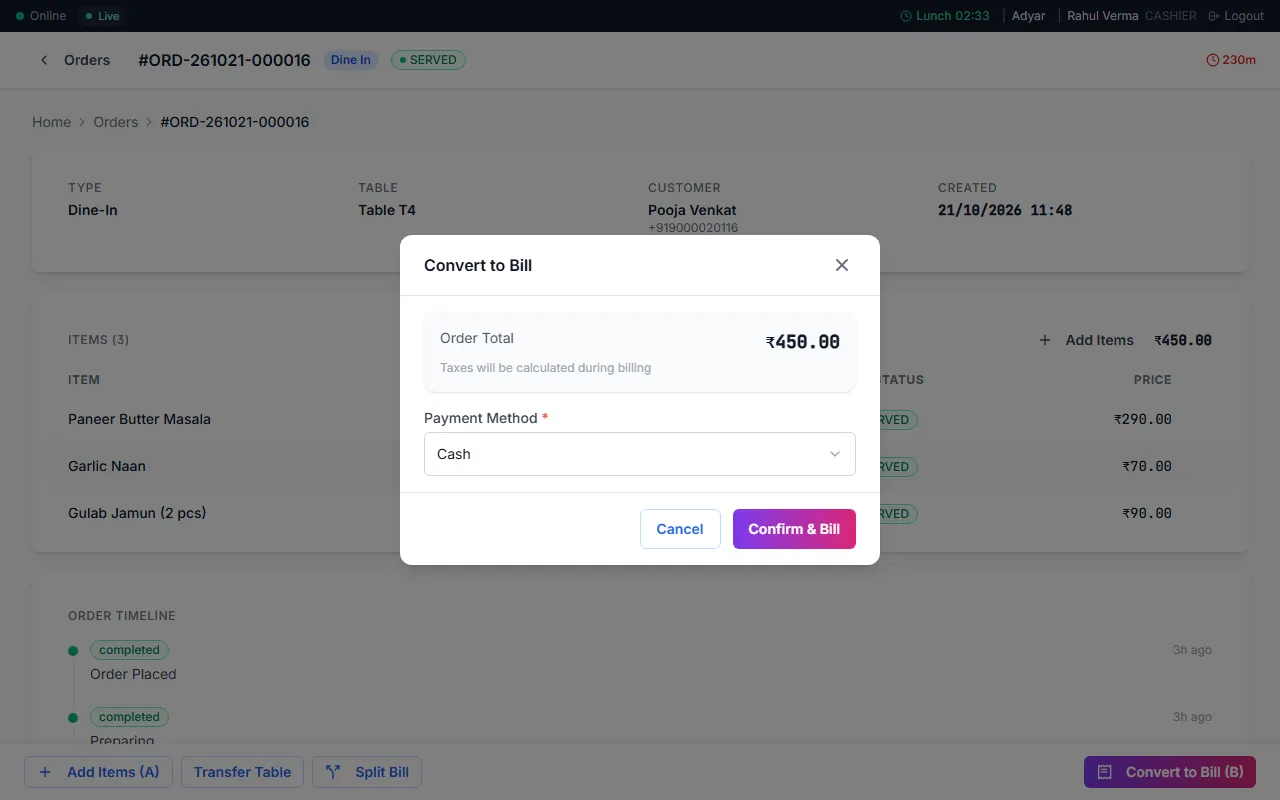
When your guests are done, press Convert to Bill. Take cash, UPI or card.
Stock goes down by itself
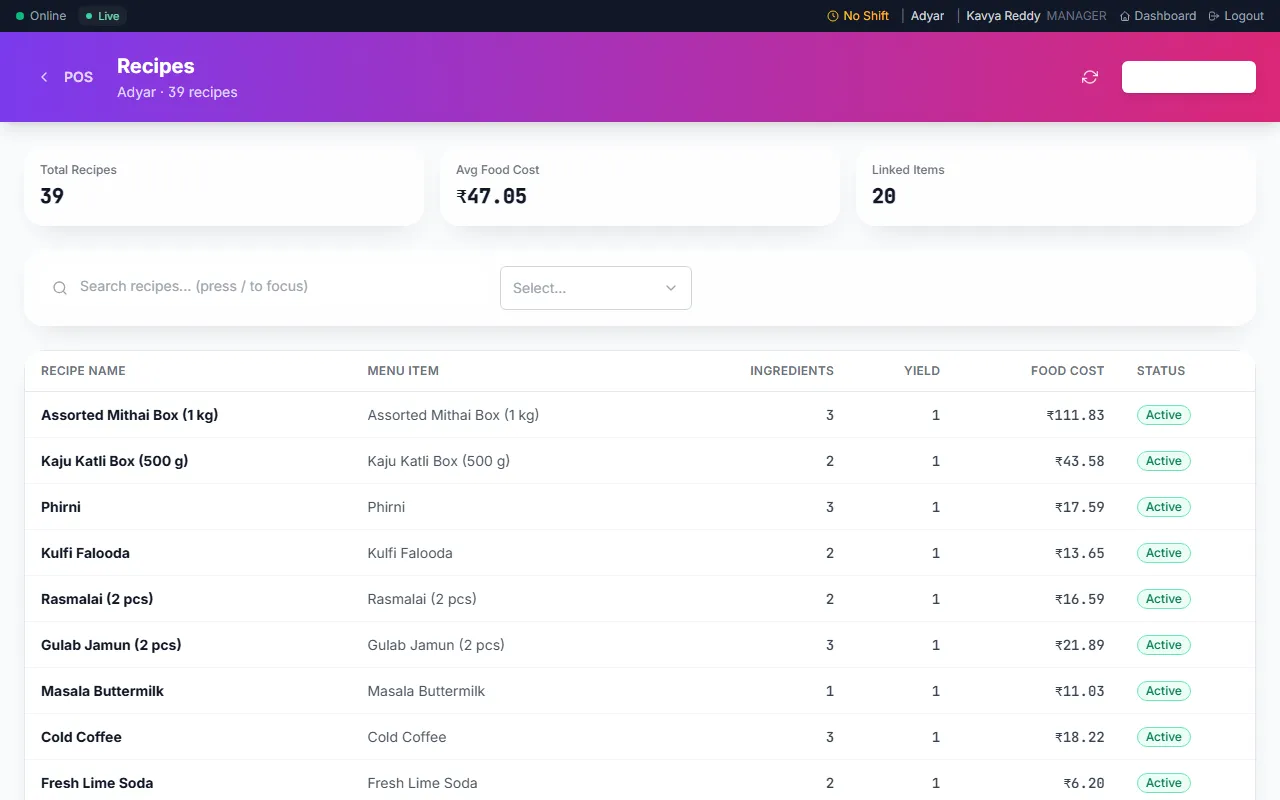
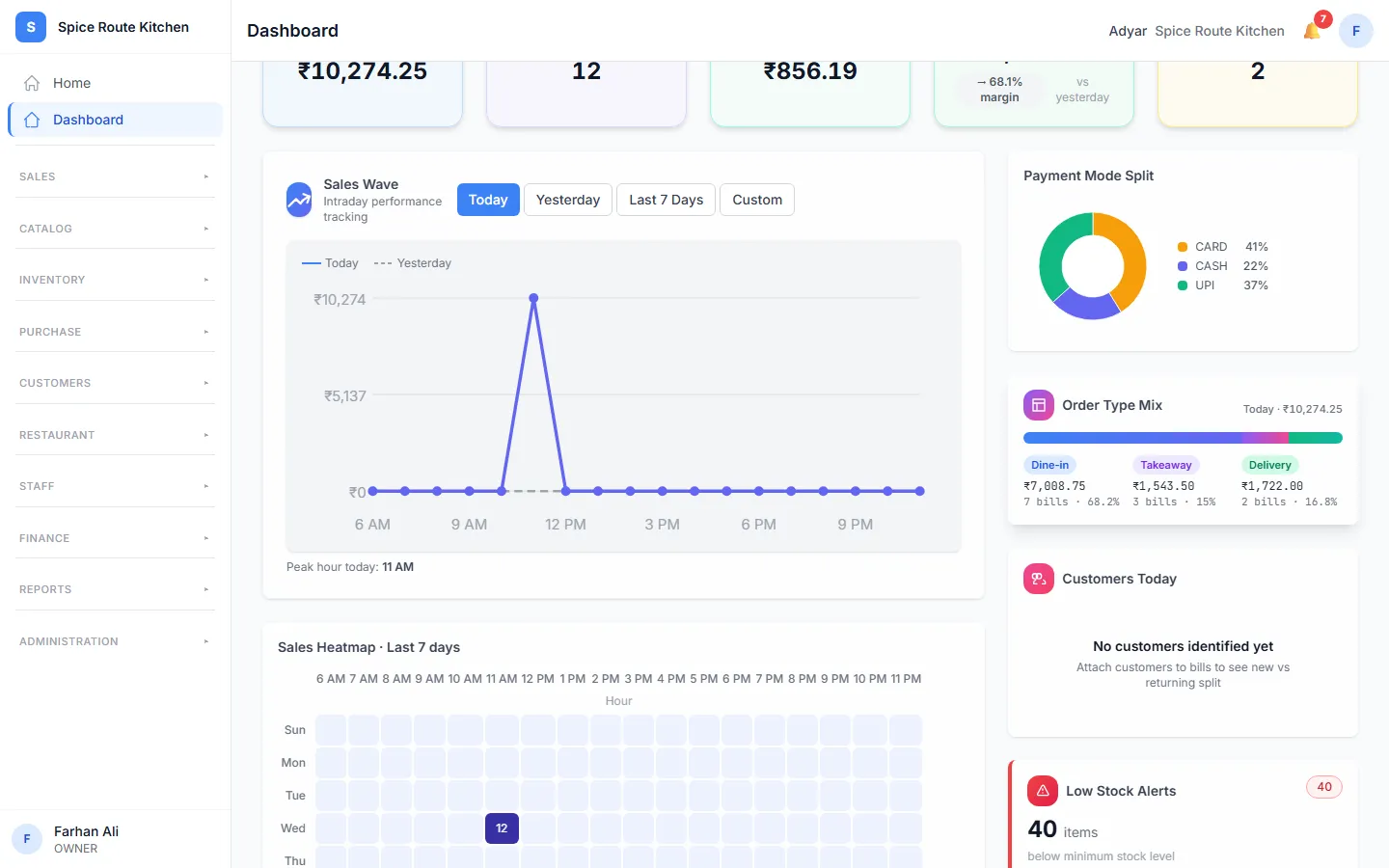
Each dish has a recipe. When you bill a dish, Orio360 takes its ingredients out of stock.
Made for restaurants
What your restaurant gets
These parts of Orio360 are made for restaurants like yours.
Tables and the floor plan
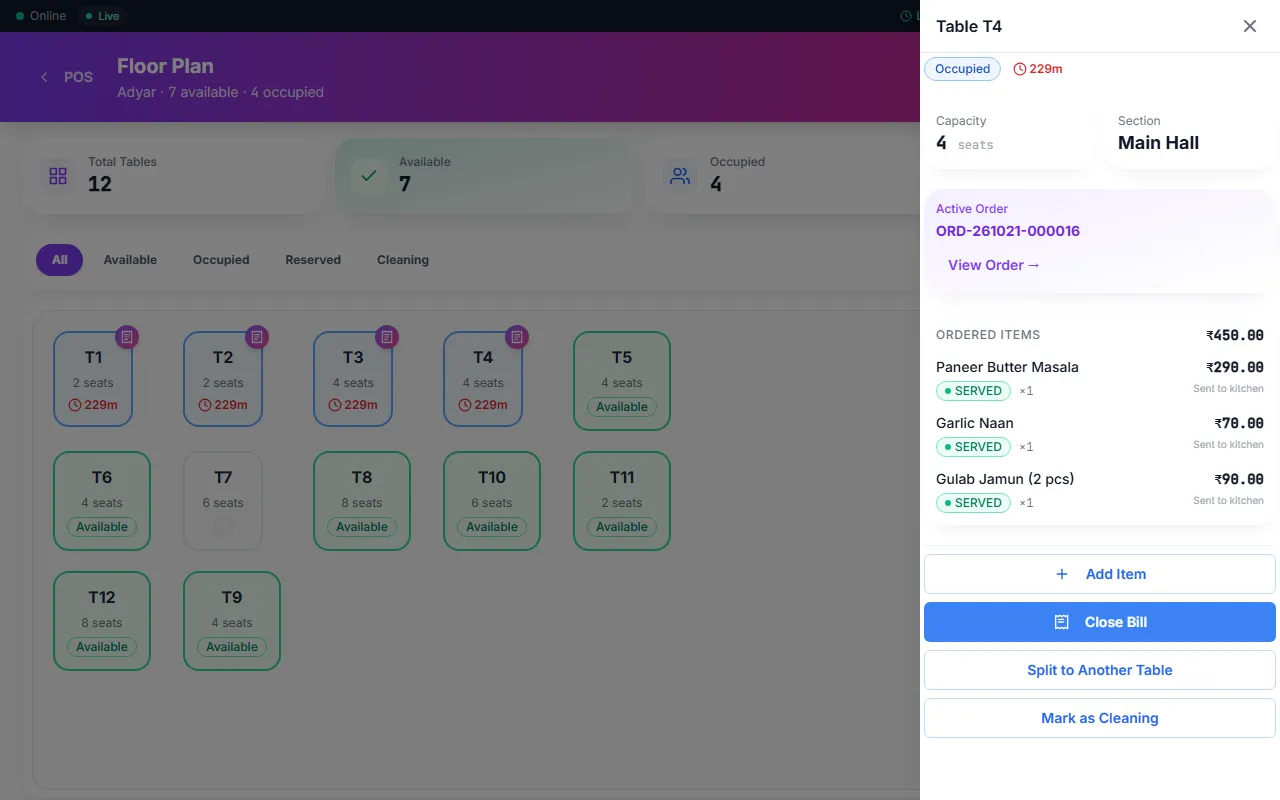
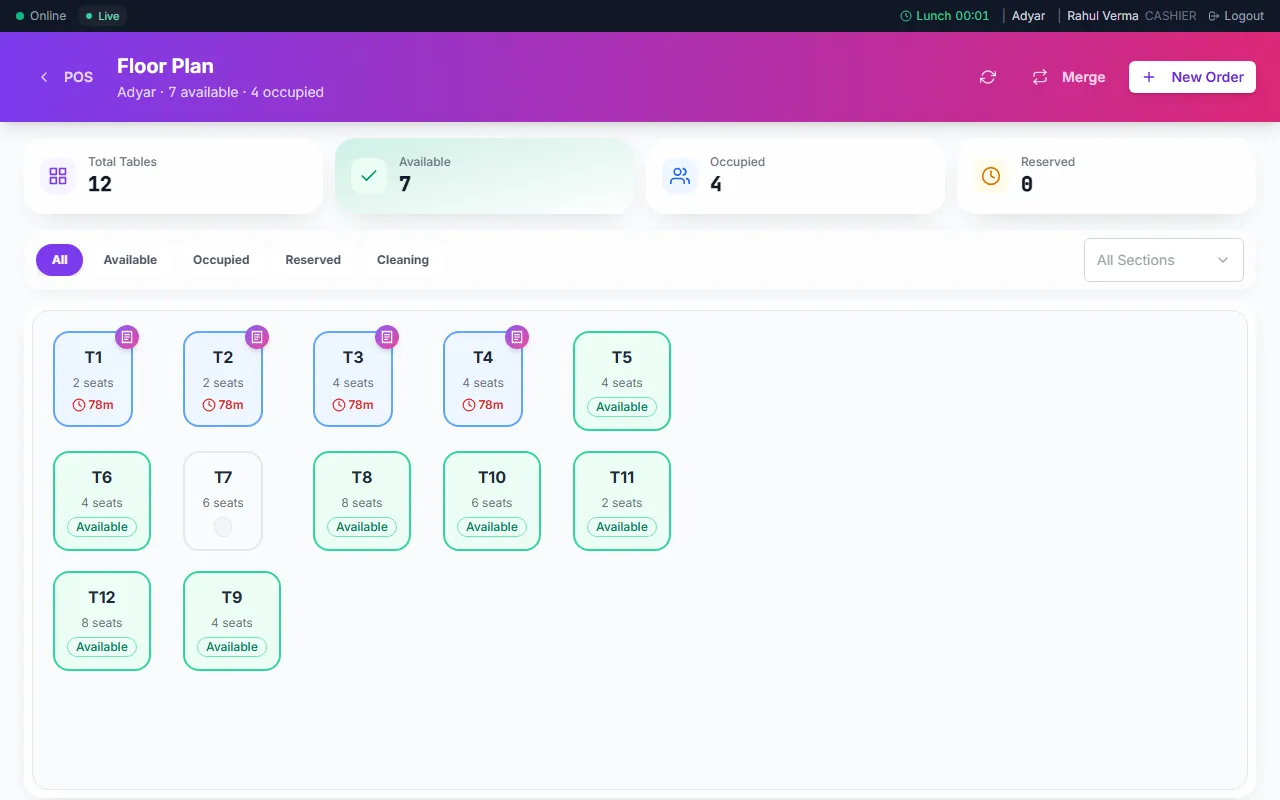
See which tables are free, in use or booked on the floor plan. Move an order to another table, or join tables for a big group.
Learn moreDine-in, takeaway and delivery
Take all three kinds of order in the POS app. Pick the kind when you start the order.
Learn moreRecipes and food cost
Write a recipe for each dish. See what each dish costs you to make.
Learn moreExtras and spice levels
Add modifiers, like extra cheese or a spice level. An extra can add to the price.
Learn moreBookings and a waitlist
Take a reservation for a table. When you are full, add guests to the waitlist. Send them an SMS when their table is ready.
Learn moreA menu on the phone
Print a QR code for your menu. Guests scan it to see your dishes and prices.
Learn moreFestival orders
Take orders ahead for a festival. Guests pick the day to collect their order. This is on some plans.
Learn moreGST on every bill
Orio360 adds the right GST to each dish. It makes the GSTR-1 report for your tax return.
Learn more
Works on phones too
Your restaurant on your phone
Your waiters take orders on a phone. You can check on your restaurant from your phone too.
Help for restaurants
Learn how to use Orio360 in our help centre. This link opens the help for restaurants.
See Orio360 in a restaurant like yours
Tell us about your restaurant. Our team will show you how Orio360 works for you.