Features
What Orio360 can do
Here is what Orio360 does for your shop or restaurant, one part at a time. Most parts show a real screen from the app.
Billing at the till
Make bills at the counter with the POS app.
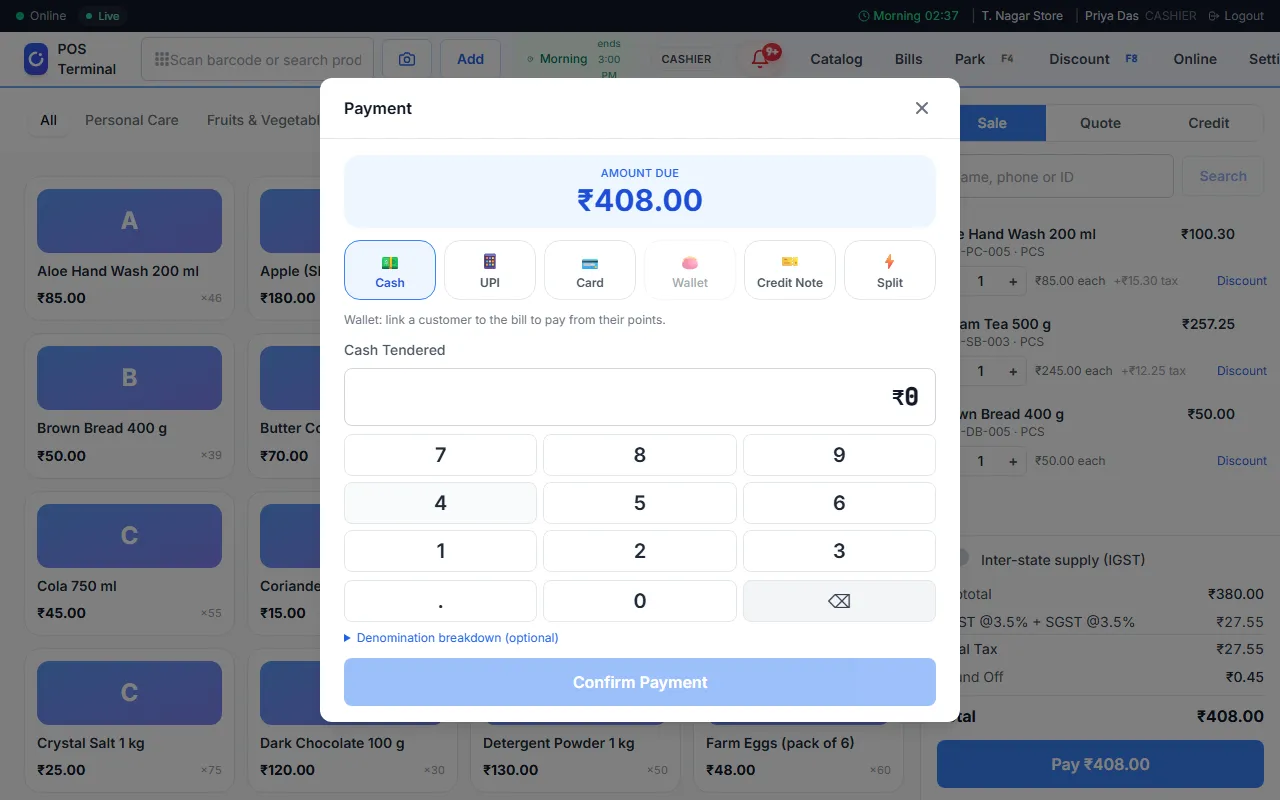
- Scan a barcode, or search, to put an item on the bill.
- Take cash, UPI or card. A customer can also pay in two ways with a split payment.
- Give a discount on one item or on the whole bill.
- Take items back as a return or an exchange.
Works without internet
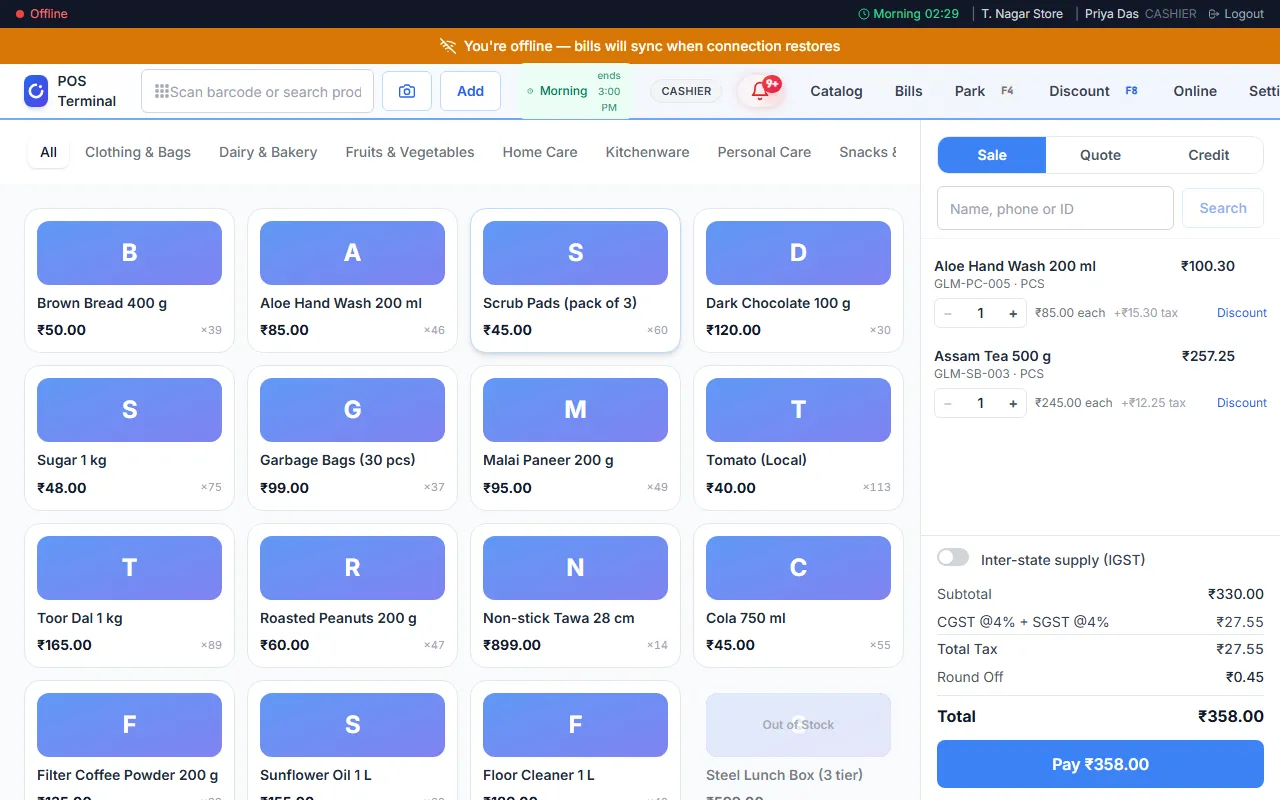
A slow or lost connection does not stop your till.
- If the internet stops, the POS app keeps making bills.
- The app keeps these bills on your device.
- When the internet is back, it sends them to Orio360 on its own.
- A bar at the top tells you when you are offline.
Products and stock
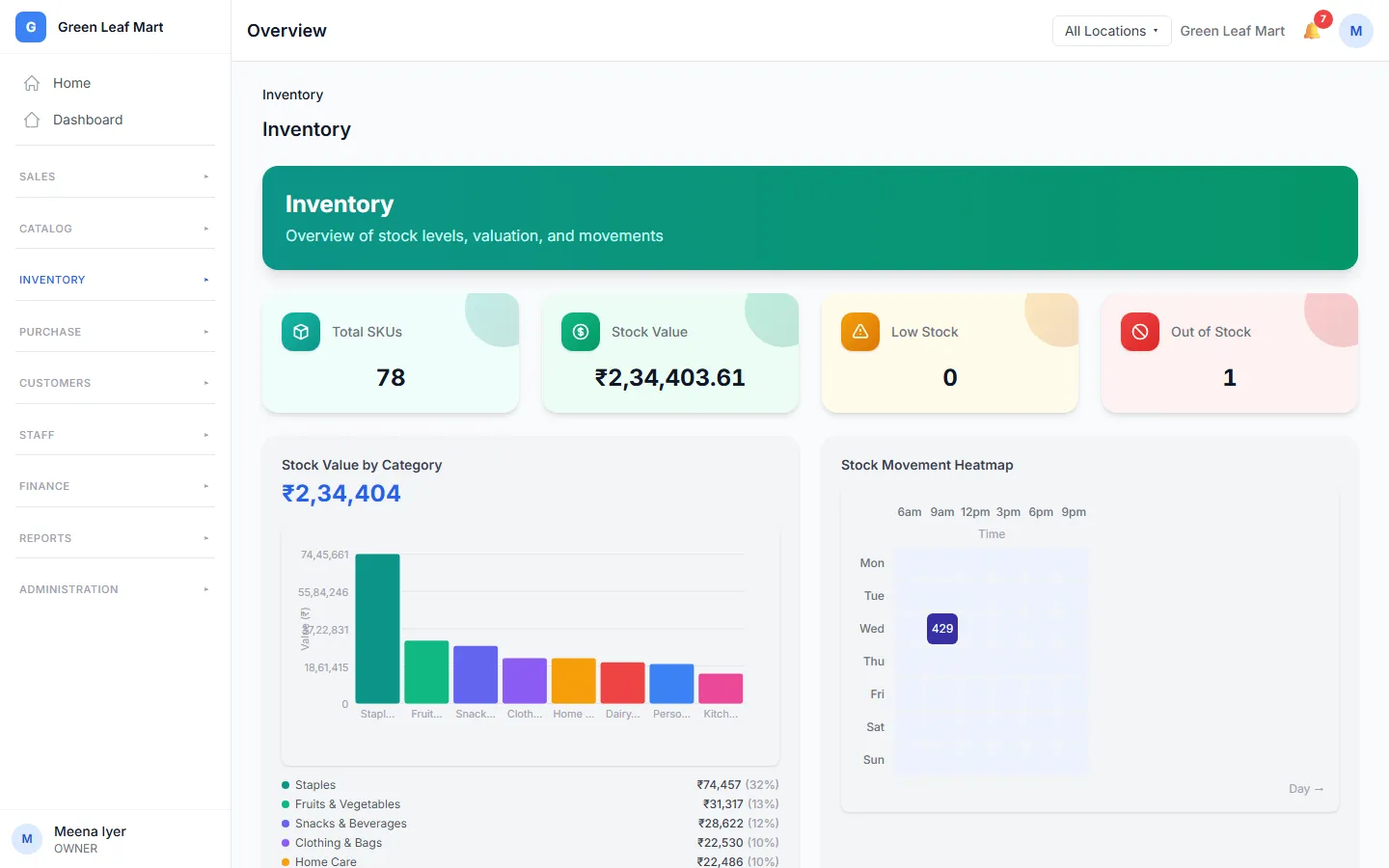
Know what you have, and where it is.
- Sell one product in many sizes and colours, with a variant for each.
- Give each product and each variant its own barcode.
- See the stock at each location, and what is running low.
- Move stock from one location to another with a stock transfer. On some plans
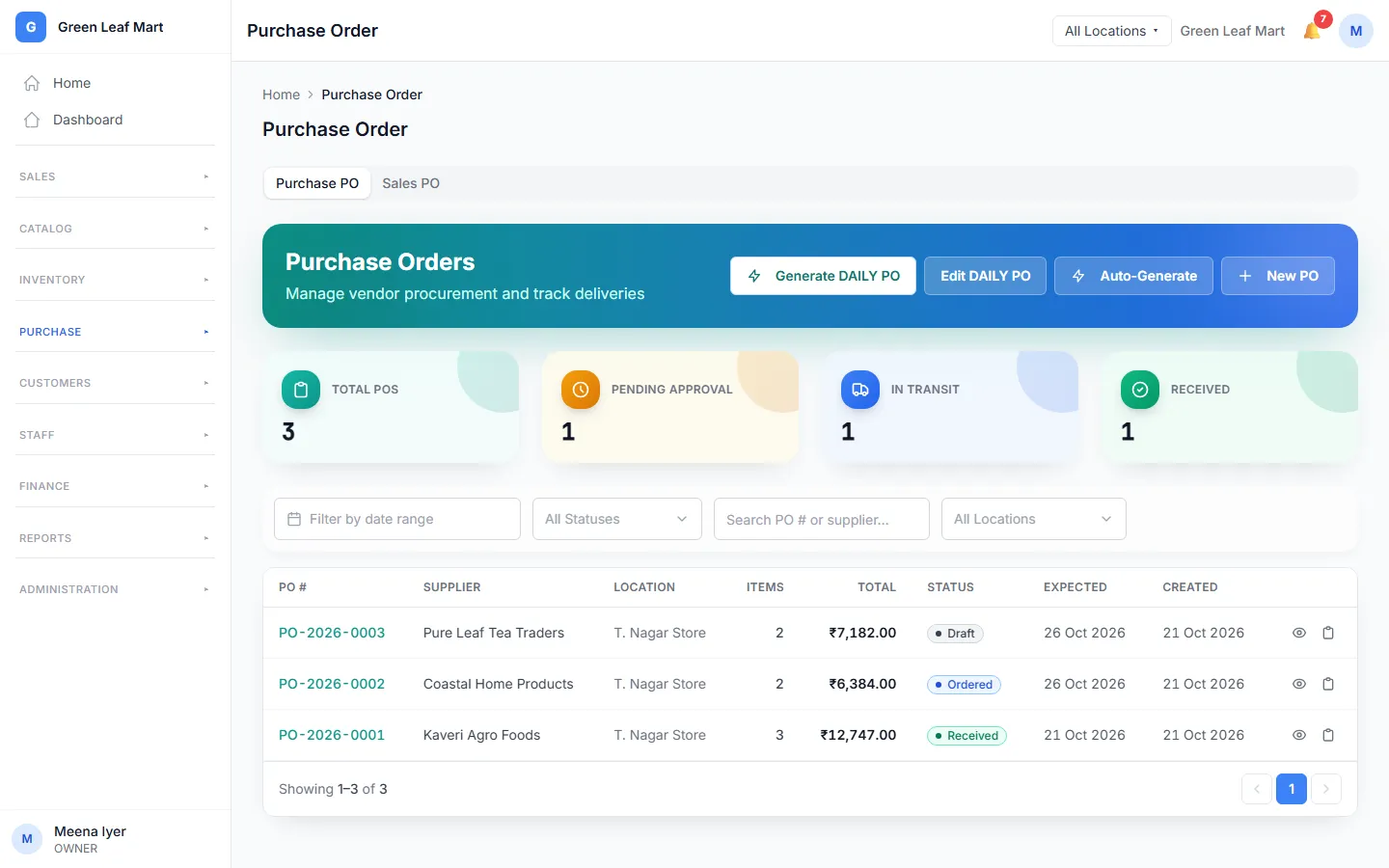
Buying from suppliers
On some plansOrder stock from your suppliers and keep track of it until it comes in.
- Keep a list of your suppliers.
- Send a purchase order to a supplier.
- When the goods come in, receive them. Your stock goes up.
- Write down the bill your supplier sends for each order.
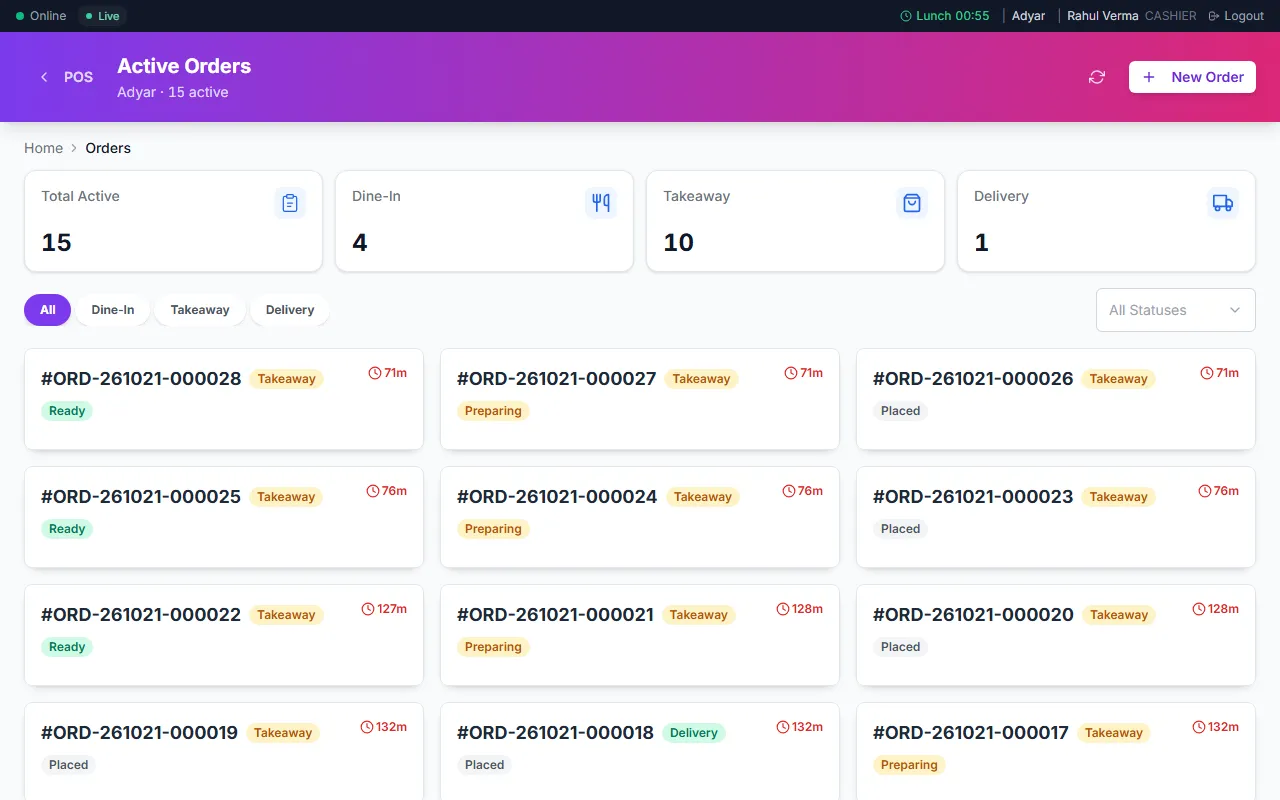
Restaurant orders, tables and the kitchen screen
Take orders, send them to the kitchen and bill the table.
- Take dine-in, takeaway and delivery orders.
- See which tables are free on the floor plan.
- Orders show on the kitchen screen. Each cook sees the orders for their station. On some plans
- Each dish has a recipe. When you bill a dish, Orio360 takes its ingredients out of stock.
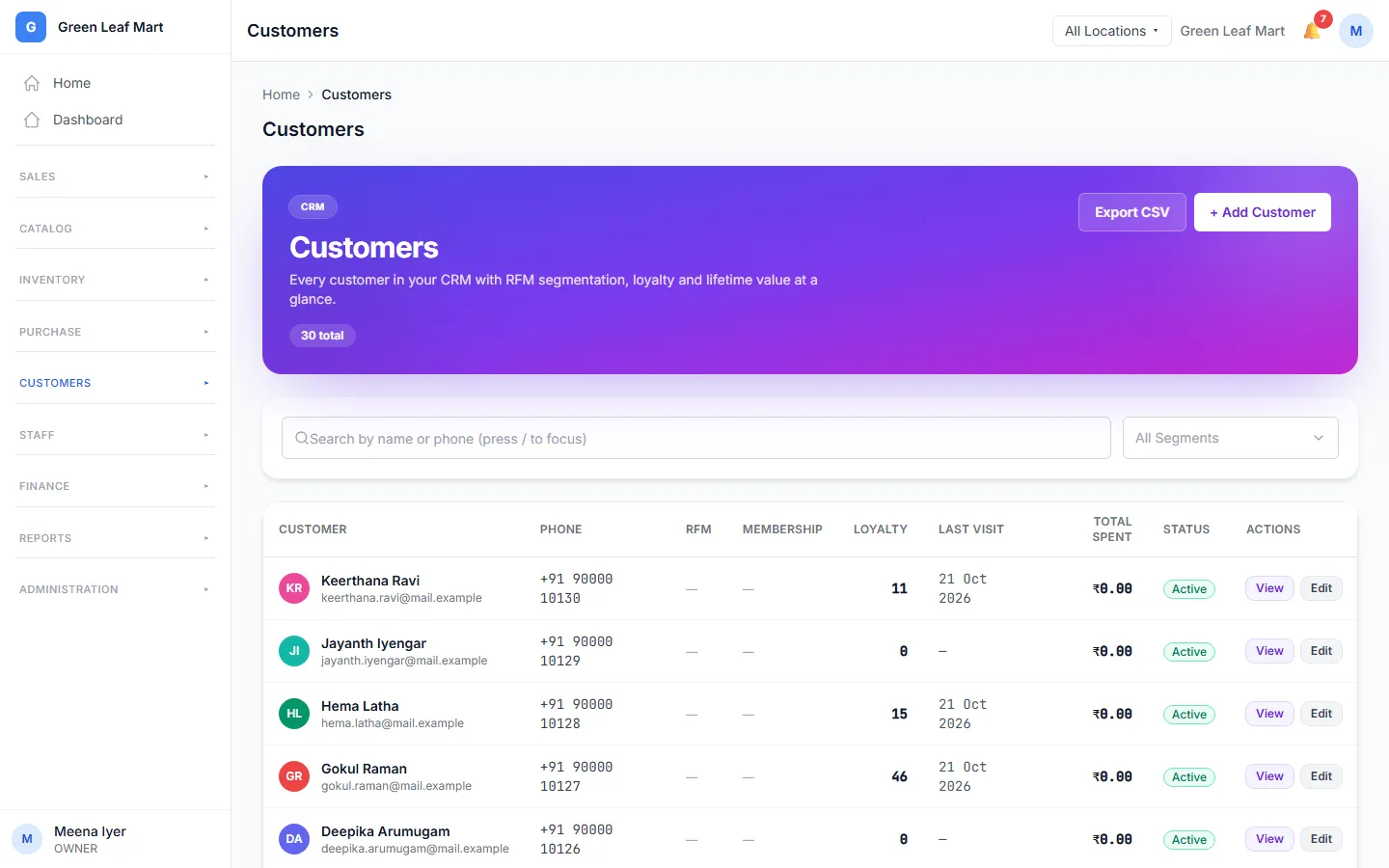
Customers, loyalty points, vouchers and memberships
Know your customers, and give them a reason to come back.
- Keep a list of your customers. See what each one bought.
- Customers earn loyalty points when they buy. They can use the points next time. On some plans
- Give a voucher for money off a bill. On some plans
- Sell a membership. Members get a discount on their bills. On some plans
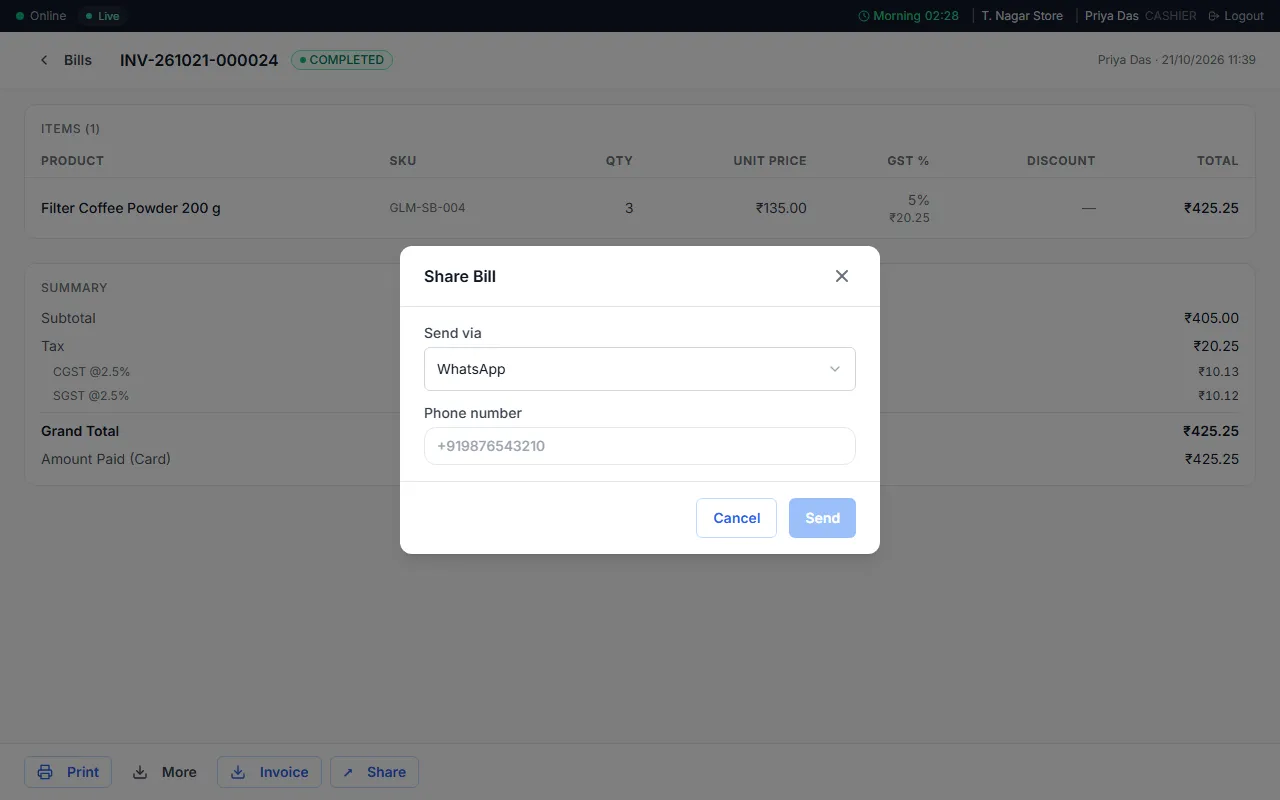
Messages: WhatsApp, email and SMS
Send bills and short messages to your customers.
- Send a bill to a customer by email, from the POS app.
- The email goes out from your own email account.
- Send bills on WhatsApp from your own WhatsApp Business account. On some plans
- When a table is ready, send an SMS to the guest on your waitlist.
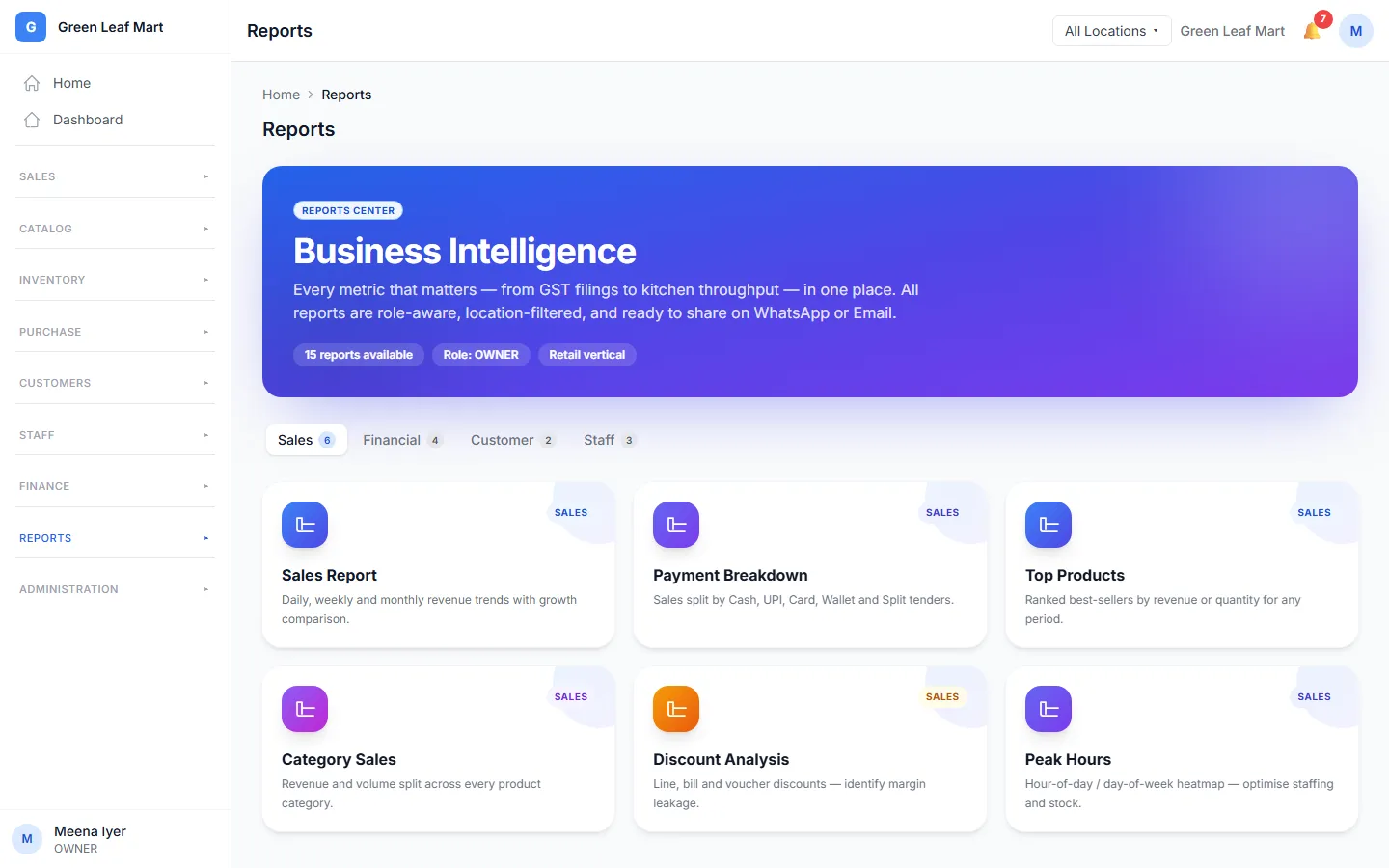
Reports and Tally export
See how your business is doing.
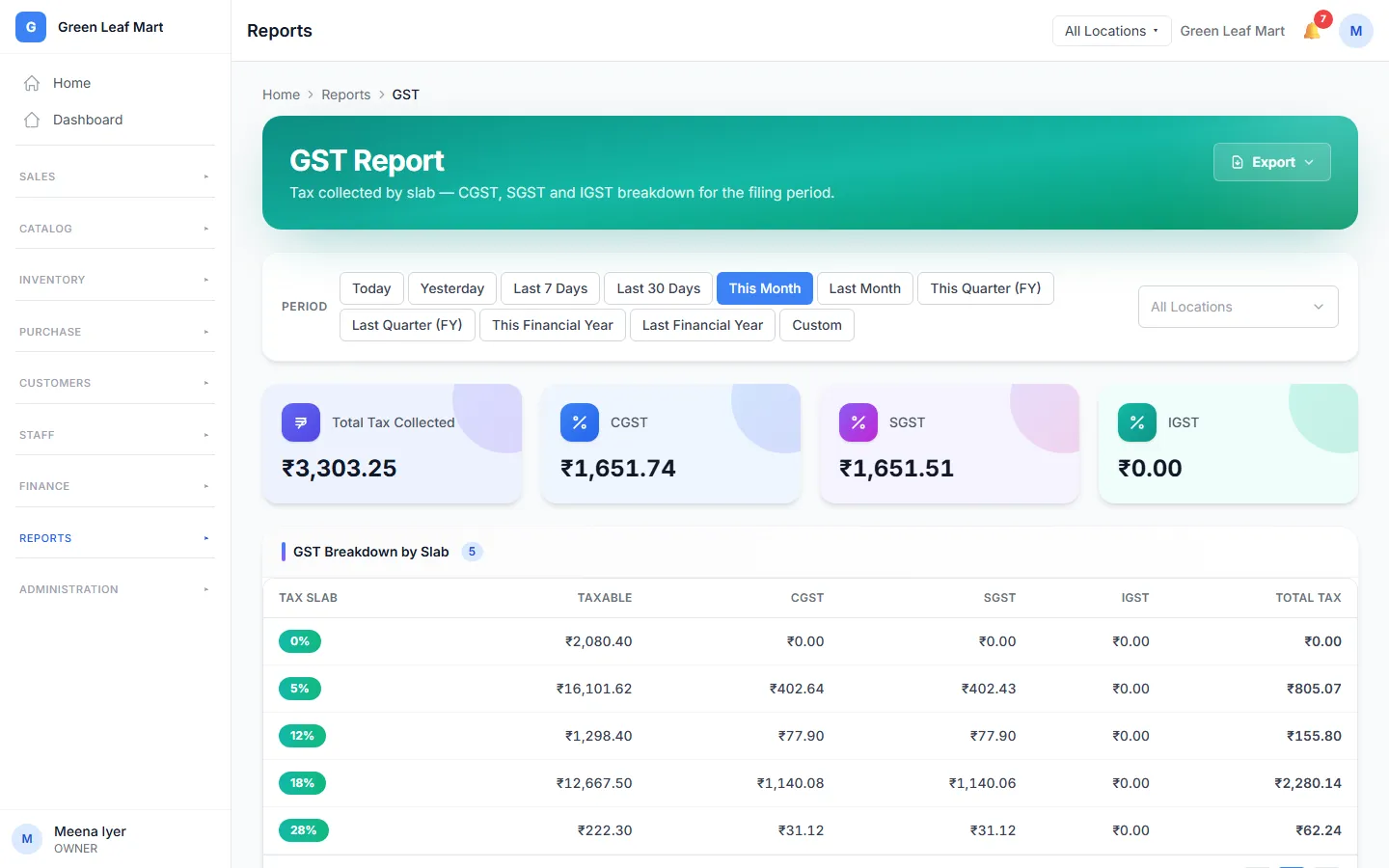
- See your sales for each day.
- See your profit after costs and expenses.
- See your best sellers and your busy hours. On some plans
- Send your sales and purchases to Tally. On some plans
Staff, shifts and money
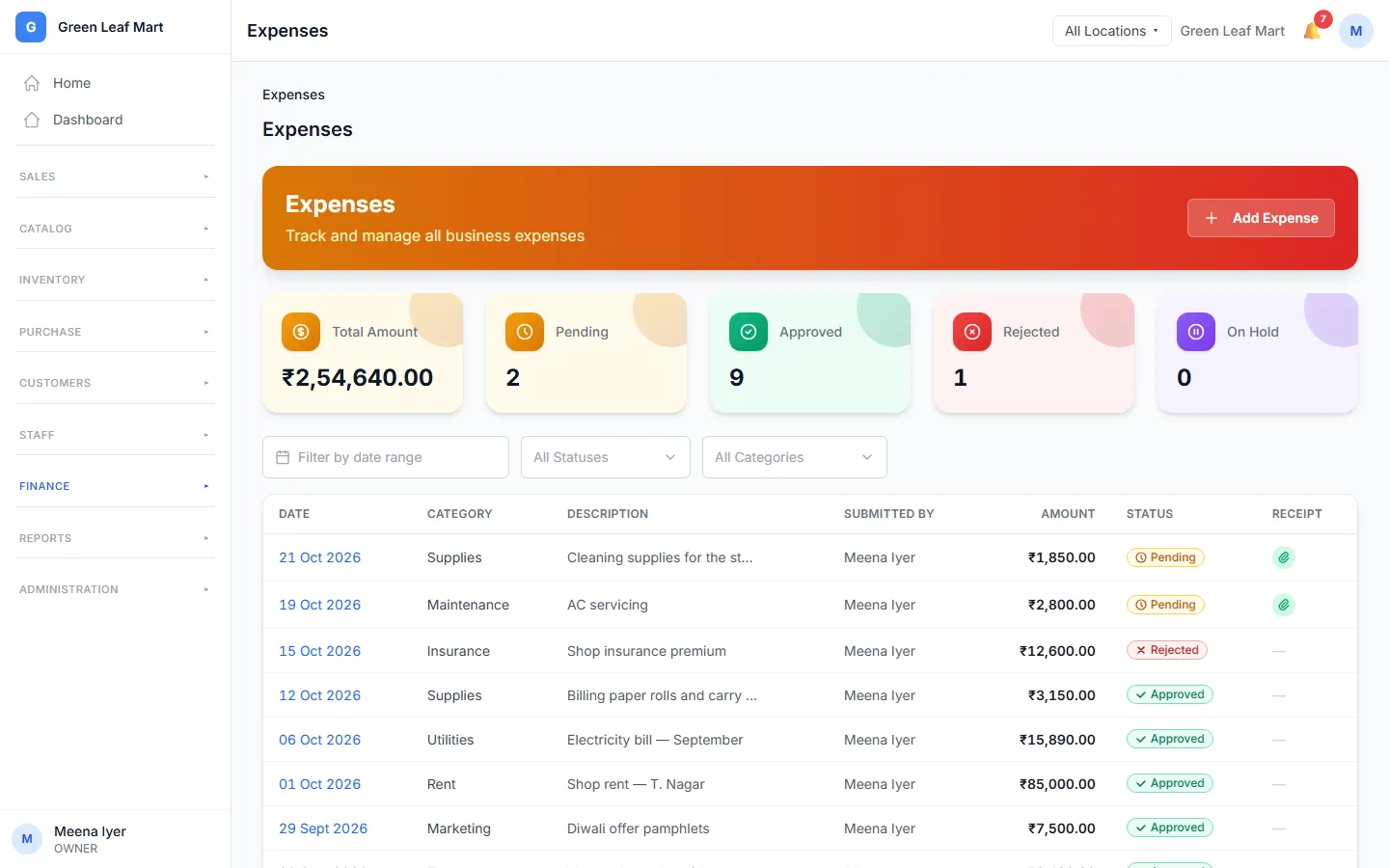
Give each person the right access, and keep an eye on the cash.
- Give each person a role: Owner, Manager or Cashier.
- Cashiers open and close a shift at the till. At the end, they count the cash.
- A Manager adds an expense with a photo of the receipt. The Owner approves it.
- Pay staff a commission on the sales they make. On some plans
Many locations
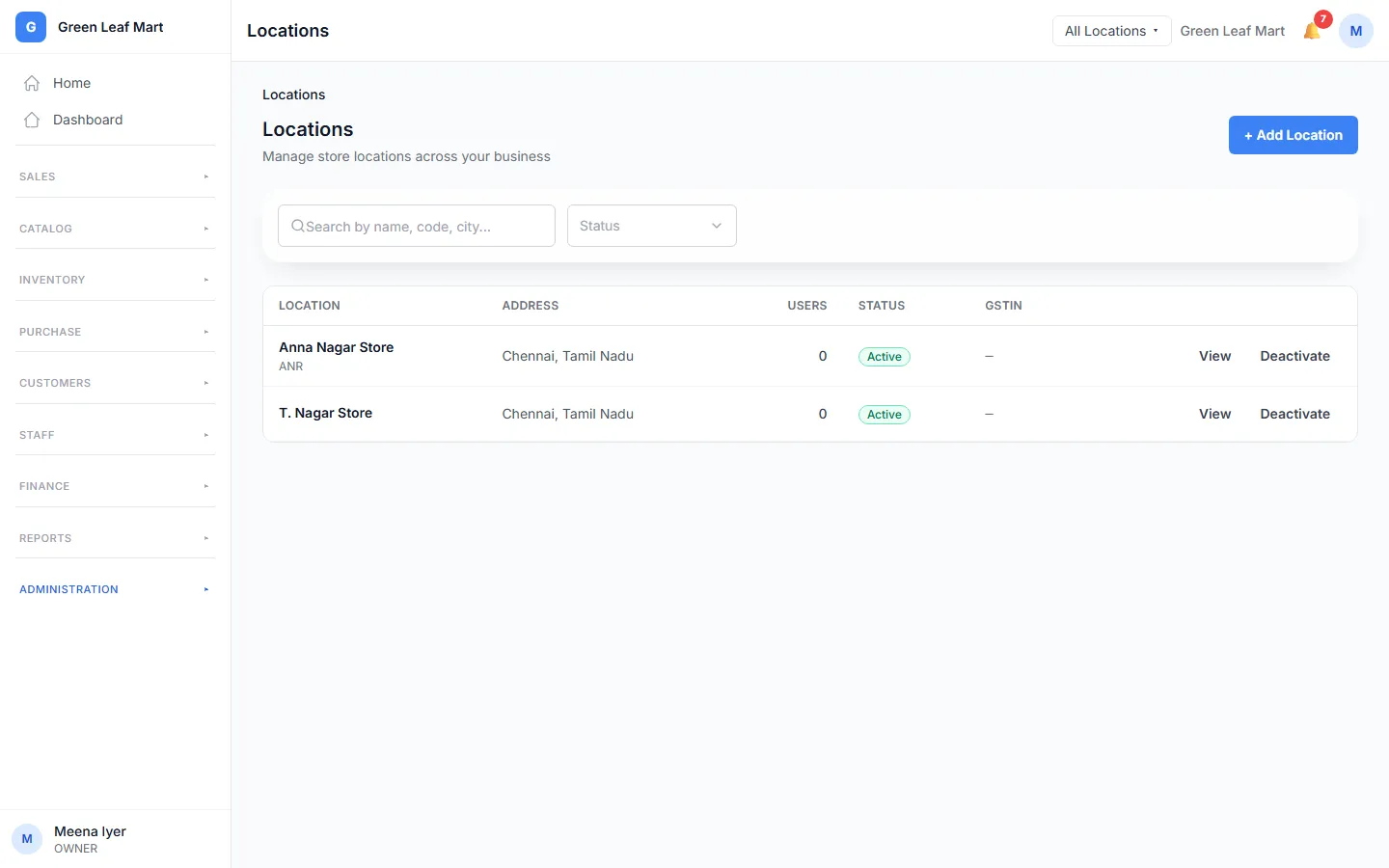
Run more than one shop or restaurant from one account. How many locations you get depends on your plan.
- Add each shop or restaurant as a location.
- Each location has its own stock and its own bills.
- See all your locations together, or pick one.
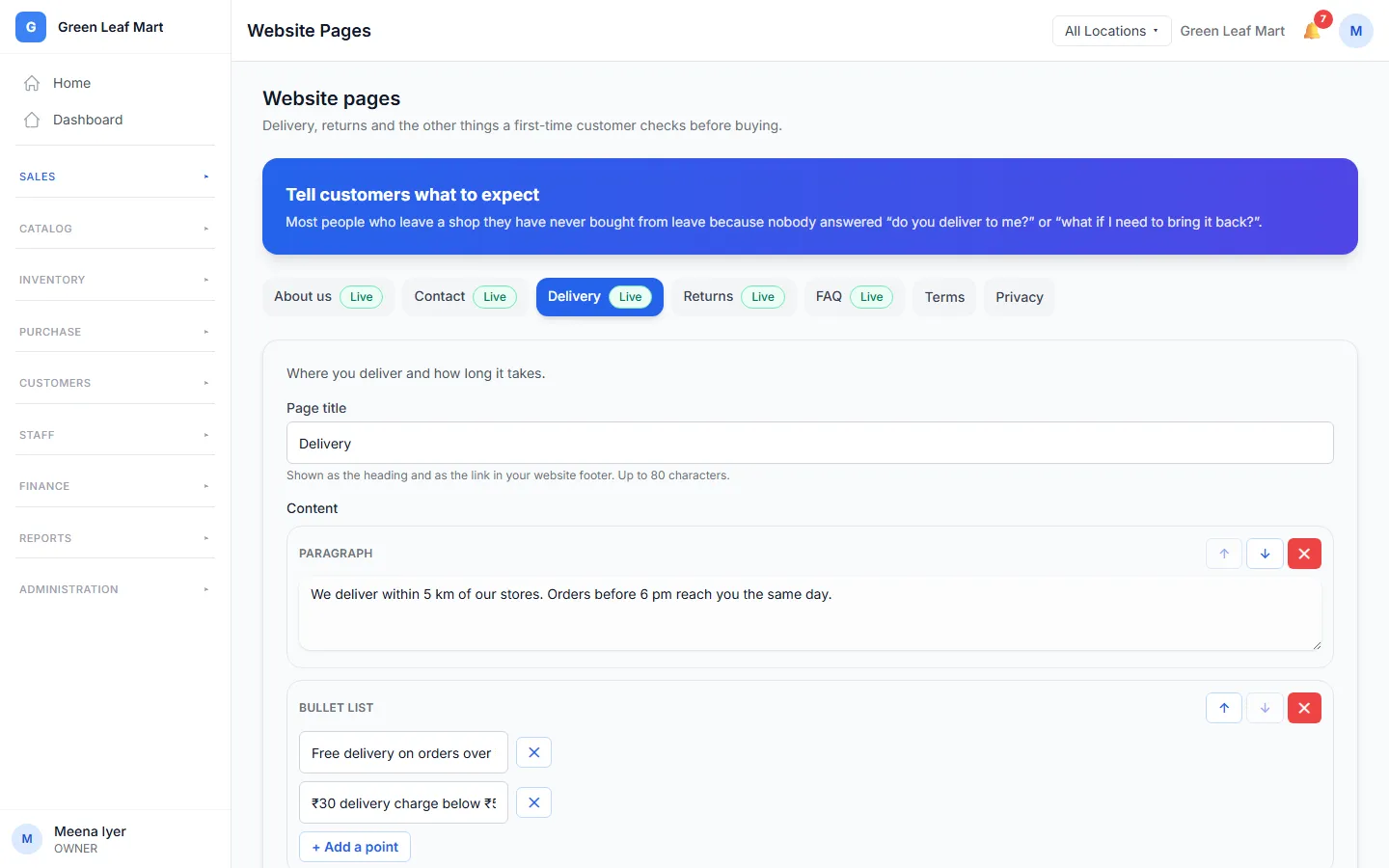
Your own online store
On some plansSell on the web too. Our team turns on your online store for you.
- Your products show on your own store website.
- Customers order online. You see their orders in Online Orders.
- Write your own store pages, like delivery and returns.
- Take payments online with your own Razorpay account. On some plans
Phone apps
Two apps for the phone: one for your waiters, and one for you.
- Waiters pick a table and take the order with the Waiter app.
- They send the KOT to the kitchen from the table.
- Check your sales and approve expenses with the Manager app.
Does Orio360 fit your business?
Tell us how you sell. Our team will show you the parts you need.