Follow up your quotes
Send a quote to your customer and see if they said yes.
Who can do this: Owner, Manager and Cashier
This is not in every plan. See Pricing.
After you make a quote, send it to your customer. They can open it on their phone and say yes. You see their answer in Orio360. The admin app shows all your quotes in one place.
Send a quote
- In the menu, open Sales and press Quotations. Then press All Quotes.
- Press the number of the quote.
- Press Send Quote.
- Choose how to send it in Send Via.
- Press Send.
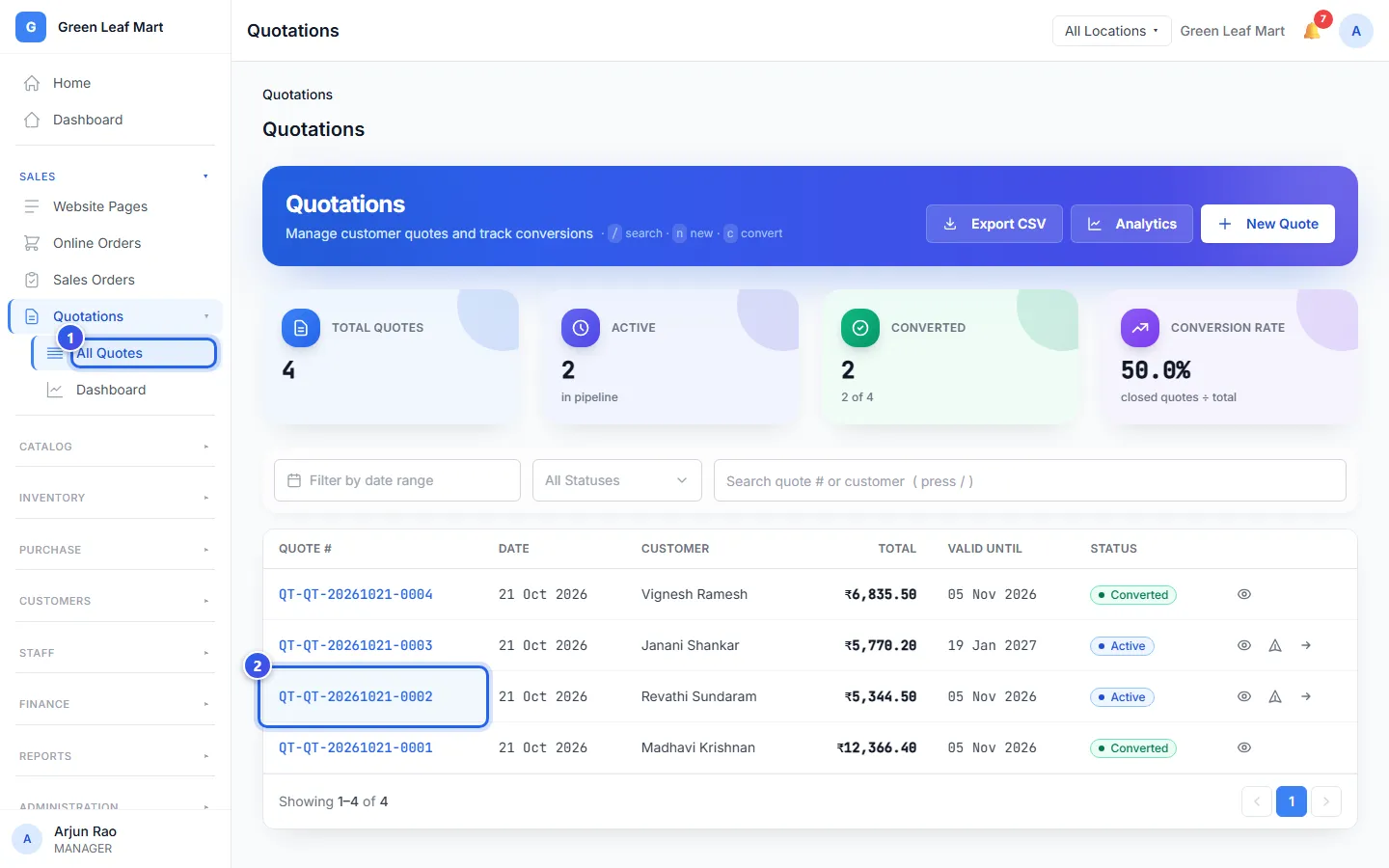
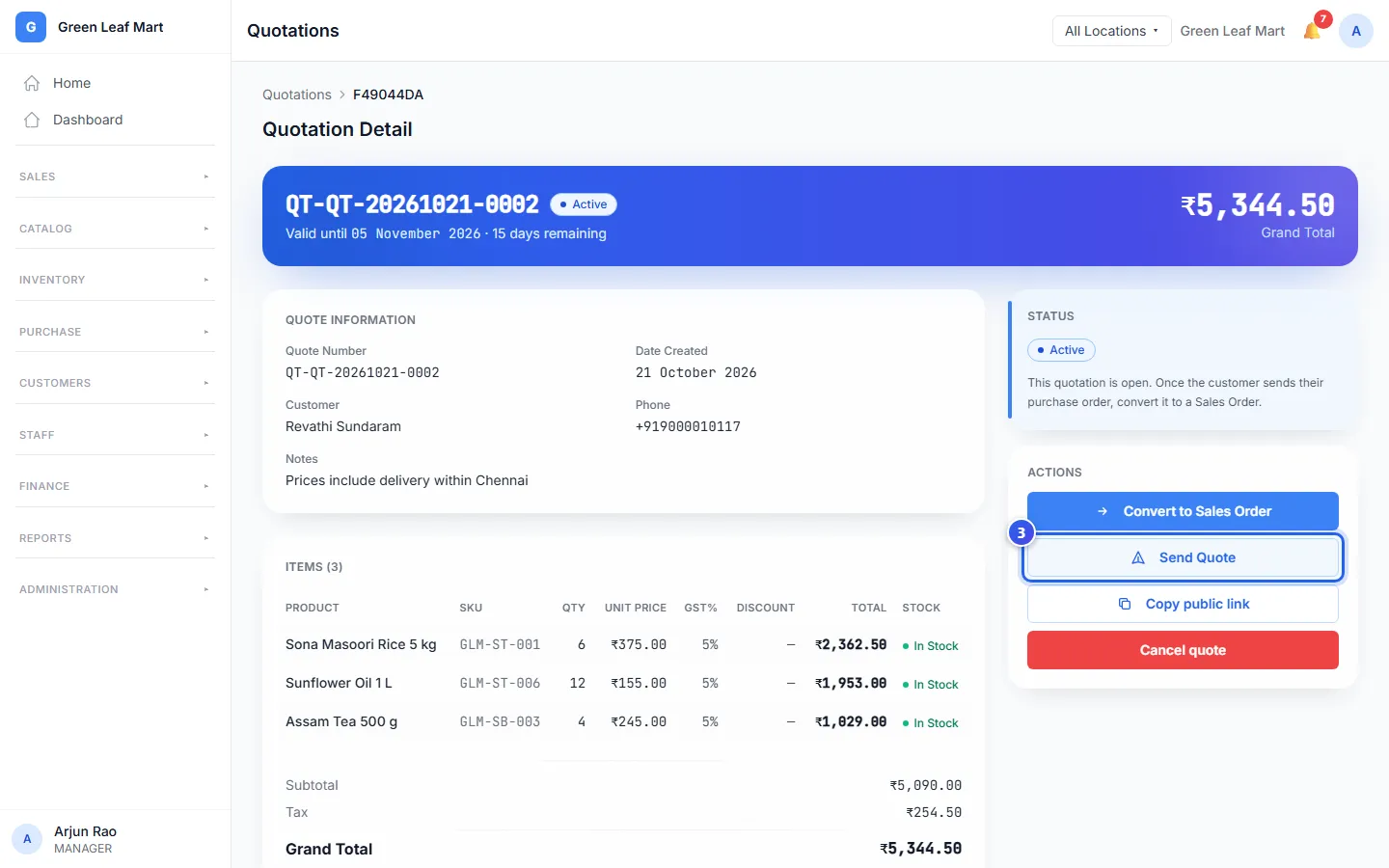
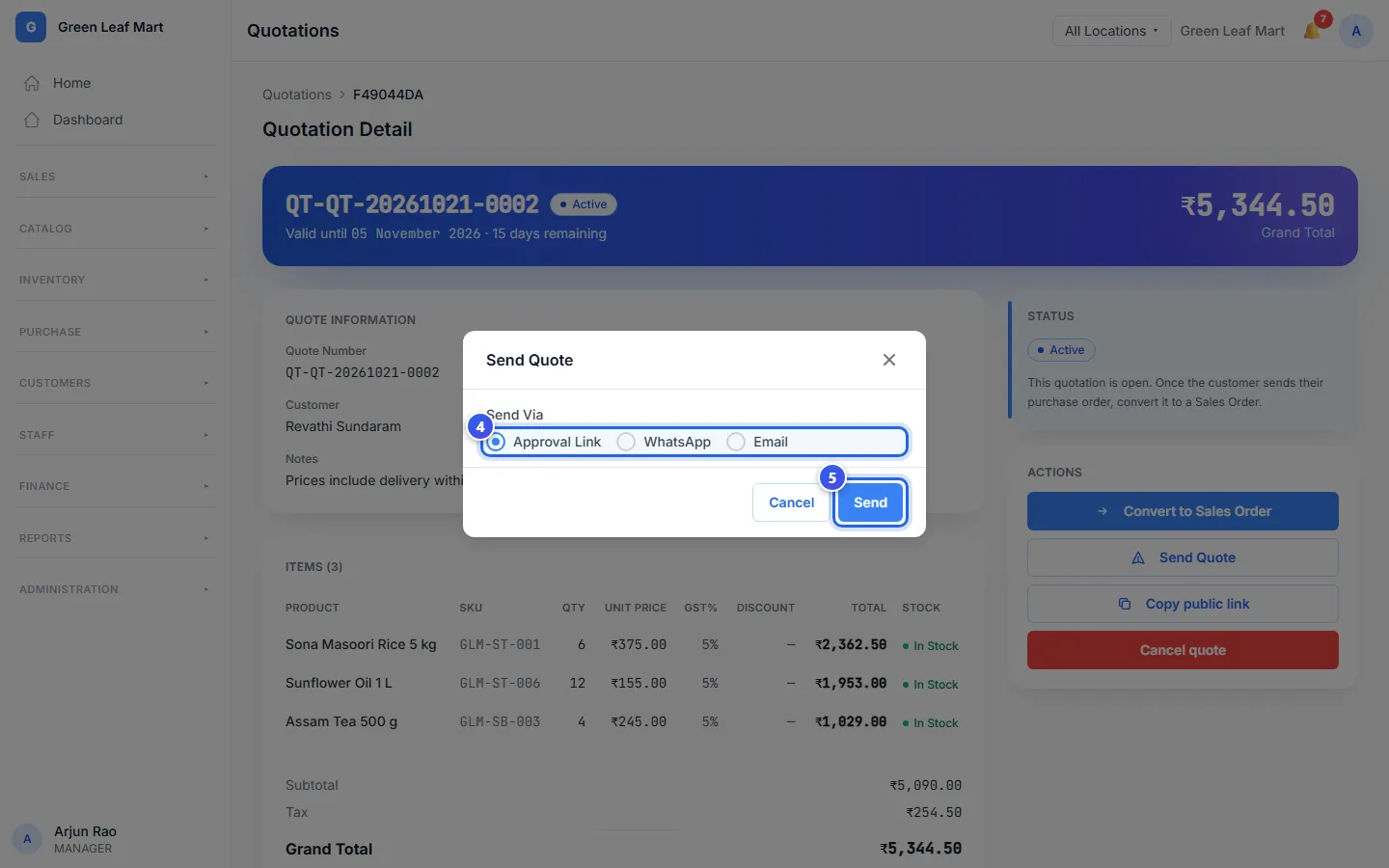
There are 3 ways to send a quote:
- Approval Link makes a link and shows it to you. Copy it and share it your own way.
- WhatsApp sends the quote to the customer's phone.
- Email sends the quote to the customer's email.
Copy public link also makes a link and copies it for you. Each new link takes the place of the old one. The old link stops working.
See what the customer said
Each quote has a status in the list:
- Active means the quote is open.
- Approved means the customer pressed yes on the link.
- Converted means you made a sales order from it.
- Expired means its last day has passed.
- Cancelled means someone stopped the quote.
Open a quote to see more. Activity shows when the customer said yes. If they asked for a change, their note shows under Customer Feedback.
When the customer says yes, make a sales order. See Make a sales order.
Good to know
- Did a quote expire? At the till, open it and press Renew. Orio360 makes a new quote at today's prices.
- A Manager or an Owner can press Cancel quote to stop a quote. Its link stops working.
- A Manager or an Owner can open Dashboard under Quotations. It shows how many quotes turned into sales.
Related help
Make a price quote
Write a quote with prices for a customer before they decide to buy.
On some plans
What customers see on a quote
See the quote page your customer opens to say yes or ask for changes.
On some plans
Make a sales order
Turn a quote into a sales order when the customer sends their purchase order.
On some plans
Still need help?