Plan what to cook
See which ingredients your festival orders need, and which ones you must buy.
Who can do this: Owner and Manager
For restaurantsThis is not in every plan. See Pricing.
Before a festival, check that you have enough to cook every order. The Production Planning page adds up the ingredients that your festival orders need. It shows what you have and what you must buy.
Make the plan
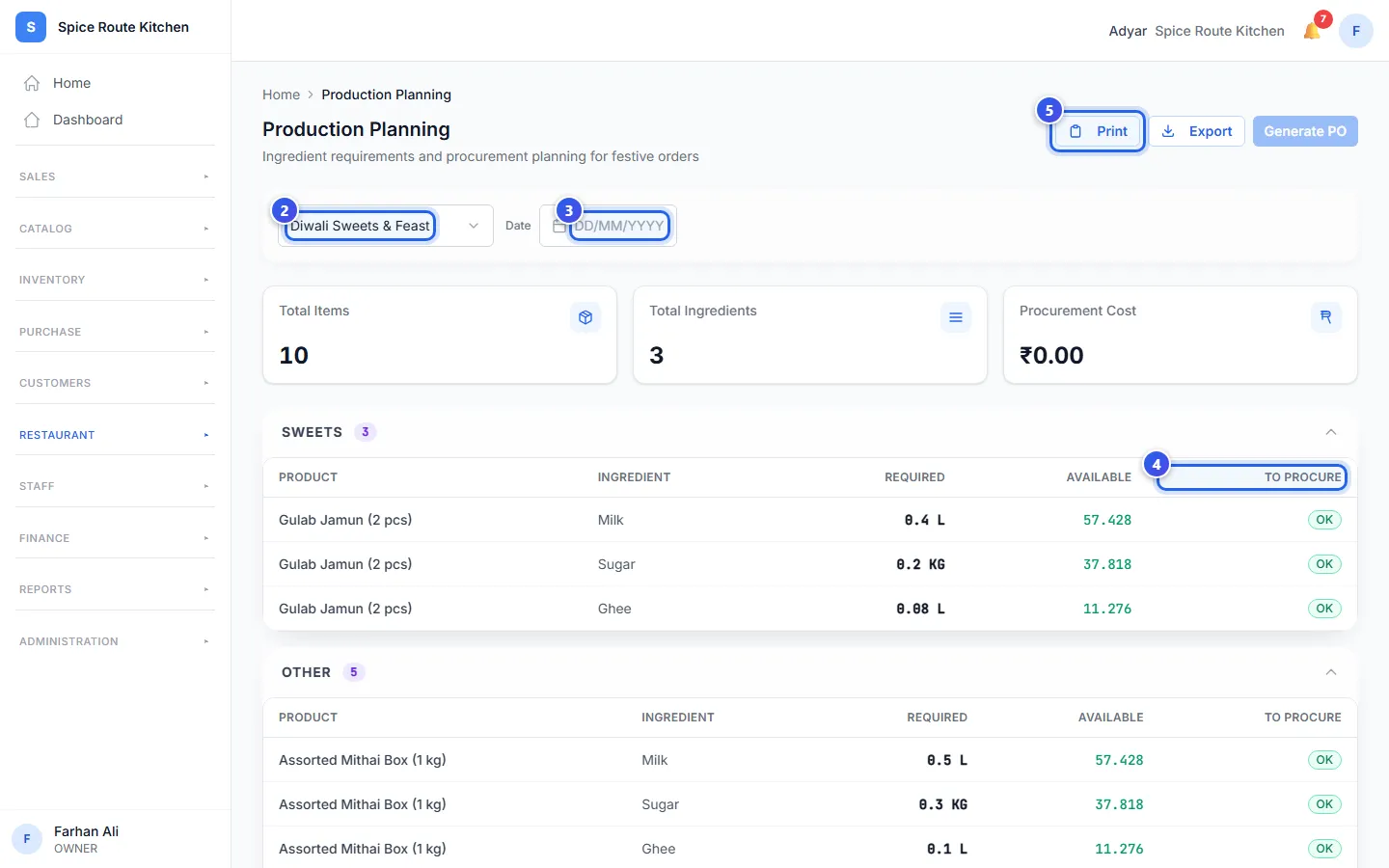
- In the menu, open Restaurant, then Bookings and Orders. Press Production.
- Choose the festival in the box at the top.
- To plan one day only, choose it in Date.
- Look at To Procure for each ingredient.
- Press Print for a paper list. Or press Export for a CSV file.
Read the plan
The cards at the top show Total Items and Total Ingredients. The rows come in groups, like Sweets.
Each row is one ingredient of one dish.
- Required is how much the orders need.
- Available is how much you have in stock now.
- To Procure says OK when you have enough. A red number shows how much more you must buy.
When some ingredients are short, a note at the top counts them.
Orio360 works out the ingredients from each dish's recipe. So check that your festival dishes have recipes first.
Related help
Check and restock ingredients
See how much of each ingredient you have, and add stock when you buy more.
For restaurants
Track festival orders
See every festival order and where each one is now.
For restaurantsOn some plans
Make a purchase order
Tell a supplier what you want to buy, how many and at what price.
On some plans
Still need help?