Plan a festival or event
Set up a festival with its dates and a special menu.
Who can do this: Owner
For restaurantsThis is not in every plan. See Pricing.
Before a big festival, guests order sweets and meals days ahead. Each one is a festival order. First, set up the festival and its menu. Only an Owner can do this. A Manager can see the festival.
Make the festival
- In the menu, open Restaurant, then Bookings and Orders. Press Events.
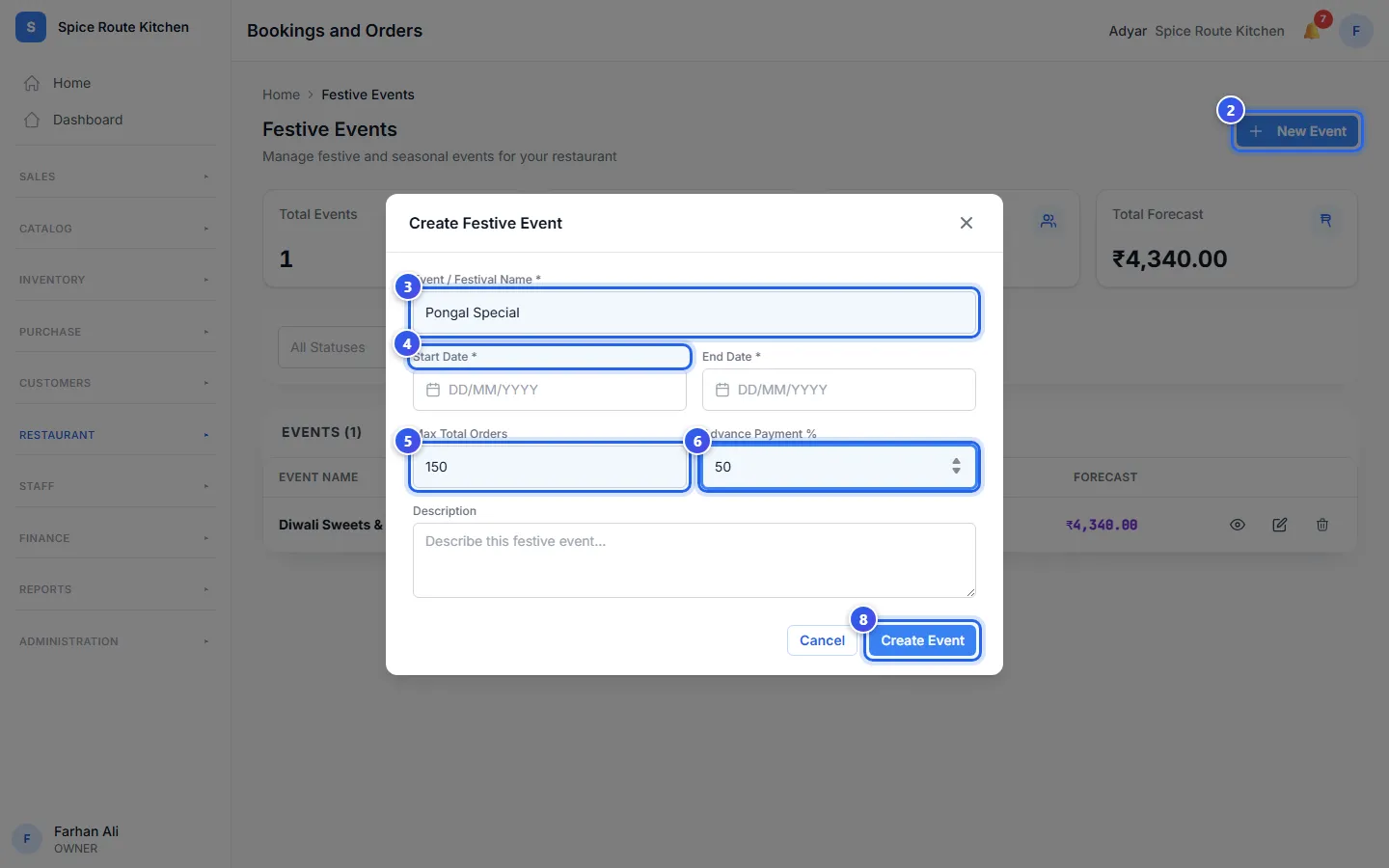
- Press New Event.
- Type the Event / Festival Name, like Pongal Special.
- Choose the Start Date and the End Date.
- Type the most orders you can take in Max Total Orders. Leave it empty for no limit.
- Type the Advance Payment %. This part of the price is paid when the guest books.
- Add a Description if you like.
- Press Create Event.
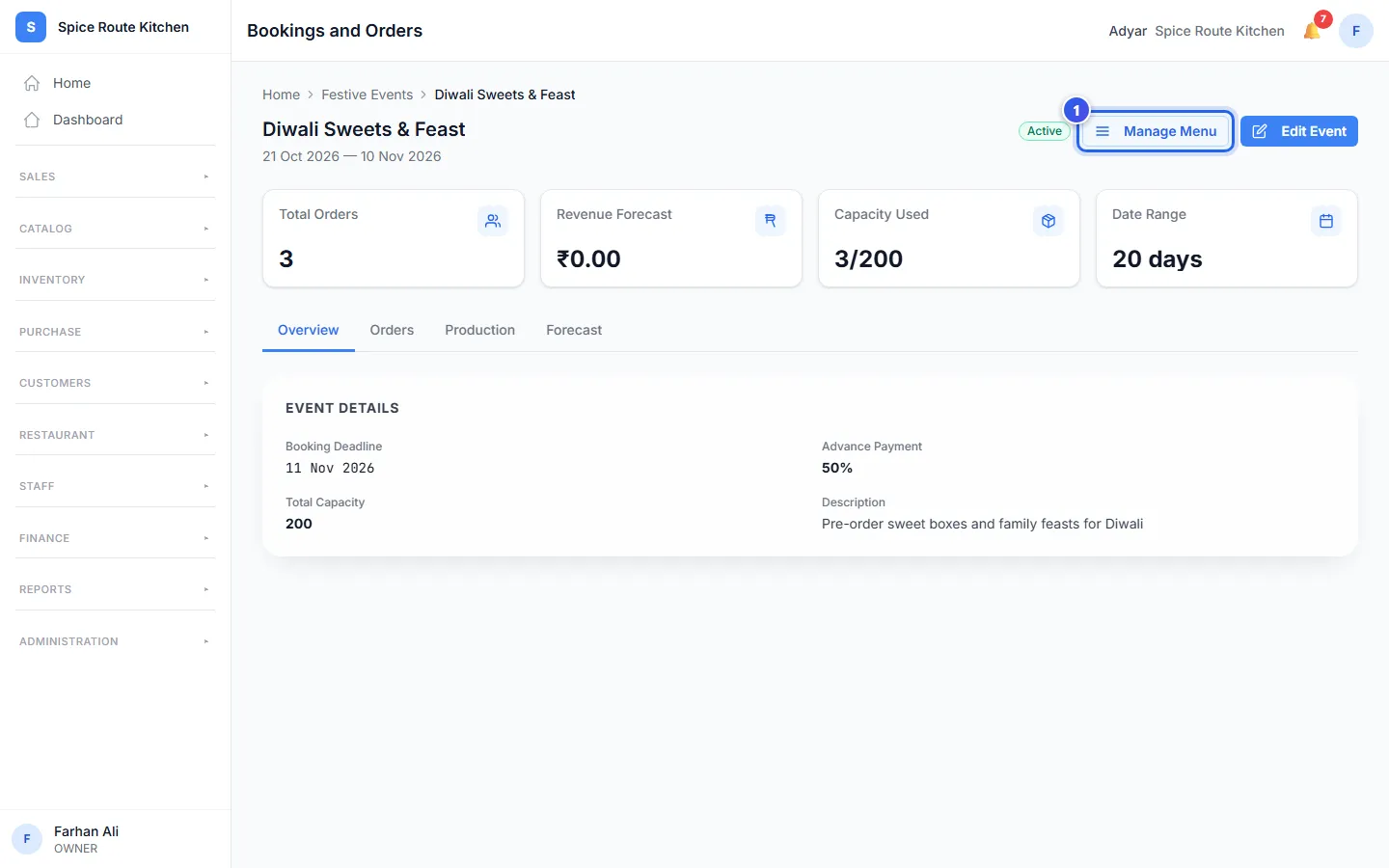
The festival's own page opens. Its cards show Total Orders and Capacity Used. The tabs Orders and Production show the orders and the cooking plan.
The Festive Events list shows each festival as Upcoming, Active or Completed. Orio360 works this out from the dates.
Add the festival menu
- On the festival's page, press Manage Menu.
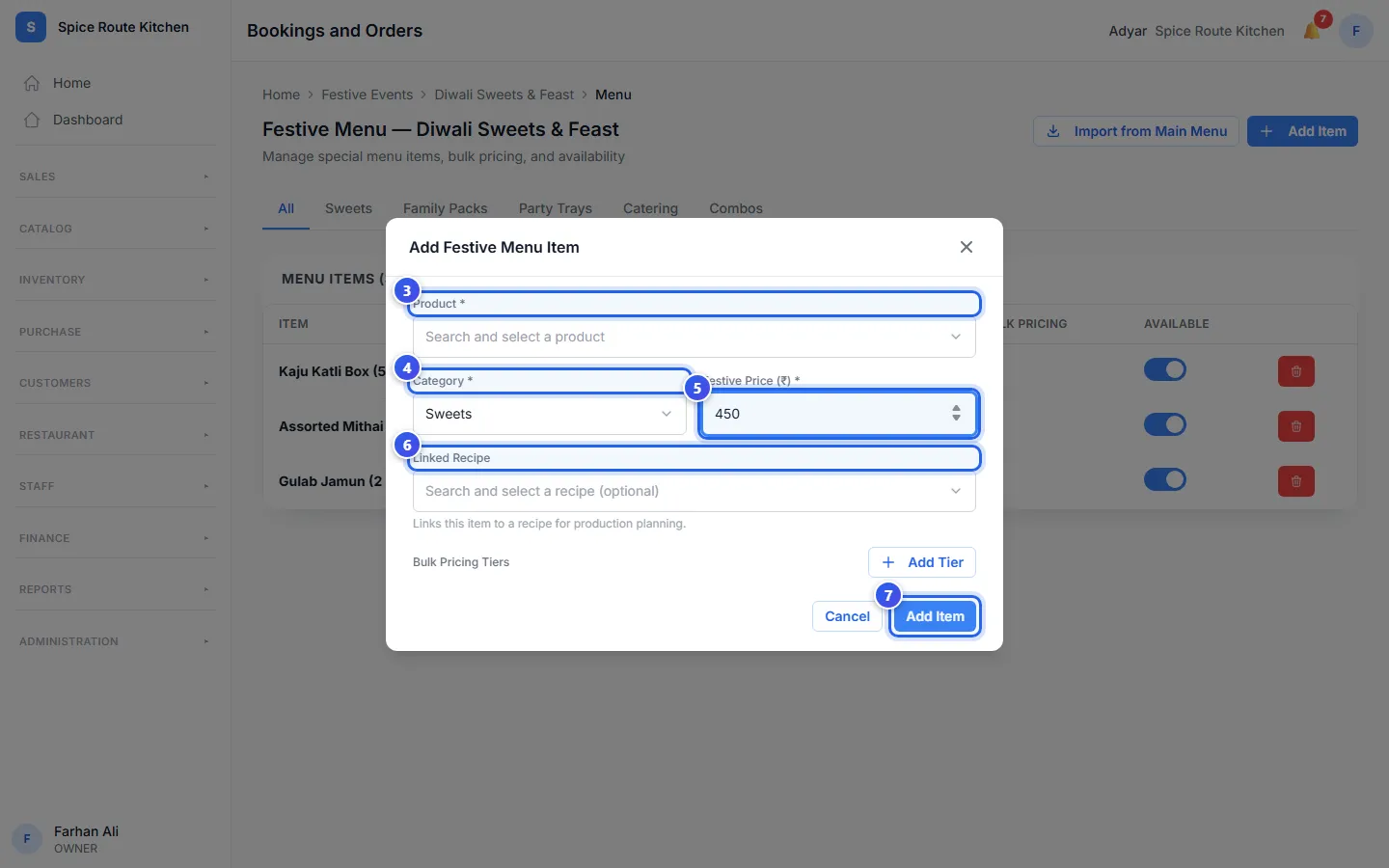
- Press Add Item.
- Choose the dish in Product.
- Choose a Category, like Sweets or Family Packs.
- Type the Festive Price (₹).
- Choose a Linked Recipe if the dish has one.
- Press Add Item.
The message Item added to festive menu shows. The menu list shows each dish with its Regular price and its Festive Price.
To give a lower price on big orders, press Add Tier under Bulk Pricing Tiers. Type the Min Qty, the Max Qty and the Discount %.
Is a dish sold out? Turn off its Available switch in the menu list.
Related help
Manage festival bookings
See all festival bookings in a list or a calendar and take deposits.
For restaurantsOn some plans
Set how much you can make for a festival
Set how many orders you can take and watch for alerts when you get close.
For restaurantsOn some plans
What guests see when they book online
See the page guests use to book a festival order from a link.
For restaurantsOn some plans
Still need help?