Manage festival bookings
See all festival bookings in a list or a calendar and take deposits.
Who can do this: Owner and Manager
For restaurantsThis is not in every plan. See Pricing.
A guest books sweet boxes for Diwali and pays part of the price now. The Customer Bookings page lists every booking like this. Here you find a booking, take a deposit and see the busy days.
Find a booking
- In the menu, open Restaurant, then Bookings and Orders. Press Bookings.
- Choose the festival in Festival.
- To find one booking, type its number, a name or a phone number in Search.
- Press the booking to open it.
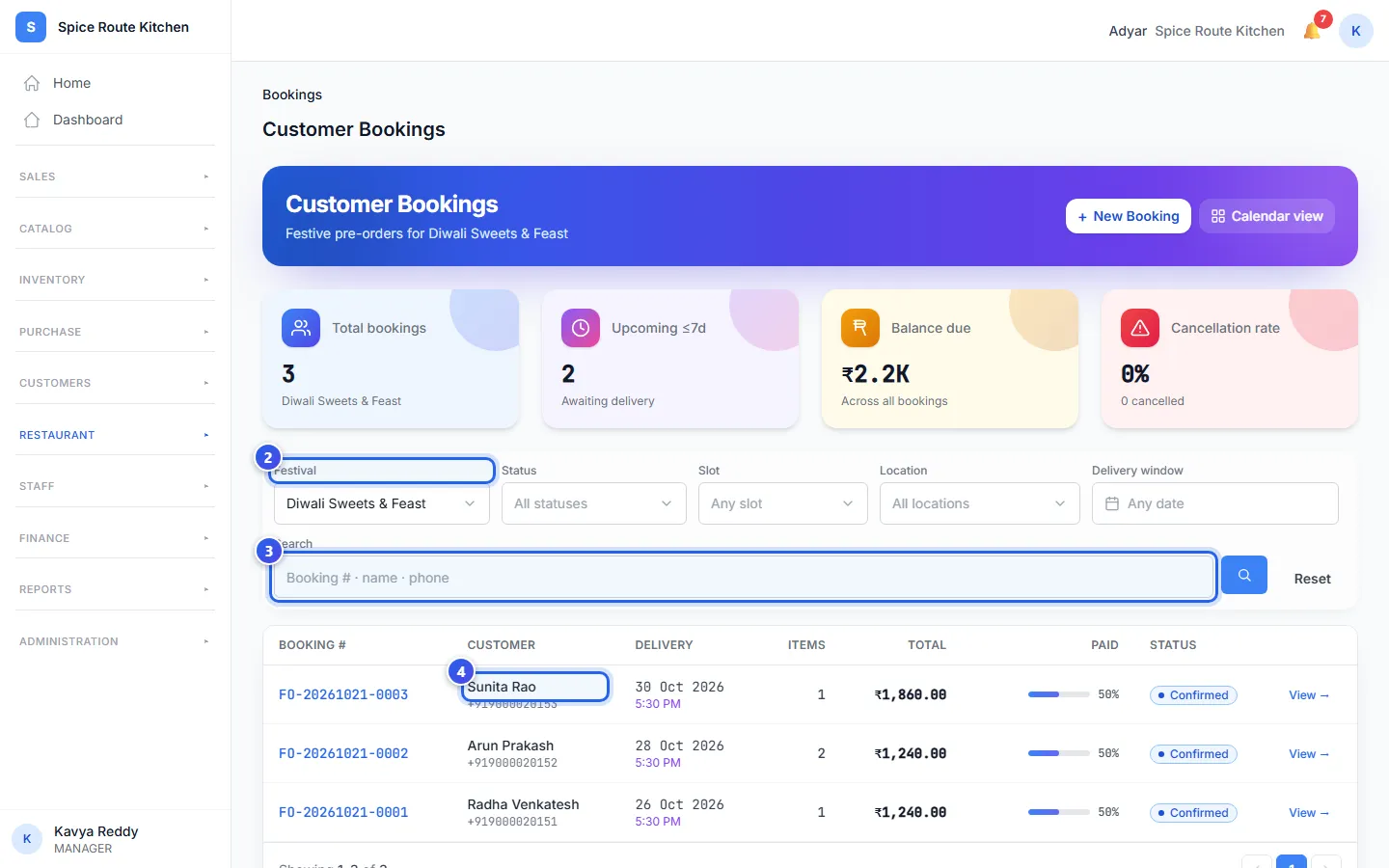
Each row shows the Delivery day, the Total and how much is Paid. To see fewer rows, choose a Status, a Slot, a Location or a Delivery window.
A guest calls to book? Press New Booking at the top.
Take a deposit
- On the booking, press Add deposit.
- Type the Amount (₹).
- Choose the Payment method: Cash, UPI or Card.
- Press Apply deposit.
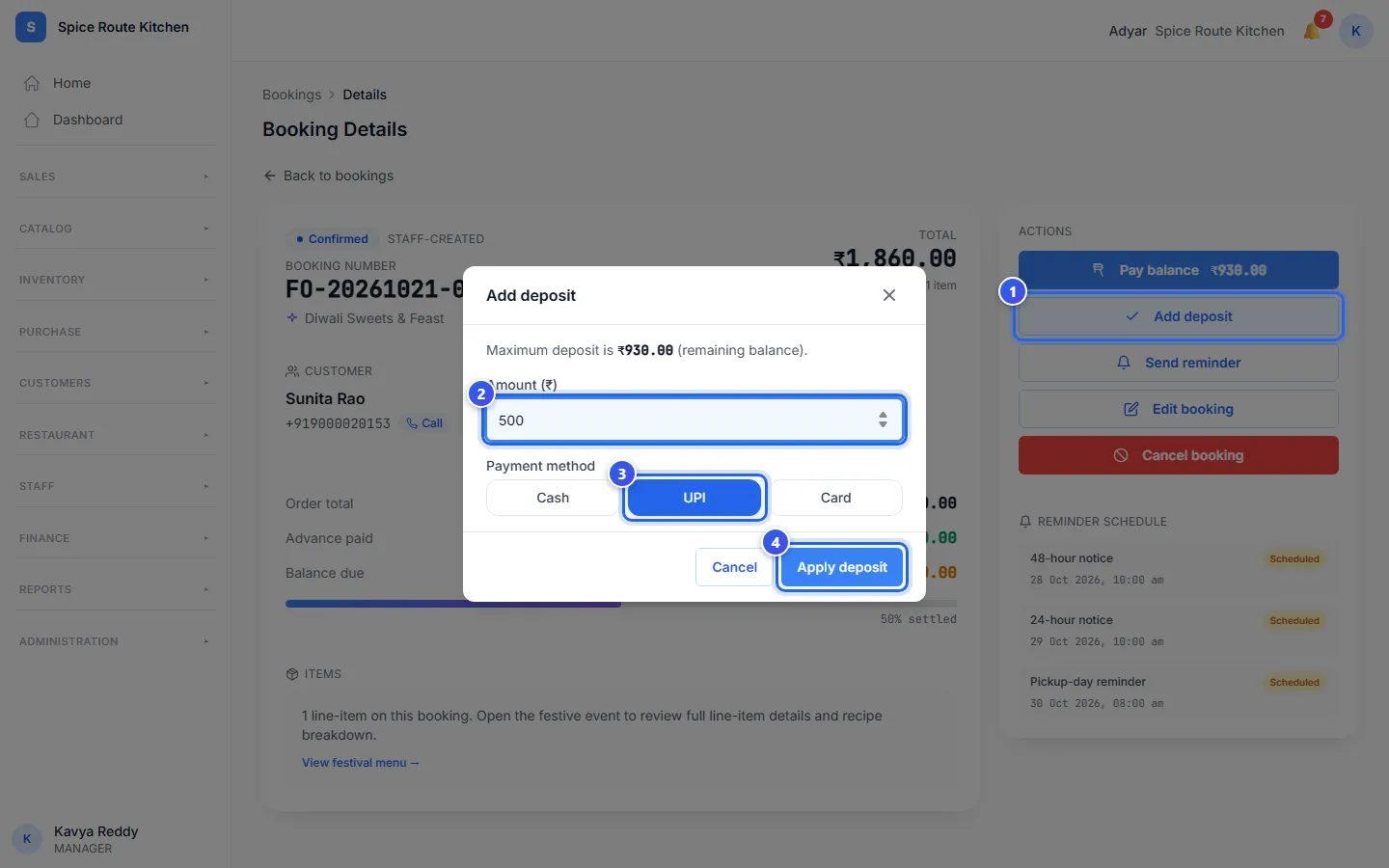
The Balance due on the booking goes down. When the guest pays the rest, press Pay balance. Then press Settle balance. The booking then shows as Delivered.
The booking page also has Edit booking, to change the day or the time. Cancel booking cancels it.
See bookings by day
- On Customer Bookings, press Calendar view.
- Press a day that has bookings. A list of that day's bookings opens on the right.
- Press a booking to open it.
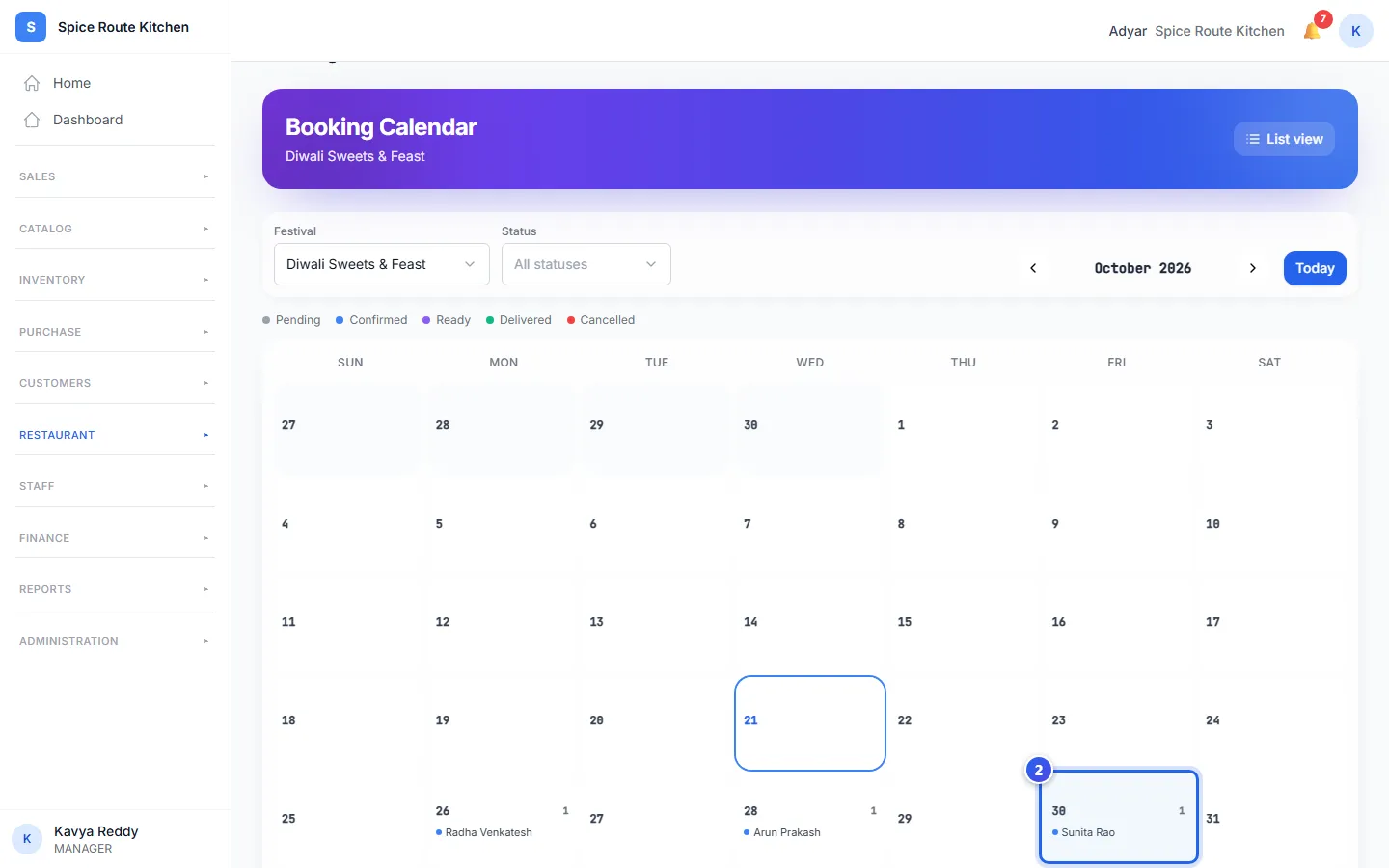
Each day shows the names of its guests. A coloured dot shows each booking's status. Use the arrows next to the month to see another month. Press Today to come back.
Related help
Plan a festival or event
Set up a festival with its dates and a special menu.
For restaurantsOn some plans
Track festival orders
See every festival order and where each one is now.
For restaurantsOn some plans
What guests see when they book online
See the page guests use to book a festival order from a link.
For restaurantsOn some plans
Still need help?