Make a recipe for a dish
Say which ingredients a dish uses, so selling it takes them out of stock.
Who can do this: Owner and Manager
For restaurantsA recipe lists the ingredients in one dish, and how much of each. When you sell the dish, Orio360 takes those ingredients out of stock. The recipe also shows what the dish costs you to make.
Make the recipe
- In the menu, open Restaurant and press Recipes.
- Press New Recipe.
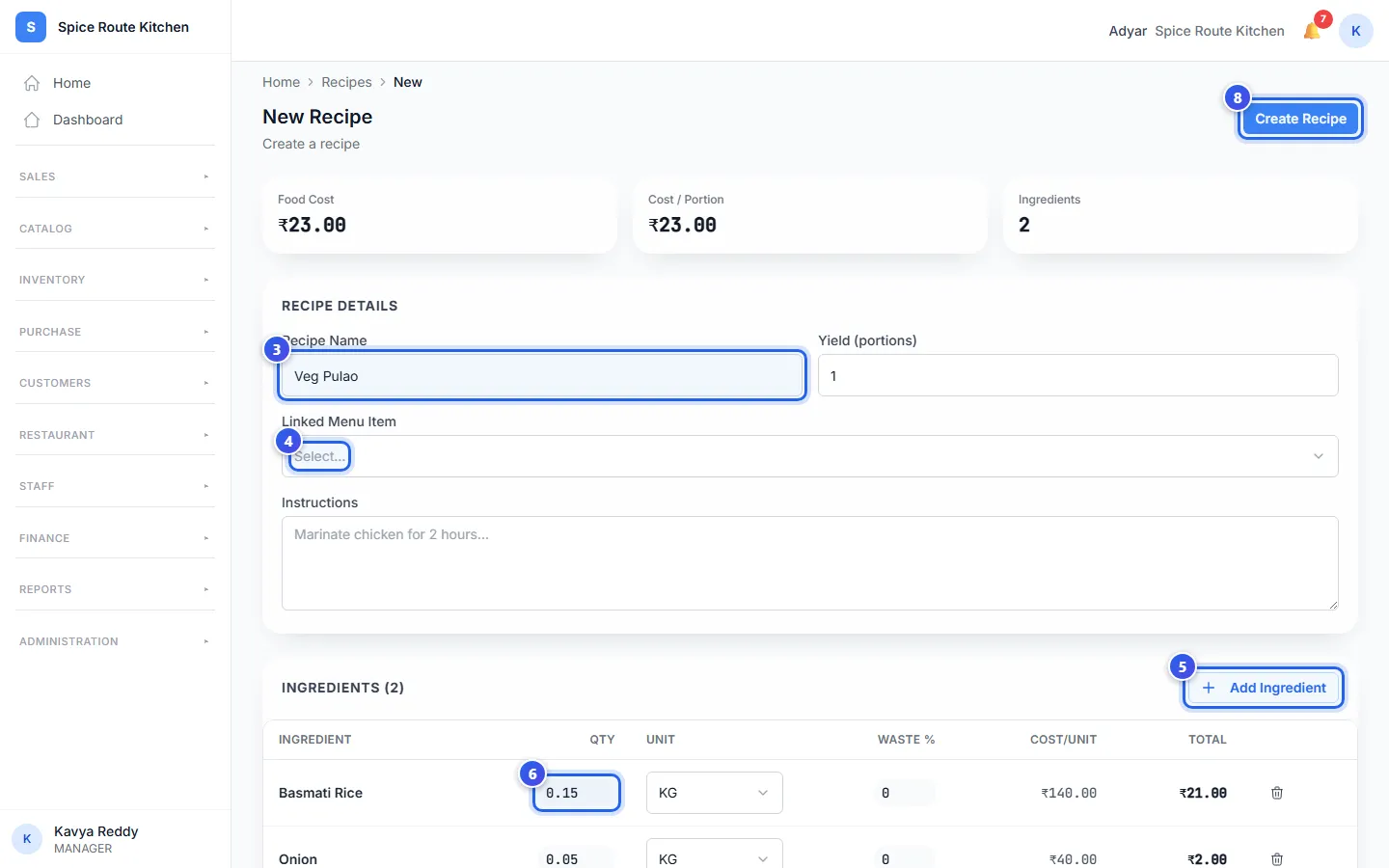
- Type the Recipe Name. Type how many plates it makes in Yield (portions).
- Choose the dish in Linked Menu Item.
- Press Add Ingredient. Then press an ingredient in the list.
- Type how much the recipe uses in Qty. Check the Unit, like KG.
- Add the other ingredients in the same way.
- Press Create Recipe.
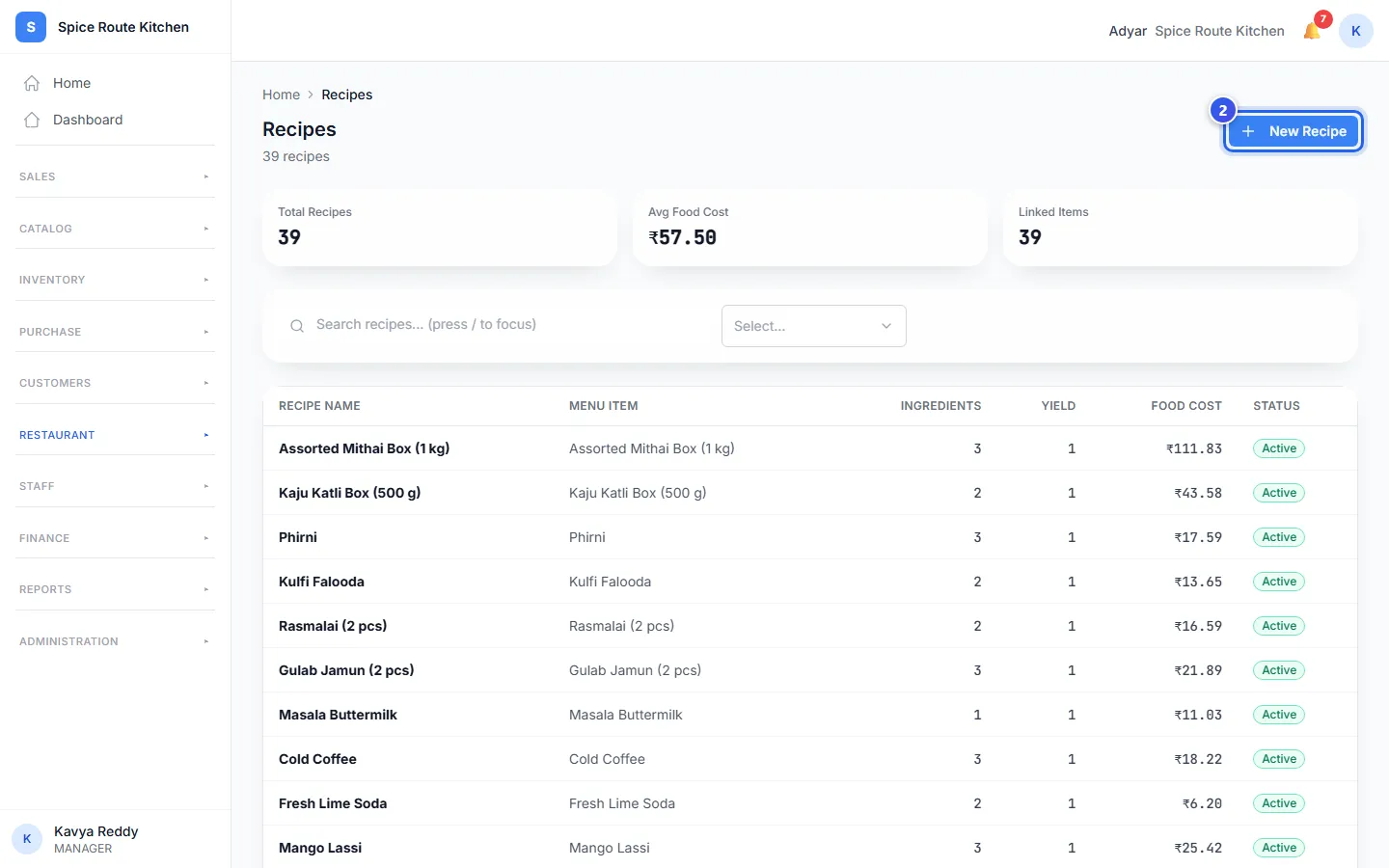
The message Recipe created shows. Your recipe is now in the Recipes list.
What the cost cards show
As you add ingredients, the cards at the top change.
- Food Cost is what all the ingredients in the recipe cost you.
- Cost / Portion is the cost of one plate. It is the food cost split by the yield.
- Ingredients counts the ingredients in the recipe.
Some food is lost when you peel or cut it. Type that part in Waste %, like 10. Orio360 adds it to the cost.
Change a recipe
Press a recipe's name in the list to open it. Change what you need, then press Save Recipe. To take an ingredient out, press the bin at the end of its row.
Related help
Still need help?