Make a combo
Sell a few dishes together as one combo at one price.
Who can do this: Owner
For restaurantsA combo is a few dishes sold together at one price, like a lunch combo. The guest pays less than for the same dishes one by one. Only an Owner can make combos.
Make the combo
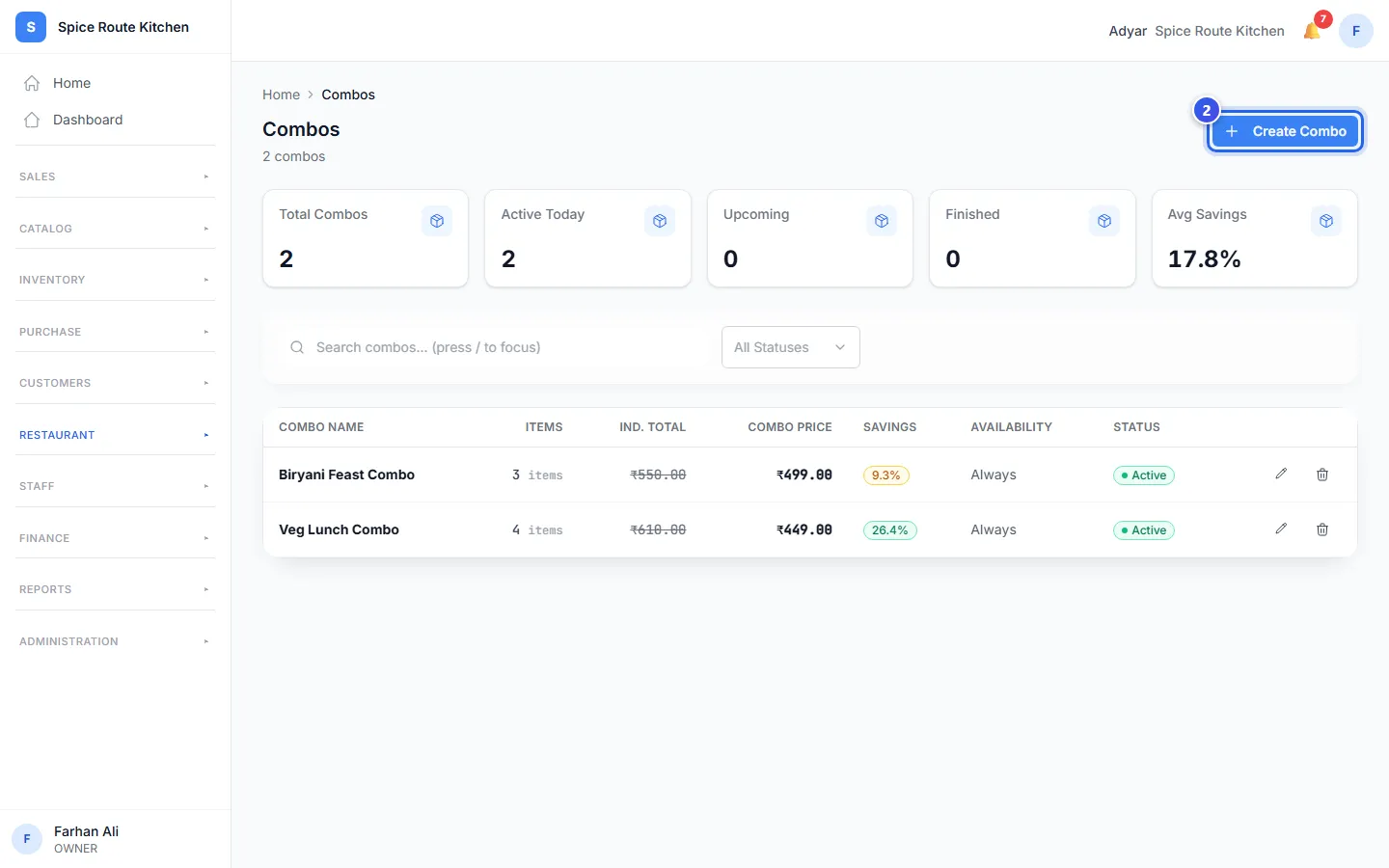
- In the menu, open Restaurant and press Combos.
- Press Create Combo.
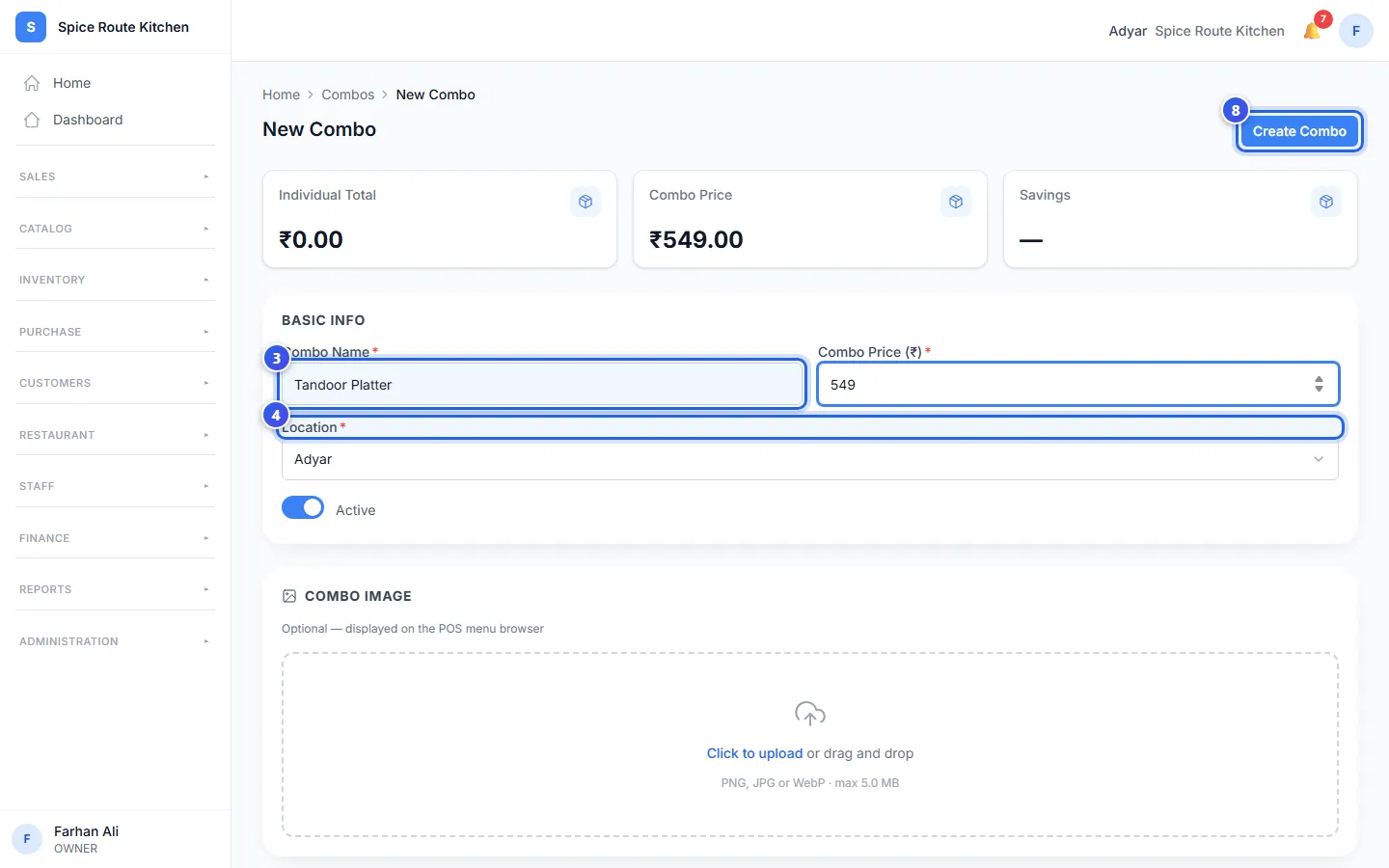
- Type the Combo Name and the Combo Price (₹).
- Check the Location.
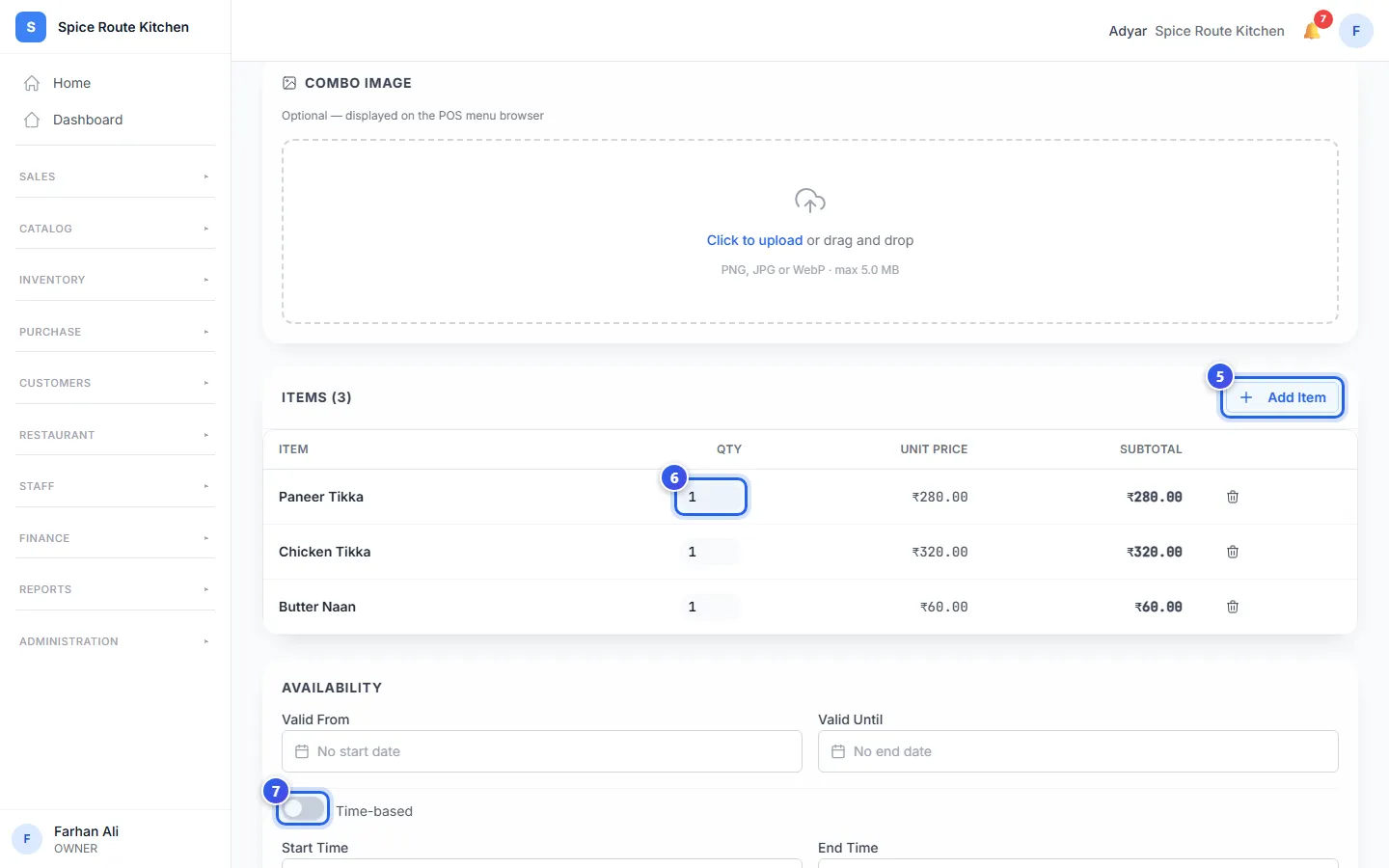
- Press Add Item, then press a dish. Do this for each dish in the combo.
- Change the Qty if the combo has 2 or more of one dish.
- Under Availability, choose the dates, or turn off the time switch to pick times.
- Press Create Combo at the top.
A combo needs at least 2 dishes. Its price must be less than the dishes cost one by one. If it is not, the page tells you the total to stay under.
The cards at the top
- Individual Total is what the dishes cost one by one.
- Combo Price is the price you typed.
- Savings is how much less the guest pays, as a percent.
Choose when the combo is sold
Leave Valid From and Valid Until empty to sell the combo every day. Or choose dates, for a combo that runs for a short time.
The switch says Always available when it is on. Turn it off, and it says Time-based. Then choose a Start Time, an End Time and the Days.
You can add a photo under Combo Image. The till shows it with the combo.
Change a combo
The Combos list shows each combo with its Savings and Availability. Press a combo's name to open it. Change what you need, then press Save Combo.
Related help
Still need help?