Set up your menu
Sort your dishes into menu groups, and choose the times of day when each one is sold.
Who can do this: Owner and Manager
For restaurantsYour menu has groups, like Starters and Desserts. Each group is a category. You can also choose the times of day when some dishes are sold, like breakfast dishes in the morning.
Put dishes in a group
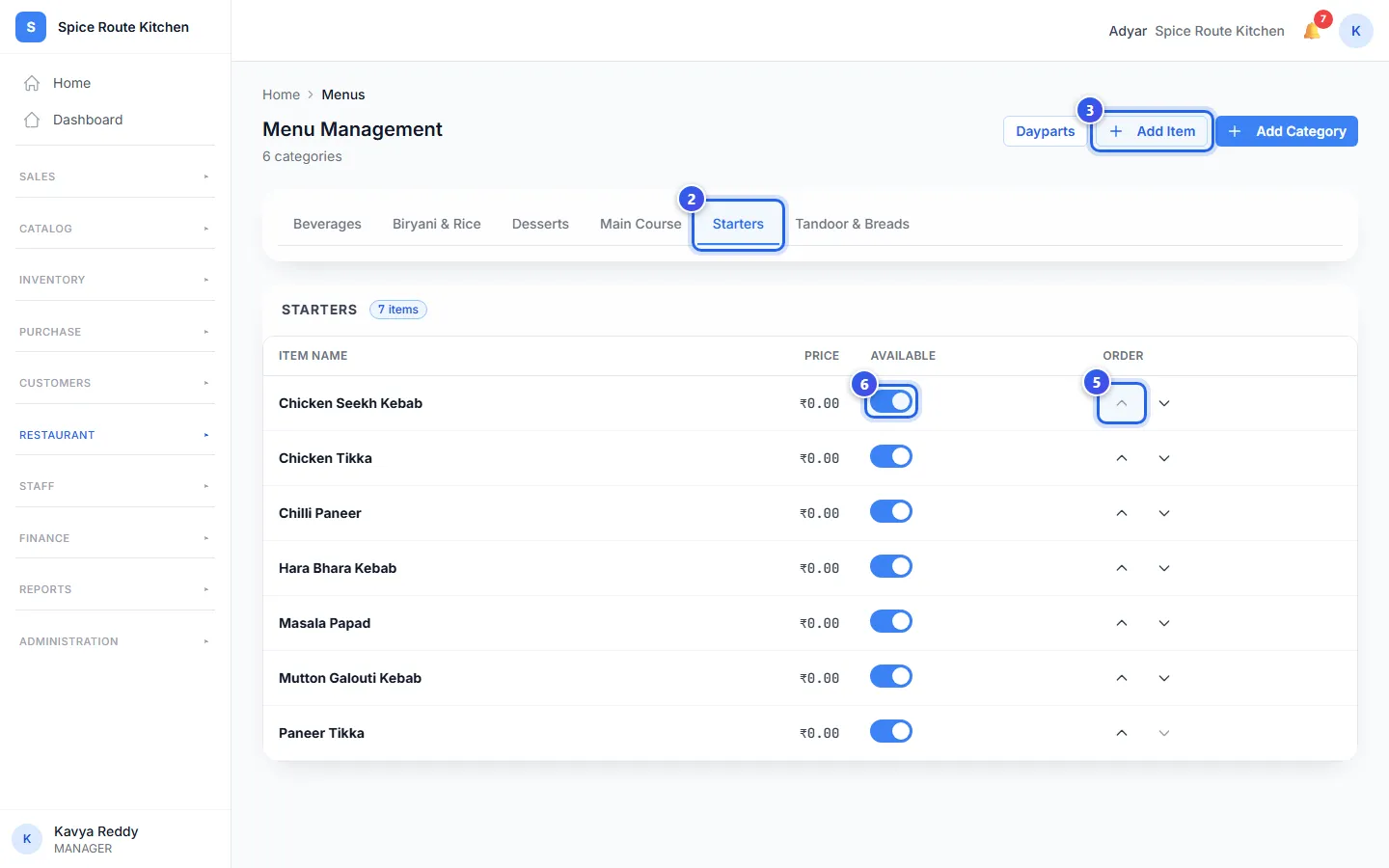
- In the menu, open Restaurant and press Menus.
- Press a group at the top, like Starters.
- Press Add Item.
- Press a dish in the list. It moves into this group.
- Use the up and down arrows under Order to move a dish in the list.
- Turn off Available when you stop selling a dish.
A dish sits in one group only. When you add it to a new group, it leaves its old group.
To start a new group, press Add Category. Type the Category Name, then press Add Category again.
Choose times for dishes
A daypart is a time of day, like lunch. You choose which dishes are sold in each daypart.
- On Menu Management, press Dayparts.
- Press New Daypart.
- Check the Location.
- Press a ready time, like Breakfast (07:00–11:00). Or type a Daypart Name, a Start time and an End time.
- Press a day under Days to turn it off or on.
- Choose the dishes in Items in this daypart.
- Press Create Daypart.
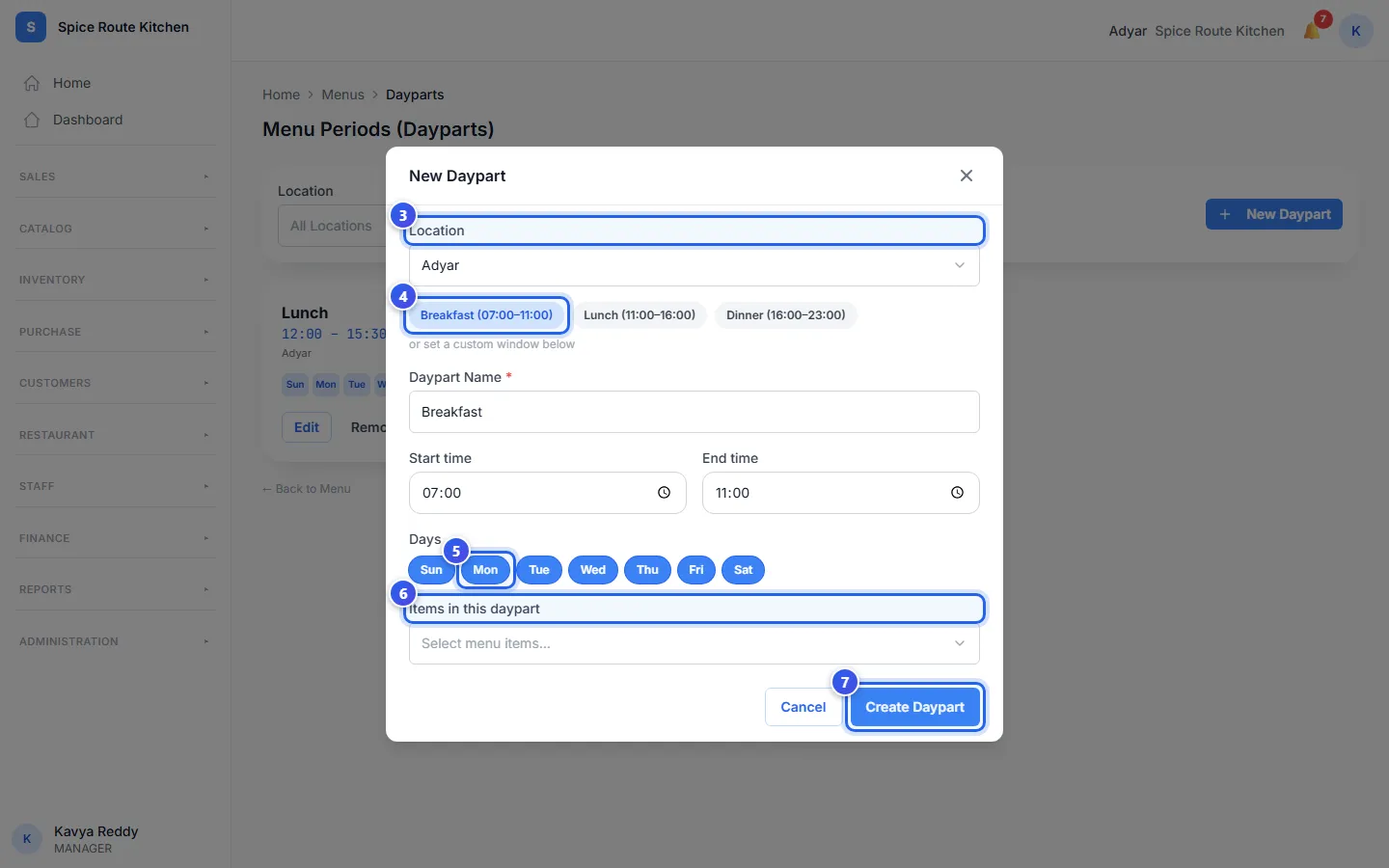
The new daypart shows as a card. It lists its times, its days and how many dishes it has. Press Edit on a card to change it, or Remove to take it away.
At the till, the billing page starts on the daypart that is on now. It shows only the dishes of that daypart. Staff can switch to another daypart, or to all dishes.
Related help
Still need help?