Add modifiers
Let guests change a dish, like extra cheese or no onions.
Who can do this: Owner and Manager
For restaurantsA modifier is a change a guest asks for, like extra cheese or less spice. Put choices like these in a modifier group, like Spice Level. Then staff can add them to a dish when they take the order.
Make a modifier group
- In the menu, open Restaurant and press Modifiers.
- Press Add Modifier Group.
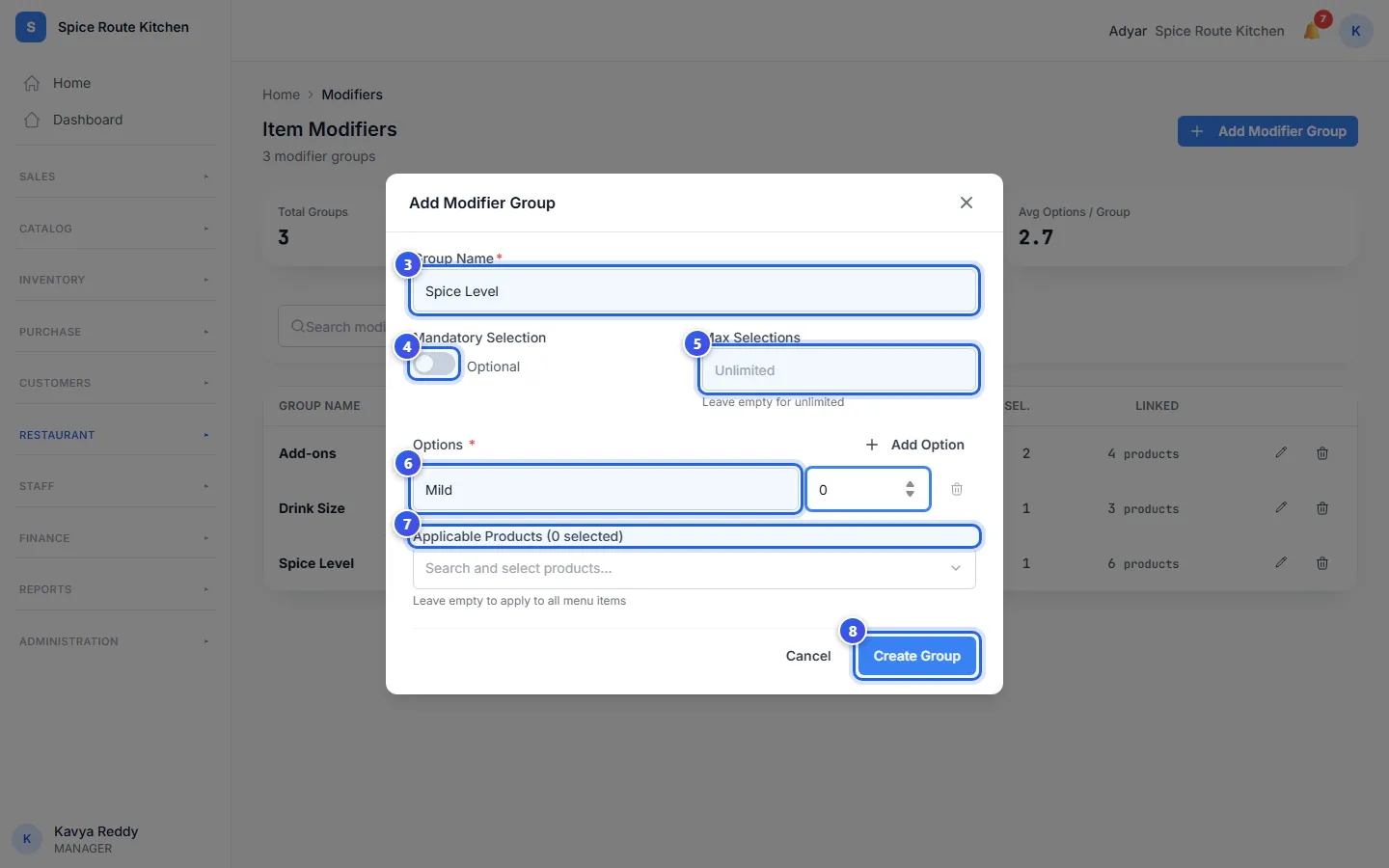
- Type the Group Name, like Spice Level.
- Turn on Mandatory Selection if the guest must choose.
- Type a number in Max Selections. Leave it empty if guests can pick as many as they like.
- Under Options, type each choice and its price change. Press Add Option for one more.
- Choose dishes in Applicable Products. Leave it empty for all dishes.
- Press Create Group.
The message Modifier group 'Spice Level' created shows. The group is now in your list.
The price change
Each option has its own price change. It is added to the price of the dish.
- Type 0 for a choice that is free, like Mild.
- Type 40 for a choice that costs ₹40 more, like extra cheese.
Must the guest choose?
When Mandatory Selection is on, the guest must pick an option. Use it for choices every dish needs, like the spice level. When it is off, the switch says Optional.
Max Selections stops guests from picking too many. For Spice Level, type 1. For Toppings, you might type 3.
Change a group
Press the pencil at the end of a group's row to change it. Then press Save Changes. The list shows how many options each group has and how many dishes use it.
Related help
Still need help?