It says "This is not in your plan"
Learn what this message means and how to get the feature.
Who can do this: Owner, Manager and Cashier
Some features are only on some plans. When your plan does not have a feature, Orio360 shows a lock. It also shows the words This is not in your plan. Nothing is broken. Your data is safe, and you can always make bills.
When a page is locked
- Read the name of the feature, under Locked.
- Read what the feature does.
- If you are the Owner, press Upgrade. My Subscription opens in the admin app.
- To keep selling, press Go to Billing.
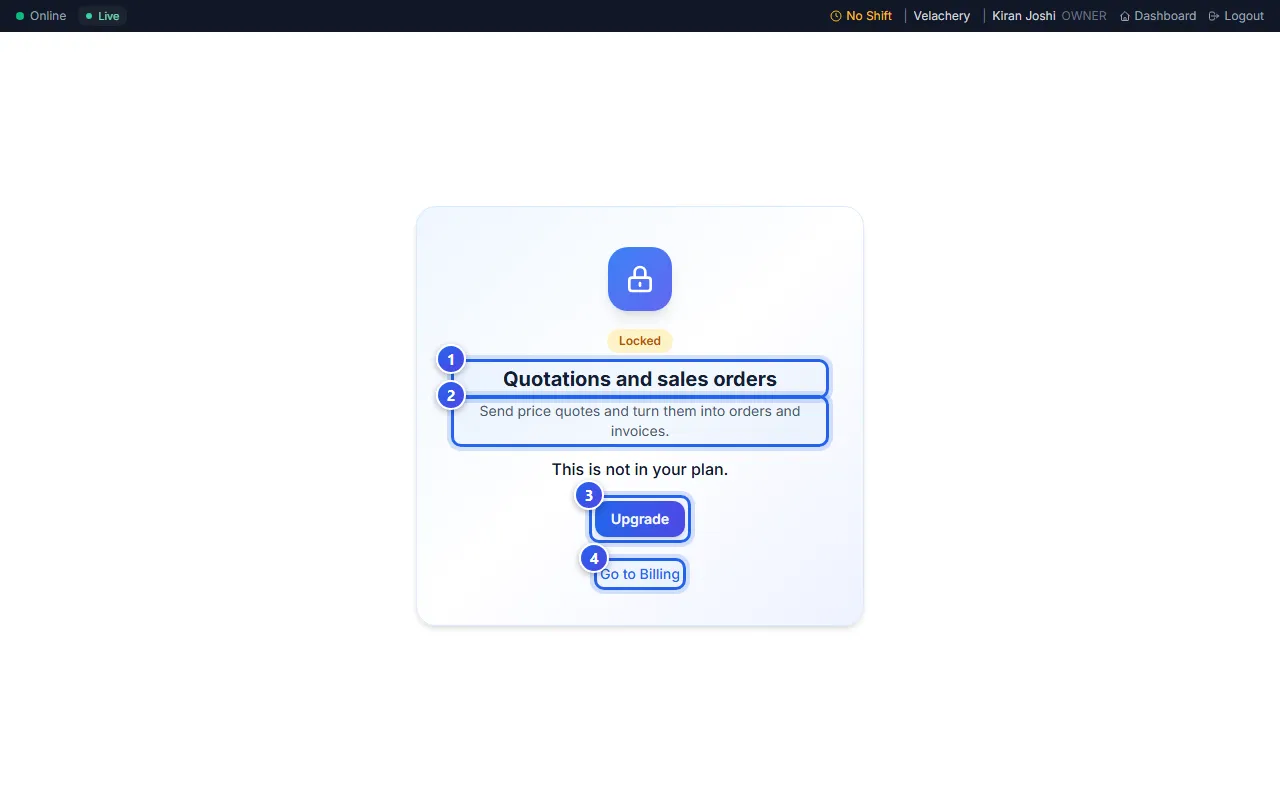
Not the Owner? Then the box says Ask your owner to upgrade. Only the Owner can change the plan.
Other places you see it
- A short message: This is not in your plan. Upgrade your plan to use it. You see it when you press a button for a locked feature.
- The kitchen screen: The kitchen display is not in your plan. Ask your owner to upgrade.
- The menu: a small lock next to a page name. See Why do I see a lock?
Get the feature
On My Subscription, the Owner sees the list Not in your plan. To change your plan, contact us. When your plan has the feature, the lock goes away. Any data you had for it comes back too.
Related help
Still need help?