My plan and usage
See your plan, what it includes and how much of each limit you have used.
Who can do this: Owner
Your plan sets which features you get. It also sets a limit on some things, like users, or reports each month. The My Subscription page shows your plan and how much you have used.
See your plan
- In the Administration group, press My Subscription.
- At the top, read the name of your plan, and when it Started and Expires.
- Under This month, see how much of each limit you have used.
- Under Features, see what is Included in your plan and what is Not in your plan.
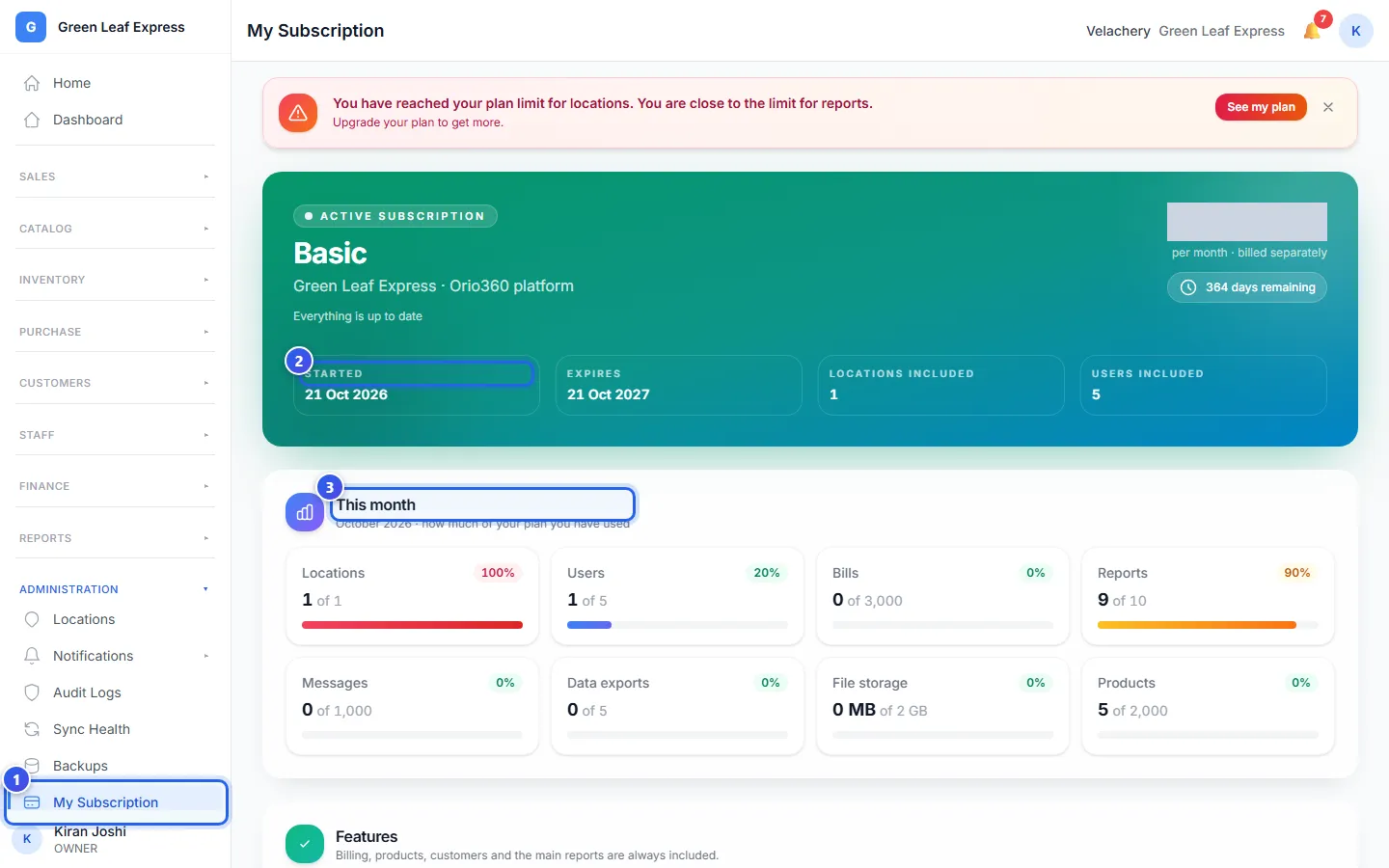
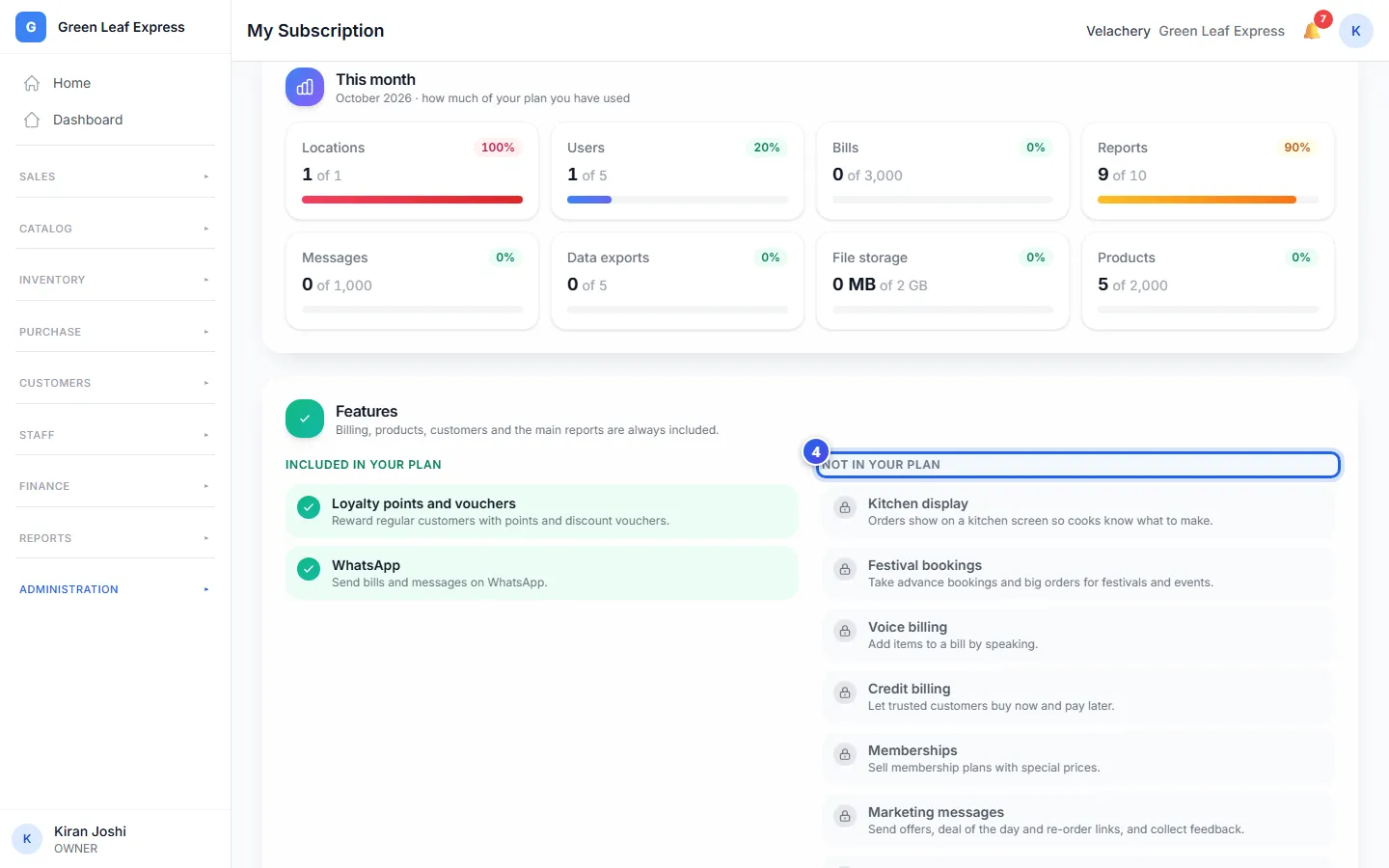
Each bar is blue at first. It turns orange at 80% and red at 100%. A limit marked Unlimited has no bar. Billing, products, customers and the main reports are in every plan.
Bills, reports, messages and data exports count again from the first day of each month. Users, locations, products and file storage do not.
When you get near a limit
At 80% of a limit, a yellow message shows at the top of each page. At 100%, it turns red.
- Read the message. It names the limit.
- Press See my plan to open My Subscription.
- Press the cross to hide the message for now.
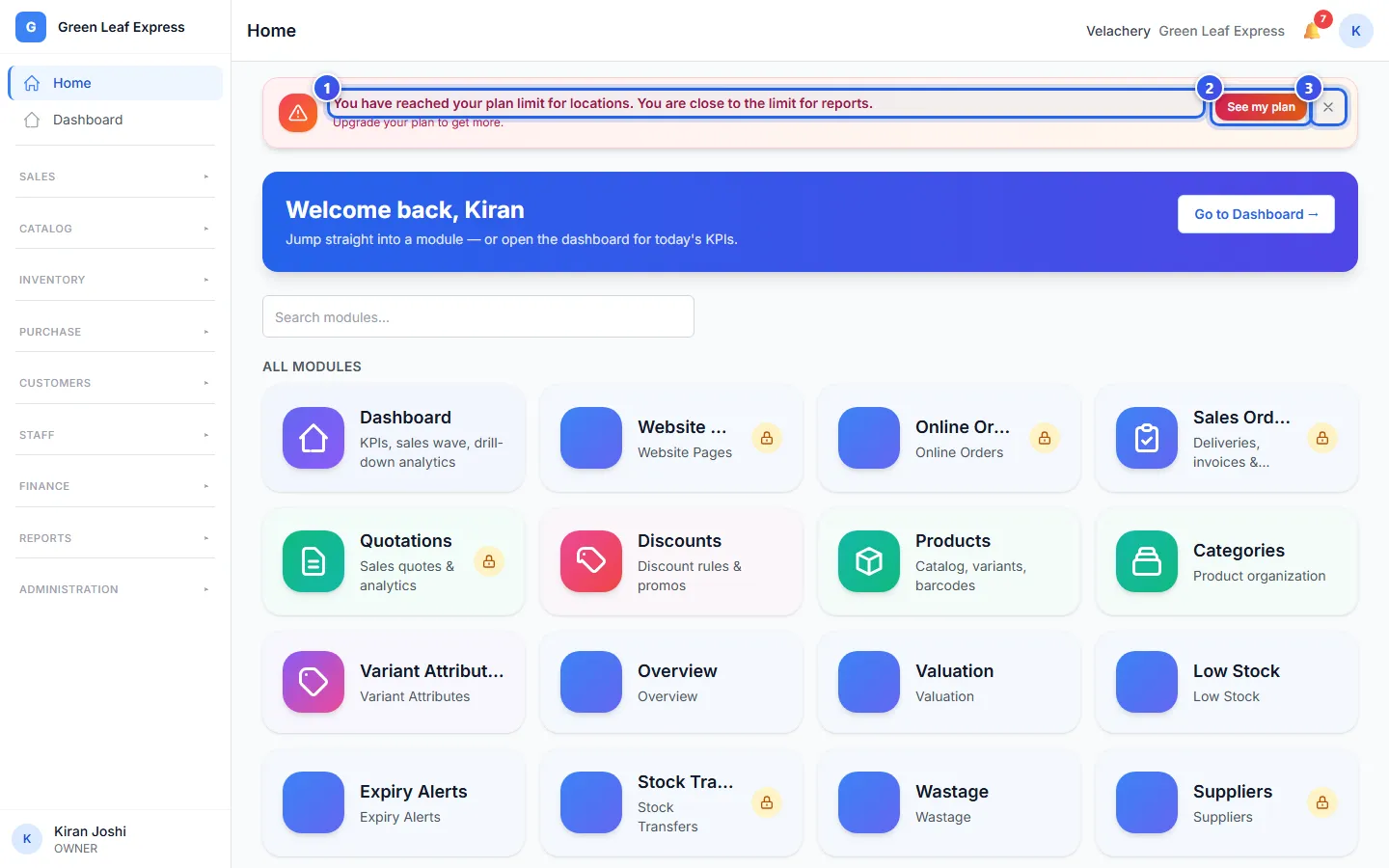
At 100%, you can still make bills. Selling never stops. But you cannot make more reports, messages or data exports until the next month. You cannot add more users, locations or products, or put in more files.
To change your plan, contact us.
Related help
Still need help?