Receive goods from a supplier
Check the goods that arrive and add them to your stock.
Who can do this: Owner and Manager
This is not in every plan. See Pricing.
The supplier's van is at your door. Count what came, and record it on the purchase order. Orio360 adds the goods to the stock of that location. An Owner or a Manager can do this.
- Open the order from the Purchase PO list. It says Ordered.
- Press Receive Goods.
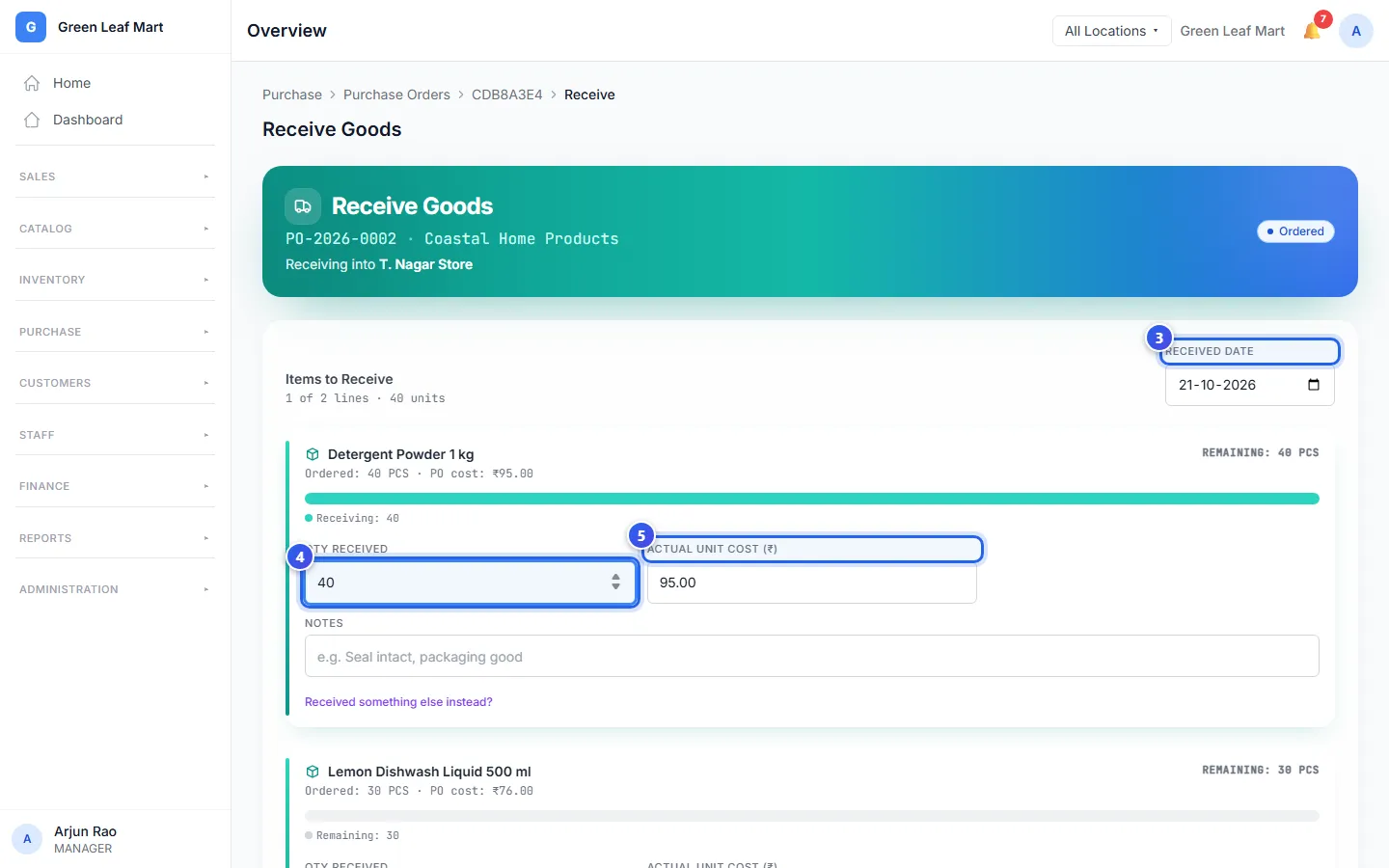
- Check the date in Received Date.
- Type how many came in Qty Received.
- Did the price change? Type the new price in Actual Unit Cost (₹).
- Type the number on the supplier's bill in Invoice #. You can skip this.
- Press Confirm Receipt.
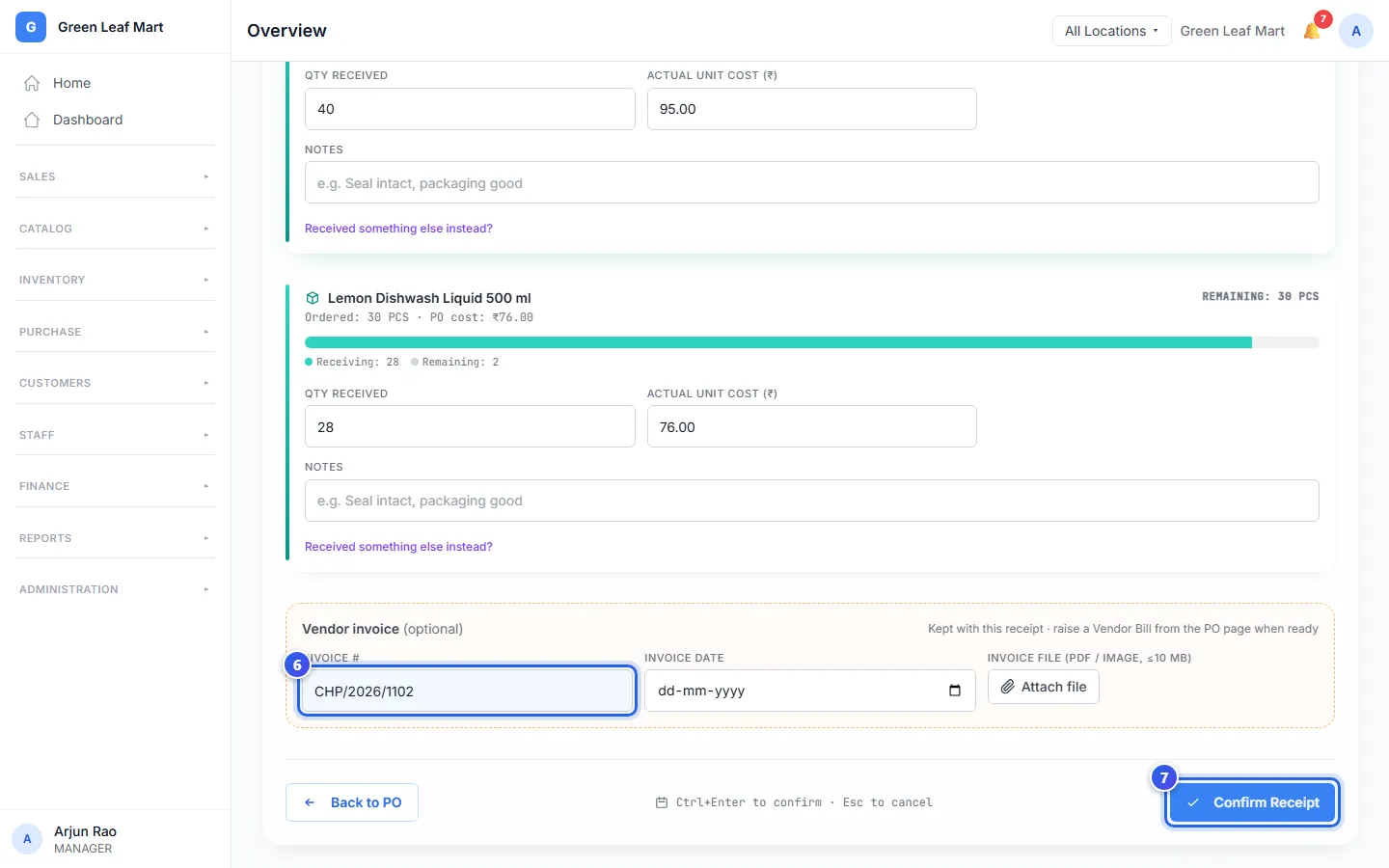
The goods go into the stock of the location at the top of the page. Orio360 shows a short message with the number of items you received.
An order in another currency
Is the order in other money, like US dollars? Then the costs on the page are in that money. Your stock is still costed in rupees.
- Check the rate in Exchange rate: 1 USD in INR. On the first receipt, you can still change it.
- Check the rupee cost under each price. It is the cost that goes into your stock.
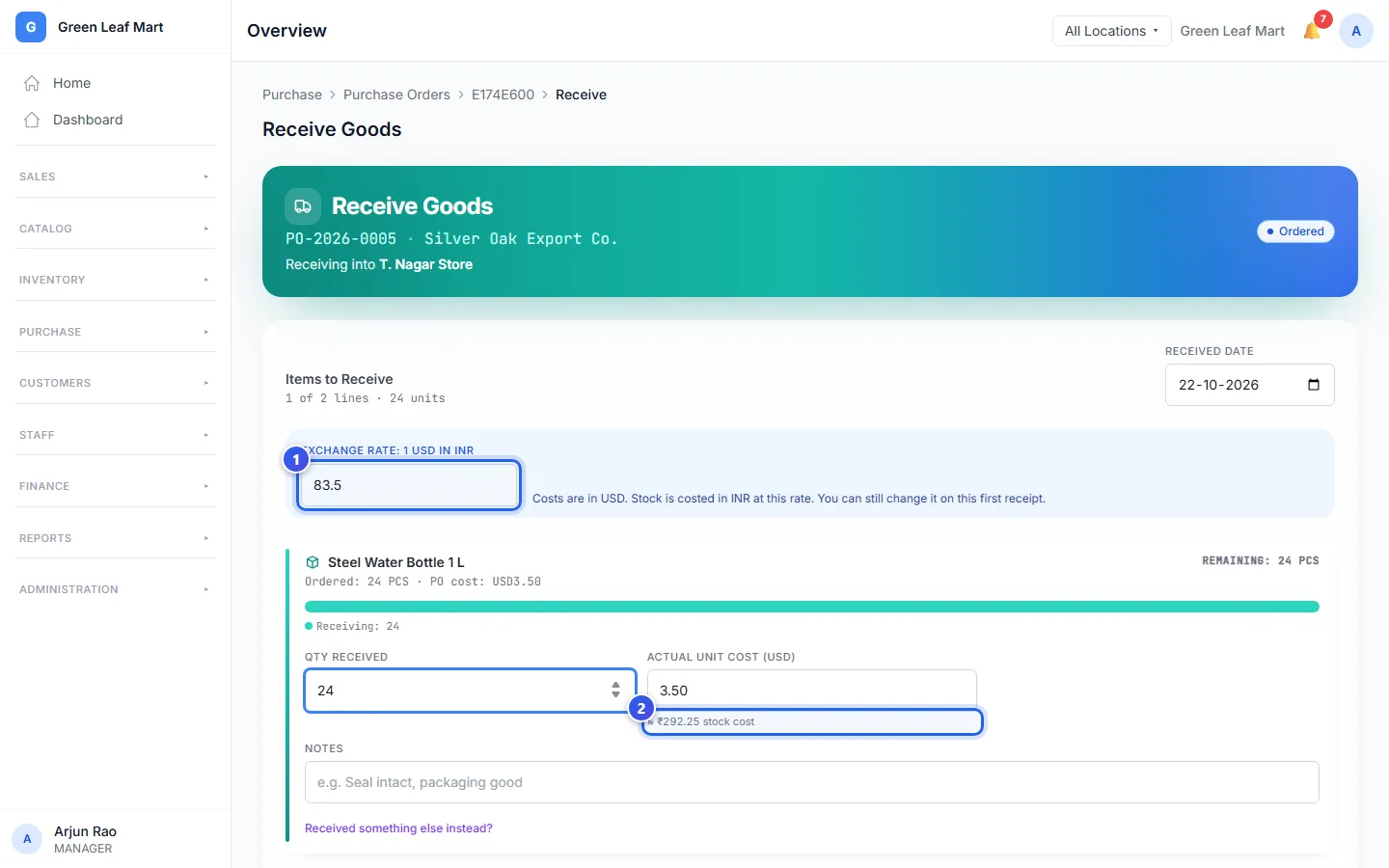
After the first receipt, the rate is fixed. It is also fixed once the order has a bill.
When the count is not the same
- Fewer came: type the number that came. The order shows Partial. When the rest comes, open it and press Receive More.
- More came: type the real number. Orio360 takes the extra too, and shows a note.
- Something else came: press Received something else instead? under the item. Then choose the product that came.
Does a product use a batch or a serial number? Then the line asks for it too. See Track batches and serial numbers.
Related help
Make a purchase order
Tell a supplier what you want to buy, how many and at what price.
On some plans
Record a supplier's bill
Save the bill a supplier sends you so you know what you owe.
On some plans
Check your stock and what it is worth
See how much stock you have and what it is worth at each location.
Track batches and serial numbers
Keep batch numbers, expiry dates and serial numbers for the products that need them.
On some plans
Still need help?