Record a supplier's bill
Save the bill a supplier sends you so you know what you owe.
Who can do this: Owner and Manager
This is not in every plan. See Pricing.
Your supplier sends you a bill for the goods. Save it in Orio360. Then you can see what you owe each supplier, and when you must pay. An Owner or a Manager can do this.
Save the bill
- In the menu, open Finance and press Vendor Bills.
- Press New Vendor Bill.
- Choose the order in Purchase order.
- Under Bill for, choose Delivered goods or Full order.
- Type the number from the supplier's bill in Vendor invoice #. Add the Invoice date.
- Check the Due date.
- Check the Qty and the Unit cost (₹) on each line.
- Press Save & post.
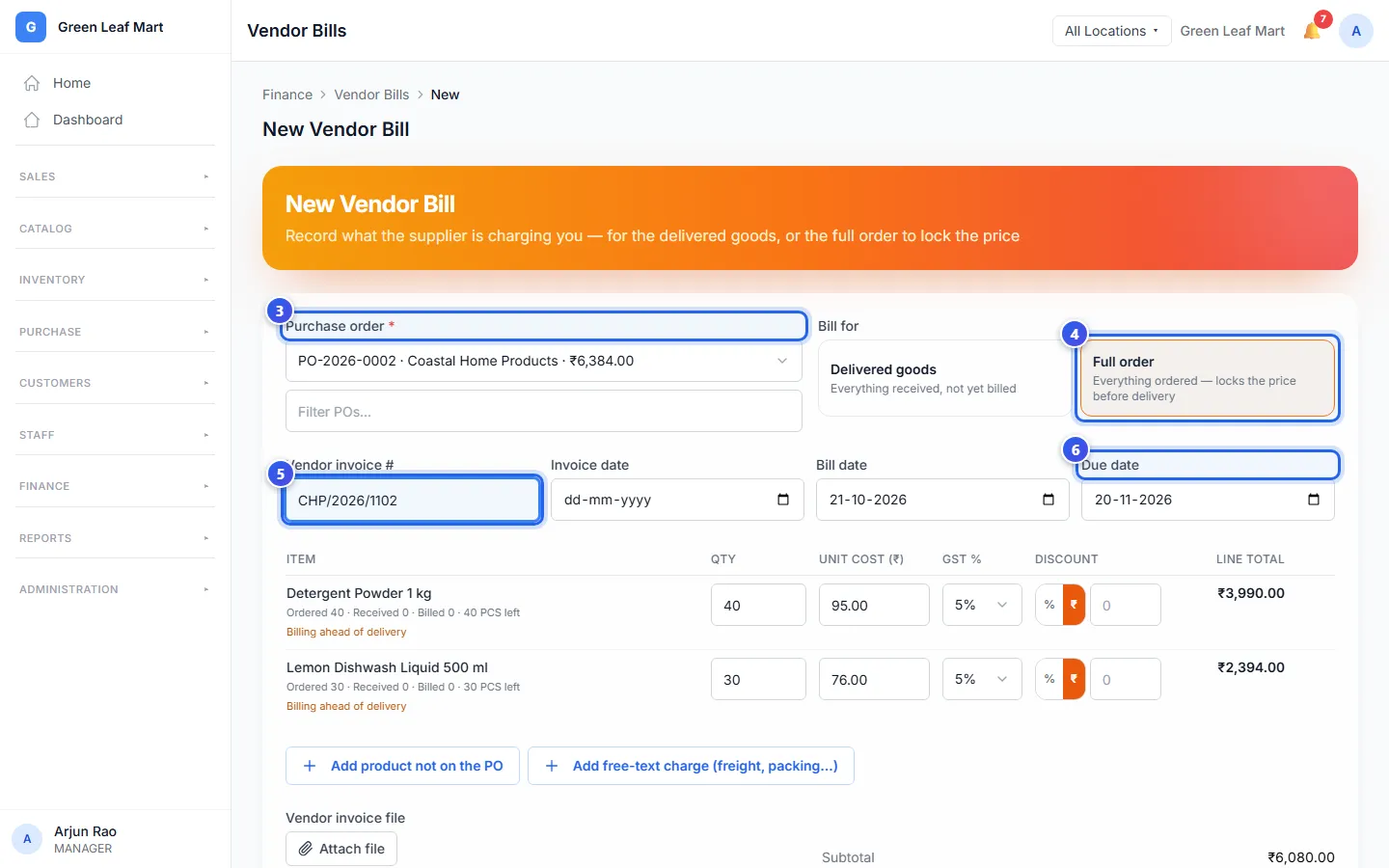
Delivered goods puts on the bill only what has come in. Full order puts on everything you ordered, even before it comes. Orio360 fills in the due date from the supplier's Payment Terms.
Not ready? Press Save draft. A draft does not count in what you owe until you post it.
Did the supplier add a charge for transport? Press Add free-text charge (freight, packing…). You can also start a bill from the purchase order. Press Create Vendor Bill there.
Pay the bill
- Open the bill from the Vendor Bills list.
- Press Record Payment.
- Check the amount in Amount (₹).
- Choose how you paid in Method.
- Type the date in Paid on. Add the bank or cheque number in Reference.
- Press Save payment.
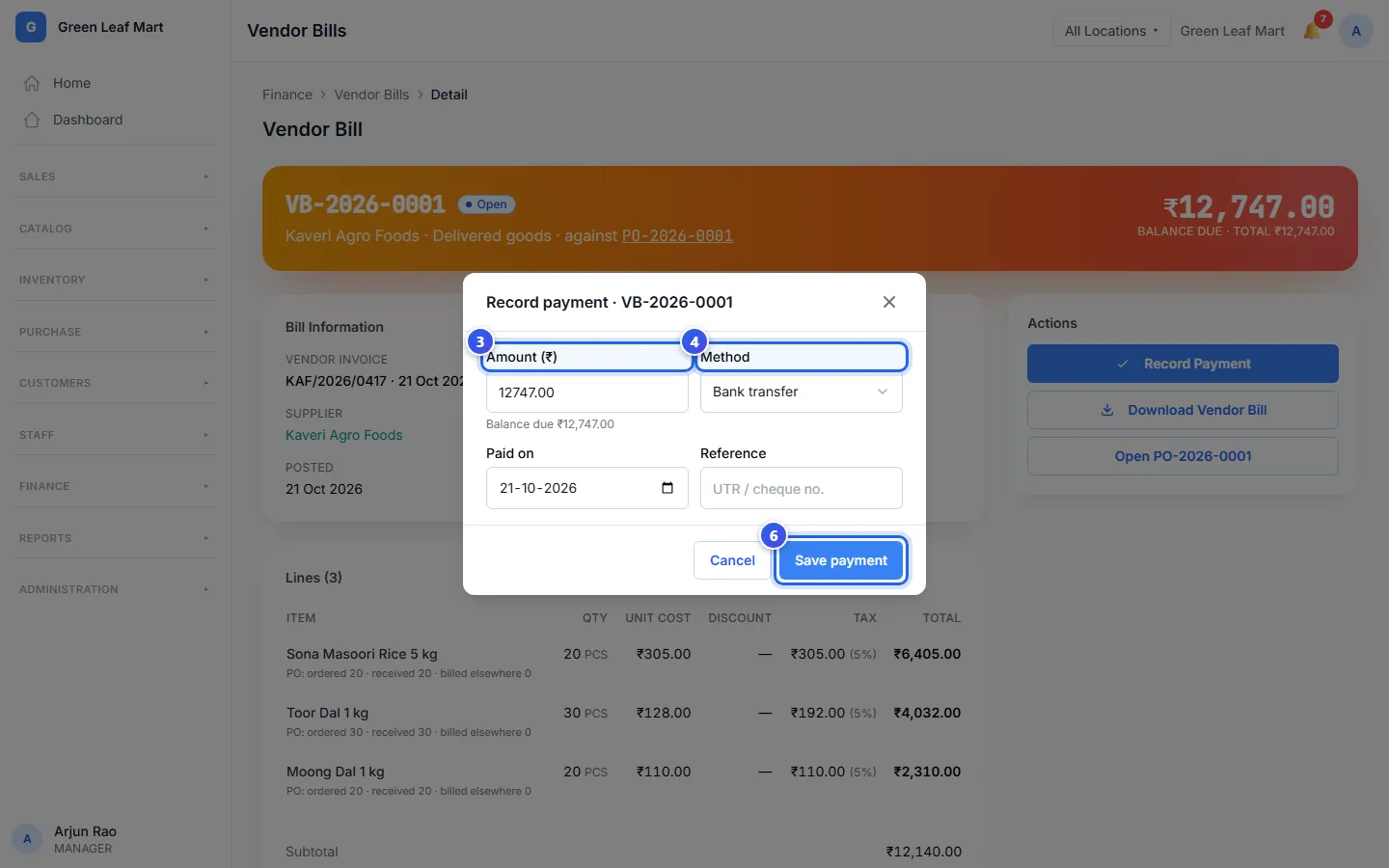
Orio360 does not send money. It only keeps a record of the payment you made. Paid part of it? The bill says Partially paid. When all of it is paid, it says Paid.
Pay a bill in another currency
A bill is in the same money as its order, like US dollars. On a new bill, Payable in INR shows what you owe in rupees. Your bank may give a different rate when you pay. So Orio360 asks for both amounts.
- Open the bill and press Record Payment.
- Type the amount in the bill's money, in Amount (USD).
- Type what you really paid in rupees, in Paid in INR. It starts at the order's rate.
- Press Save payment.
- Check the payment on the bill. It shows the rupees you paid, and the exchange gain or loss.
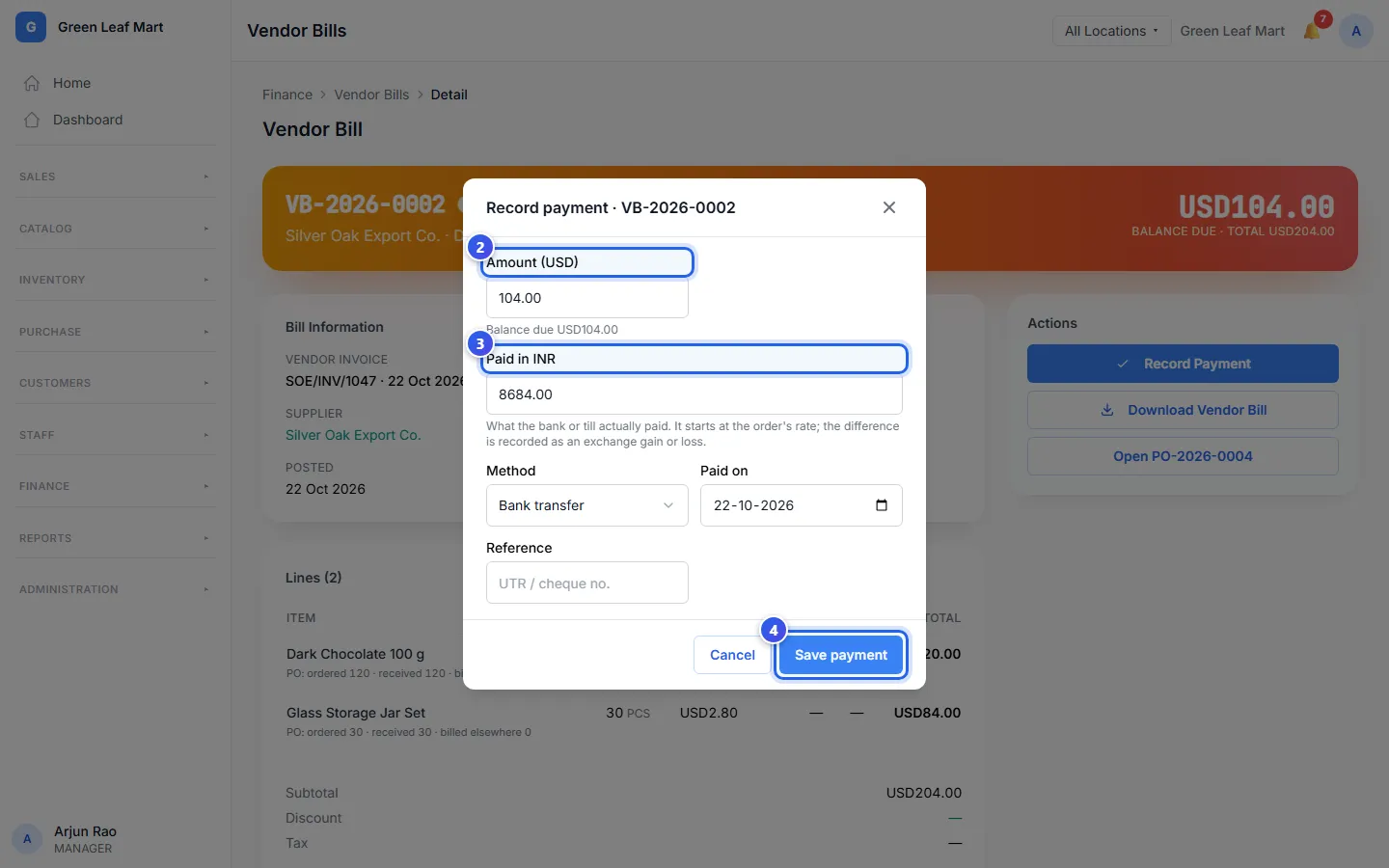
The gap between the 2 amounts is your exchange gain or loss. The last payment clears the bill in rupees too. Nothing is left to pay.
Related help
Still need help?