Add a supplier
Save the people and companies you buy stock from.
Who can do this: Owner and Manager
This is not in every plan. See Pricing.
A supplier is a business that sells goods to you. Save each one in Orio360 once. Then you can pick them when you order stock, and see what you owe them. An Owner or a Manager can add a supplier.
- In the menu, open Purchase and press Suppliers.
- Press New Supplier.
- Type the name of the business in Supplier Name.
- Type the name of the person you talk to in Contact Person. Add their Phone and Email.
- Type the supplier's GSTIN in GSTIN, if they have one.
- Choose how long you have to pay in Payment Terms.
- Type the address under Address, if you like.
- Press Save Supplier.
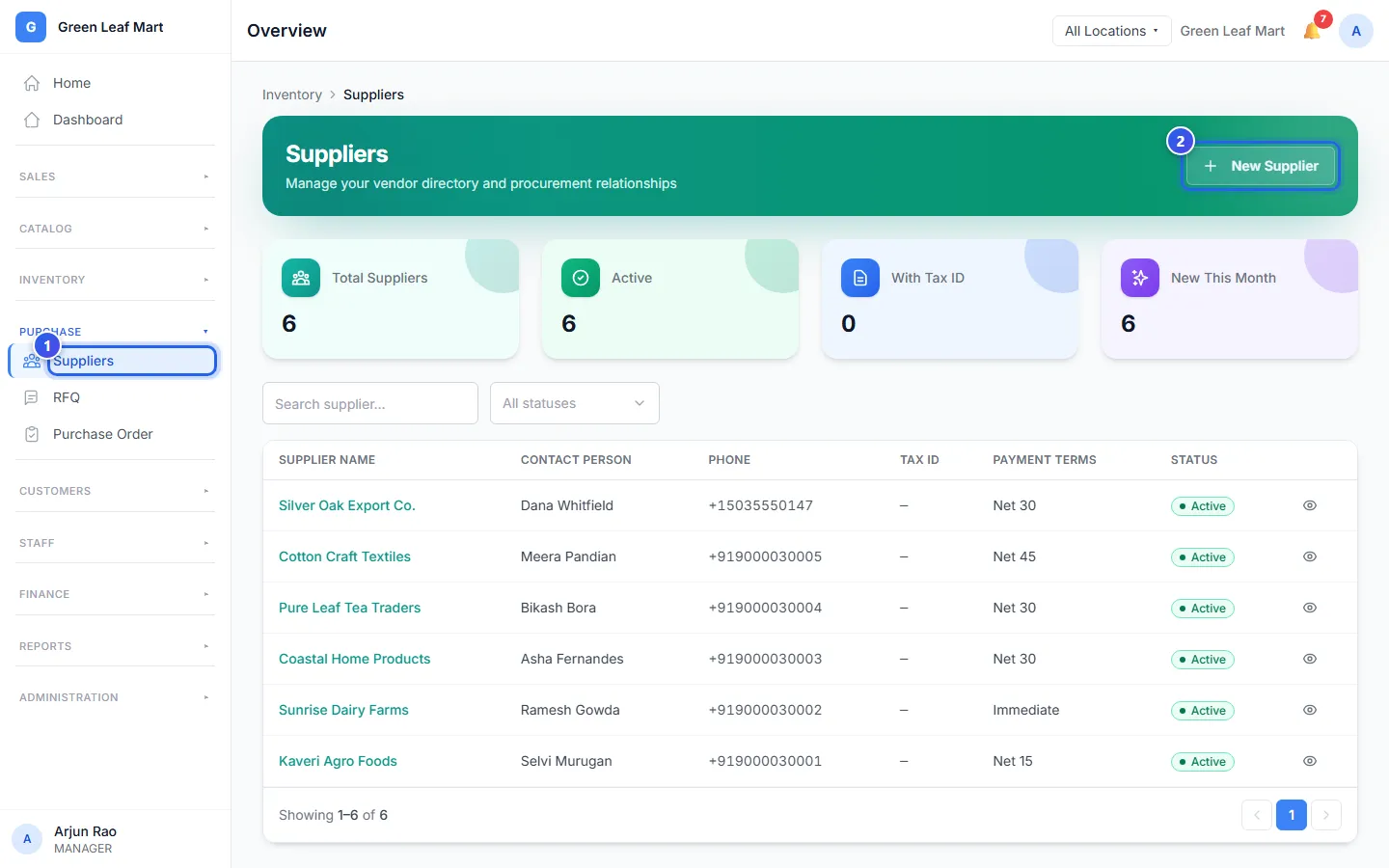
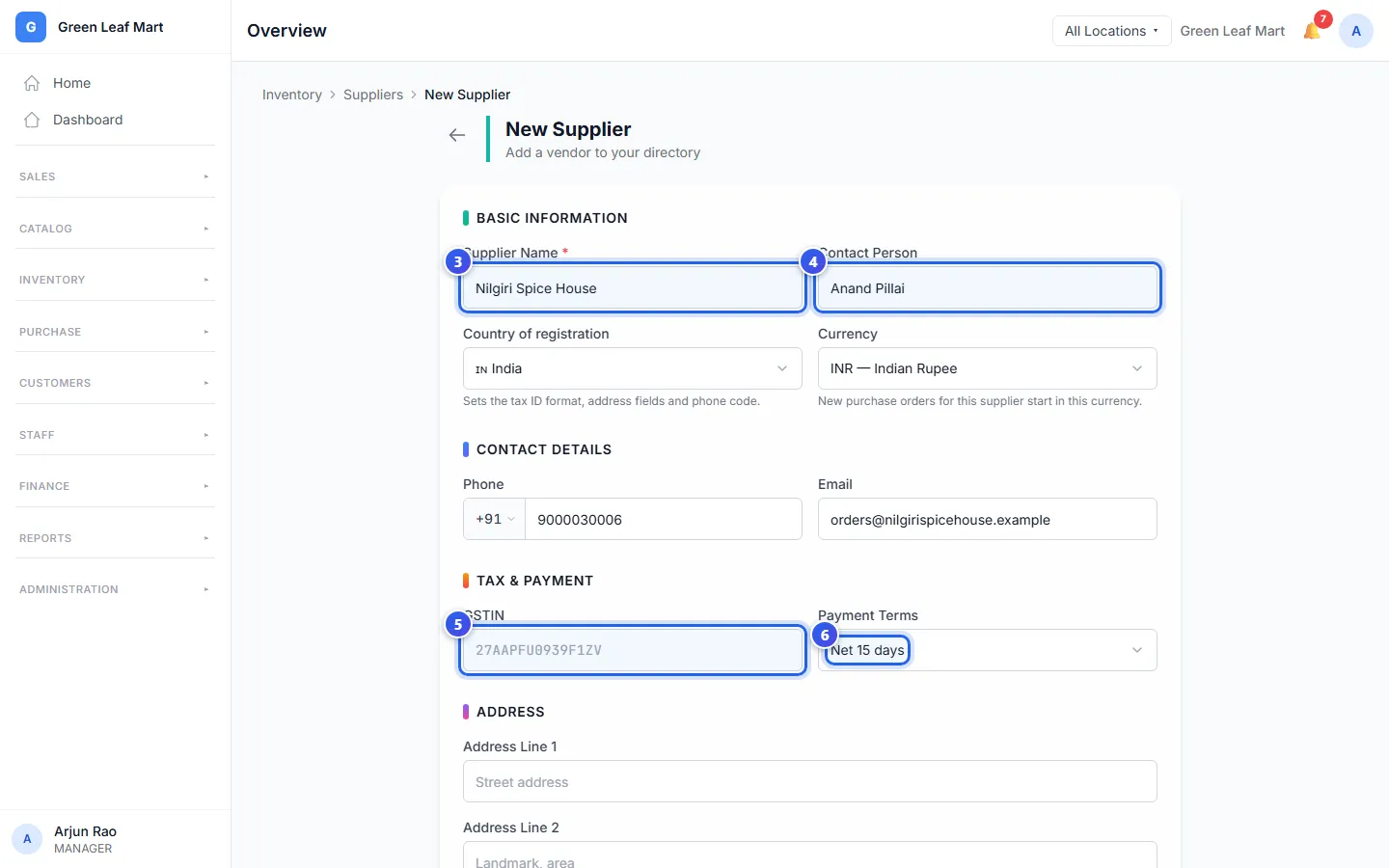
The new supplier shows in your list. Only Supplier Name must be filled in. Add an email if you want to send orders and price requests from Orio360.
A supplier in another country
Country of registration starts as your own country. Change it for a supplier from another country, before you fill in the rest.
- Choose the country in Country of registration.
- Check the Currency. This is the money they bill you in. It changes to the money of that country, like USD — US Dollar.
- Type their tax number in Tax ID, if they have one.
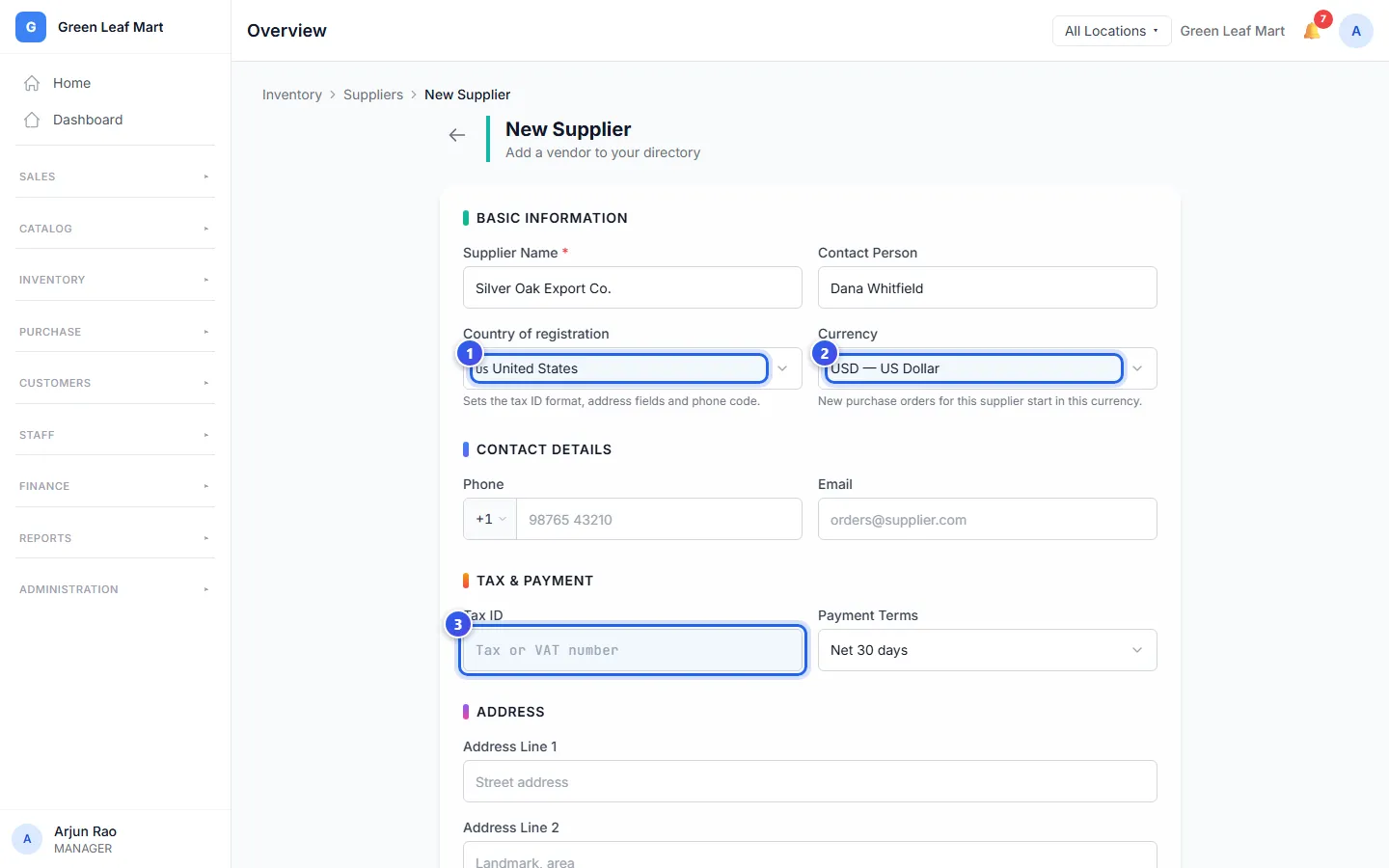
The rest of the form follows the country too. The phone number starts with that country's code. Orio360 checks the tax number in the way that country writes it. Some countries have no tax number, so the box is not there. If Orio360 has no list of regions for that country, you type the region.
New orders for this supplier start in their Currency. See Make a purchase order.
Payment terms
Net 30 days means you pay the supplier within 30 days of their bill. Immediate means you pay at once. When you save a bill from this supplier, Orio360 uses the terms to fill in the due date.
Change or stop a supplier
Open the supplier from the list. You see their details, the orders you gave them, and what you still owe them. An order in other money shows in that money, with the amount in rupees under it. After you pay them in other money, Outstanding payable also shows the exchange gain or loss so far.
Only an Owner can change a supplier. Press Edit, change the details, and press Save Changes.
Do you not buy from a supplier any more? An Owner can press Deactivate. The supplier stays in your records, but you cannot pick them for a new order. Press Reactivate to use them again.
Related help
Still need help?