Ask suppliers for a price
Send a price request to suppliers and compare what they offer.
Who can do this: Owner and Manager
This is not in every plan. See Pricing.
Want the best price before you buy? Make an RFQ. It lists the goods you need. You send it to 2 or more suppliers, and each one tells you their price. Orio360 then shows the prices side by side. An Owner or a Manager can do this.
Add your suppliers first. See Add a supplier.
Make the RFQ
- In the menu, open Purchase and press RFQ.
- Press New RFQ.
- Choose the location in Deliver to. You can add a date in Required by.
- Press Next.
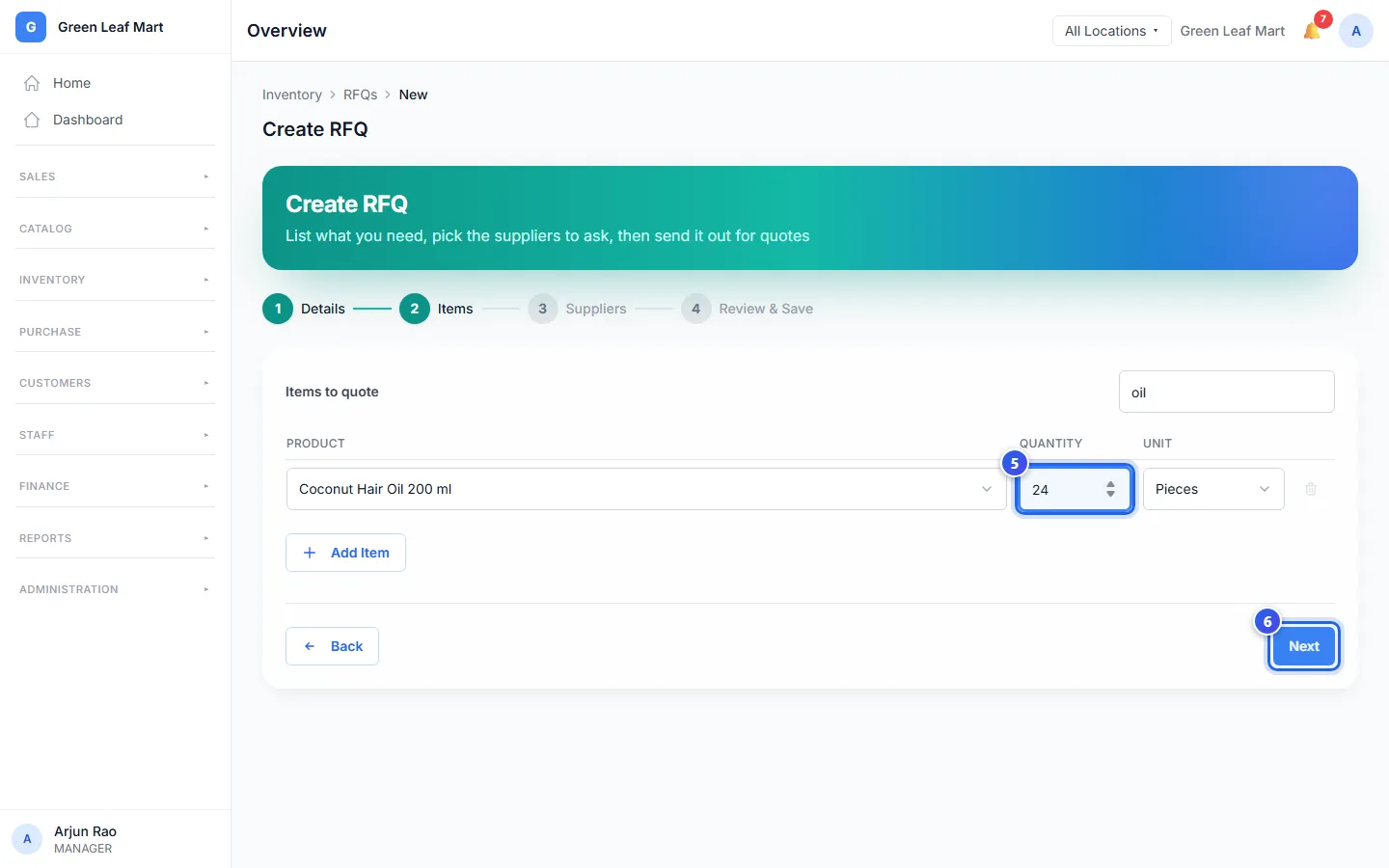
- Choose a product and type the Quantity. Press Add Item for each more product.
- Press Next.
- Choose the suppliers in Suppliers to ask. Then press Next.
- Check the list and press Create RFQ.
Send it to the suppliers
- On the RFQ, press Send to Suppliers.
- Choose Email from Orio360 or I'll send it myself.
- Press Send Emails or Mark as Sent.
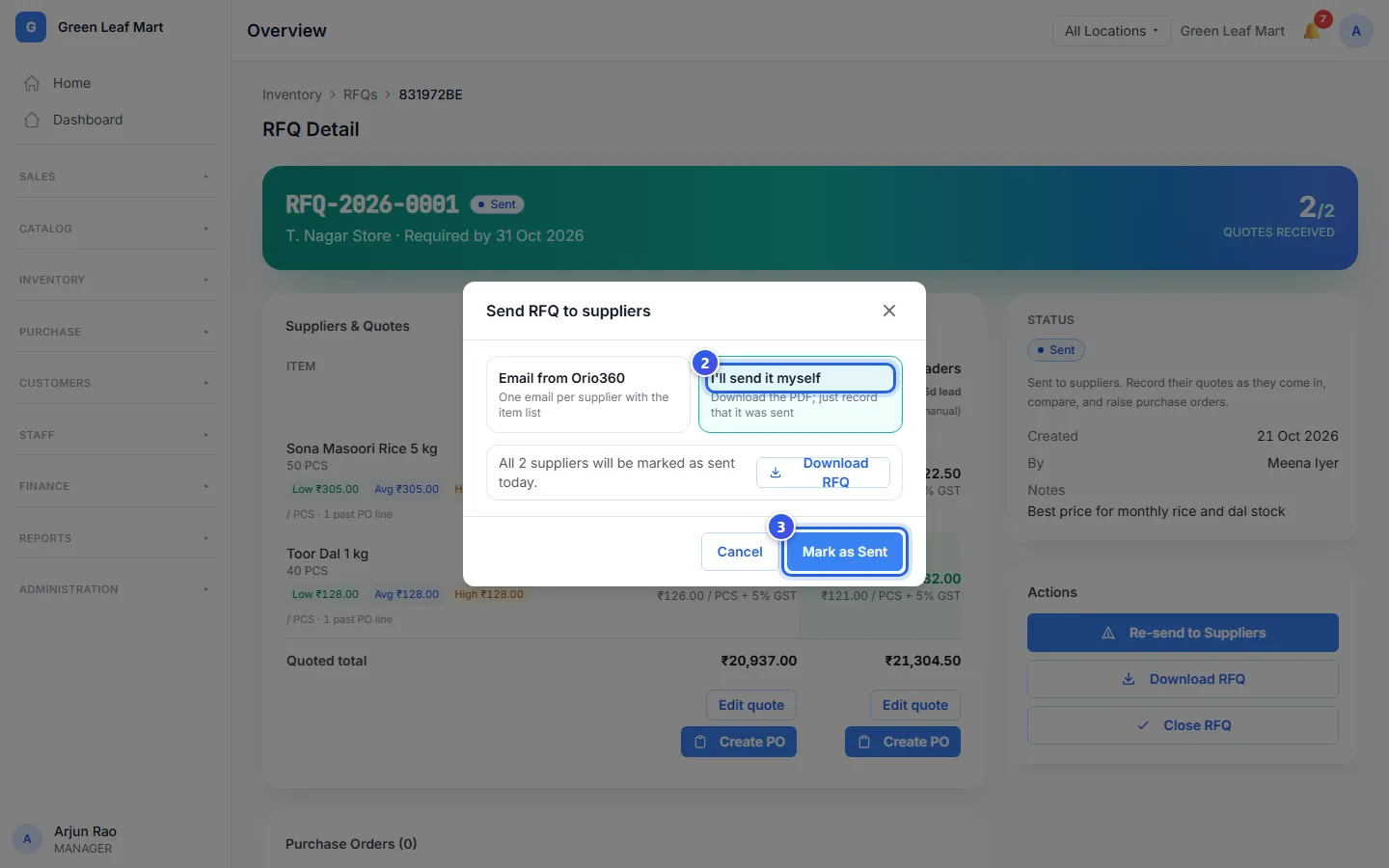
Email from Orio360 sends each supplier an email with your list. The email has no prices. A supplier with no email is left out. With I'll send it myself, press Download RFQ to get a PDF. Then share it your own way.
After that, the button says Re-send to Suppliers.
Compare the prices
When a supplier tells you their price, press Enter quote under their name. Type the Unit price (₹) for each item and press Save quote. If they say no, press Mark declined.
- Look at Suppliers & Quotes. The lowest price for each item is green.
- Check the Quoted total of each supplier.
- Press Create PO under the supplier you choose.
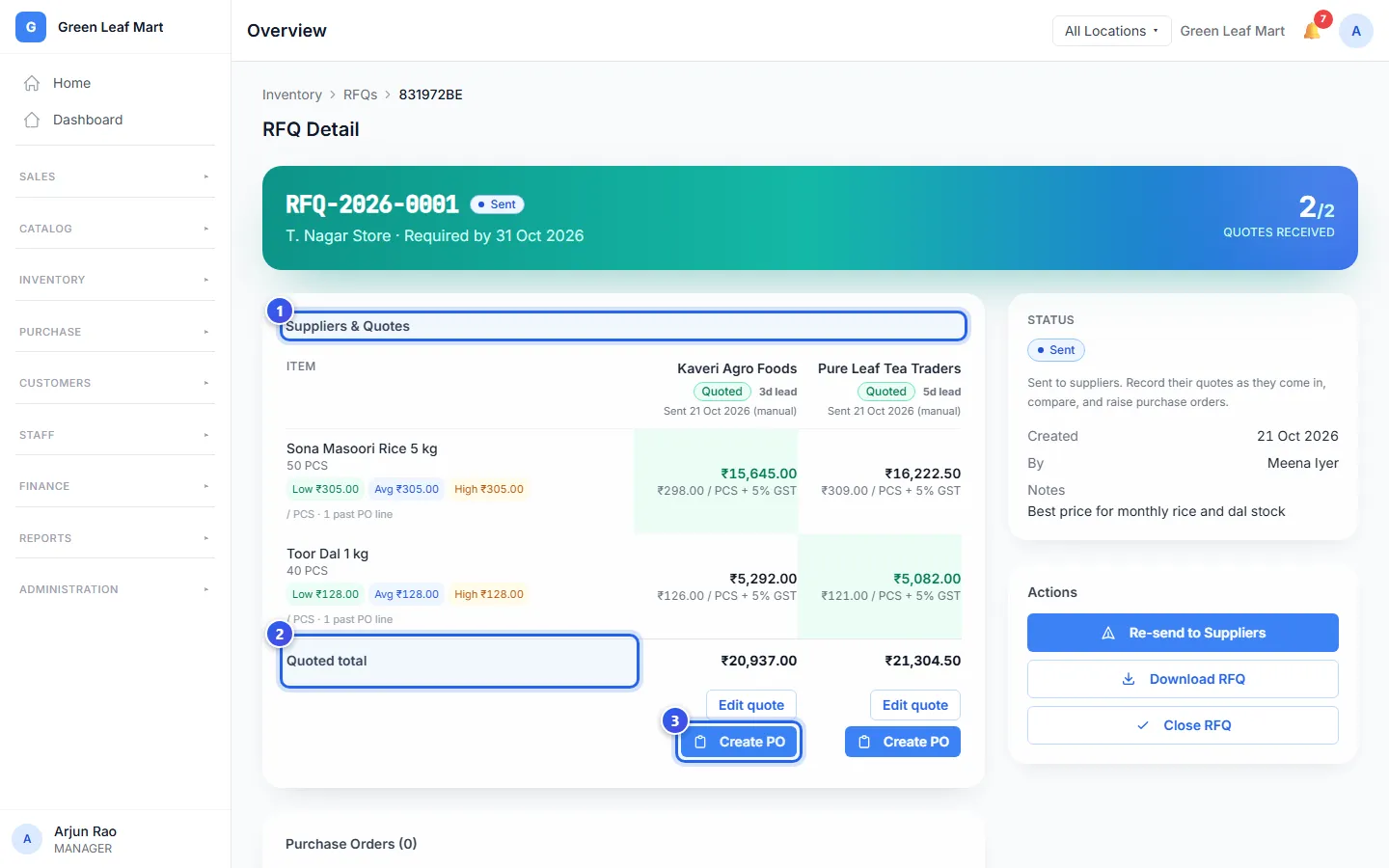
Under each item, Low, Avg and High show what you paid in past orders.
Create PO opens a new purchase order with that supplier's prices filled in. You can make orders with more than one supplier from the same RFQ. When you are done, press Close RFQ.
An RFQ and the orders you make from it are always in rupees. This is true even for a supplier who bills you in other money.
Related help
Still need help?