Track batches and serial numbers
Keep batch numbers, expiry dates and serial numbers for the products that need them.
Who can do this: Owner and Manager
This is not in every plan. See Pricing.
Milk and medicine come in a batch, with one expiry date. A phone has its own serial number. Orio360 can keep both. Then you know what expires soon, and which phones you have.
Only an Owner can turn this on. After that, Orio360 asks for these details each time you receive goods from a supplier.
Turn on tracking
- In the Administration group, press Settings, then Inventory Tracking.
- Turn on Track batch & expiry for goods that expire, like food and medicine.
- Turn on Track serial numbers for goods with their own number, like phones.
- Press Save changes.
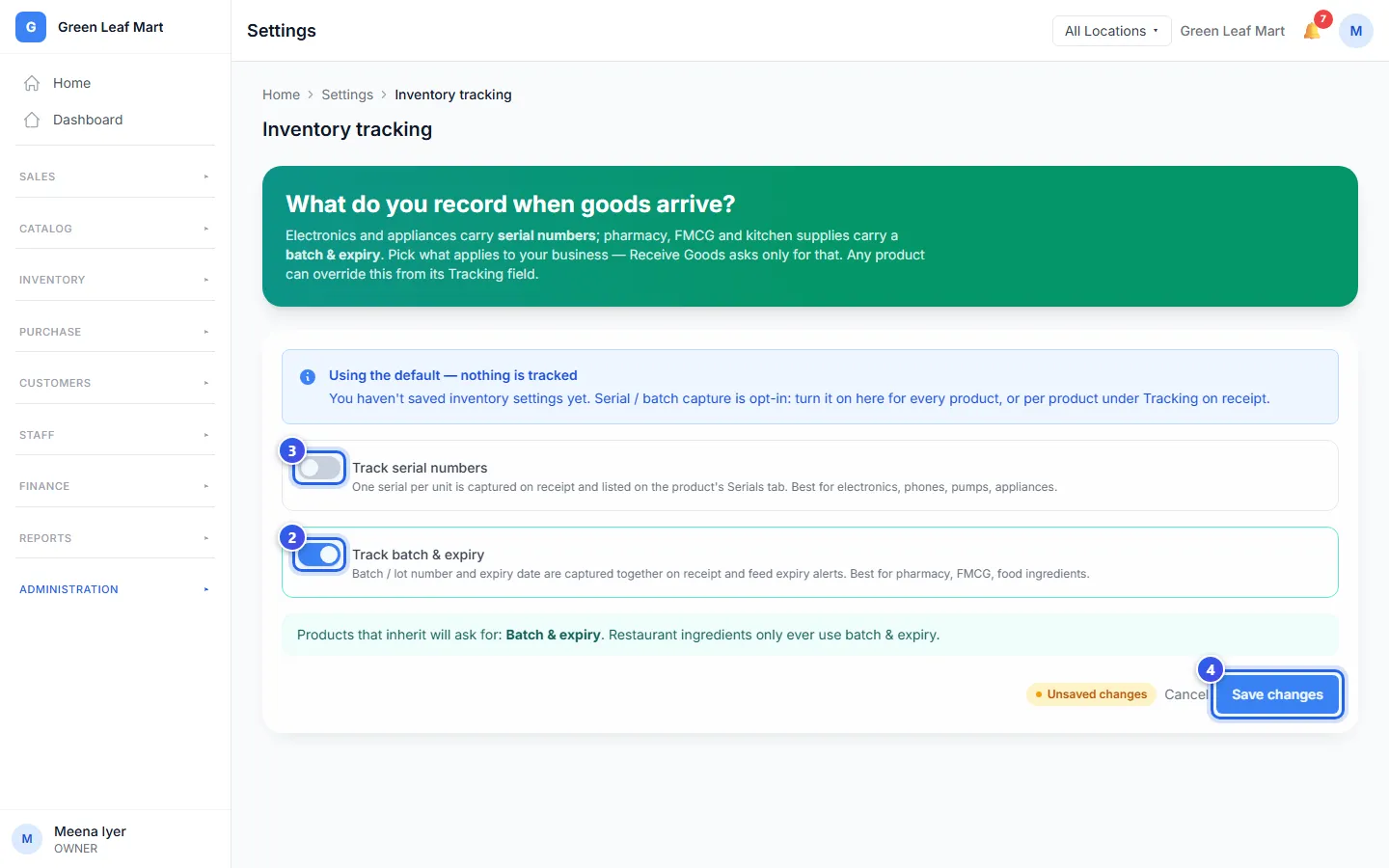
Save changes turns on once you turn a switch. Until you save, the page shows Unsaved changes, as in the picture. After you save, it shows All changes saved. If you leave before you save, Orio360 asks first. Press Discard and leave to drop your changes, or Stay to keep them.
You can also choose for one product. Open it, and choose in Tracking on receipt on the Details tab. Default (business setting) follows this page. Quantity only keeps no batch and no number.
A product with serial numbers gets a Serials tab. It lists each number, where the item is and when it came in.
See what expires soon
- In the menu, open Inventory and press Expiry Alerts.
- Press a tab, like 7 Days. It lists the batches that expire within 7 days.
- Check the Batch #, the Expiry Date and the Stock of each one.
- Press Discount to sell it for less before it expires. Or press Write Off to record it as wasted.
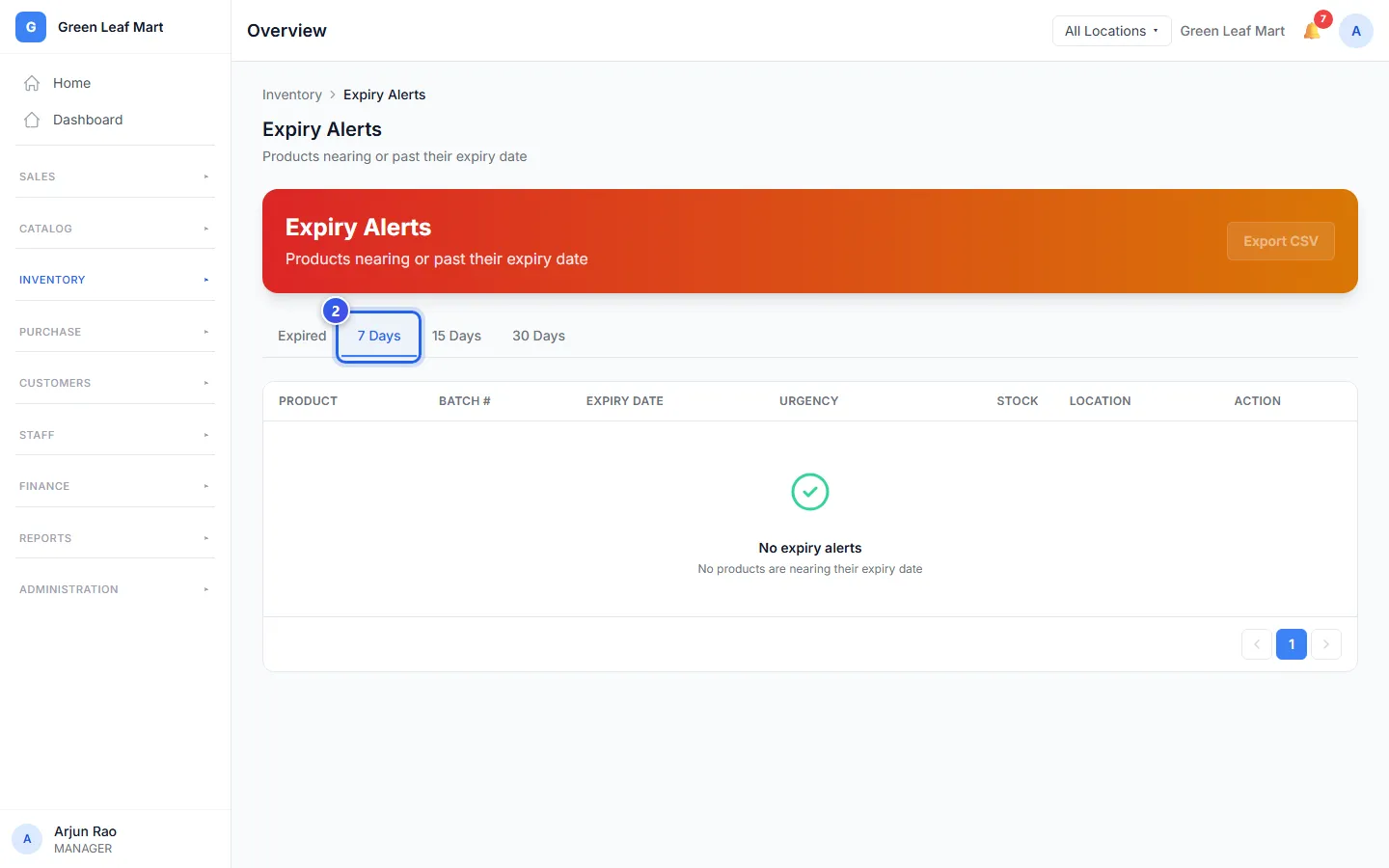
The Expired tab shows the batches that are past their date. The list stays empty until you receive goods with a batch and an expiry date.
Related help
Still need help?