Take a payment
Finish a bill and take cash, UPI, card or a split payment.
Who can do this: Owner, Manager and Cashier
When every item is on the bill, take the payment. The customer can pay in cash, by UPI or by card. They can also pay in two or more ways.
Take the payment
- Press Pay on the bill.
- If the Customer for this bill window opens, add the customer. Or press Skip — walk-in customer.
- In the Payment window, choose Cash, UPI or Card.
- For cash, type the money the customer gives you in Cash Tendered.
- Check the Change to give back.
- Press Confirm Payment.
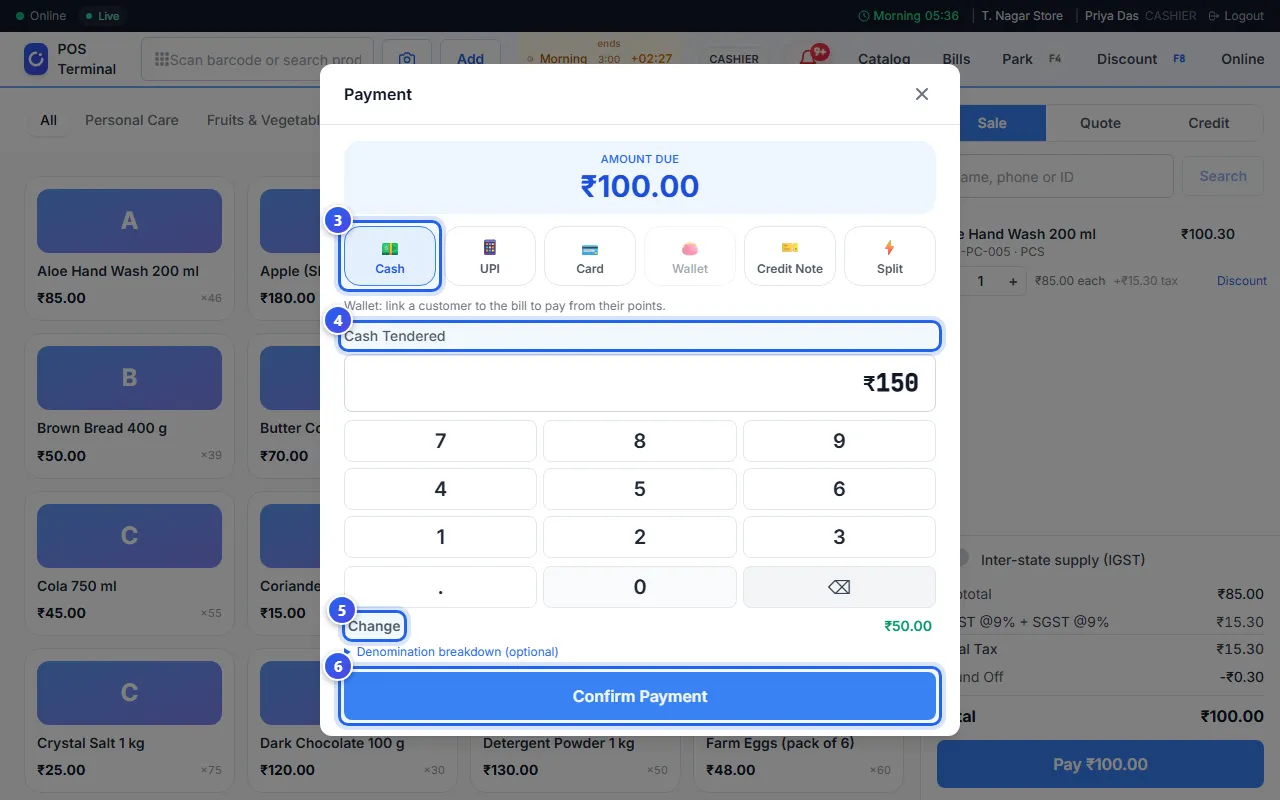
For UPI or card, take the money on your UPI app or card machine first. Then press Confirm Payment. Is your card machine linked to Orio360? Then press Confirm Payment first. The amount shows on the machine, and the customer pays there.
The Sale complete window opens. Press Print to print the receipt, or Close. Orio360 takes the items out of your stock.
Split the payment
A split payment is one bill paid in more than one way.
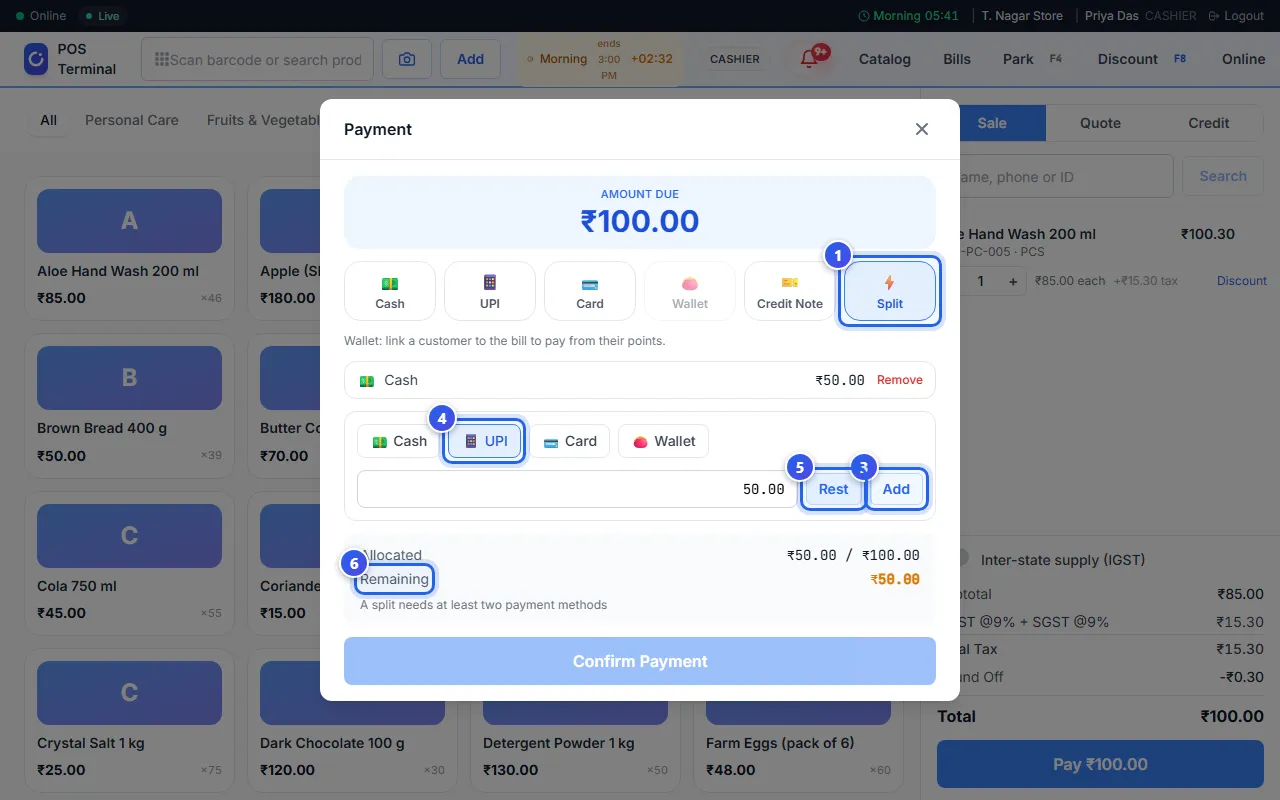
- Press Split.
- Choose the first way to pay, like Cash.
- Type its amount and press Add.
- Choose the next way to pay, like UPI.
- Press Rest to fill in what is left. Then press Add.
- When Remaining is ₹0.00, press Confirm Payment.
Other ways to pay
- Wallet pays with the customer's points. See Use points or a voucher on a bill.
- Credit Note takes the code of a credit note from a past return. Type the code, like CN-AB12CD, and press Look up.
- Store Credit shows when the customer has store credit.
Related help
Make a bill
Scan or search for items and add them to a bill at the till.
Add a customer to a bill
Find a customer at the till and put their name on the bill.
Use points or a voucher on a bill
Let a customer pay with loyalty points, or take money off with a voucher code.
On some plans
Find and print a past bill
Look up an old bill at the till and print it again.
Still need help?