Use points or a voucher on a bill
Let a customer pay with loyalty points, or take money off with a voucher code.
Who can do this: Owner, Manager and Cashier
This is not in every plan. See Pricing.
Your customers earn loyalty points when they buy. They can use the points to pay next time. A voucher is a code that takes money off a bill.
Use a voucher
- Press Discount at the top of the screen.
- Type the code in Voucher Code. Or press Scan to scan it.
- Press Apply Voucher.
- Press Apply discount.
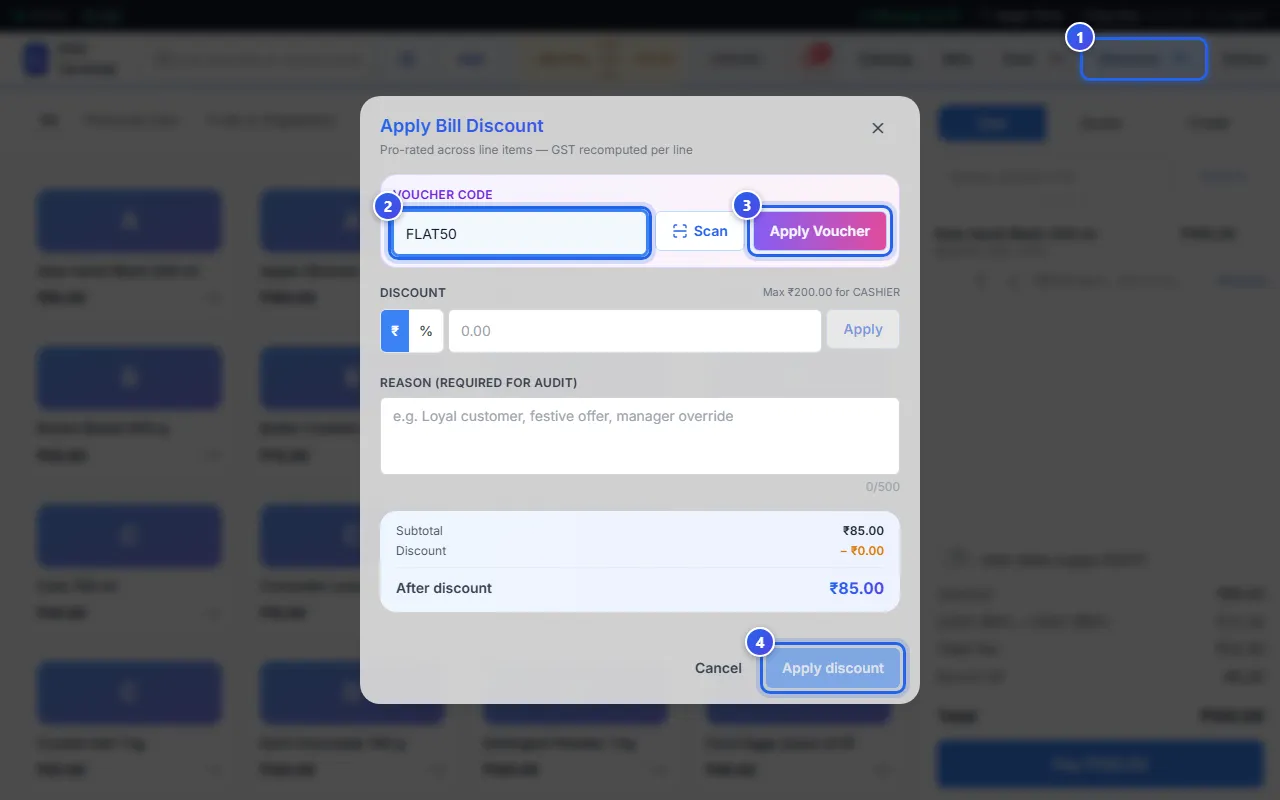
Orio360 checks the code. A tick and a short message show when the code works. The money off then shows on the bill.
A code may not work if it has ended, or if the bill is too small for it. Read the message under the box to see why.
Pay with points
- Put the customer on the bill. See Add a customer to a bill.
- Press Pay.
- Press Wallet.
- Press Use all to use all the customer's points.
- Do the points pay the whole bill? Then press Confirm Payment.
- If not, press Pay the rest another way. Then take the rest in cash, UPI or card.
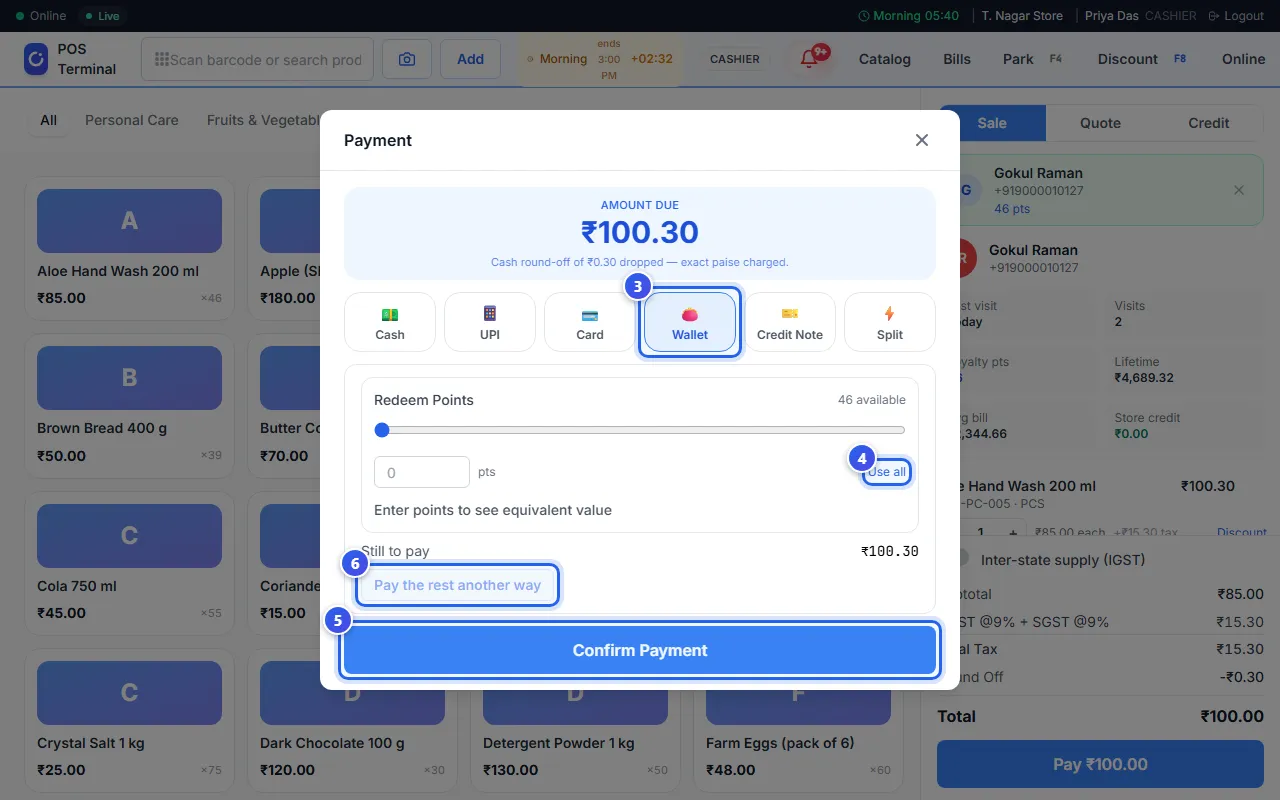
The window shows how much the points are worth, and what is Still to pay.
Wallet is grey when the bill has no customer. Put a customer on the bill first.
Related help
Still need help?