Find and print a past bill
Look up an old bill at the till and print it again.
Who can do this: Owner, Manager and Cashier
A customer lost their receipt, or needs a copy for their office. You can find the bill and print it again.
Find the bill
- On the billing screen, press Bills. The Bill History page opens.
- Type the bill number, the customer's name or their phone in the search box.
- To see fewer bills, choose a status in All Statuses or a day in All dates.
- Press the bill.
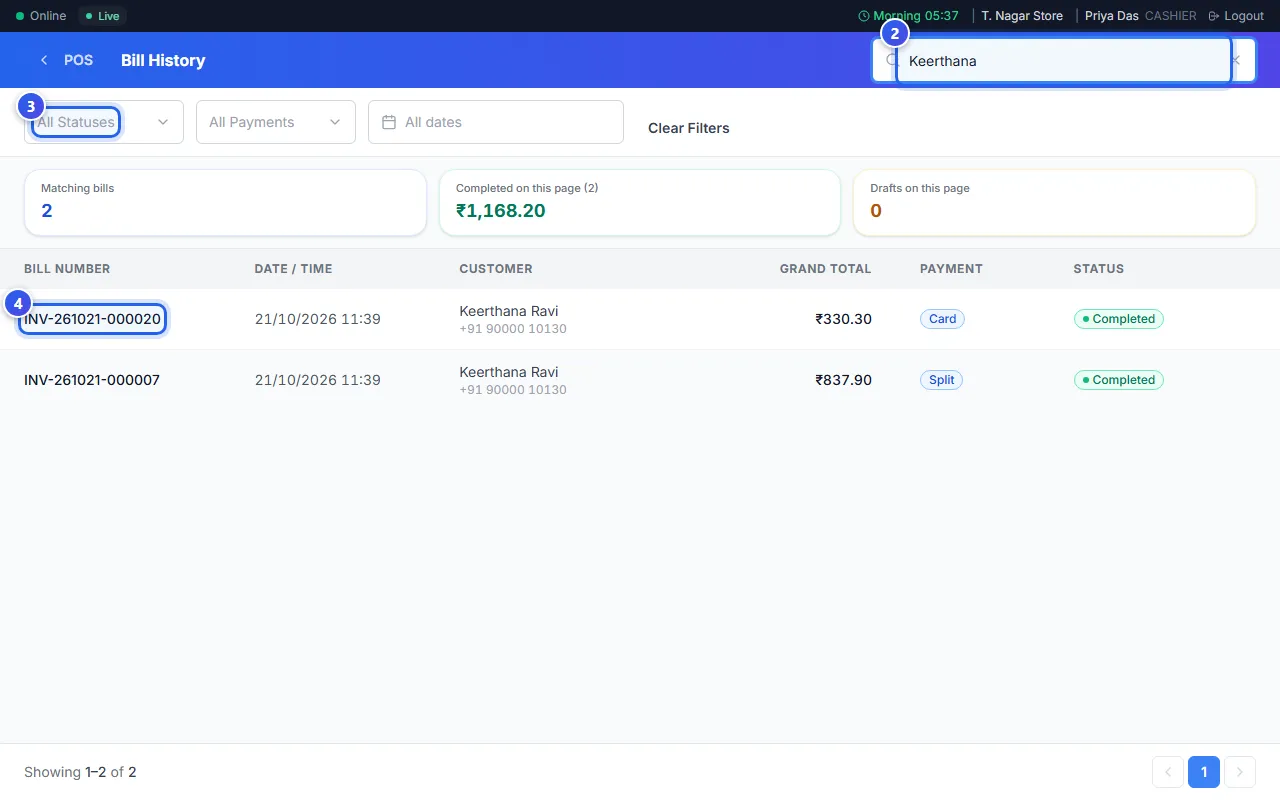
A Cashier sees only the bills they made. A Manager and an Owner see the bills of every location they work in.
Print it again
- Press Print to print the receipt.
- Or press More, then Print Duplicate. On a receipt printer, the copy says DUPLICATE.
- Press Invoice to save the tax invoice as a PDF file.
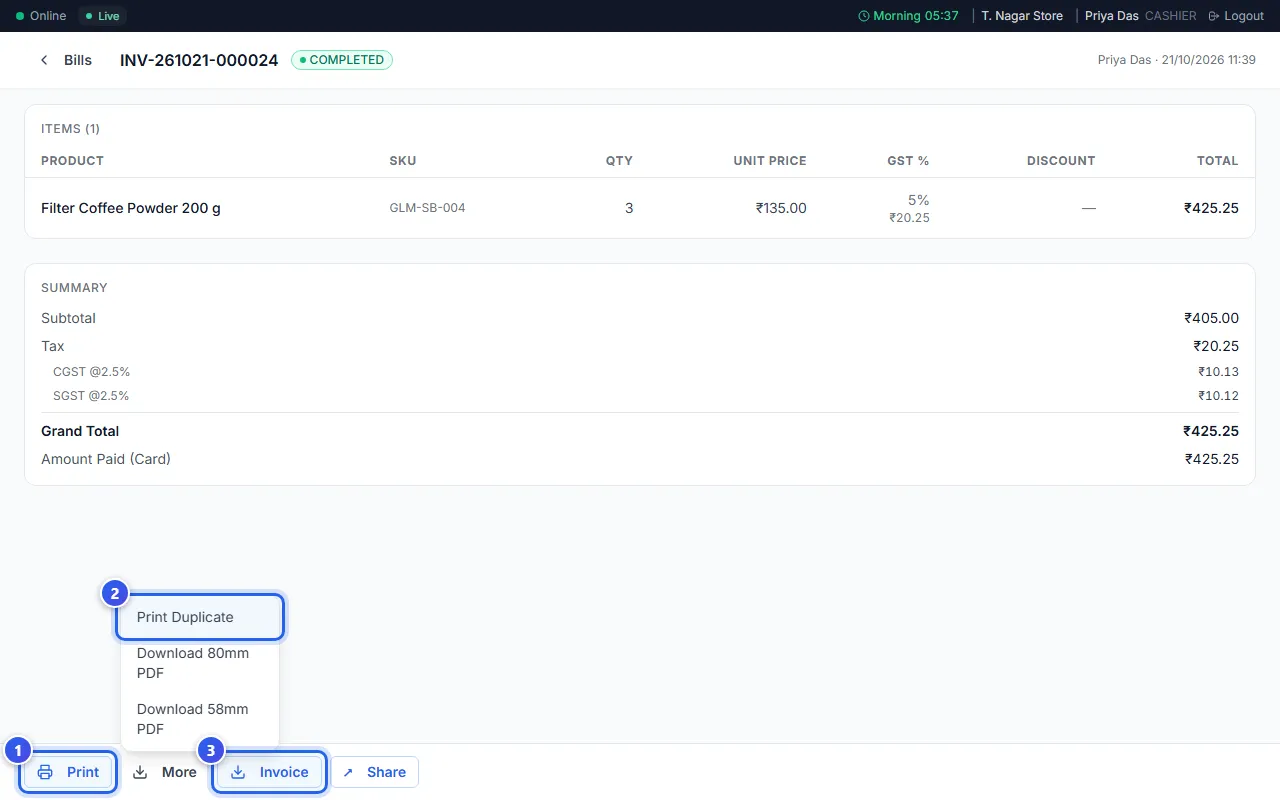
Is no receipt printer set up on this till? Then Print saves a PDF file instead. You can also press More, then Download 80mm PDF or Download 58mm PDF. Pick the one that matches your paper roll.
What the bill page shows
- The items, with the price, the GST and any discount on each.
- The total, and how the customer paid.
- Any returns made against this bill.
Invoice shows only on a paid bill.
Related help
Still need help?