Send a bill on WhatsApp or by email
Send a copy of a paid bill to your customer on WhatsApp or by email.
Who can do this: Owner, Manager and Cashier
Your customer may want their bill on their phone, not on paper. You can send it on WhatsApp or by email. You can do this from the till, or from the admin app.
Send it from the till
- Press Bills and open the paid bill. See Find and print a past bill.
- Press Share at the bottom of the page.
- Under Send via, choose WhatsApp or Email.
- Check the phone number or the email. If the customer is on the bill, it is already there.
- Press Send.
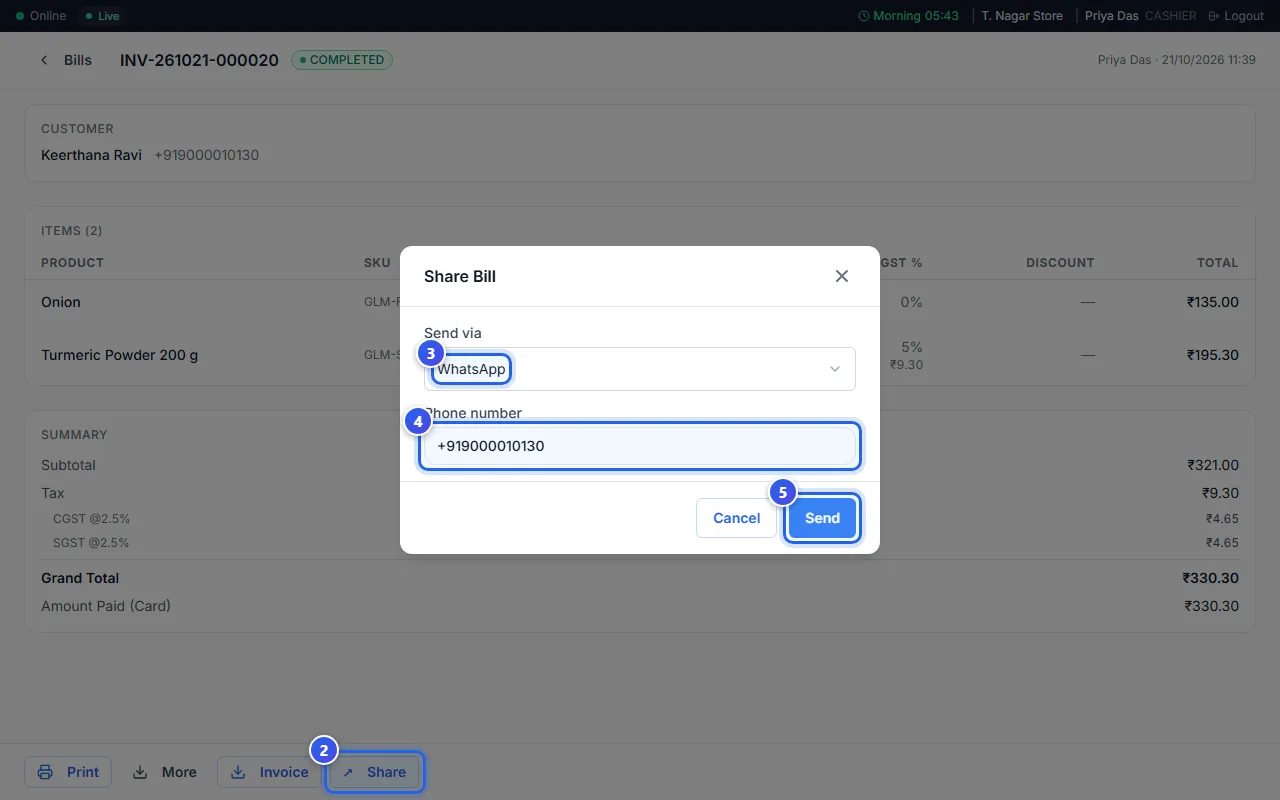
A message says that Orio360 is sending the bill. Press Cancel to close the window without sending.
See the bill first, in the admin app
An Owner or a Manager can see how the bill looks before they send it.
- In the menu, go to Customers, then Communications, then Invoice Preview.
- Type the bill number in Bill ID, like INV-261021-000020.
- Check the bill that shows on the right.
- Choose WhatsApp or Email. Then check the Phone Number or the Email Address.
- Press Send Invoice.
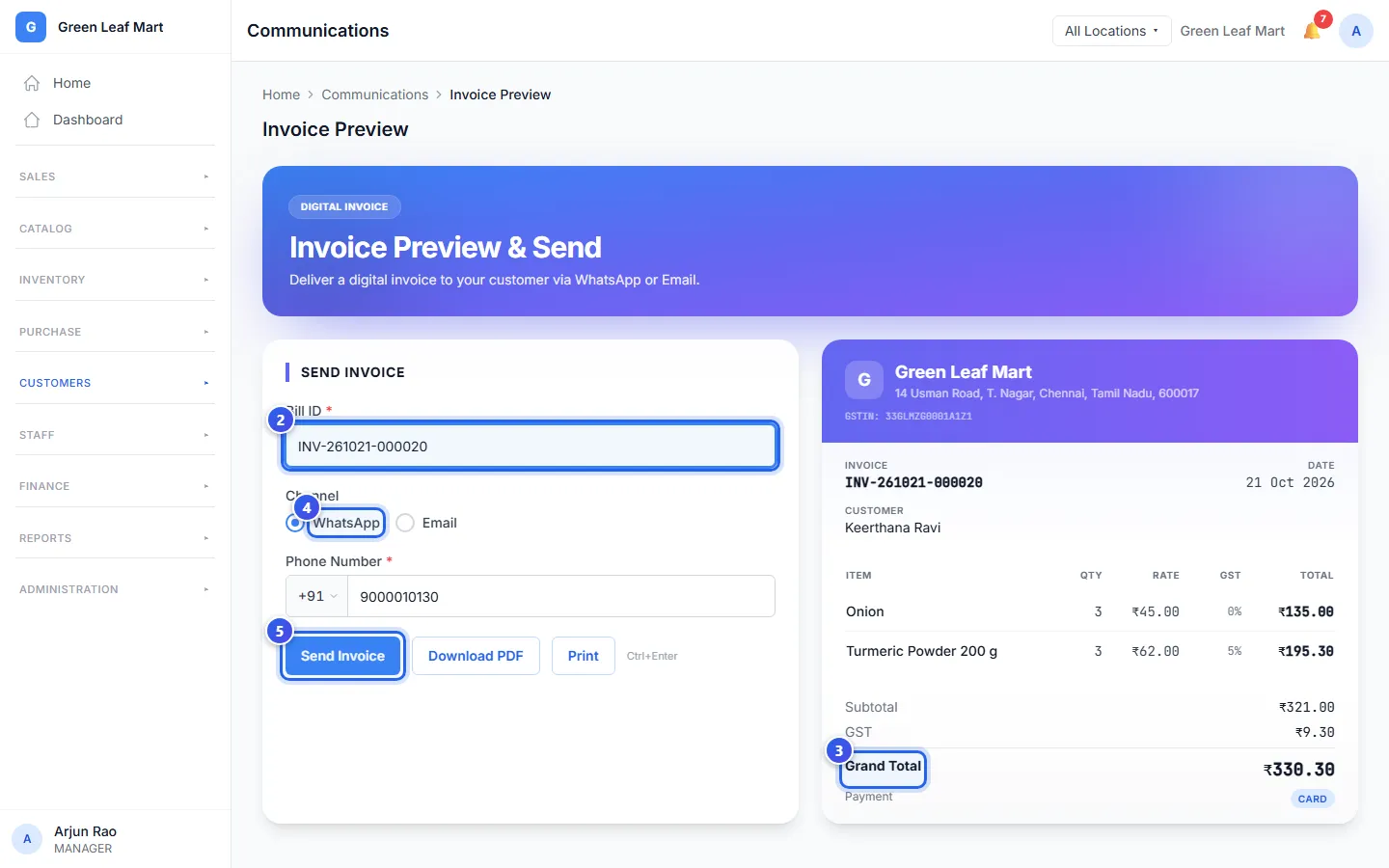
You can also press Download PDF or Print on this page.
Related help
Still need help?