Track attendance
See when each staff member started and finished work.
Who can do this: Owner and Manager
This is not in every plan. See Pricing.
Staff clock in when they open their shift in the POS app. They clock out when they close it. The Attendance page shows these times for each person.
See the times
- In the menu, open Staff, then Shifts. Press Attendance.
- Press a time, like Today or This Month.
- To see only some rows, choose a Status, like Late.
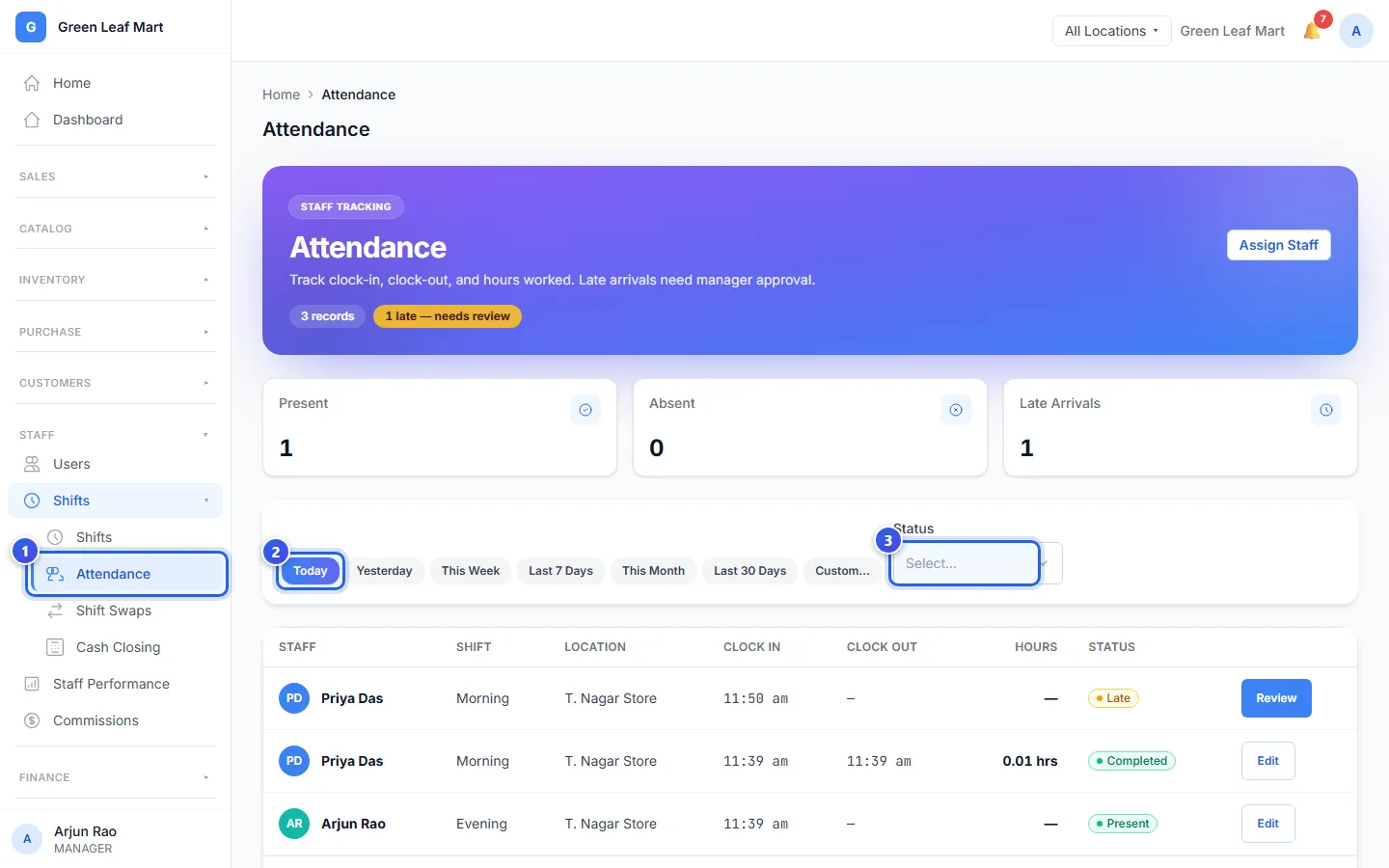
Each row shows the person, their shift, the time they clocked in and out, and their hours.
- Present means they came on time and are at work now.
- Late means they clocked in more than 15 minutes after the shift started.
- Completed means they clocked out.
Orio360 does not mark anyone Absent or Half Day by itself. A Manager does that with Edit.
Check a late arrival
- Press Review on the late row.
- Type a note in Notes, like the reason.
- Press Approve or Reject.
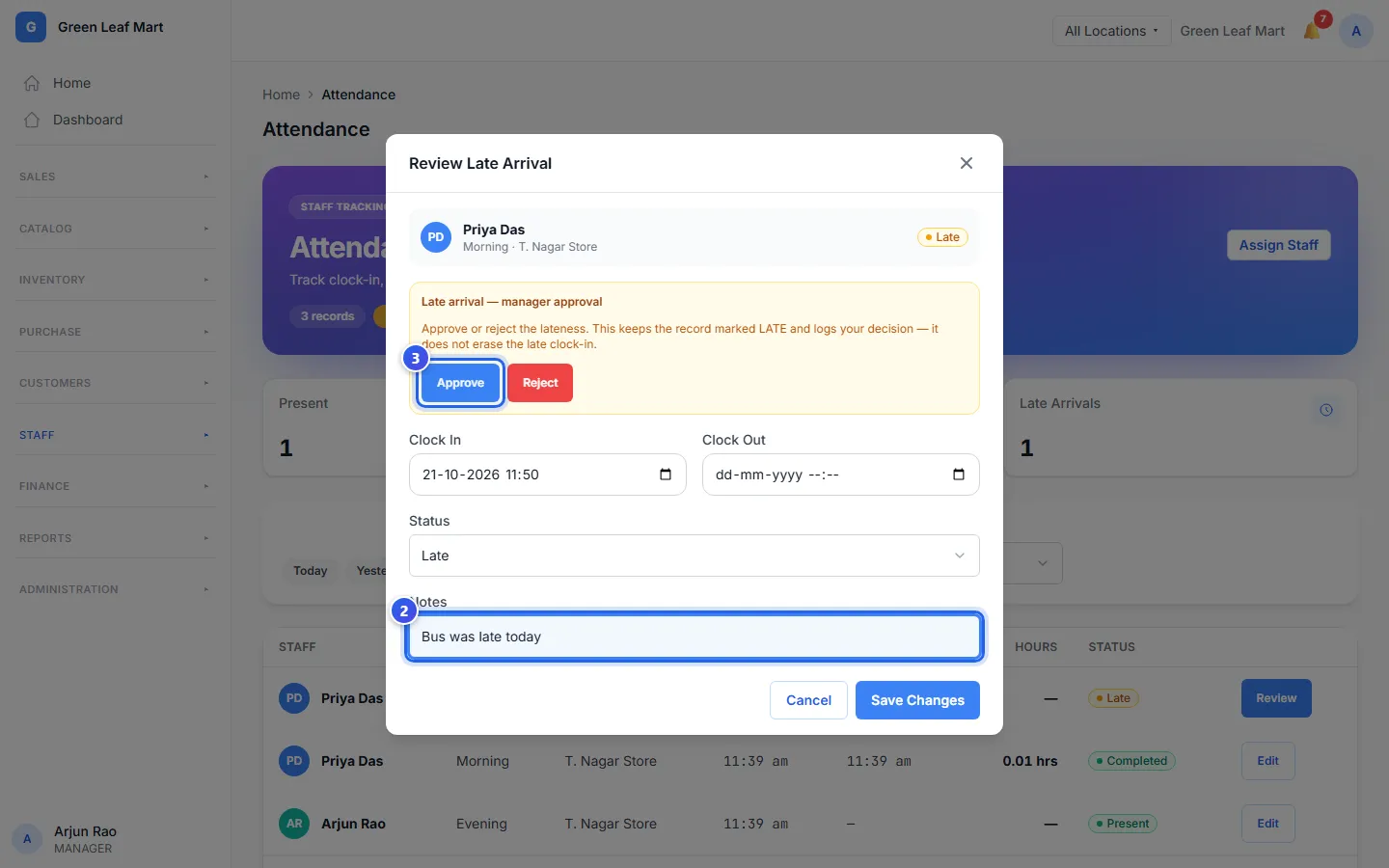
Orio360 saves your choice with the record. The row still says Late.
Fix a record
Did someone forget to clock out? Press Edit on their row. Change the Clock In or Clock Out time, or the Status. Type why in Notes. Then press Save Changes.
Related help
Still need help?