Swap a shift
Ask someone to take your shift, and say yes or no to swap requests.
Who can do this: Owner and Manager
This is not in every plan. See Pricing.
Sometimes you cannot work on a day. Ask another staff member to take your shift. Another Manager or the Owner then says yes or no. The Shift Swaps page keeps a record of each request. Only Managers and the Owner can open it.
Ask for a swap
- In the menu, open Staff, then Shifts. Press Shift Swaps.
- Press + Request Swap.
- Choose the Shift.
- Choose the Date.
- Under Swap to (who takes the shift), choose the person.
- Type a Reason. You can leave it empty.
- Press Request Swap.
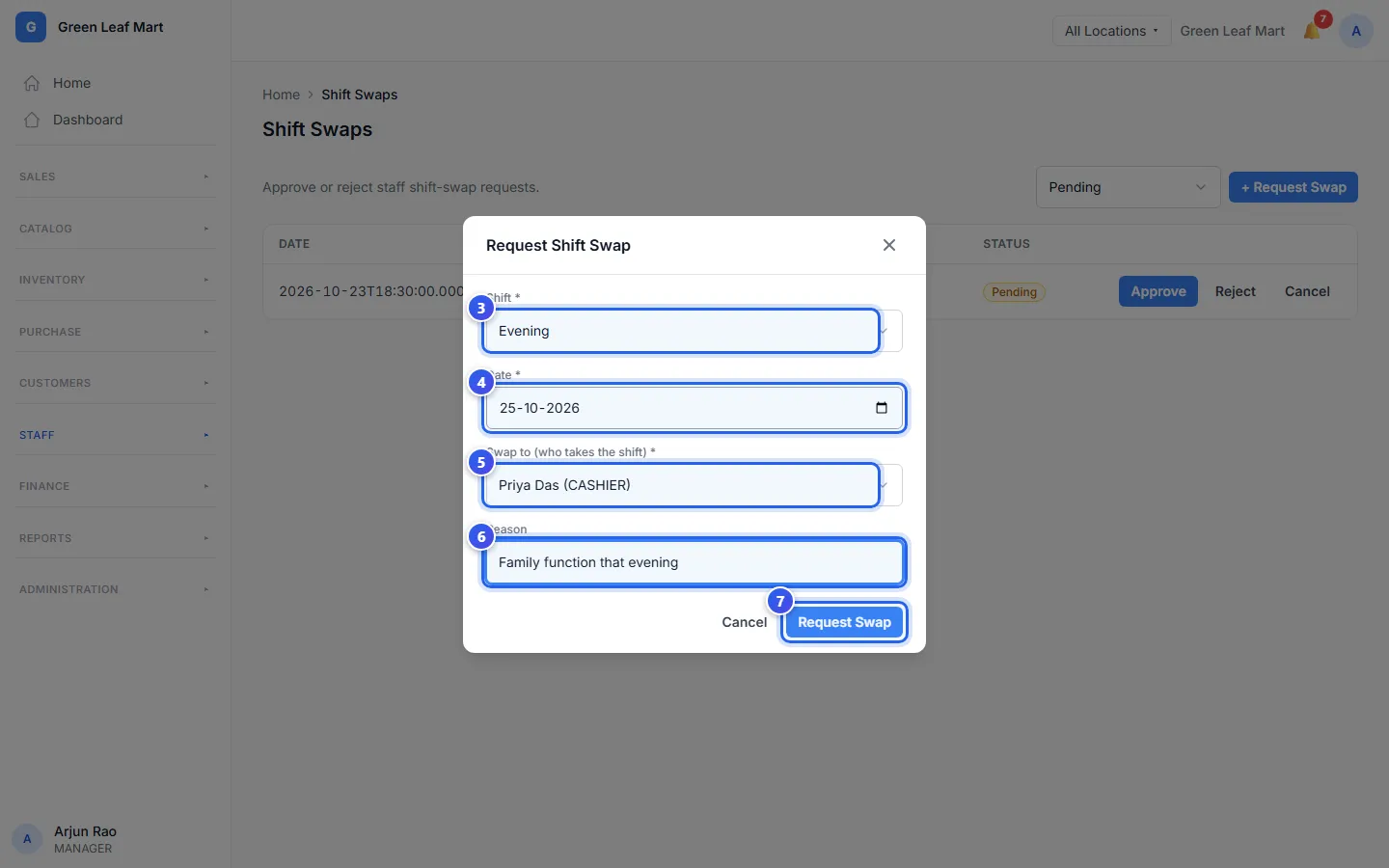
The request shows in the list as Pending. To take it back, press Cancel on its row.
Say yes or no
- In the menu, press Shift Swaps. The list shows the Pending requests.
- Press Approve or Reject.
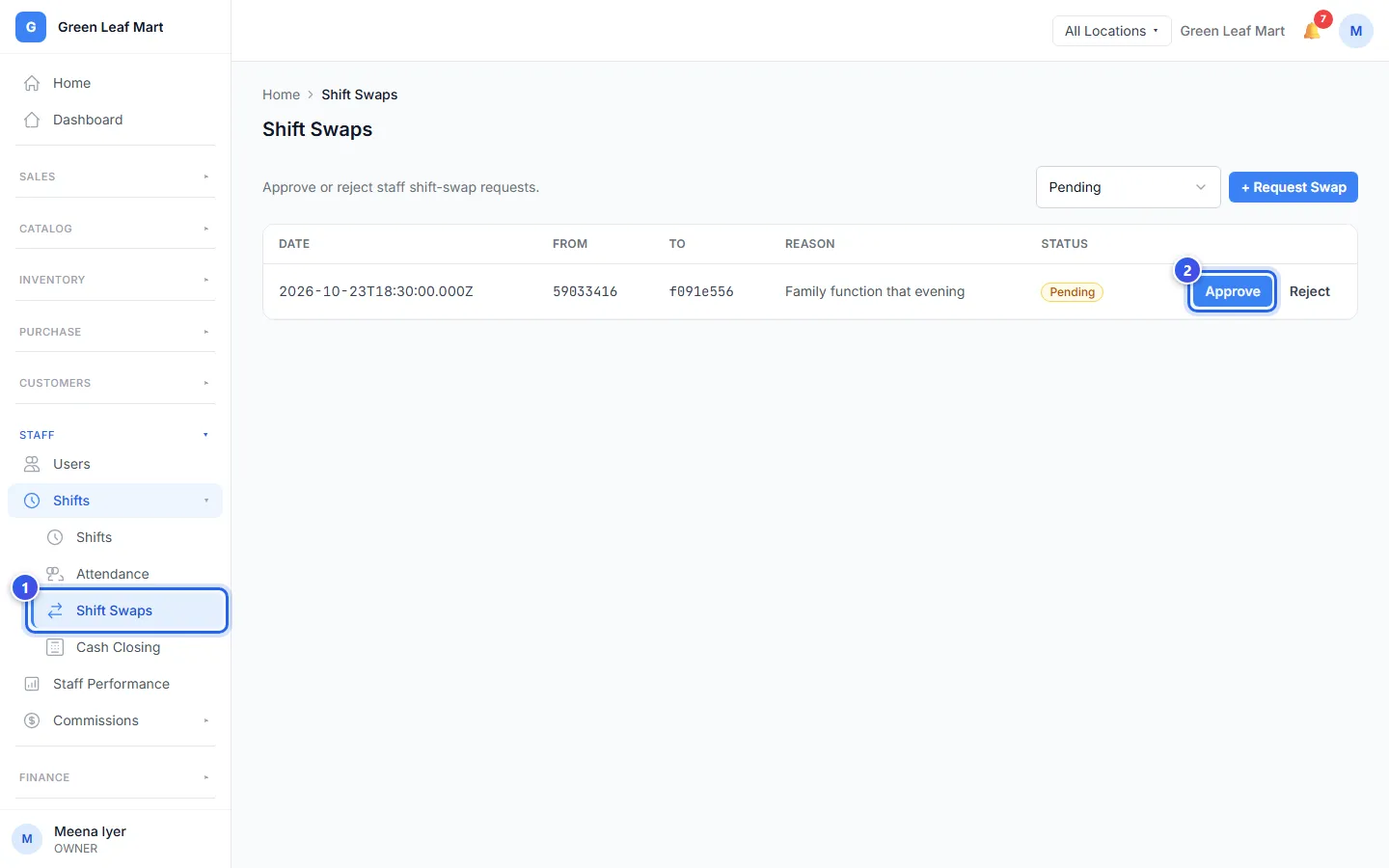
The request moves to Approved or Rejected. To see old requests too, choose All statuses at the top of the list.
Related help
Still need help?