Set commission rates
Choose what share of their sales your staff earn.
Who can do this: Owner
This is not in every plan. See Pricing.
A commission is a share of a sale that you pay to the staff member who made it. Set a rate here, and Orio360 works out what each person earns. Only the Owner can open the Commissions pages.
Add a rate
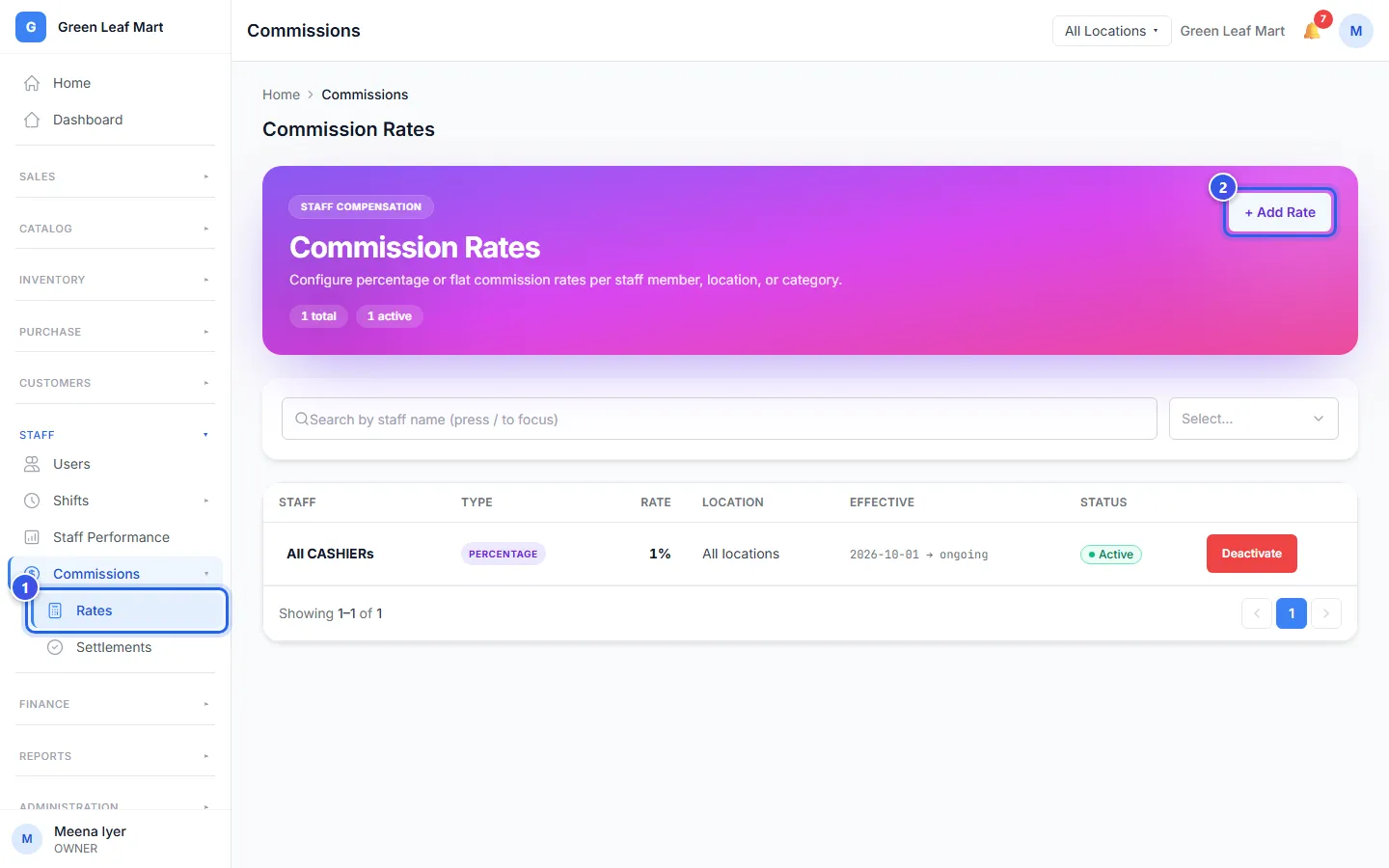
- In the menu, open Staff, then Commissions. Press Rates.
- Press + Add Rate.
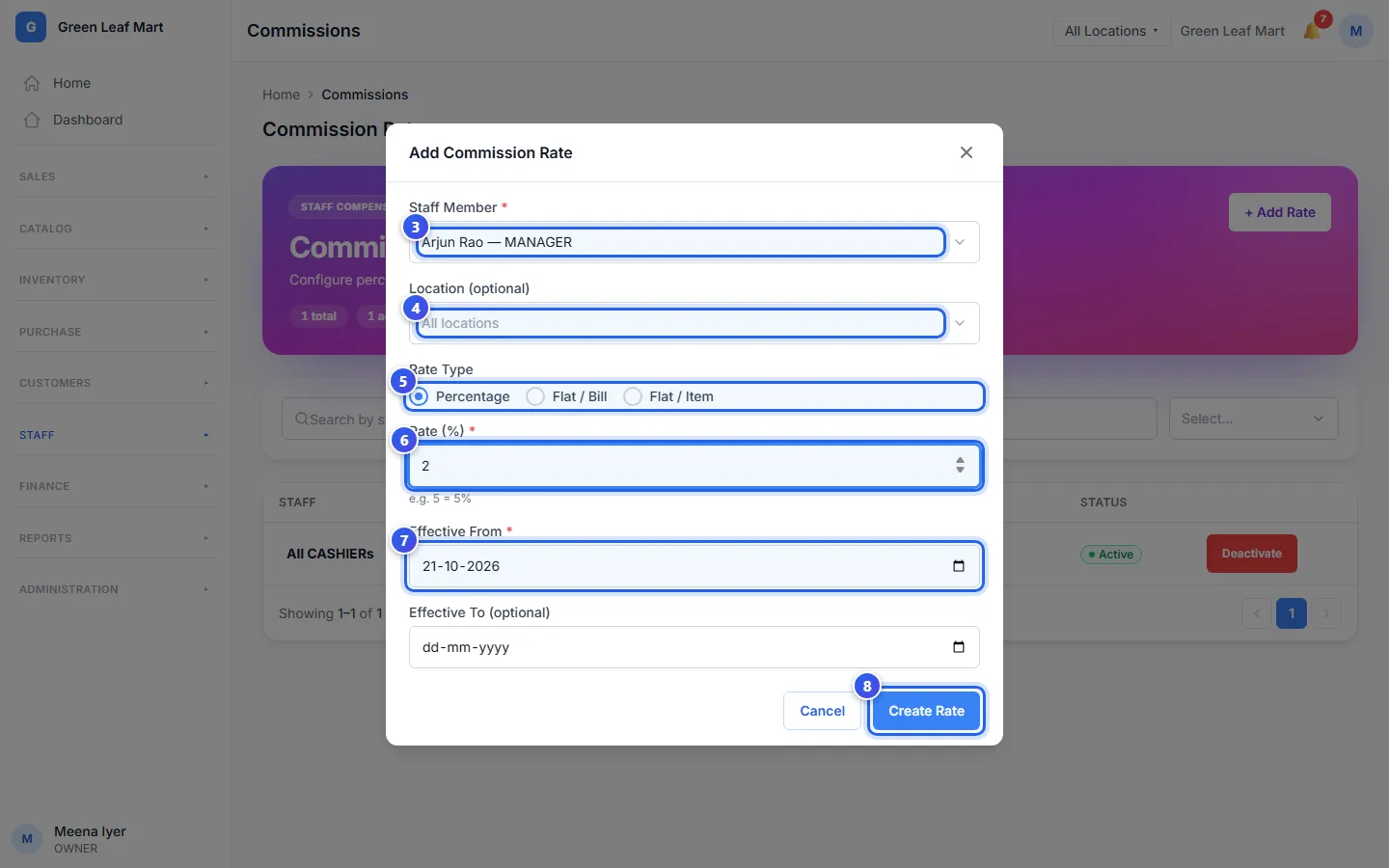
- Under Staff Member, choose one person, or a whole role like All Cashiers.
- Choose a location in Location (optional). Leave it empty for all locations.
- Under Rate Type, choose Percentage or Flat / Bill.
- Type the rate. For Percentage, 2 means 2%.
- Check the date in Effective From. If the rate ends, add a date in Effective To (optional).
- Press Create Rate.
The kinds of rate
- Percentage pays a share of each bill. Type a whole number from 0 to 100. Orio360 uses the bill total after any discount.
- Flat / Bill pays the same money for each bill, like ₹5. Also type the Minimum Bill Amount (₹). A smaller bill earns nothing.
To pay a share on one product, open the product and type its Commission (%). That share comes before all other rates. If you choose Flat / Item, a message tells you to do this.
Which rate counts
A person's own rate comes before the rate for their role. A rate for one location comes before a rate for all locations.
Each person or role can have one rate at each location. To change the rate, press the name in the list. To stop it, press Deactivate, then Confirm. Payouts you made before do not change.
Related help
Still need help?