Pay staff commissions
Work out what each staff member earned and mark it as paid.
Who can do this: Owner
This is not in every plan. See Pricing.
Orio360 works out each person's commission from their bills. You pay them yourself, in cash or by bank. Then you mark it as paid here.
Work out what they earned
- In the menu, open Staff, then Commissions. Press Settlements.
- Press Calculate.
- Choose the Location.
- Choose the first and the last day in Calculation Period.
- To work it out for one person only, choose them in Staff Member (optional).
- Press Calculate.
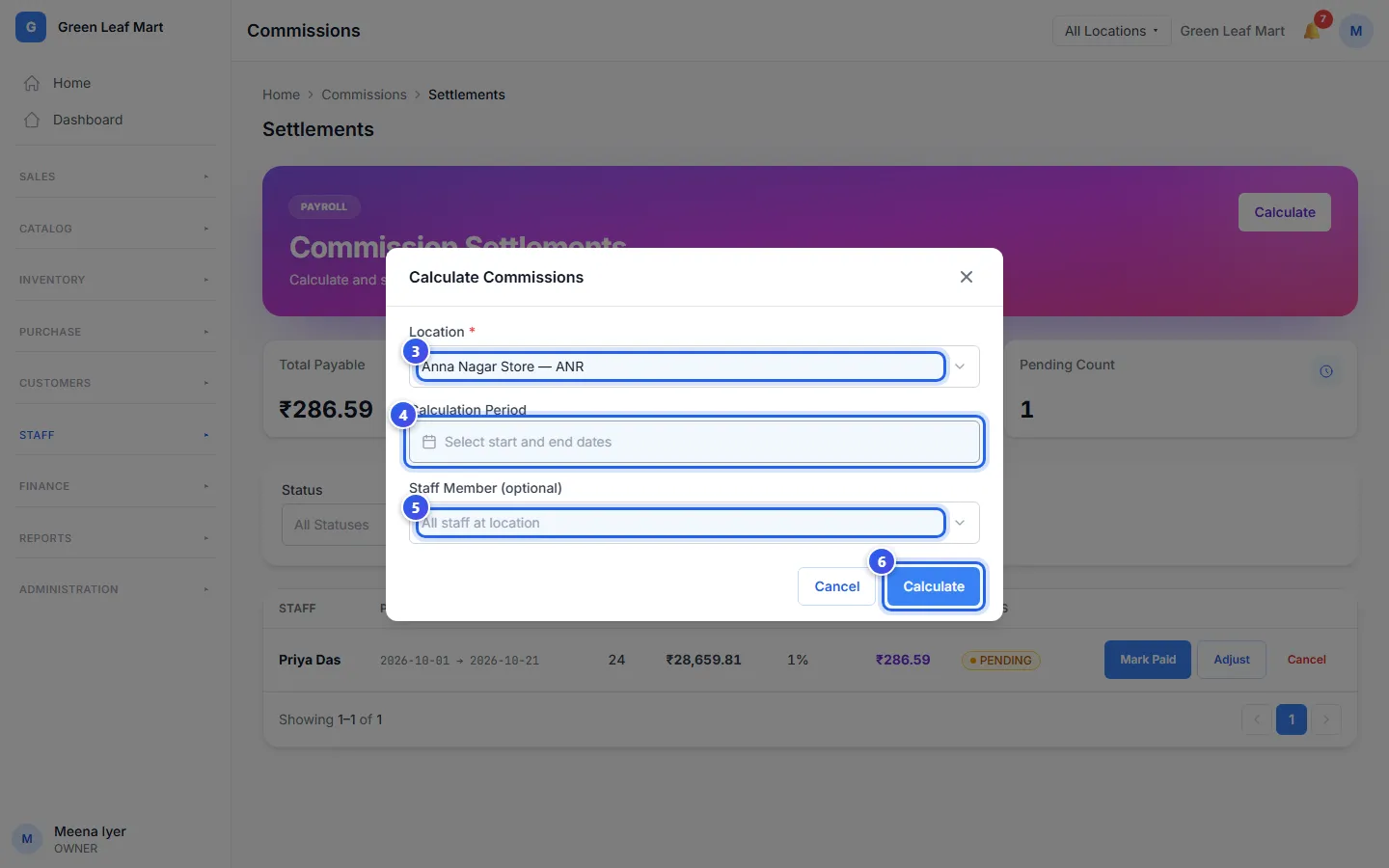
Orio360 adds a row for each person who has a rate. The row shows their bills, their sales and the money to pay them. Each bill counts only once, so you never pay for it twice. If a customer gives items back later, Orio360 takes that part off.
Mark it as paid
First pay the person yourself, in cash, by bank or with their salary. Then mark it here.
- On Settlements, find the person's row.
- Press Mark Paid on their row.
- Choose the Payment Mode.
- Type the Payment Reference, like a cheque number.
- Press Mark Paid.
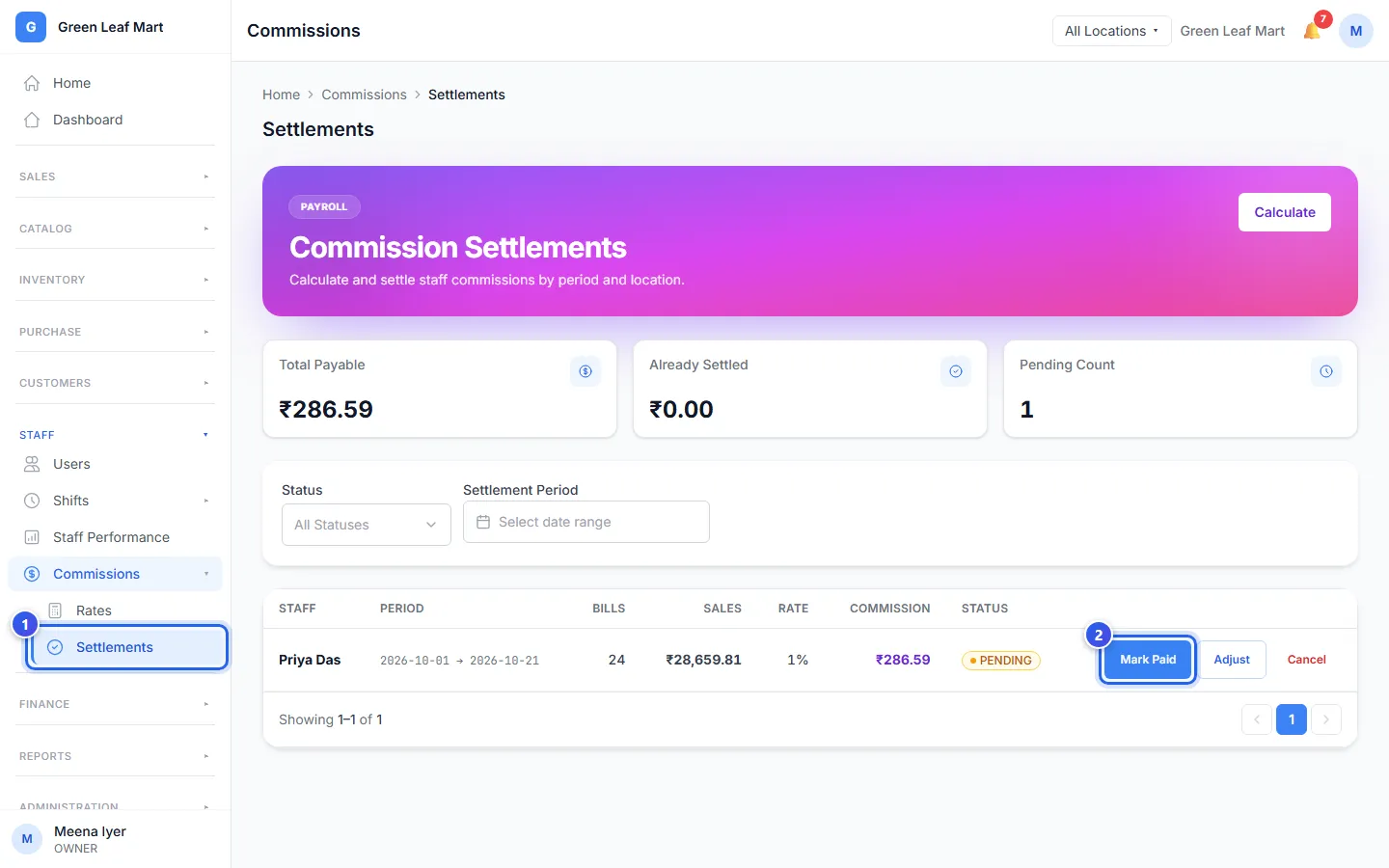
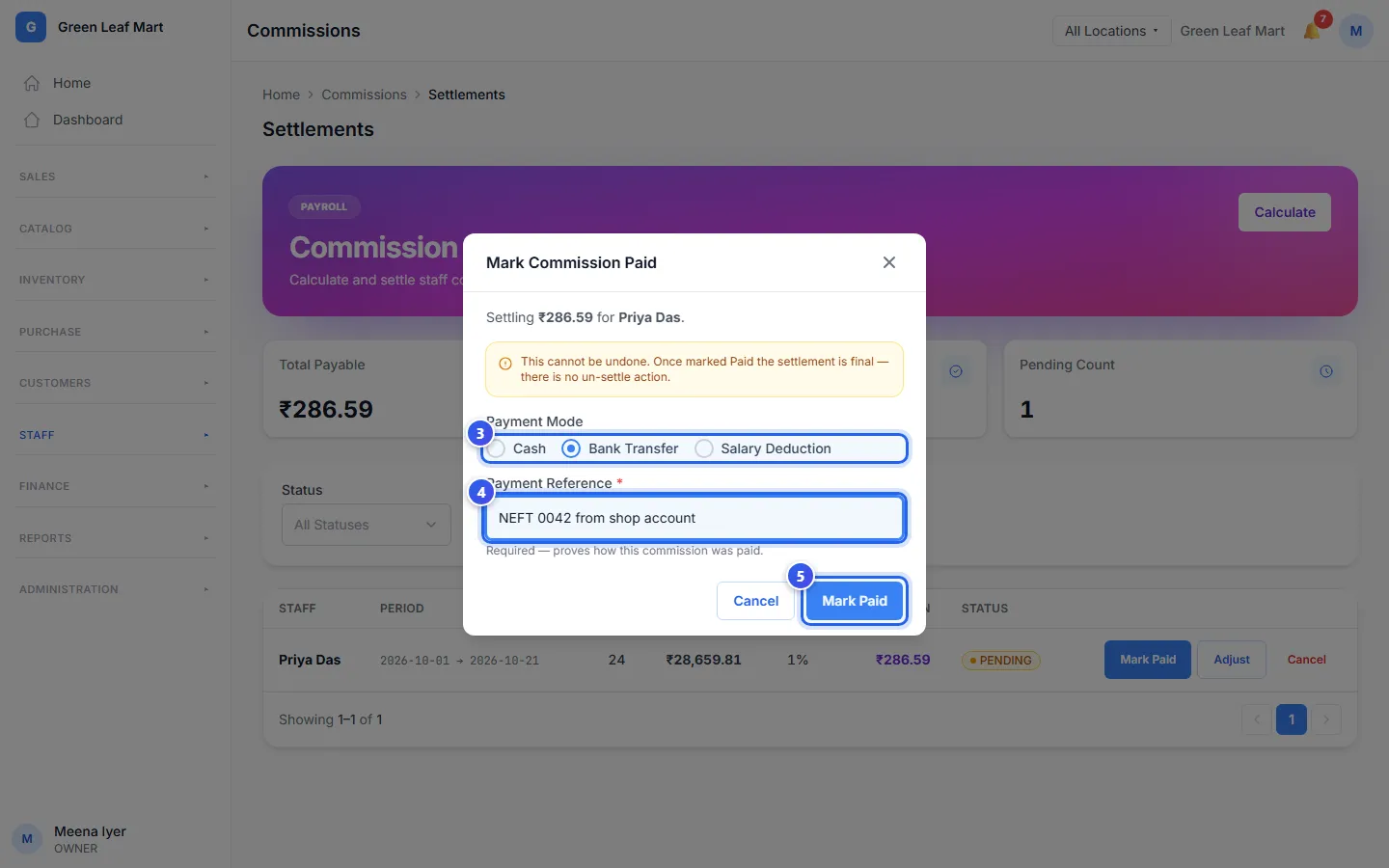
The row moves from PENDING to PAID.
Change or cancel a payout
You can do these only while the row says PENDING.
- Press Adjust to add or take away money, like for a missed bill. Type the amount and a Reason. A minus sign takes money away. Then press Save Adjustment.
- Press Cancel to remove a wrong payout. Then press Cancel settlement. Its bills can be counted again.
Related help
Still need help?