Find any bill in the admin app
Search the bills from every till and open the details of one bill.
Who can do this: Owner and Manager
The Bills page shows the bills from every till. Use it when a customer comes back, or to check the bills of a day. A Manager sees the bills of their own locations. The Owner sees them all.
- In the menu, open Finance and press Bills.
- Type a bill number, a customer name or a phone number in the search box.
- Press a status, like Completed, to see only those bills.
- Press a time, like Today.
- Press a bill to open it.
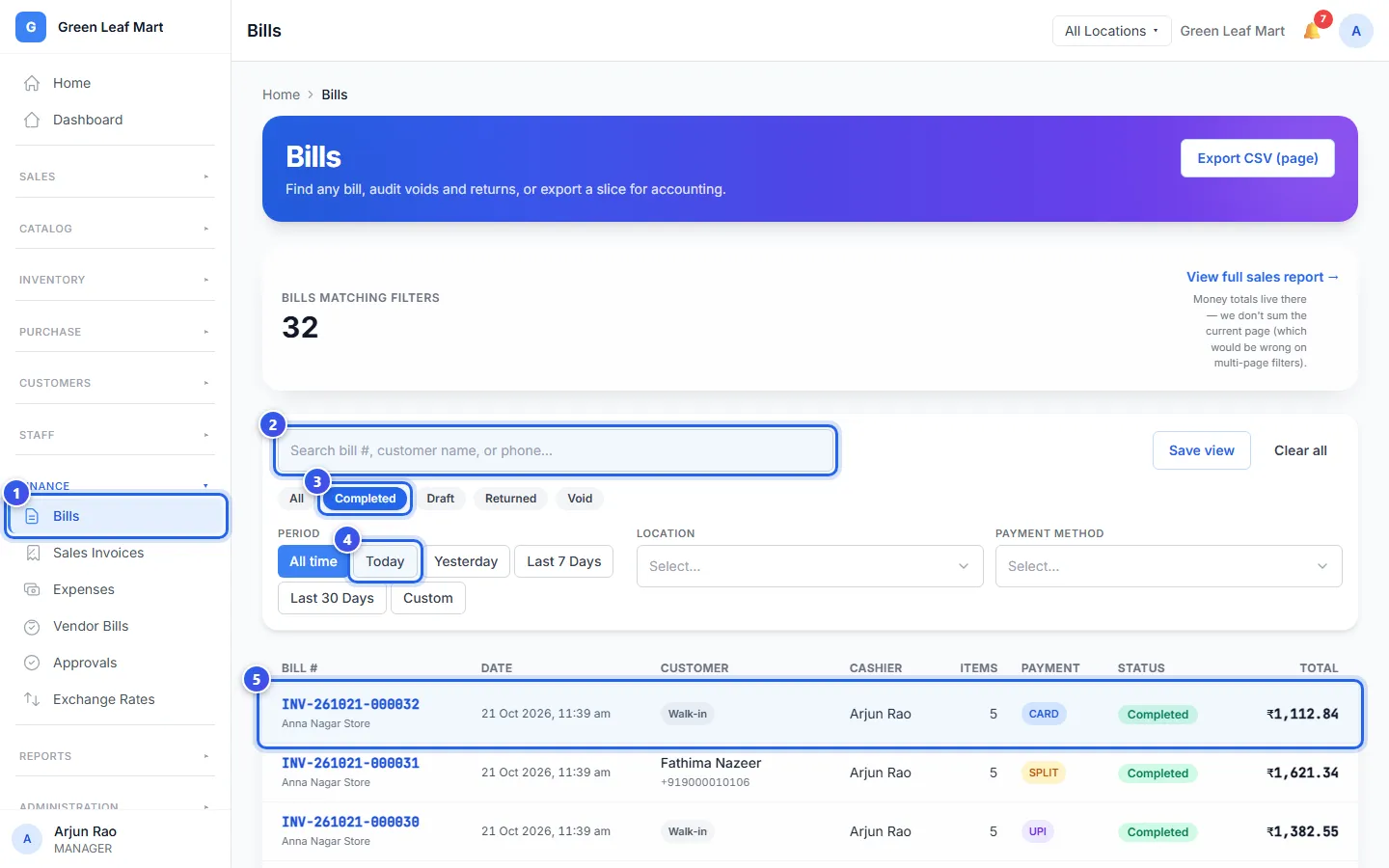
You can also choose a location or a way of paying, like UPI. Press Clear all to see every bill again.
What each status means:
- Completed means the customer paid.
- Draft means the bill is not finished yet.
- Returned means the customer gave back items.
- Void means the bill was cancelled.
On the bill's page
The page shows each item, the GST, the payments and what happened to the bill.
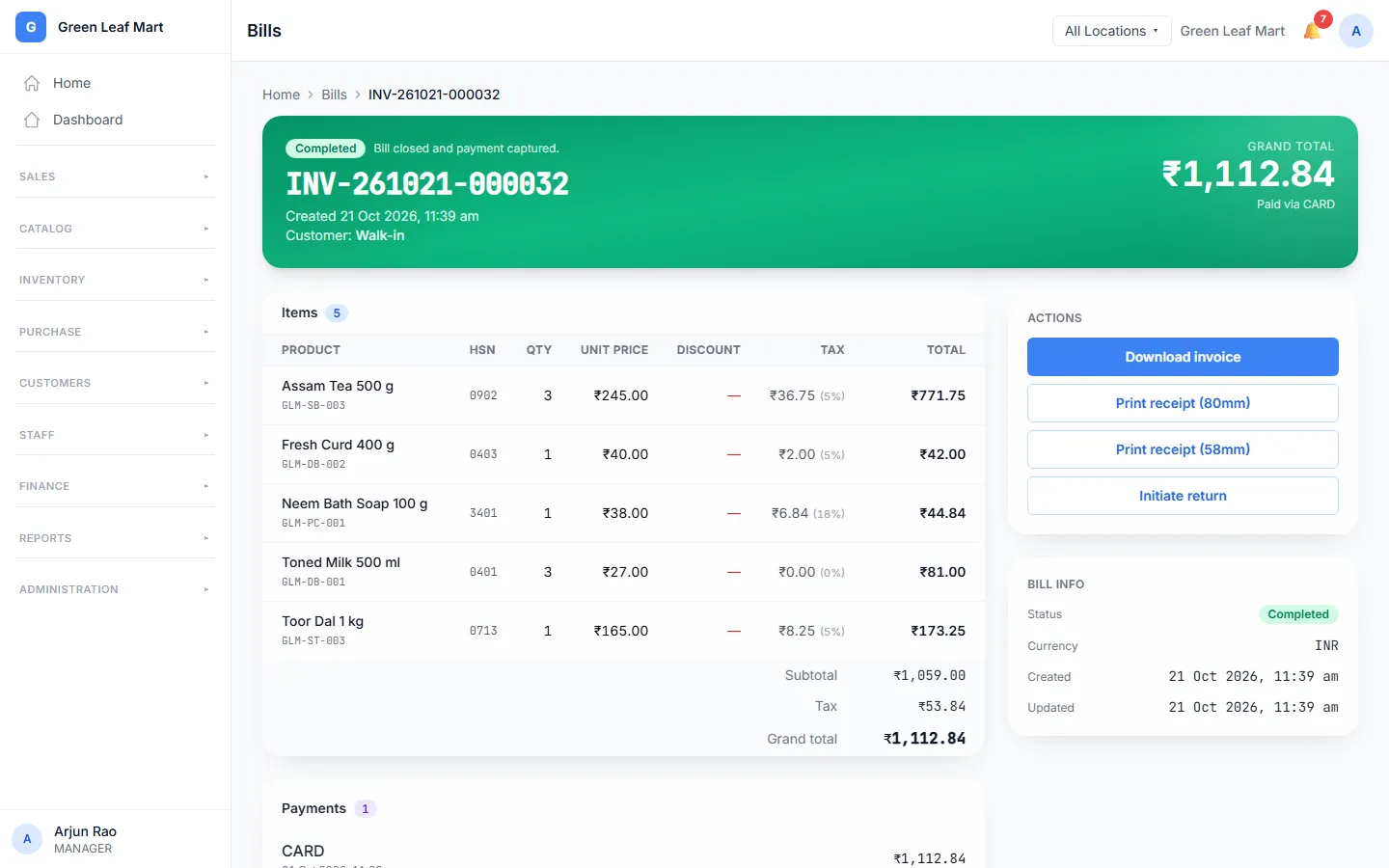
- Download invoice opens the invoice as a PDF.
- Print receipt (80mm) and Print receipt (58mm) open a receipt for your printer's paper.
- Initiate return takes back items from a paid bill. See Take back items.
Related help
Still need help?