Check each day's cash count
See the cash counts from every till and any money that is short or extra.
Who can do this: Owner and Manager
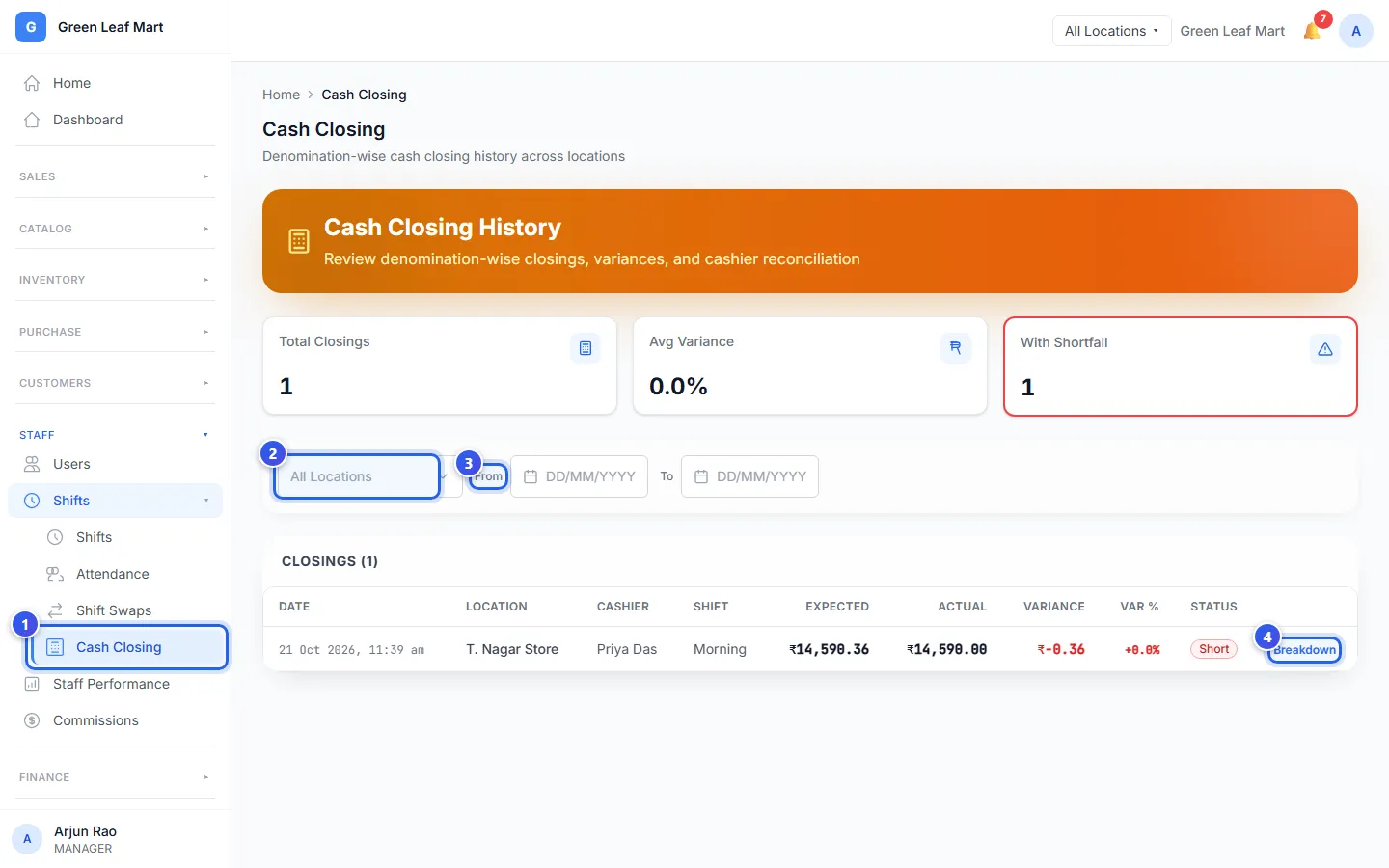
At the end of a shift, the cashier counts the cash in the drawer in the POS app. This is called cash closing. The Cash Closing page shows every count, so you can check that no money is missing.
- In the menu, open Staff, then Shifts. Press Cash Closing.
- Choose a location, or keep All Locations.
- Choose the dates next to From and To.
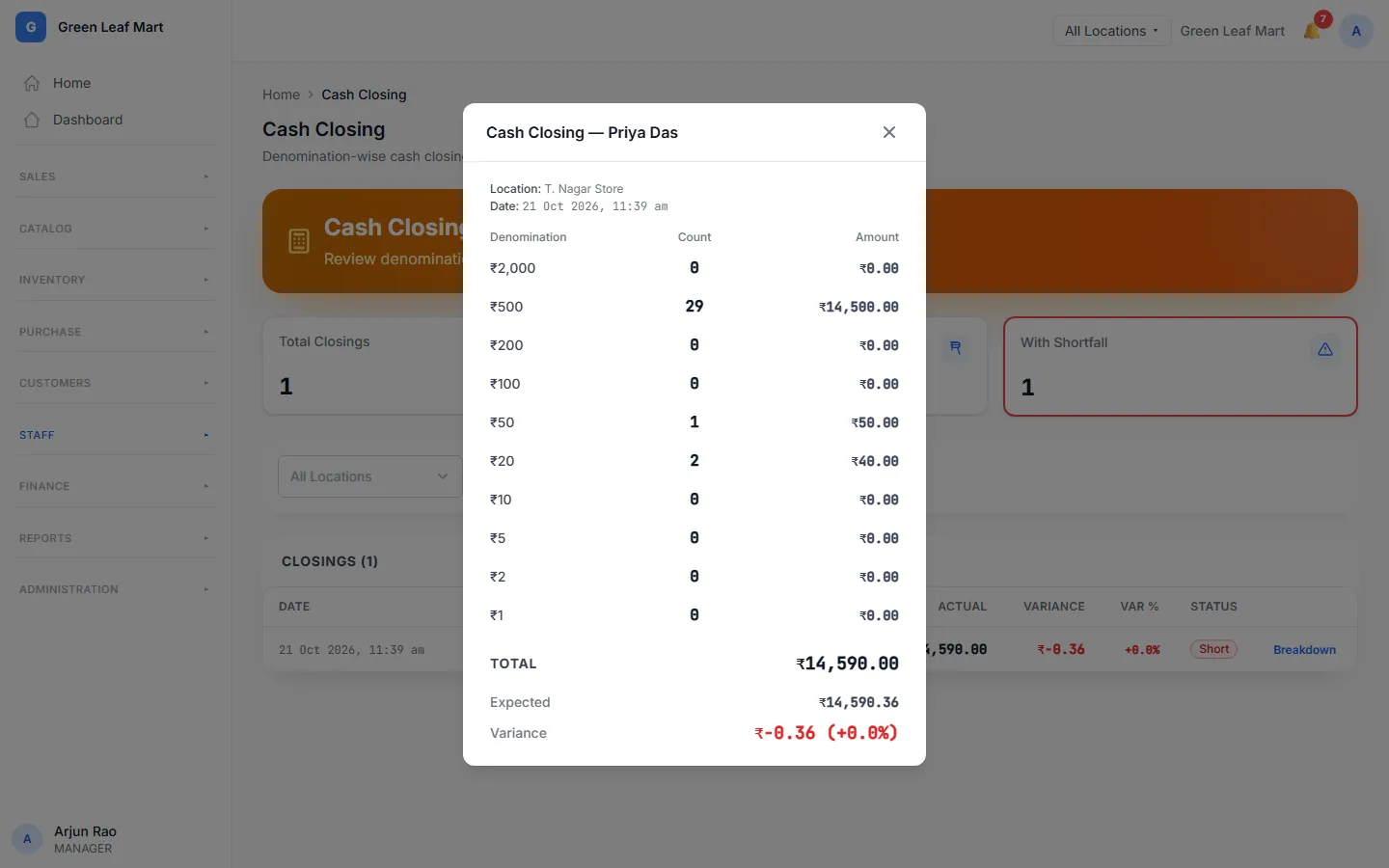
- Press Breakdown on a row to see the count.
What the numbers mean
Each row shows the cash Orio360 expected in the drawer, and the cash the cashier counted.
Orio360 expects the cash at the start of the shift, plus the cash sales. It takes away cash given back to customers, cash paid to suppliers and approved expenses. For a supplier bill in other money, it counts the rupees you really paid.
The gap between the two is the variance. The status tells you what the gap means:
- Match means the cash is right.
- Short means some cash is missing.
- Over means there is more cash than expected.
With Shortfall at the top counts the closings that were short. When a count is Short, talk to the cashier who made it.
Related help
Still need help?