Close your shift and count the cash
Count the cash in the drawer and close your shift at the end of the day.
Who can do this: Owner, Manager and Cashier
At the end of your shift, count the cash in the drawer. Orio360 checks it against your sales. This is called cash closing. Then you clock out.
Close your shift
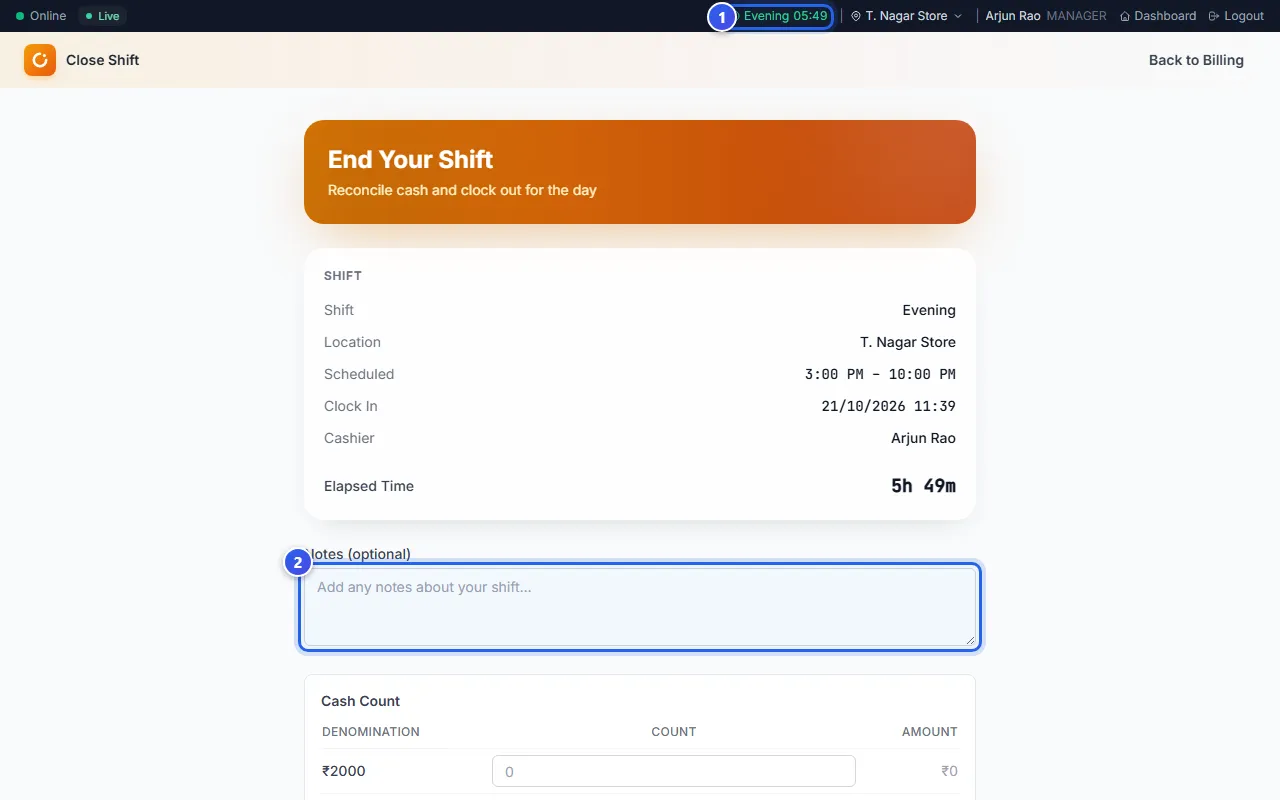
- Press your shift name in the dark bar at the top. The Close Shift page opens.
- Type a note in Notes (optional) if something happened.
- Count the notes and coins in the drawer. Under Cash Count, type how many of each you have.
- Check the Variance. It is the gap between Actual Cash and Expected Cash.
- Press Submit Cash Count.
- Press Clock Out.
- Press Done.
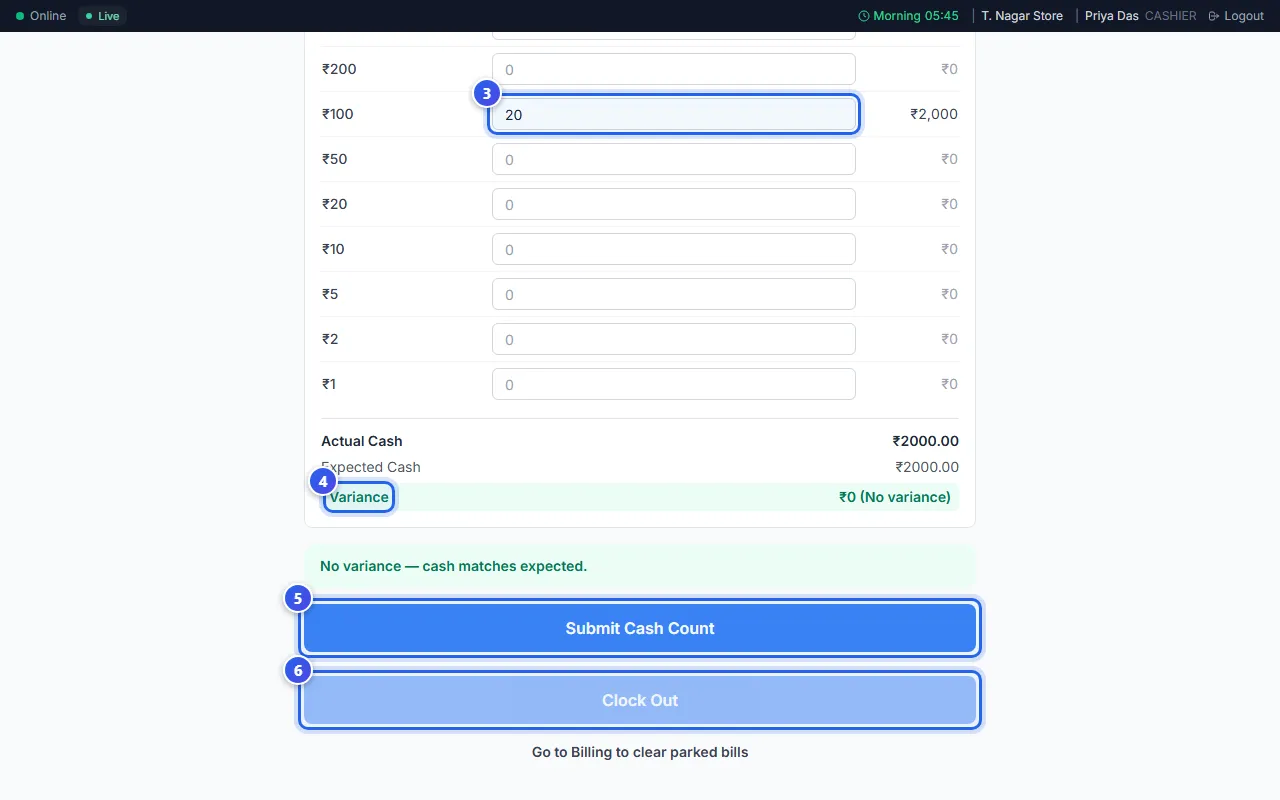
Clock Out stays grey until you send the cash count. After you clock out, the Shift Complete card shows how many hours you worked.
What Orio360 expects in the drawer
Expected Cash is the cash you had at the start, plus your cash sales. Orio360 takes away the cash you paid back and any cash you spent.
- ₹0 (No variance) means the cash is right.
- A plus sign means there is more cash than expected.
- A minus sign means some cash is missing.
If the gap is big, Orio360 tells your Manager when you send the count.
Related help
Still need help?