Park a bill and finish it later
Keep a bill on hold, serve the next customer, then open it again.
Who can do this: Owner, Manager and Cashier
Park a bill when a customer needs a minute. Maybe they forgot an item. You can serve the next person, then finish the first bill later. A bill you put aside is a parked bill.
Park the bill
- Press Park at the top of the screen. You can also press the F4 key.
- Press Park Current Bill.
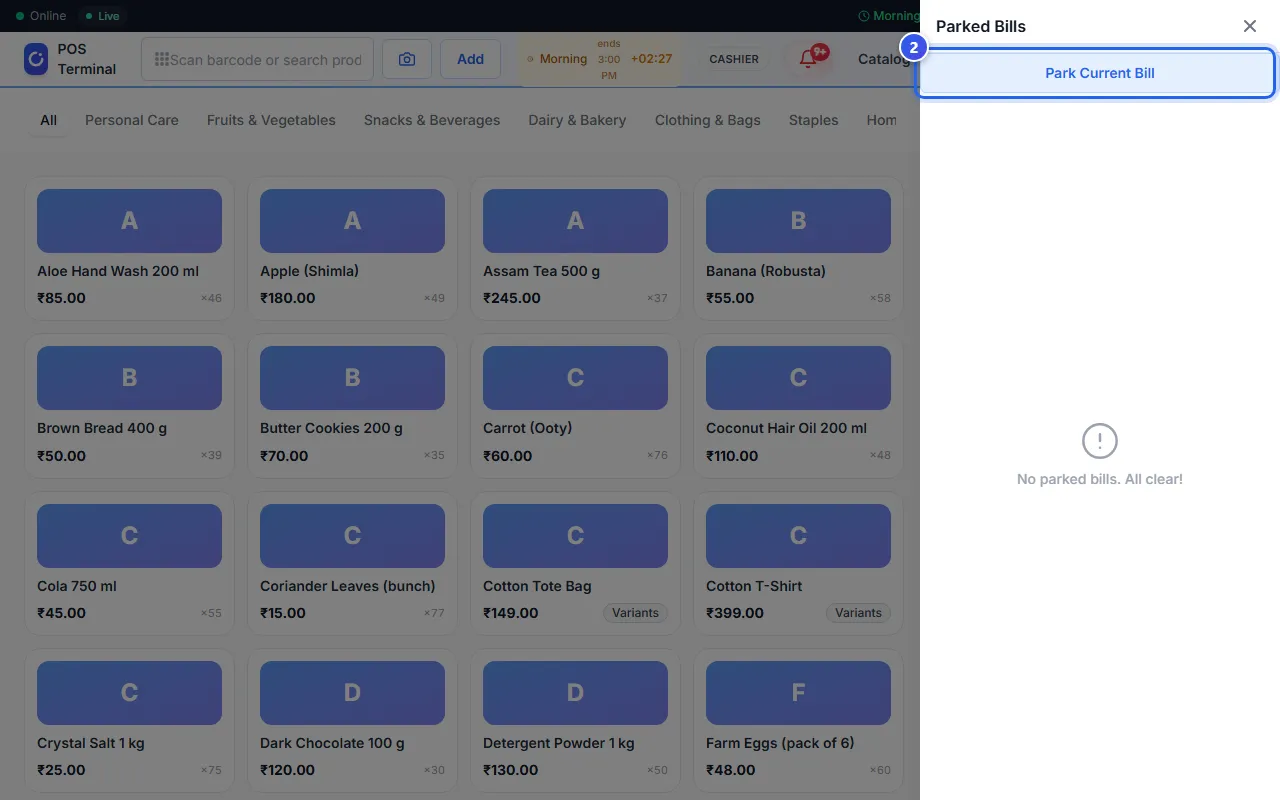
The bill is empty again. Serve the next customer.
Open a parked bill
- Press Parked at the top of the screen. The number next to it shows how many bills wait.
- Find the bill in the list. It shows its items, its total and how long ago you parked it.
- Press Resume.
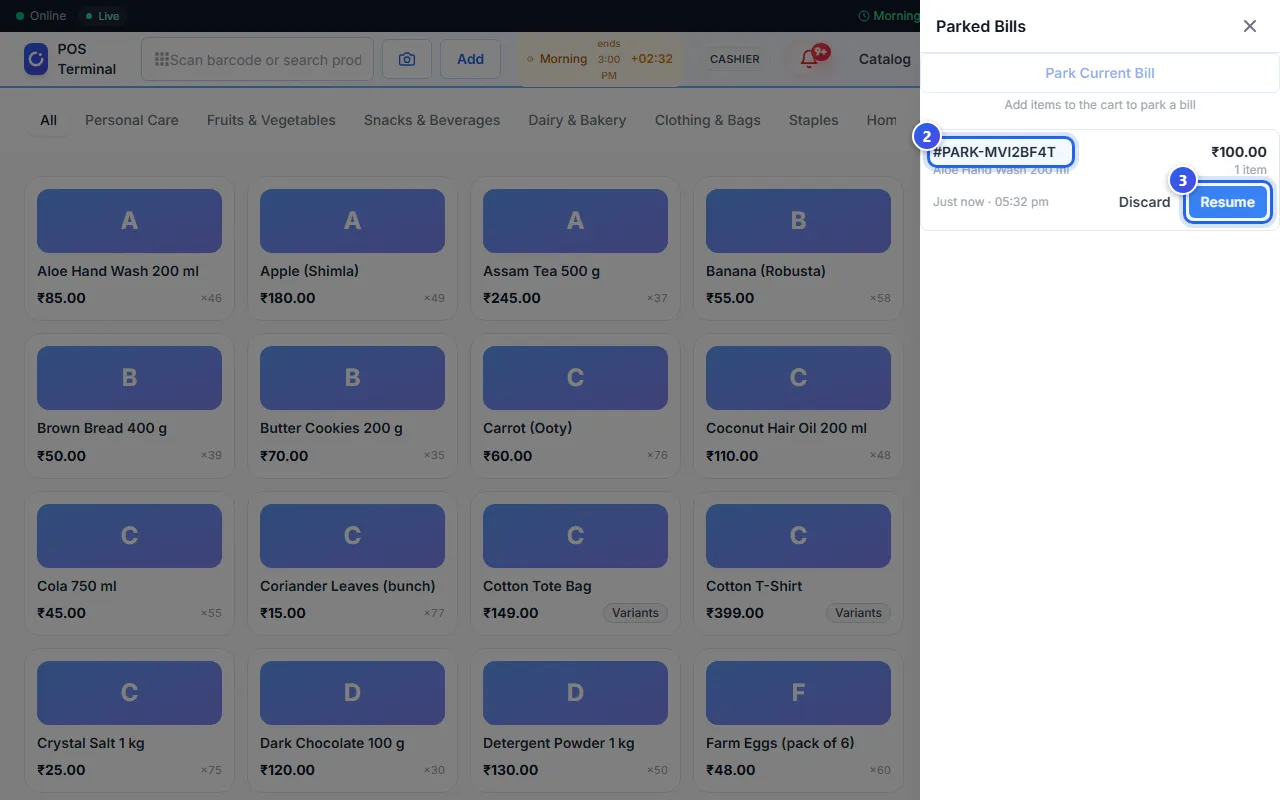
The items are back on the bill. Take the payment as usual.
Was there a bill on the screen when you pressed Resume? Then Orio360 parks that one first. So you never lose a bill.
Throw away a parked bill
Press Discard next to the bill. Then press OK to say yes. You cannot get the items back.
Related help
Still need help?