Approve expenses and other requests
Say yes or no to expenses and other requests that your staff send.
Who can do this: Owner and Manager
Some jobs need a yes first. The Approvals page lists them in one place:
- expenses that staff add,
- a discount that is bigger than a cashier may give,
- a big return that needs a check.
Only the Owner can approve an expense. A Manager can approve discounts and returns.
Say yes
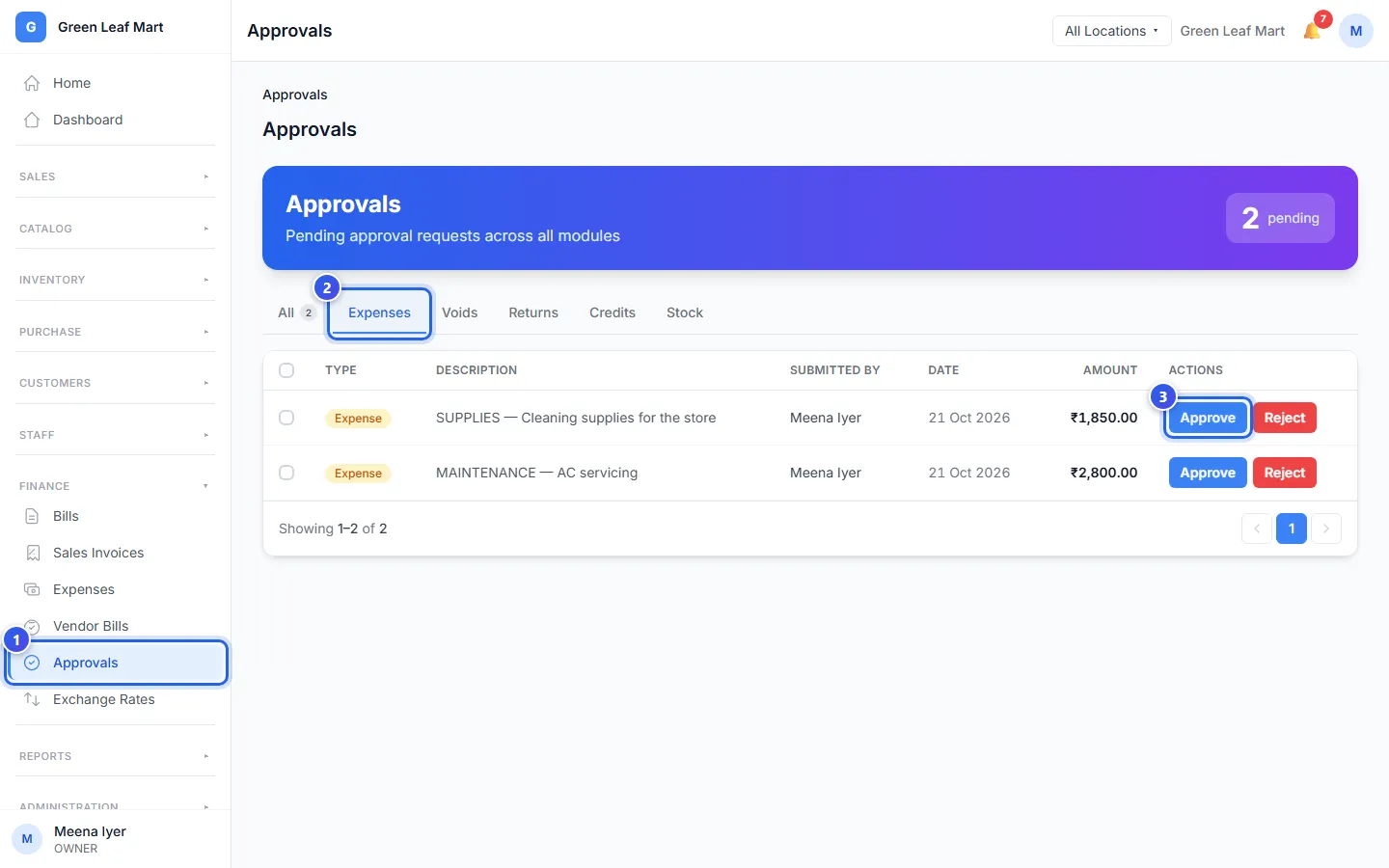
- In the menu, open Finance and press Approvals.
- Press a tab, like Expenses, to see one kind of request.
- Press Approve on the request.
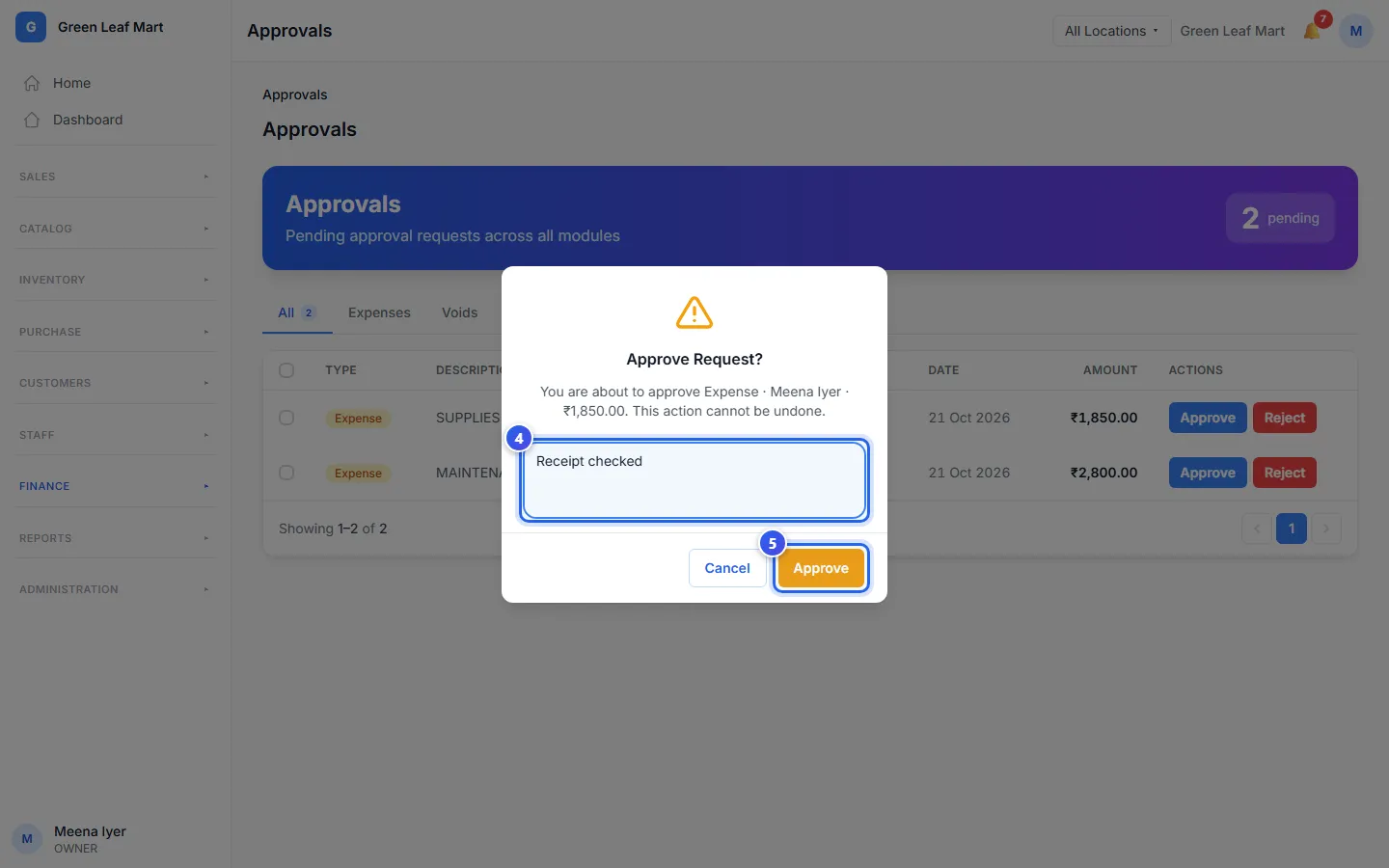
- Type why you say yes. Use at least 3 letters.
- Press Approve.
Say no
- Press Reject on the request.
- Type the reason.
- Press Reject.
To say yes to many requests at once, tick them. Then press Batch Approve and Approve All.
Good to know
- The list looks for new requests every 30 seconds.
- A discount request that waits more than 24 hours is turned down by itself.
- The Owner can also open an expense from Expenses and approve it there. On that page, Approve works at once, with no "Are you sure?" box.
Related help
Still need help?