Set up email and SMS
Connect your email and SMS accounts so Orio360 can send messages for you.
Who can do this: Owner
Orio360 sends bills and alerts from your own email account. For text messages, it uses your own Twilio account. Only the Owner can set these up.
Set up email
- In the Administration group, press Settings, then Email Delivery.
- Choose Gmail, or Custom SMTP for any other mail server.
- Type the email address in Gmail address.
- Type a Google app password in App Password. It is not your Gmail password.
- Type a Display name, like the name of your shop.
- Press Save and verify.
- Open that mailbox. Type the 6-digit code from it in Code, and press Verify.
- Press Send test to send a test email to another address.
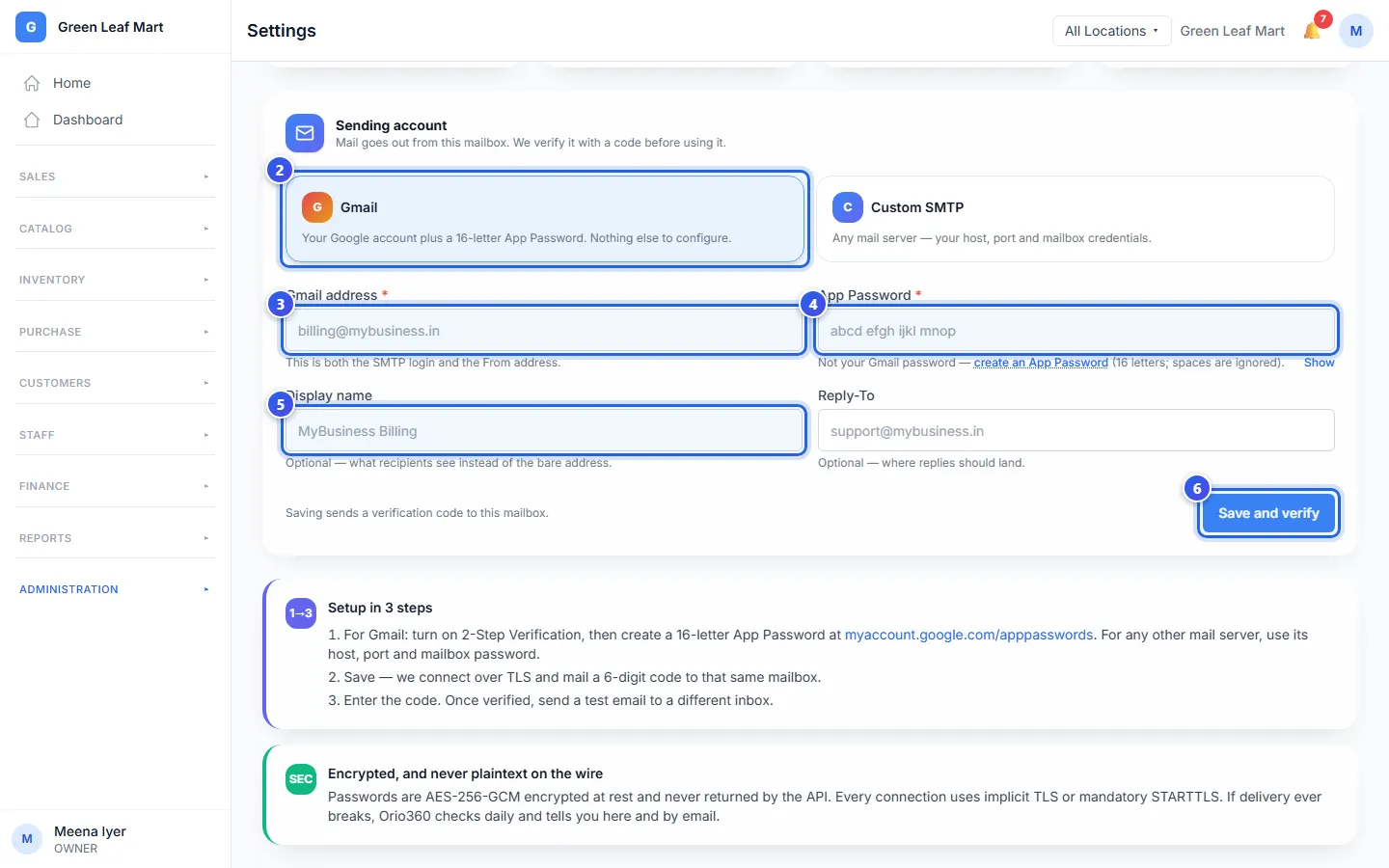
To make an app password, open your Google account. Turn on 2-Step Verification there first. Then make an app password. It has 16 letters.
For Custom SMTP, also type the SMTP host and the Port. Your email company gives you these.
Orio360 checks your email account each day. If it stops working, Orio360 tells you on this page and by email.
Set up SMS
- Under Settings, press SMS Gateway.
- Type your Account SID and your Auth Token from Twilio.
- Type your From number, or a Messaging Service SID.
- Press Save credentials.
- Press Test connection.
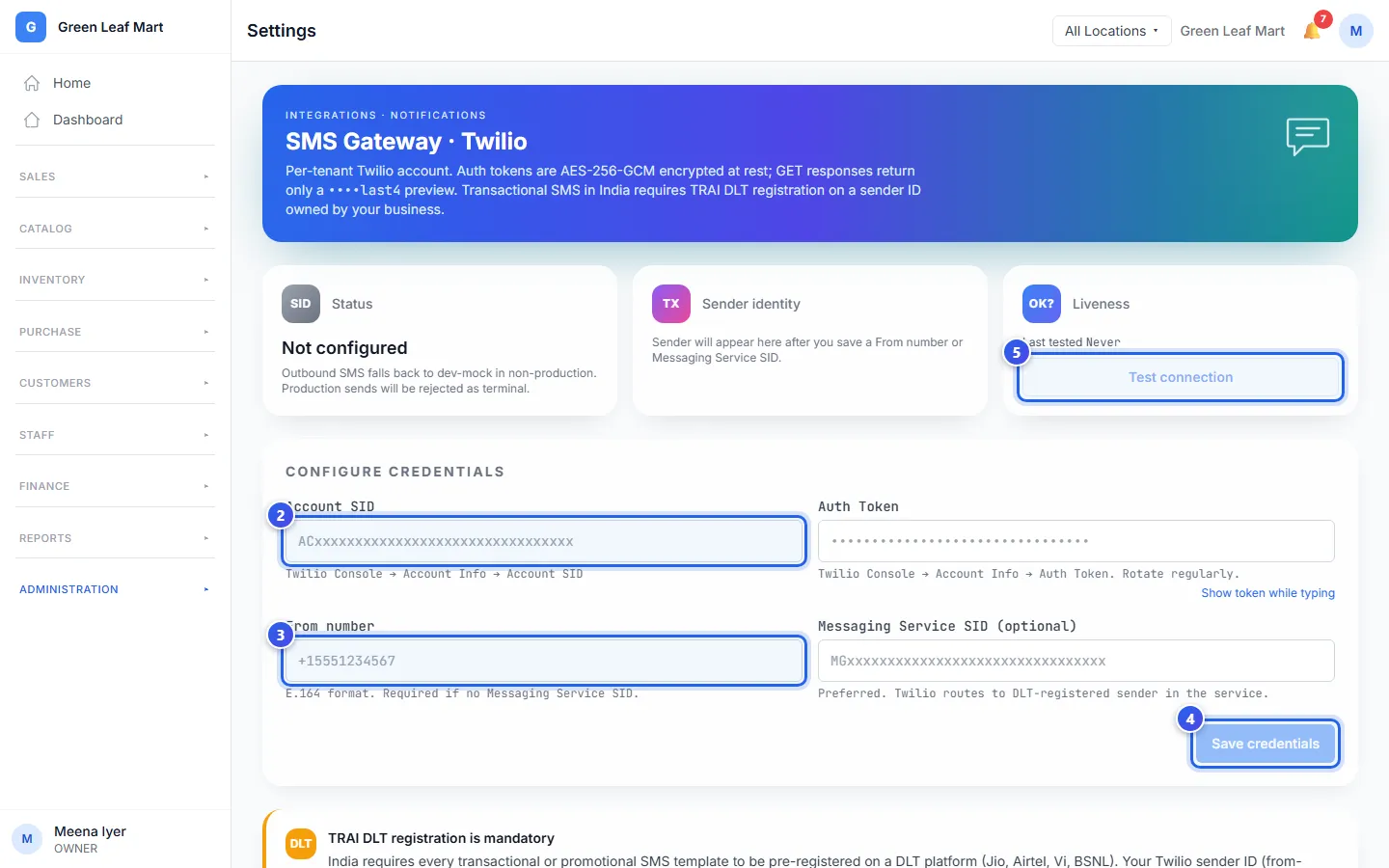
In India, each SMS must use a sender name and a message text that are on the DLT list. Register them before you send. Orio360 does not do this for you.
Related help
Still need help?