Set up WhatsApp
Connect your WhatsApp Business account so you can send bills and messages.
Who can do this: Owner
This is not in every plan. See Pricing.
Orio360 can send bills and messages on WhatsApp. It uses your own WhatsApp Business account. You set that up in an app on Meta, the company behind WhatsApp. Your Meta app shows each number and key that you type below. Only the Owner can do this.
- In the Administration group, press Settings, then Business.
- Under Integrations, press WhatsApp.
- Type the Phone Number ID from your Meta app.
- Type the System User Access Token.
- Type the App Secret of your Meta app.
- Make up a secret word, and type it in Webhook Verify Token.
- Press Save credentials.
- Press Test connection.
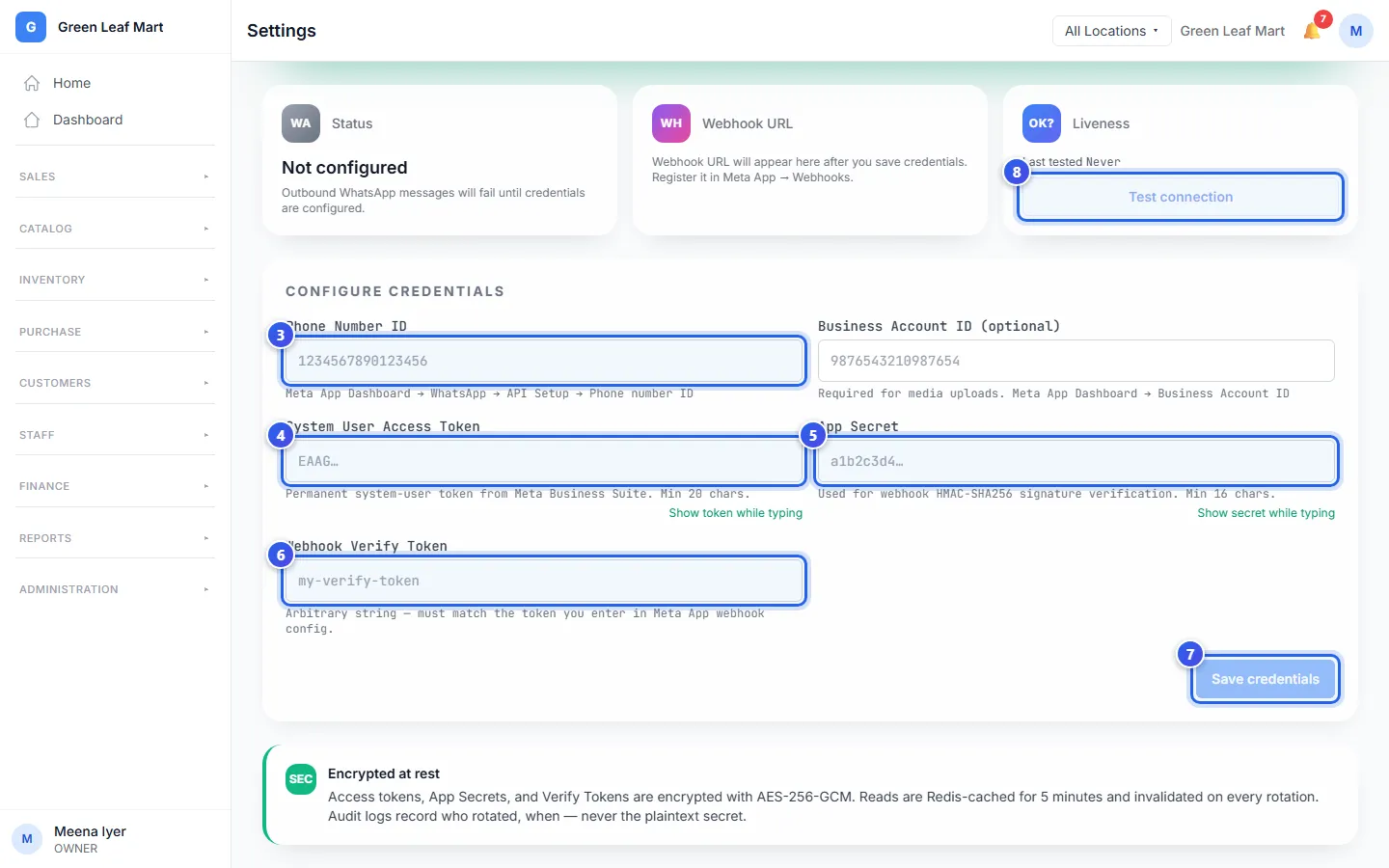
To send photos and files, also type your Business Account ID.
After you save, the Webhook URL shows on the page. Press Copy webhook URL. In your Meta app, open Webhooks. Paste the address there, with the same secret word from step 6. Then WhatsApp can send news about your messages back to Orio360.
When everything works, Status shows Active. If the test fails, check each box for a missing letter or digit.
Related help
Set up email and SMS
Connect your email and SMS accounts so Orio360 can send messages for you.
Send a bill on WhatsApp or by email
Send a copy of a paid bill to your customer on WhatsApp or by email.
Check the messages you sent
See the messages Orio360 sent for you, and whether each one went out.
On some plans
Still need help?