Fix sync conflicts
See changes from a till that Orio360 could not save, and choose which one to keep.
Who can do this: Owner and Manager
A till keeps working when the internet stops. When the internet is back, the till sends its changes to Orio360. This is called sync. Sometimes Orio360 cannot save a change, because someone changed the same thing first. This is a sync conflict. You choose which change to keep.
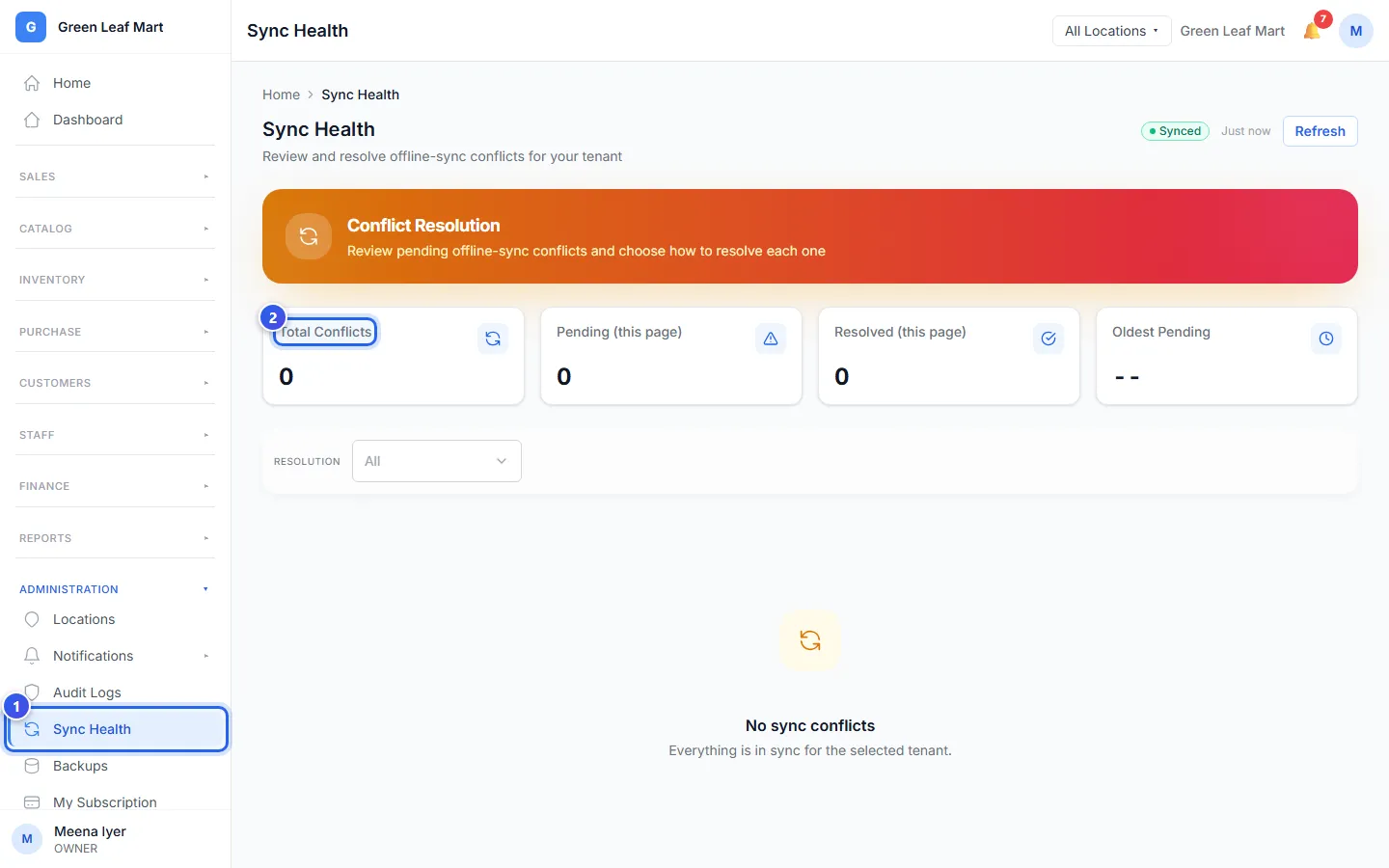
- In the Administration group, press Sync Health.
- Look at Total Conflicts. When it shows 0, there is nothing to fix.
- Press Details on a conflict. The page shows the till's change next to what Orio360 has.
- In the note box, type why you chose.
- Press the button for what you want to keep.
You see only the buttons that fit this conflict:
- Accept as sold: for a bill that was paid at the till. Orio360 saves it just as it was sold.
- Use the till's version: keep the change from the till.
- Keep the server version: keep what Orio360 had before.
- Merge field by field…: choose the till's value or the old value for each line. Then press Apply merged record.
- Discard the till’s change: throw the till's change away.
You must type a note to merge or to discard. A note is a good idea every time.
To fix many conflicts at once, tick them. Then press Accept / use till version, Keep server version or Discard selected….
Related help
Keep billing when the internet stops
Make bills with no internet, and Orio360 sends them when the internet comes back.
See who changed what
See a list of who added, changed or deleted things, and when.
Find a customer and see their history
Look up a customer, then see their bills, points, store credit and membership.
Still need help?