Find a customer and see their history
Look up a customer, then see their bills, points, store credit and membership.
Who can do this: Owner and Manager
Every customer has a profile. It shows what they bought, their points and more. Open it when a customer calls with a question, or before you give them a special deal.
Find the customer
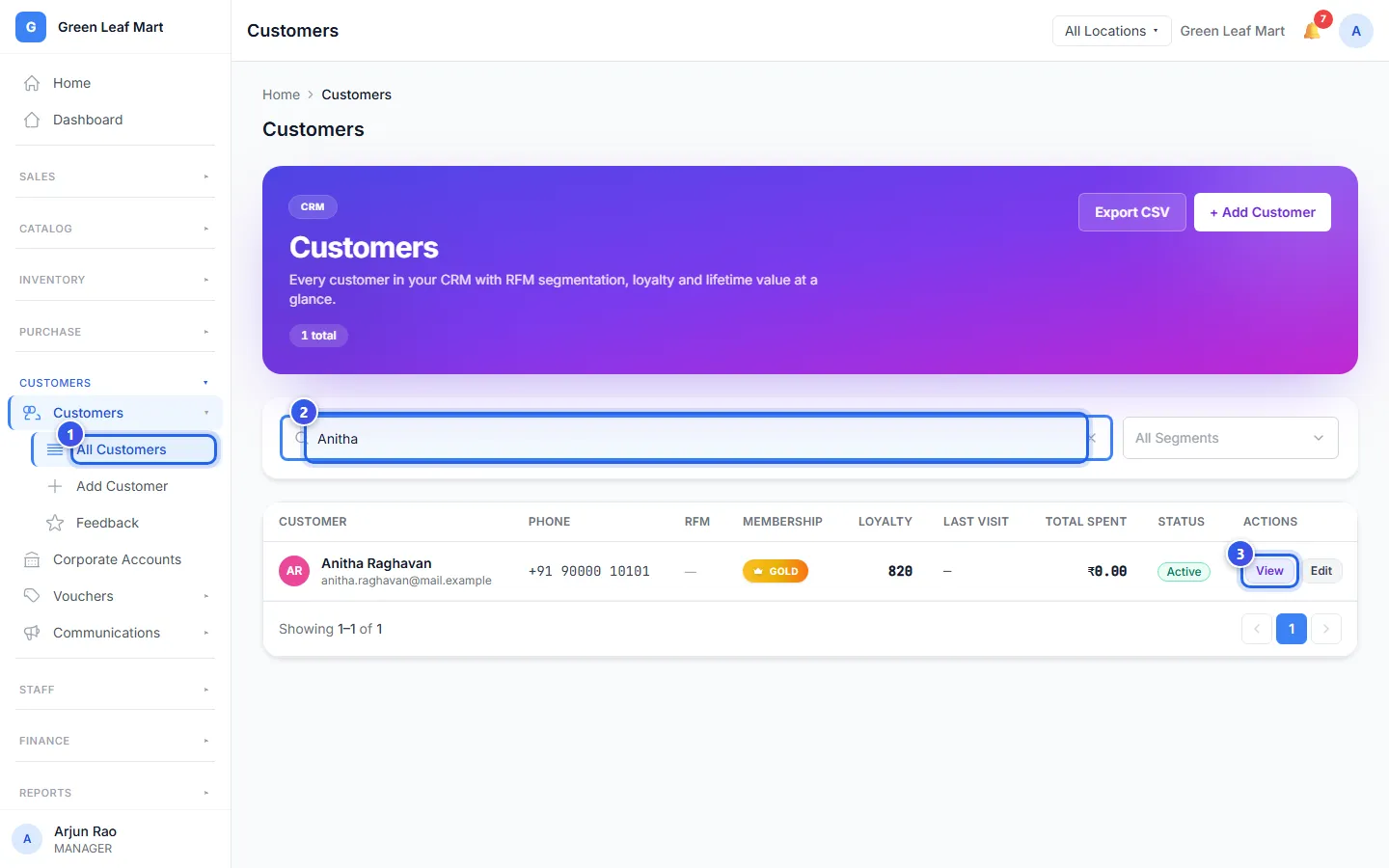
- In the menu, open Customers and press All Customers.
- Type a name or a phone number in the search box.
- Press View next to the customer.
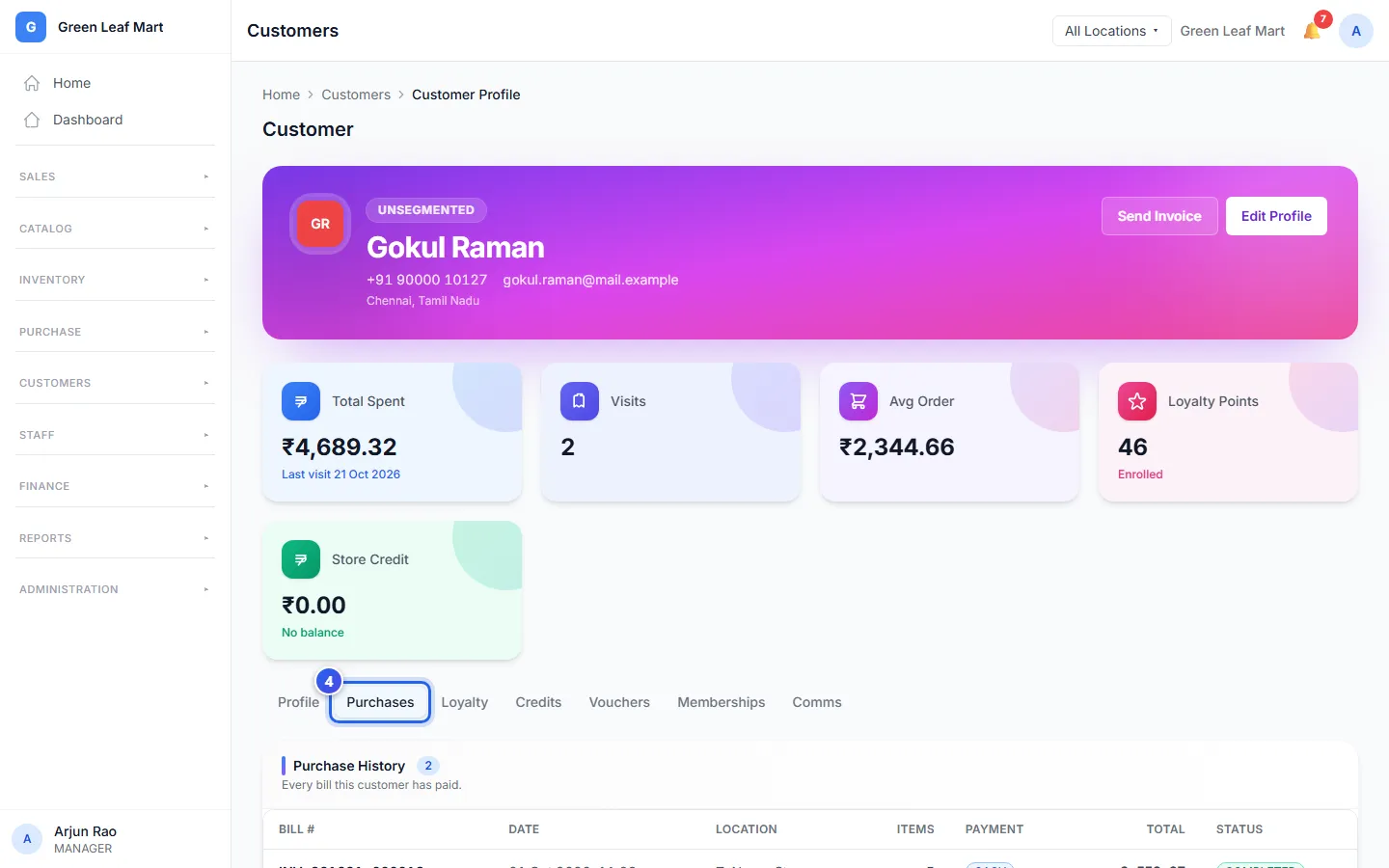
- Press a tab to see more, like Purchases.
What the profile shows
Cards at the top show the money the customer spent, their Visits, their Loyalty Points and their Store Credit. Under the cards are the tabs:
- Profile has the name, phone, email, address, tags and notes.
- Purchases lists every bill the customer paid, with its date and total.
- Loyalty shows the loyalty points they earned and used.
- Credits shows their store credit, like money from a return.
- Vouchers lists the vouchers they used.
- Memberships shows their membership plan, if they have one.
- Comms lists the messages you sent them.
To change the details, press Edit Profile. Then press Save Changes.
More ways to look
- Choose a group in All Segments to see, for example, your best customers. See See your best and quiet customers.
- Press Export CSV to save the list as a CSV file. You can open it in Excel.
Related help
Add a customer
Save a customer's name and phone number, so you can find them and their bills later.
See your best and quiet customers
Find customers who buy often and those who have not come back for a while.
Reward customers with points
Choose how many points customers earn on a bill and what each point is worth.
On some plans
Still need help?