See your best and quiet customers
Find customers who buy often and those who have not come back for a while.
Who can do this: Owner
Orio360 sorts your customers into groups. For each customer, it looks at 3 things:
- when they last bought,
- how often they buy,
- how much they spend.
Then you can see who your best customers are. You can also see who has gone quiet, so you can ask them back.
See the groups
- Go to Customers.
- Press RFM Dashboard.
- Choose a time in Analysis Period, like Last 90 days.
- Read the cards at the top: Champions, At Risk and Inactive.
- Scroll down to Segment Insights. Each card there is one group.
- Press View Customers on a card to see who is in that group.
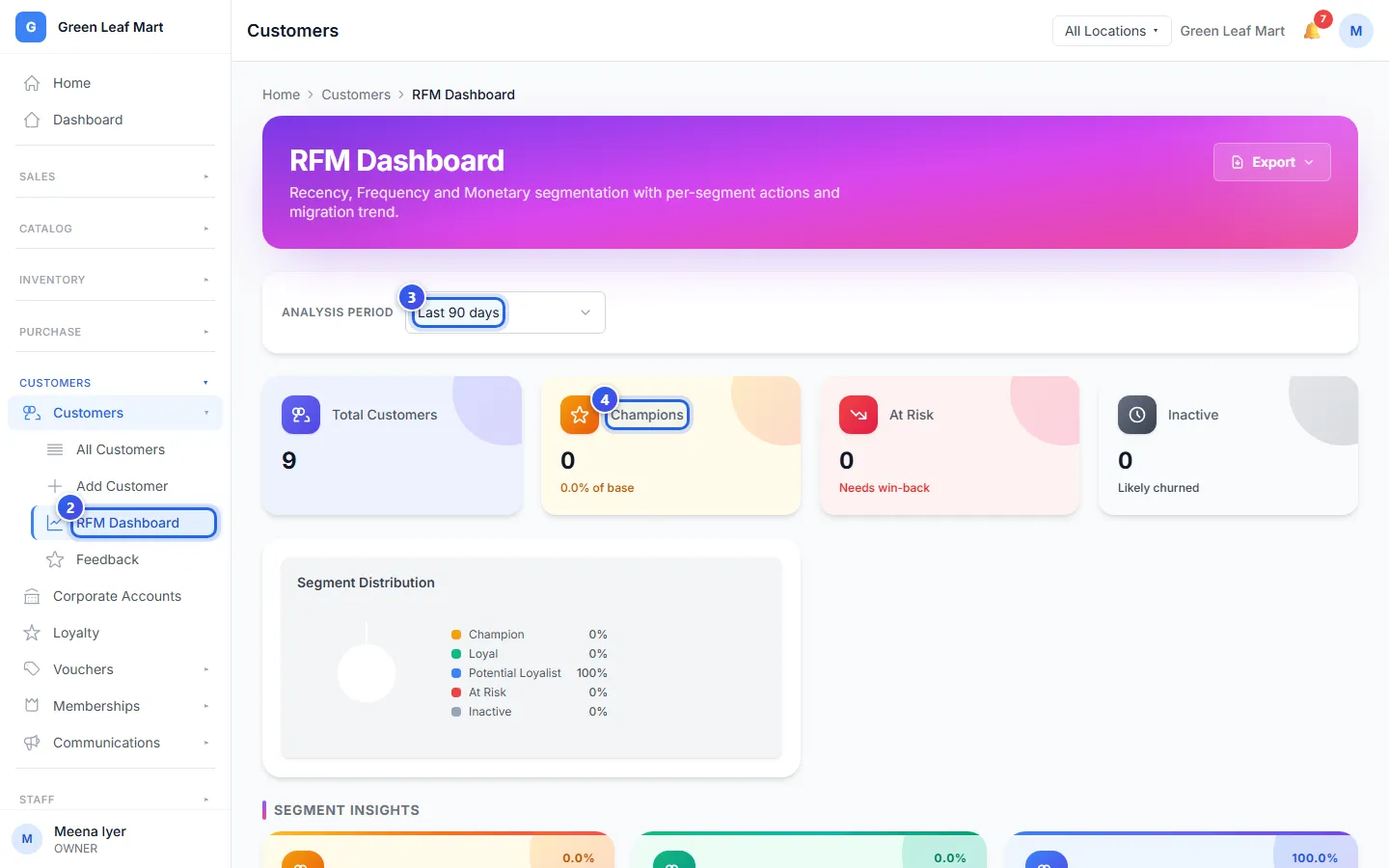
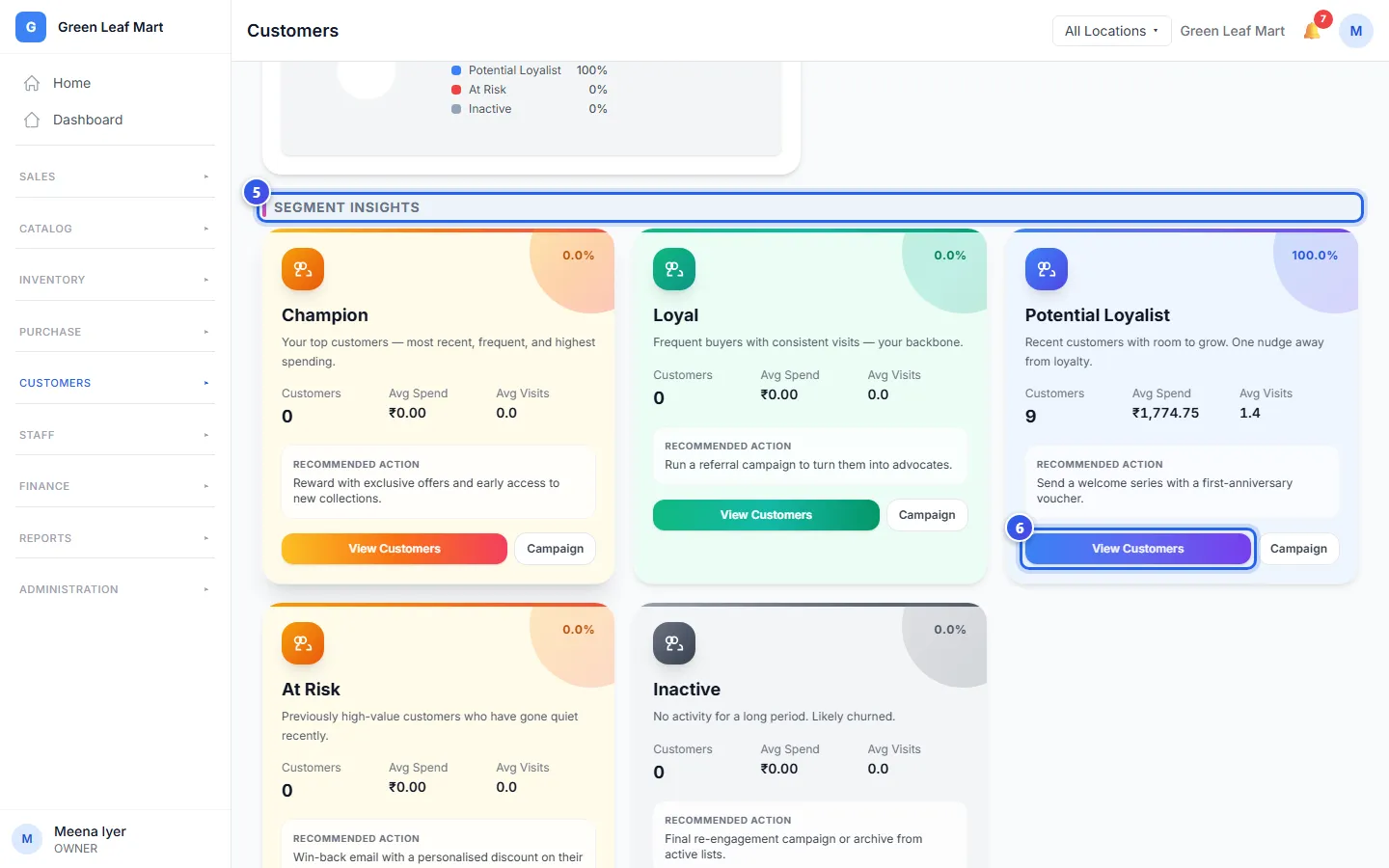
The groups
- Champion: your top customers. They bought lately, they buy often and they spend the most.
- Loyal: they come back again and again.
- Potential Loyalist: newer customers who could become regulars.
- At Risk: good customers who have not come back for a while.
- Inactive: they have not bought for a long time.
Each card shows how many customers are in the group. It also shows what they spend and how often they visit, on average. Under Recommended Action, it gives an idea of what to do next.
Good to know
- Only bills with a customer on them count. Put the customer's name on every bill you can.
- A longer time in Analysis Period looks at more of your bills.
Related help
Find a customer and see their history
Look up a customer, then see their bills, points, store credit and membership.
Make a discount voucher
Make a voucher code that takes money off a bill.
On some plans
Reward customers with points
Choose how many points customers earn on a bill and what each point is worth.
On some plans
Still need help?