Add a customer
Save a customer's name and phone number, so you can find them and their bills later.
Who can do this: Owner and Manager
Most customers join your list at the till. When the cashier adds a new phone number to a bill, Orio360 saves the customer. You can also add a customer yourself in the admin app.
Add the customer
- Go to Customers.
- Press + Add Customer.
- Under Customer Type, choose Individual for one person.
- Type the First Name and the Last Name.
- Type the Phone number.
- Type the Email, if the customer gives you one.
- Press Create Customer.
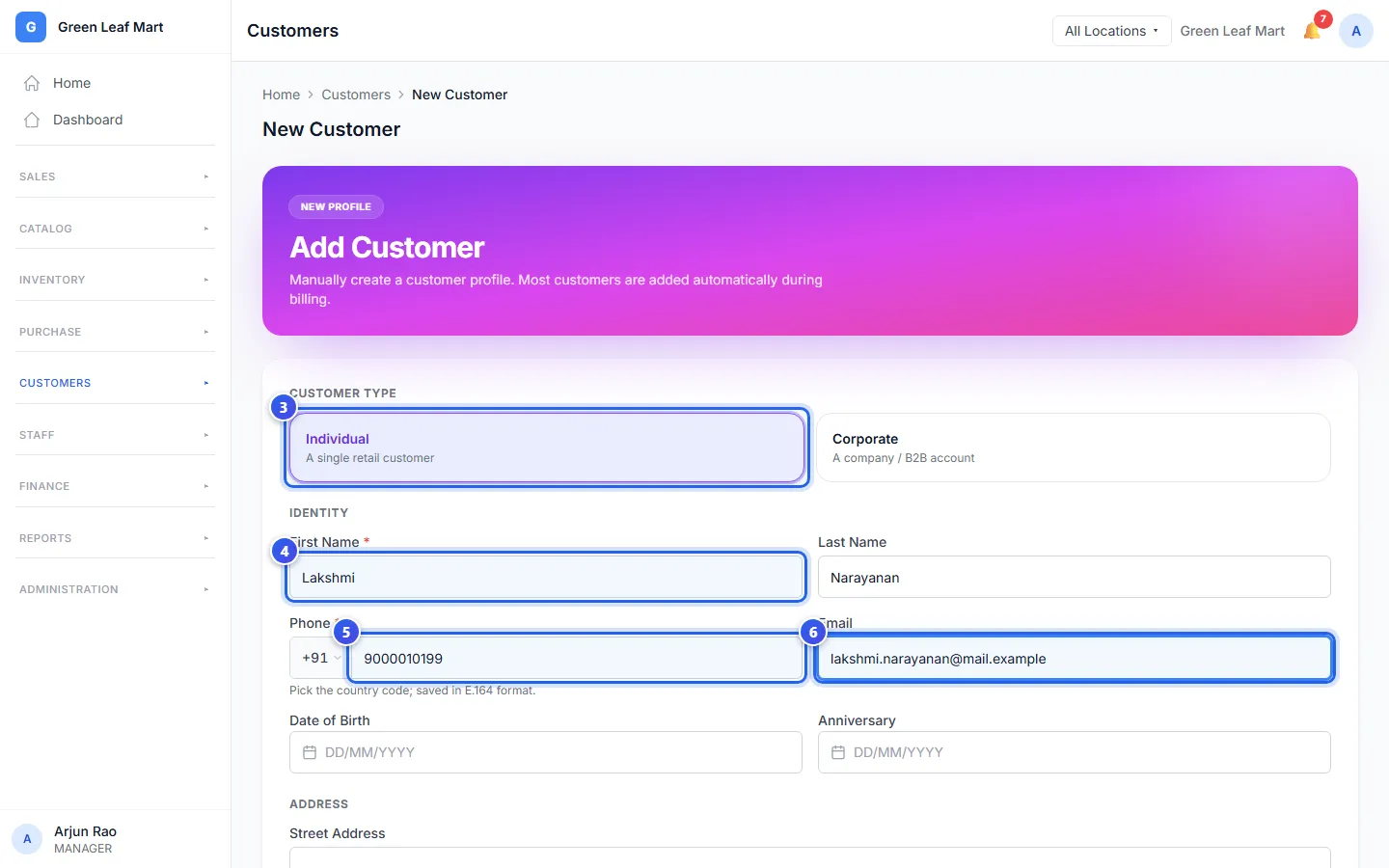
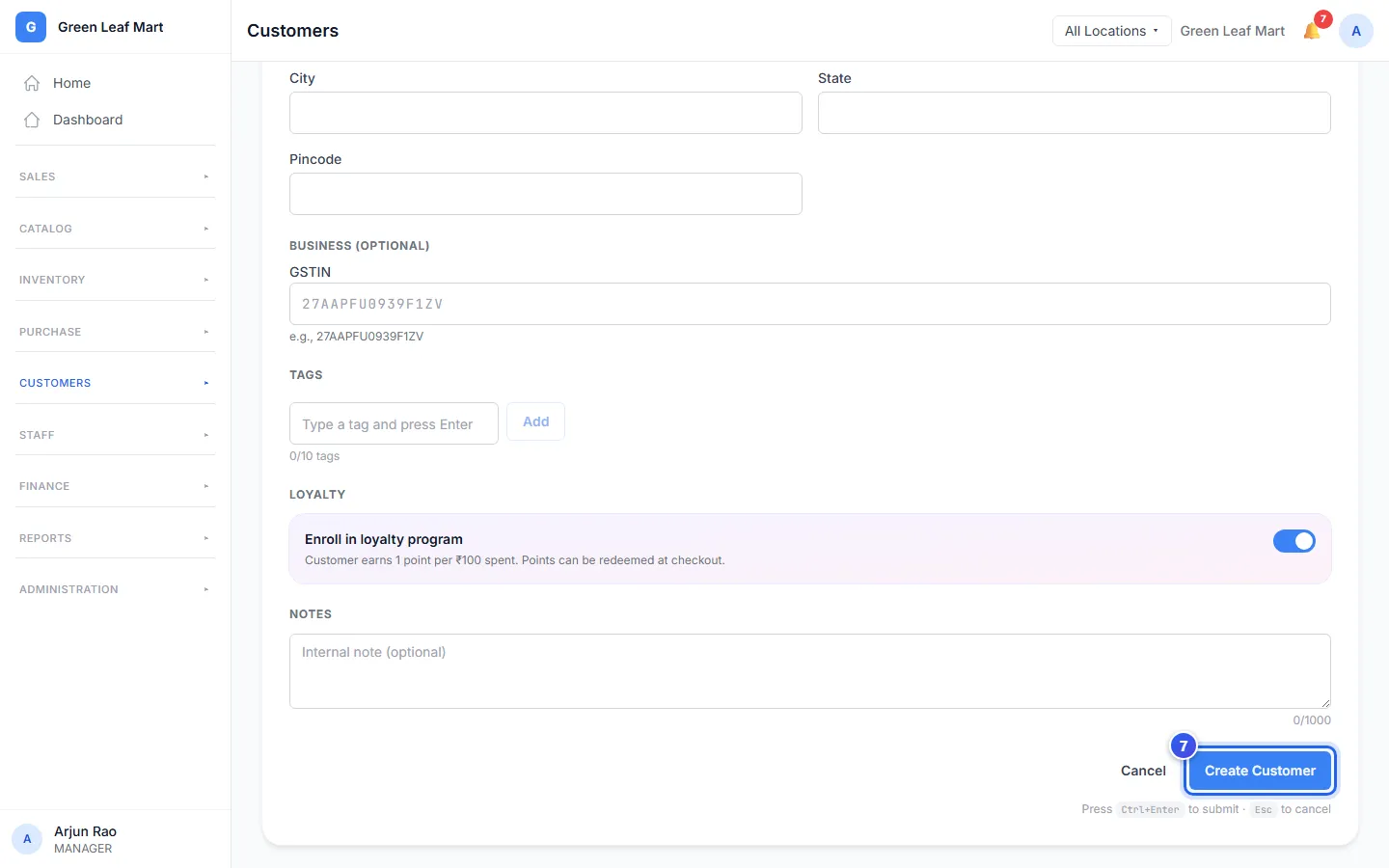
Orio360 saves the customer and opens their profile.
Good to know
- You must fill in the first name and the phone number. Everything else is up to you.
- One phone number belongs to one customer. If the number is already saved, the form says Phone number already registered. Search for that customer instead.
- Add a birthday in Date of Birth, and a special day in Anniversary.
- Use Tags to group customers your own way, like "regular". Type a tag and press Add. A customer can have up to 10 tags.
- Write a note for your staff under Notes. The customer never sees it.
To change a customer later, open their profile and press Edit Profile.
Related help
Still need help?