Sell to a company
Add a company as a customer and take its large orders.
Who can do this: Owner and Manager
This is not in every plan. See Pricing.
Some of your customers are companies, like an office that buys snacks for its staff. Add each one as a corporate account. It keeps the company's details, its contact person and its credit limit in one place. Then you can take its orders.
Add the company
Only an Owner can add a company.
- In the menu, open Customers and press Corporate Accounts.
- Press Add Account.
- Type the Company Name, the Contact Person and the Contact Phone.
- Type the company's GSTIN in Company GSTIN, if it has one.
- Type the most the company may owe you in Credit Limit (₹). Type 0 for no credit.
- Press Create Account.
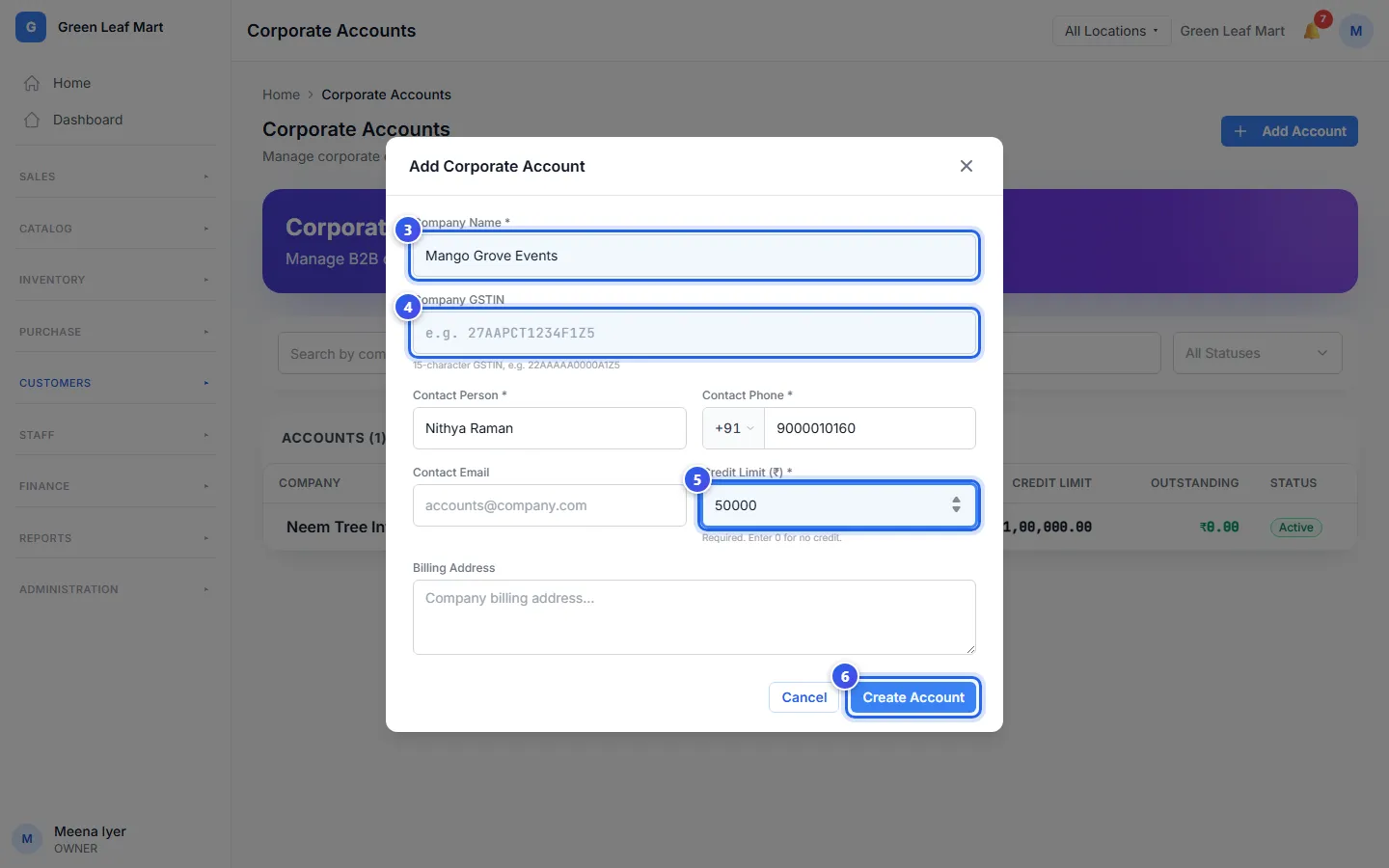
In the same box, you can also type a Contact Email and a Billing Address. After you press Create Account, Orio360 opens the company's page.
Take an order
An Owner or a Manager can take an order.
- Press the company's name in the list.
- Press New Order.
- Choose the shop the goods come from in Location.
- Press + Add Item. Choose a product and type how many.
- Choose the Delivery Date. Add Notes if you like.
- Press Create Order.
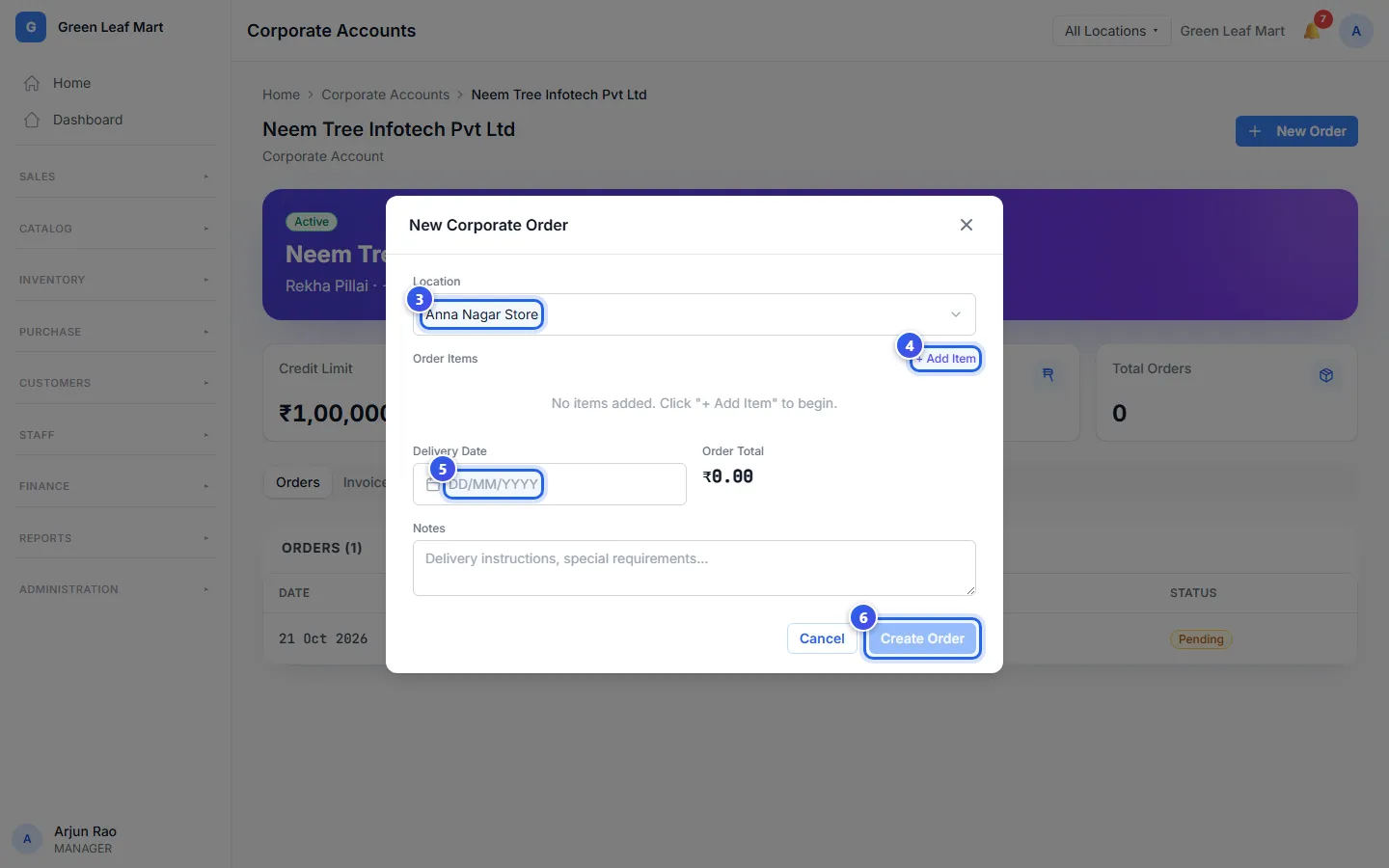
The order shows under Orders on the company's page. If the order is more than the credit left, a Credit limit exceeded note shows in the box.
Good to know
- The Details tab shows the company's details. Only an Owner can change them and press Save Changes.
- An Owner can press Deactivate Account when you stop selling to the company.
Related help
Open a credit account
Set a credit limit for a trusted customer and see how much they owe.
On some plans
Make a price quote
Write a quote with prices for a customer before they decide to buy.
On some plans
Make a sales order
Turn a quote into a sales order when the customer sends their purchase order.
On some plans
Still need help?