Open a credit account
Set a credit limit for a trusted customer and see how much they owe.
Who can do this: Owner
This is not in every plan. See Pricing.
A credit account keeps track of what a trusted customer owes you. You give it a credit limit. That is the most the customer may owe you at one time. Only an Owner can open a credit account.
Open the account
- In the menu, open Sales and press Credit Accounts. Then press Accounts.
- Press + New Account.
- Type 3 letters of the name in Customer Name. Then choose the customer from the list.
- Check the Phone. Orio360 fills it in from the customer.
- Type the most they may owe in Credit Limit (₹). Type 0 for no limit.
- Press Create Account.
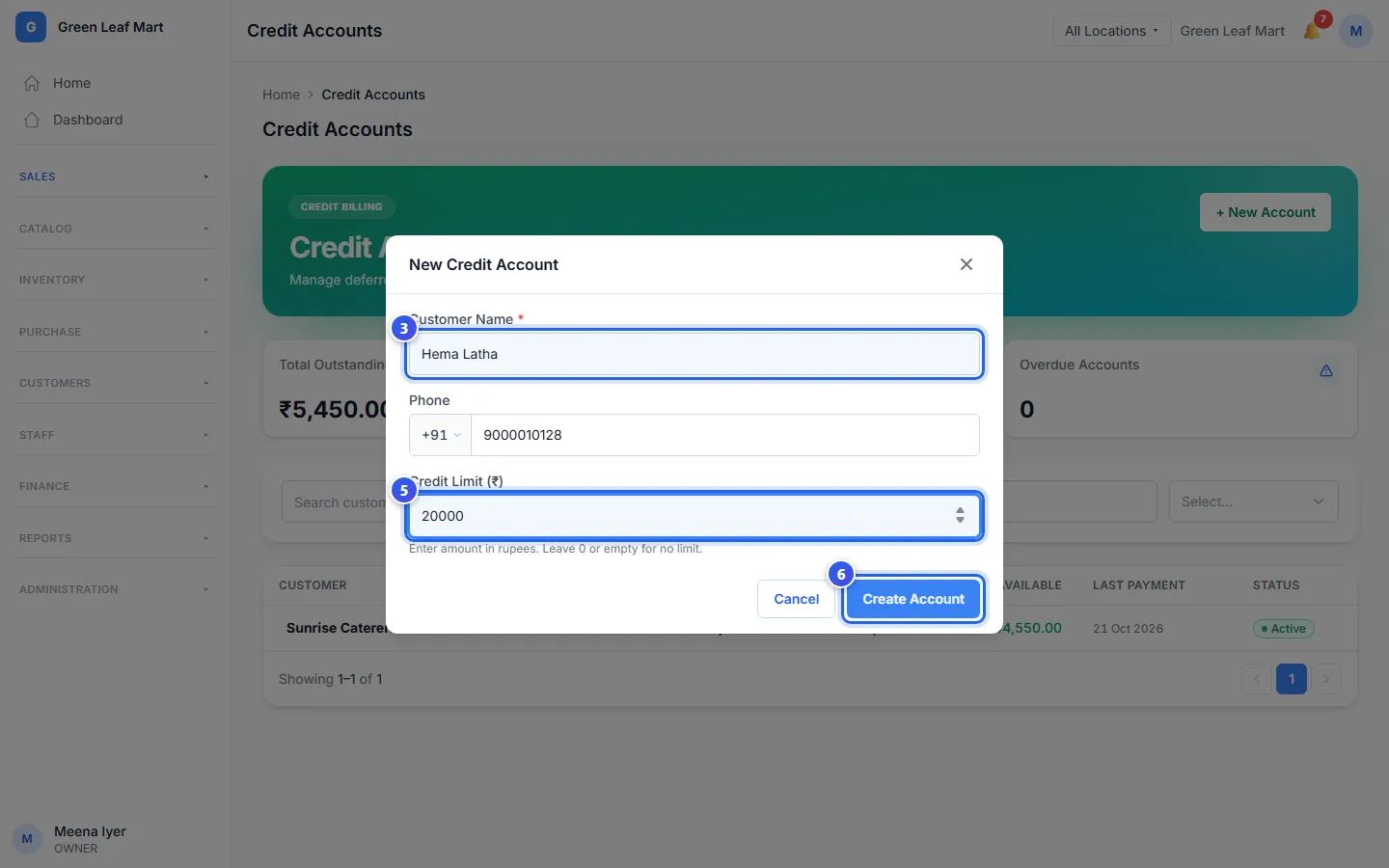
The account shows in the list with the status Active.
See what a customer owes
- Press the customer's name in the list.
- Look at Outstanding. This is what they owe you now. Available is how much more they may owe.
- Press Ledger to see each sale and each payment, with the date.
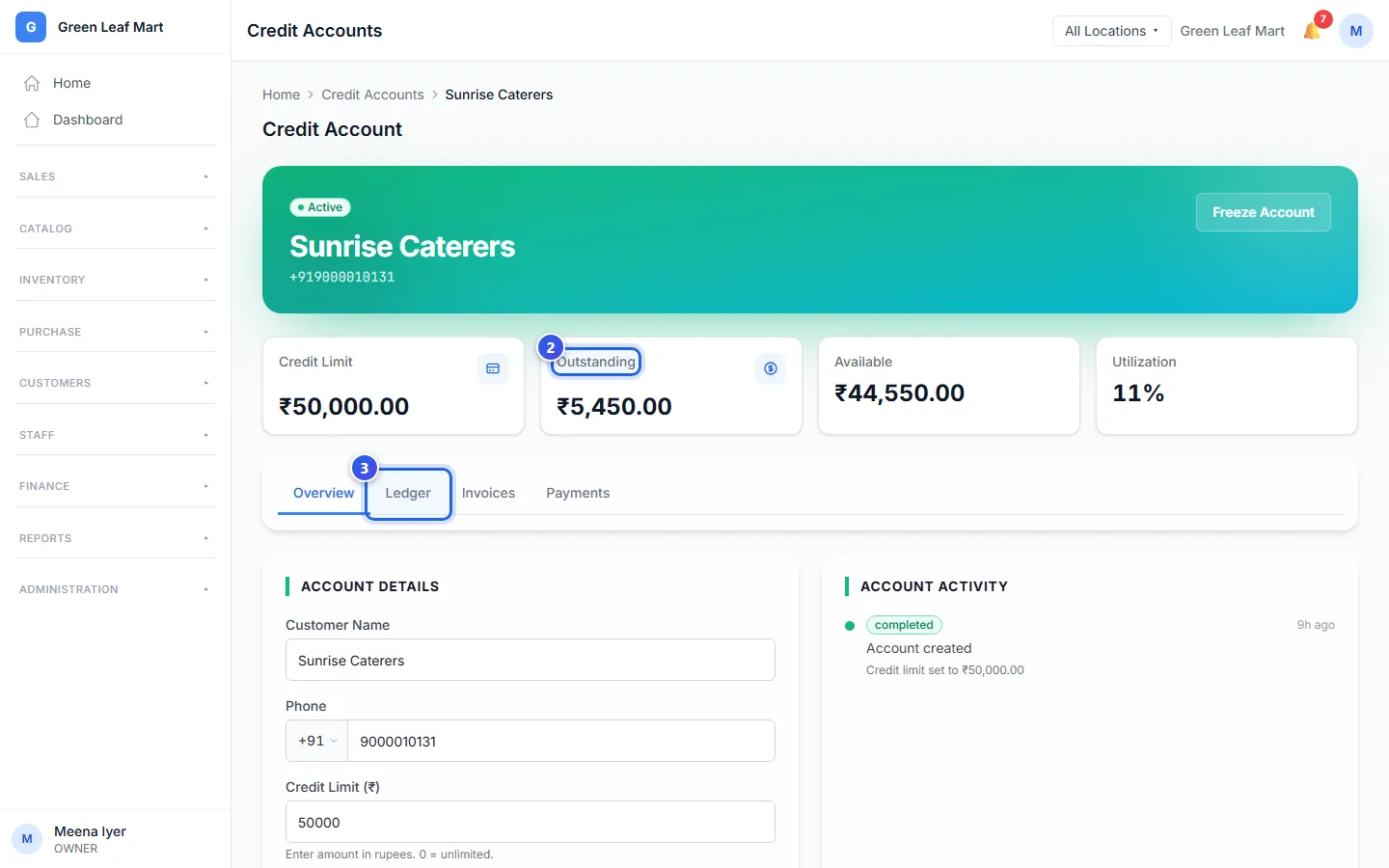
Invoices lists what the customer has to pay, and when. Payments shows how much of each one is paid.
To change the name, the phone or the limit, type the new one under Account Details. Then press Save Changes.
Stop credit for a while
Press Freeze Account, then press Freeze. The customer cannot take more on credit. They still owe what they owe, and you can still take their payments. Press Reactivate to open the account again.
Related help
Still need help?