Keep billing when the internet stops
Make bills with no internet, and Orio360 sends them when the internet comes back.
Who can do this: Owner, Manager and Cashier
If the internet stops, you can still make bills. The POS app keeps them on this till. When the internet comes back, it sends them to Orio360 by itself. This is called sync.
Make a bill with no internet
- Look at the dark bar at the top. It says Offline.
- Read the orange bar under it. It says your bills will sync when the internet is back.
- Put the items on the bill and press Pay, the same as always.
- Take the payment and press Confirm Payment.
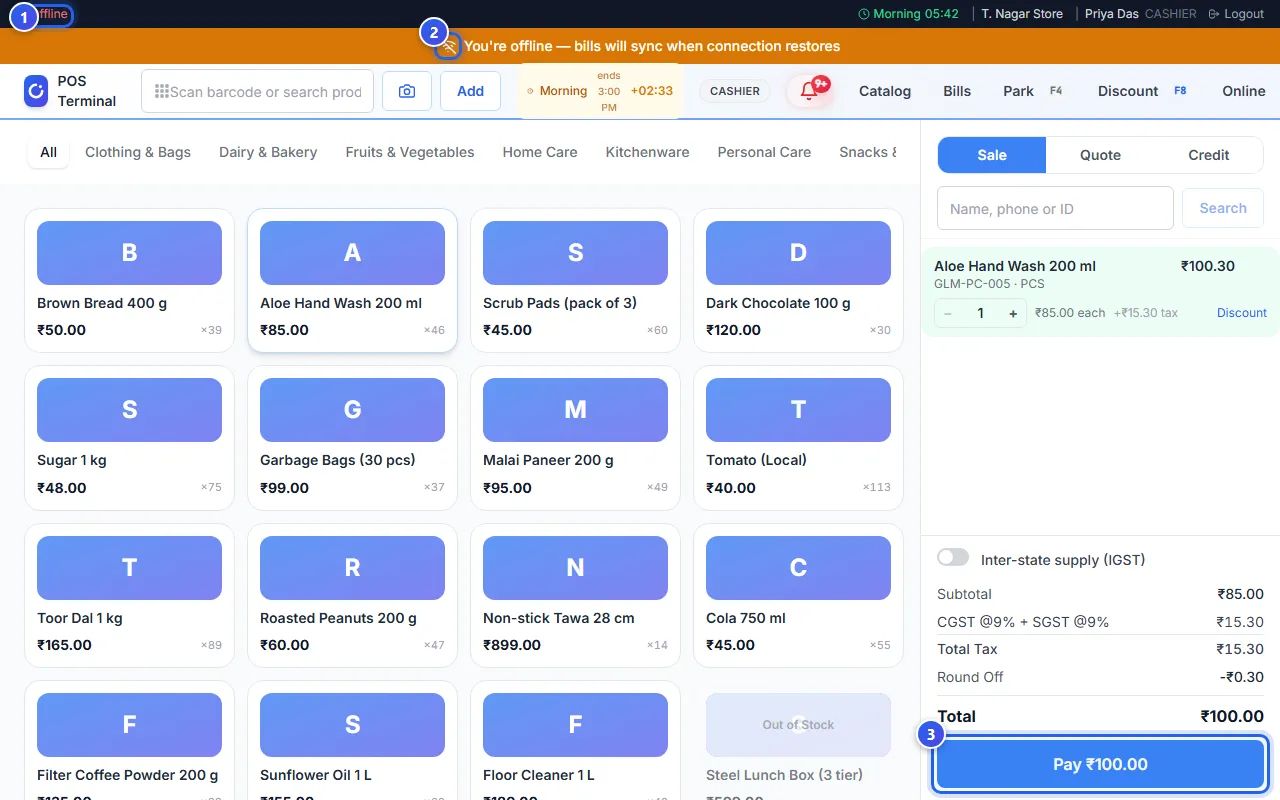
The message Bill saved offline — will sync automatically when connected shows. No Sale complete window opens, so no receipt prints. Print it later from Bills.
For UPI or card, check that the money has come in before you press Confirm Payment.
What needs the internet
- Bills and Catalog. They say You're offline until the internet is back.
- Looking up the code of a credit note.
- Opening a bill that was saved on Orio360, not on this till.
When bills wait to sync, a small number shows in the dark bar. It goes away when they are sent.
Check the sync (Owner and Manager)
- Press the sync number in the dark bar. The Sync Status page opens.
- Check Pending Items. These bills still wait on this till.
- Press Sync Now to send them now.
- Open Conflicts to see any bill that Orio360 could not save.
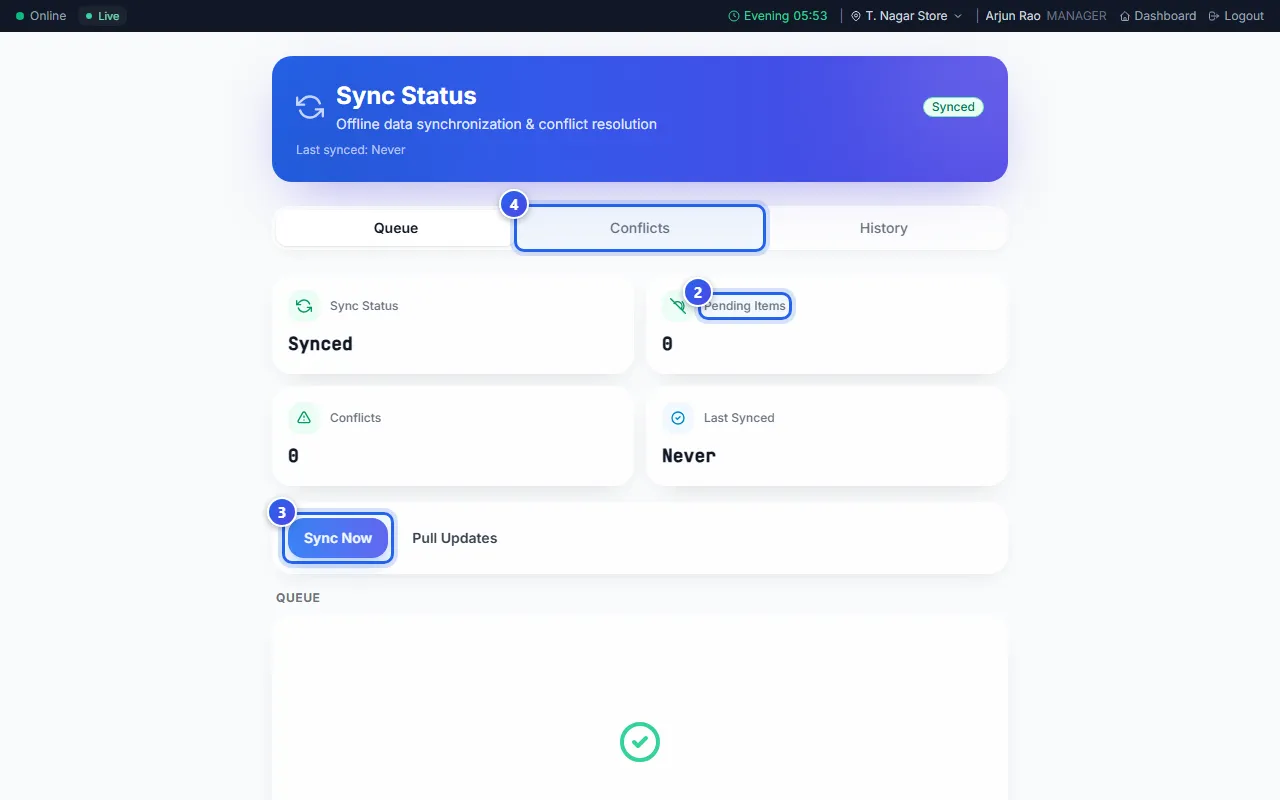
The Owner decides what to do with each bill in Conflicts. For a sale that was paid, they press Accept as sold.
Related help
Still need help?