Back up your data
Make a copy of your business data, and download it when you need it.
Who can do this: Owner
A backup is a saved copy of your business data. Orio360 makes one for you each day. You can also make one at any time, like before a big change. Only the Owner can do this.
- In the Administration group, press Backups.
- Look at Next Scheduled. It shows when Orio360 makes the next backup by itself.
- Press Trigger Backup Now.
- Press Trigger Backup to start.
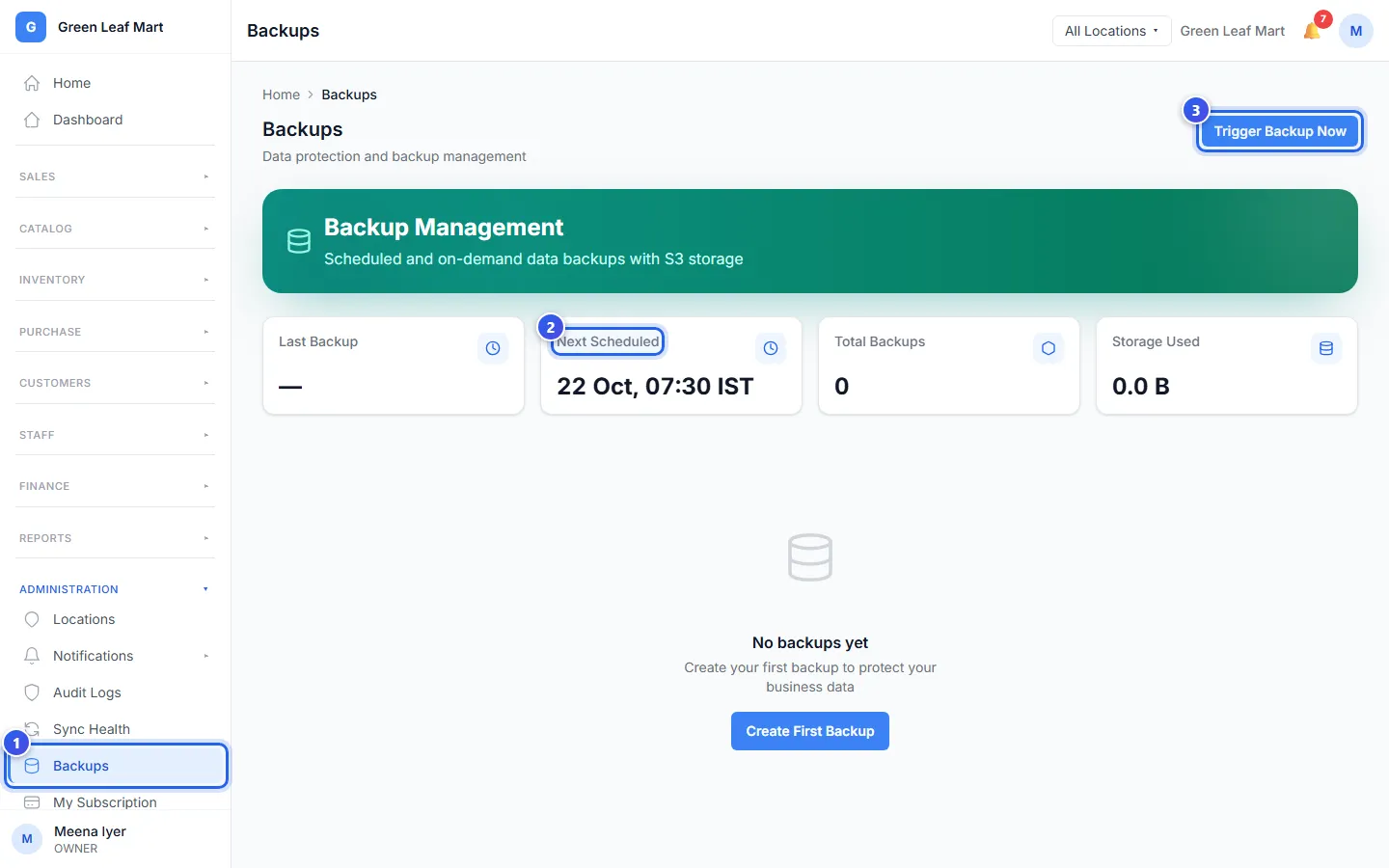
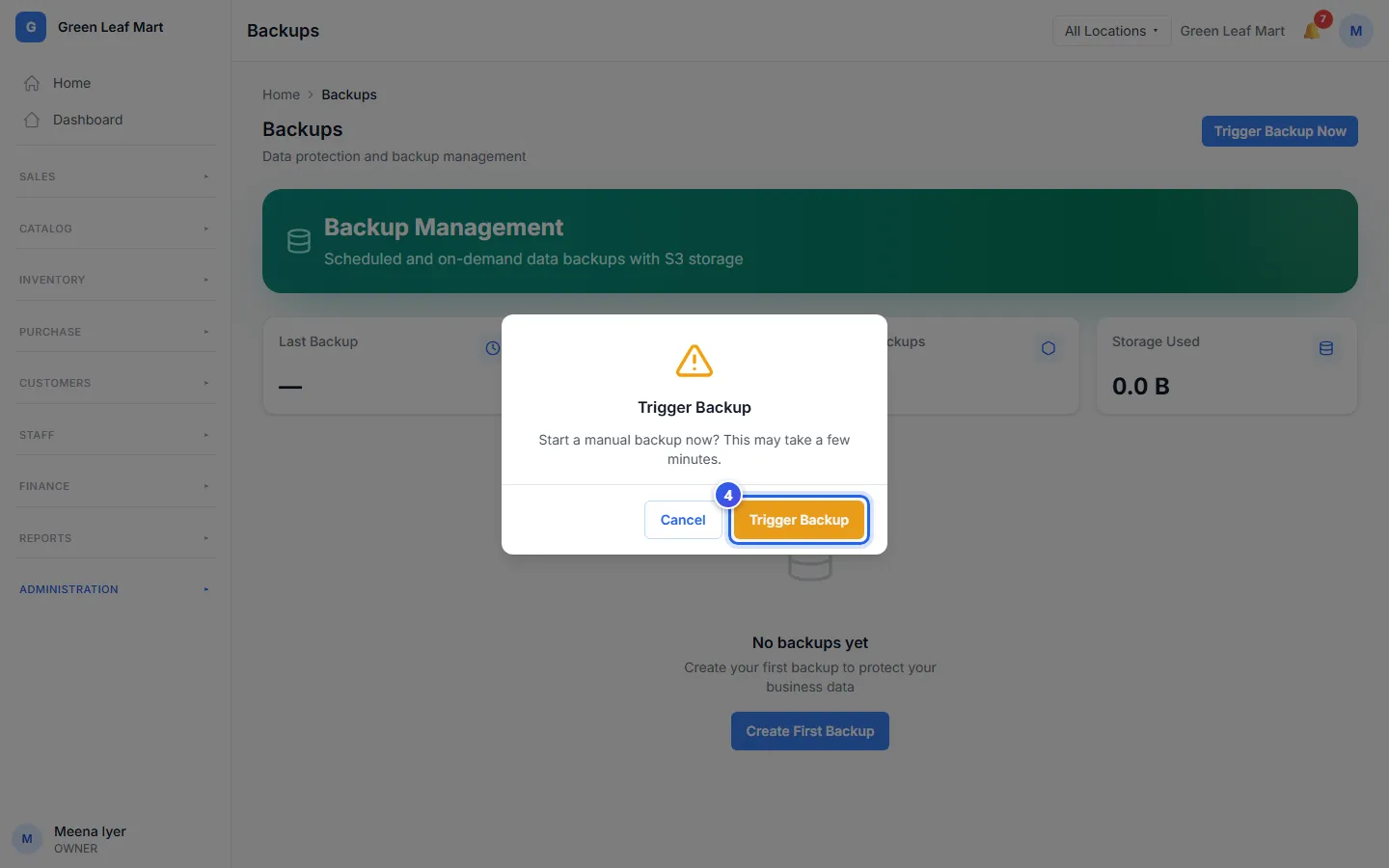
The new backup shows in Backup History. Its status goes from Queued to In Progress, then to Completed. It can take a few minutes.
To save a copy on your computer, press Download on its row. Last Backup shows when the newest copy was made.
If a backup does not work, a red box says Last backup failed. Try again later. If it fails again, contact us.
Related help
Still need help?