Make an invoice for a sales order
Raise an invoice for a sales order and record the money the customer pays.
Who can do this: Owner and Manager
This is not in every plan. See Pricing.
An invoice tells the customer what to pay for a sales order, and by which day. You can bill the whole order at once, or one part at a time. When the customer pays, record the money on the invoice. An Owner or a Manager can do this.
Raise the invoice
- Open the sales order.
- Press Raise invoice.
- Check the number in Qty to invoice for each item.
- Check the Invoice date. Choose the Due date, the last day to pay.
- Press Raise invoice at the bottom.
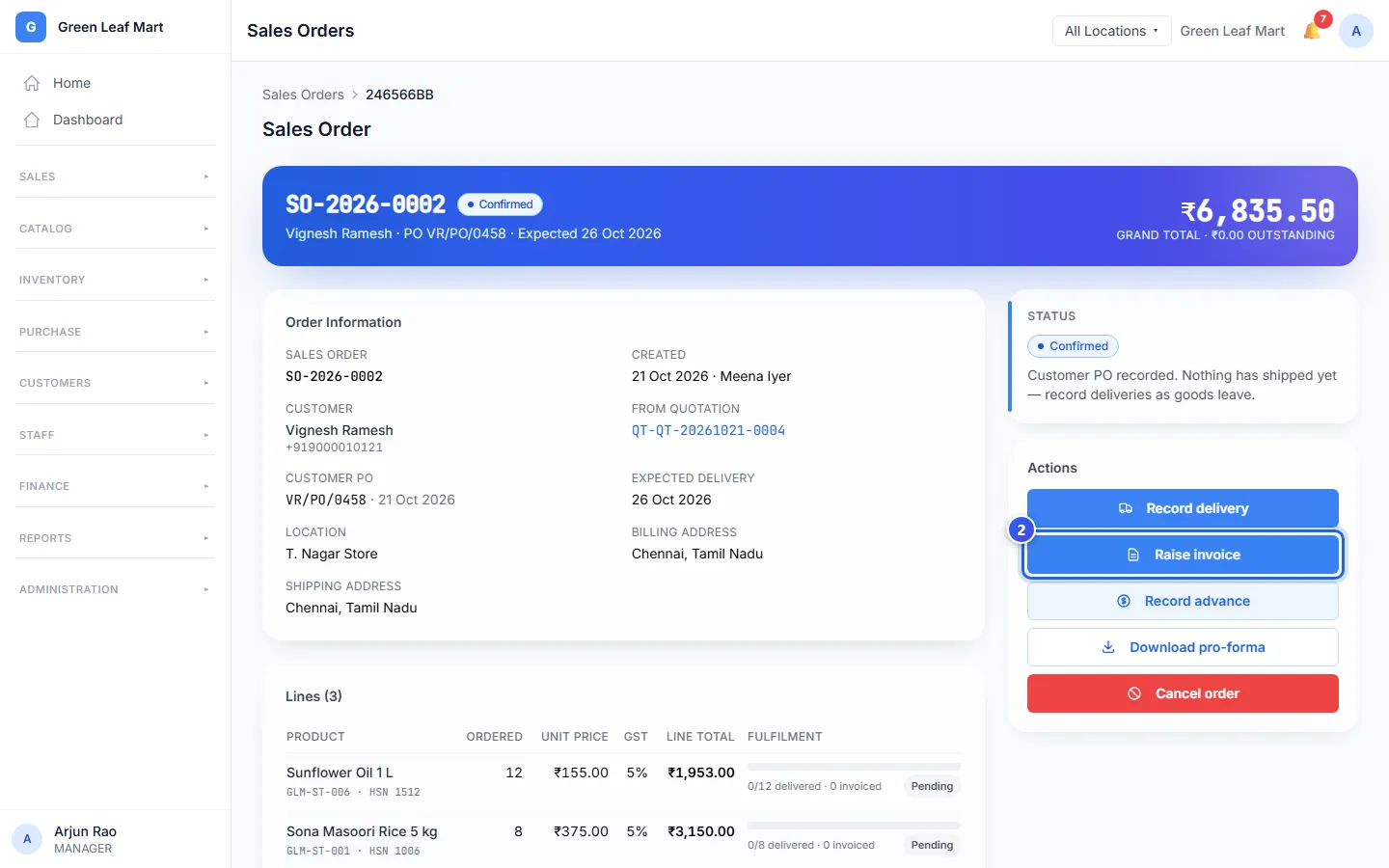
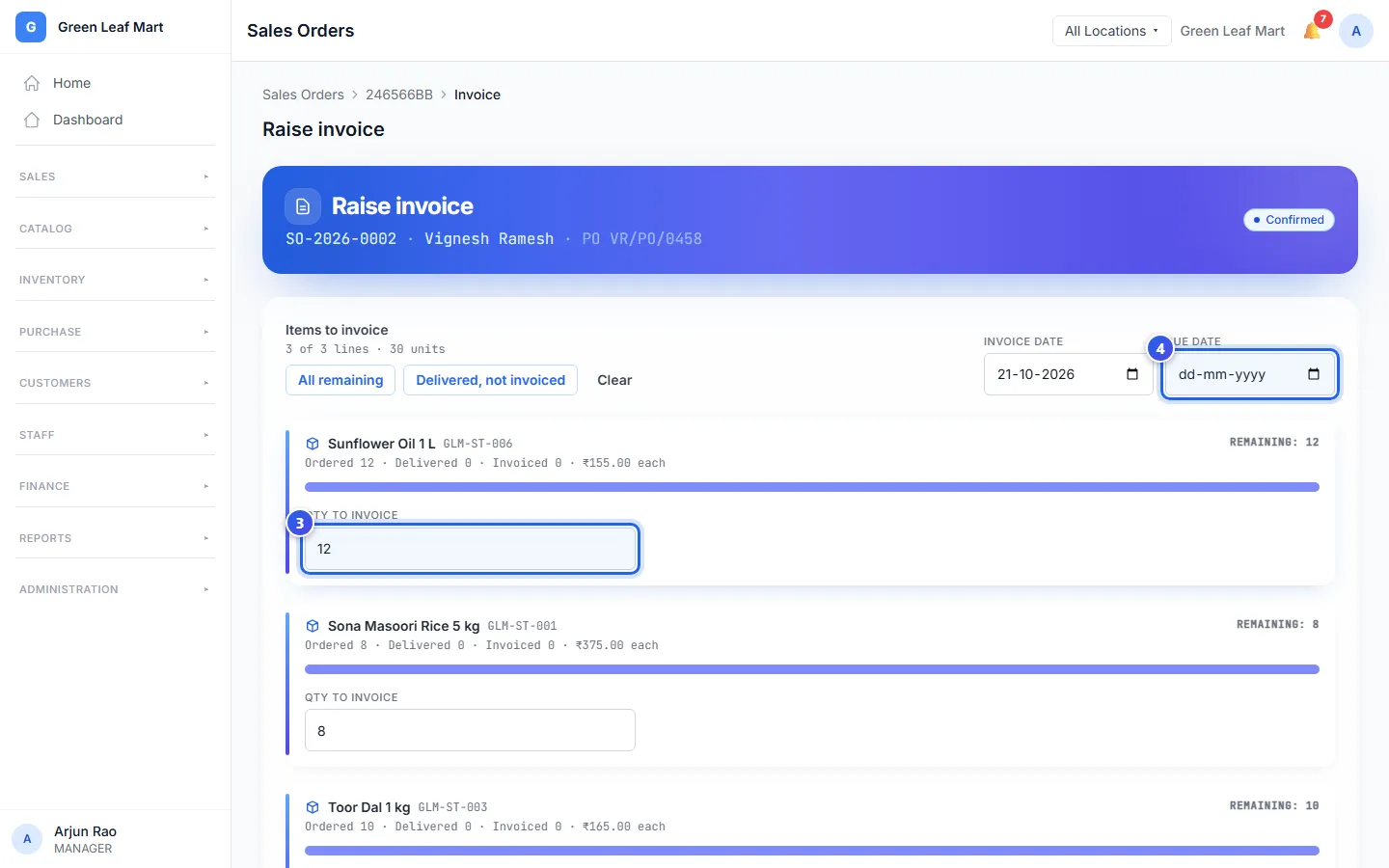
Orio360 fills in everything that is not billed yet. Press Delivered, not invoiced to bill only the goods you have sent. Orio360 then opens the new invoice.
Record a payment
- In the menu, open Finance and press Sales Invoices.
- Press the eye button on the invoice.
- Press Record Payment.
- Type the Amount (₹). Choose the Method and check Received on.
- Press Save payment.
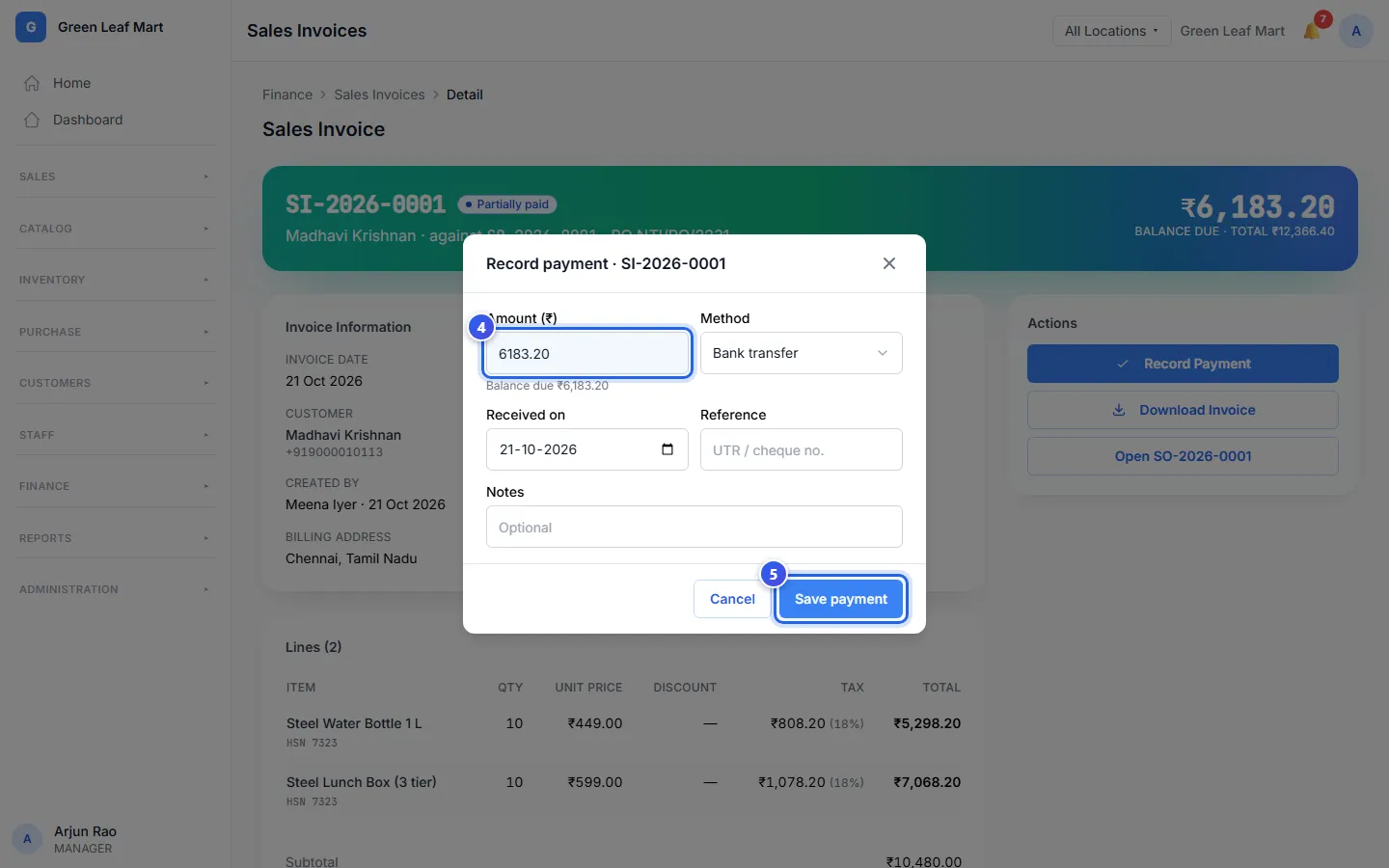
Type the UPI or cheque number in Reference, so you can match the payment later.
An invoice says Open until the customer pays. Then it says Partially paid or Paid. When everything is sent, billed and paid in full, the order says Completed.
Good to know
- Did the customer pay before you made the invoice? Press Record advance on the order. Orio360 takes it off the next invoice by itself.
- Download Invoice saves the invoice as a PDF.
- The Sales Invoices page shows what all customers owe you. Overdue shows the money that is late.
Related help
Deliver a sales order
Record the goods you send to the customer for a sales order.
On some plans
Make a sales order
Turn a quote into a sales order when the customer sends their purchase order.
On some plans
Record a credit payment
Write down the money a credit customer pays you, so what they owe goes down.
On some plans
Still need help?