Deliver a sales order
Record the goods you send to the customer for a sales order.
Who can do this: Owner and Manager
This is not in every plan. See Pricing.
When the goods leave your shop, record a delivery on the sales order. Orio360 then takes the items out of your stock. You can send all the goods at once, or a part now and the rest later. An Owner or a Manager can do this.
Record a delivery
- In the menu, open Sales and press Sales Orders.
- Press the eye button on the order.
- Press Record delivery.
- Check the number in Qty to deliver for each item.
- Check the Delivered date. Type the vehicle number in Transporter / LR / vehicle.
- Press Confirm delivery at the bottom.
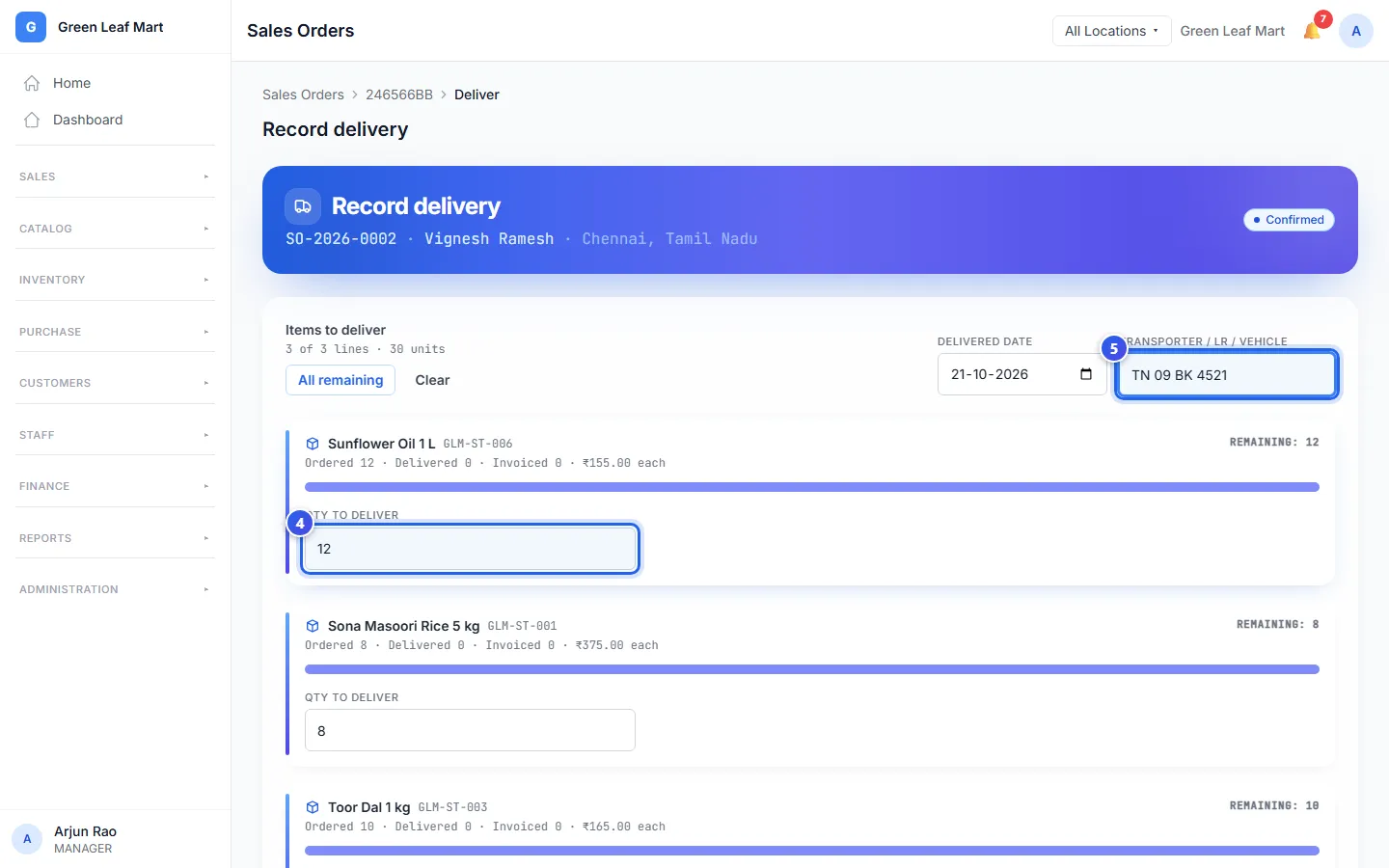
Orio360 fills in everything that is left to send. Sending only a part? Type a smaller number. Leave an item empty to send none of it. Press Clear to empty every item, or All remaining to fill them all again.
You can type a note in Notes, like who signed for the goods.
After the delivery
- If you sent everything, the order says Delivered.
- If you sent a part, it says Partially delivered. The button on the order now says Deliver more.
- The order lists each delivery, with its date.
Related help
Make a sales order
Turn a quote into a sales order when the customer sends their purchase order.
On some plans
Make an invoice for a sales order
Raise an invoice for a sales order and record the money the customer pays.
On some plans
Check your stock and what it is worth
See how much stock you have and what it is worth at each location.
Still need help?