Share your menu with a QR code
Make a QR code that guests scan to see your menu on their phone.
Who can do this: Owner and Manager
For restaurantsPut a QR code on each table. Guests scan it with their phone camera, and your menu opens. They do not need an app.
Make and print the QR code
- Open the Digital Menu QR Codes page at the till. See the tip below for how.
- Find your location. Press Generate menu QR.
- Press Download QR. The picture of the QR code saves to your computer.
- Print the picture and put it on your tables.
- To share the menu in a message, press Copy link. Then paste the link where you want it.
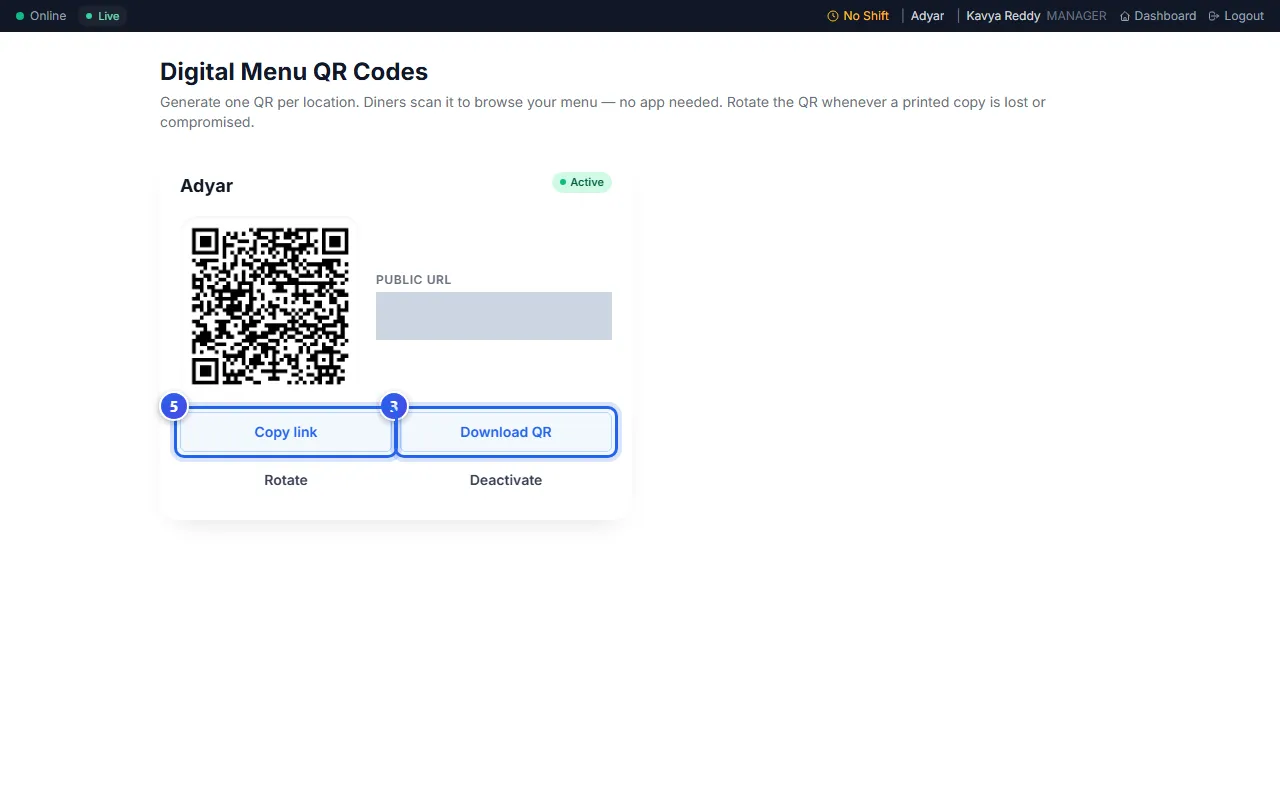
Each location has its own QR code. A green Active label shows that it works.
Make a new QR code
Make a new code if a printed copy is lost, or someone uses it in the wrong way.
- Press Rotate.
- Press Confirm rotate.
The old QR code stops working at once. Print the new one and put it on every table.
To stop the menu link, press Deactivate. Guests who scan the old code then see a message instead of your menu.
Related help
Still need help?