Switch to another location
Choose which shop or branch you are working in right now.
Who can do this: Owner, Manager and Cashier
Your business can have more than one location. Each location has its own stock and bills. Choose the right location before you start work.
You can switch in the admin app and in the POS app. You see only the locations you work in. The Owner sees every location.
In the admin app
- Press the location box at the top of the page. At first it says All Locations.
- Choose a location from the list.
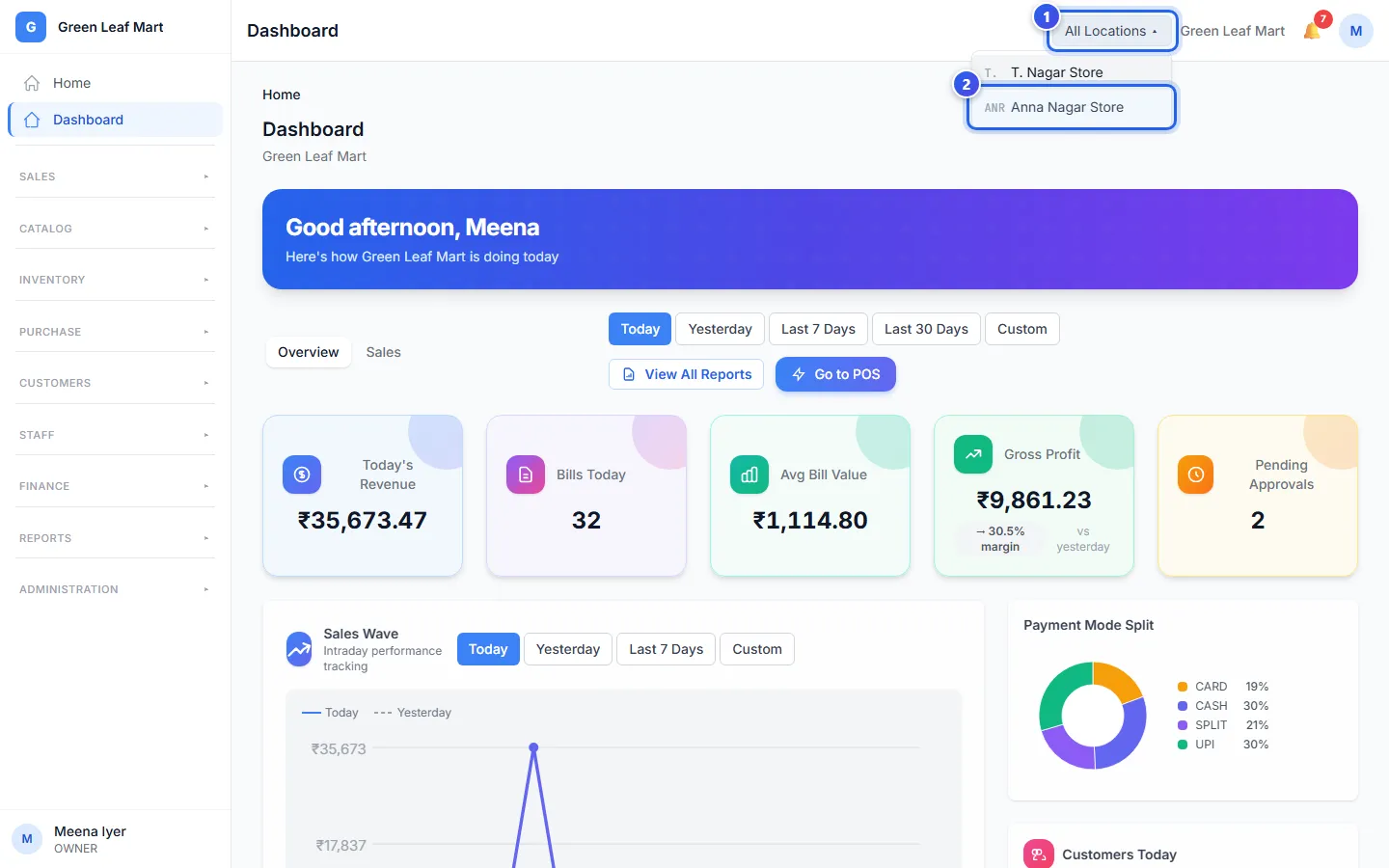
Many pages, like the Dashboard, now show that location only.
In the POS app
- Press the location name in the dark bar at the top. If no location is chosen yet, it says Select location.
- Choose a location from the list.
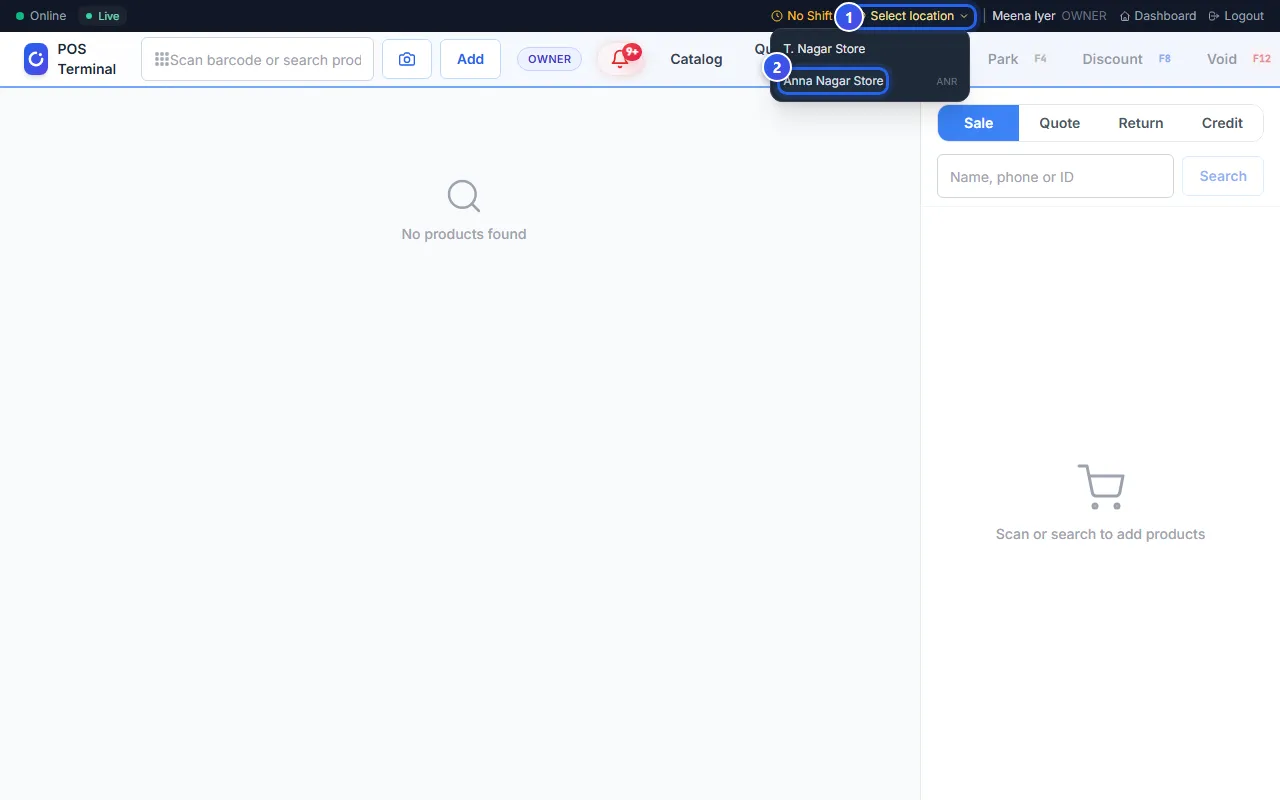
Choose the location before you make bills. When you sign out, the POS app forgets your choice. So check the location each time you sign in.
Do you work in only one location? Then the POS app chooses it for you. Its name shows in the dark bar, with no list.
Related help
Still need help?