Find your way in the admin app
Use the menu on the left to reach every part of the admin app.
Who can do this: Owner, Manager and Cashier
The admin app is where you set up your business and read your reports. After you sign in, it opens on Home. Home has a tile for each part of the app. The menu on the left has the same parts, in groups.
Move around the app
- In the menu, press a group, like Catalog. The group opens.
- Press a page in the group, like Products.
- On Home, type a name in the search box to find a part fast.
- Use the location box at the top to choose a location.
- Press the bell to read your notifications.
- Press the round button with your first letter. Then press Sign Out when you finish.
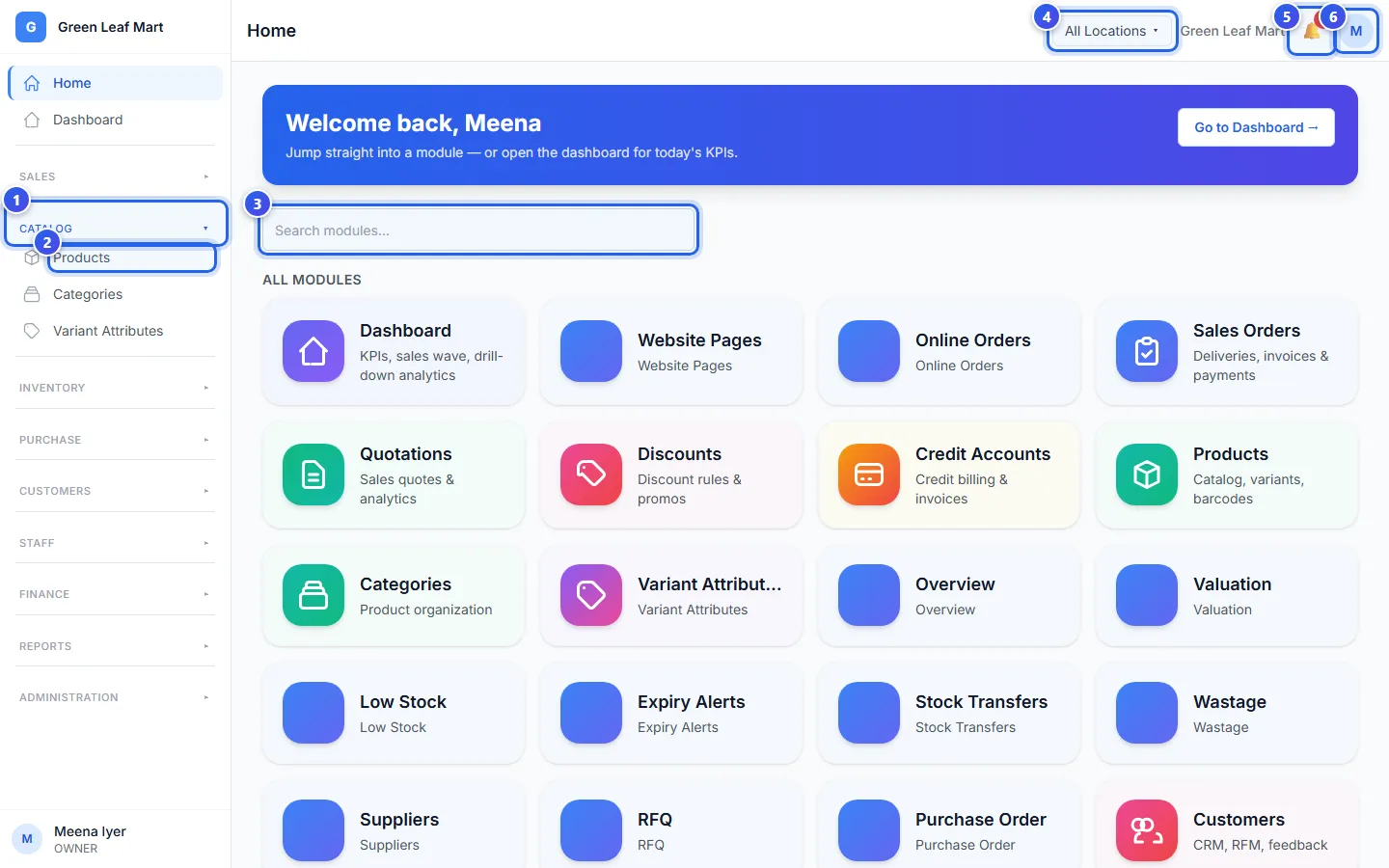
You see only the pages that your role allows. A part with a lock is not in your plan.
Hide the parts you do not use
- In the Administration group, press Settings, then Sidebar Modules.
- Under Start page after login, choose Launchpad or Dashboard. Launchpad is the Home page with its tiles.
- Turn off the switch next to each part you do not use.
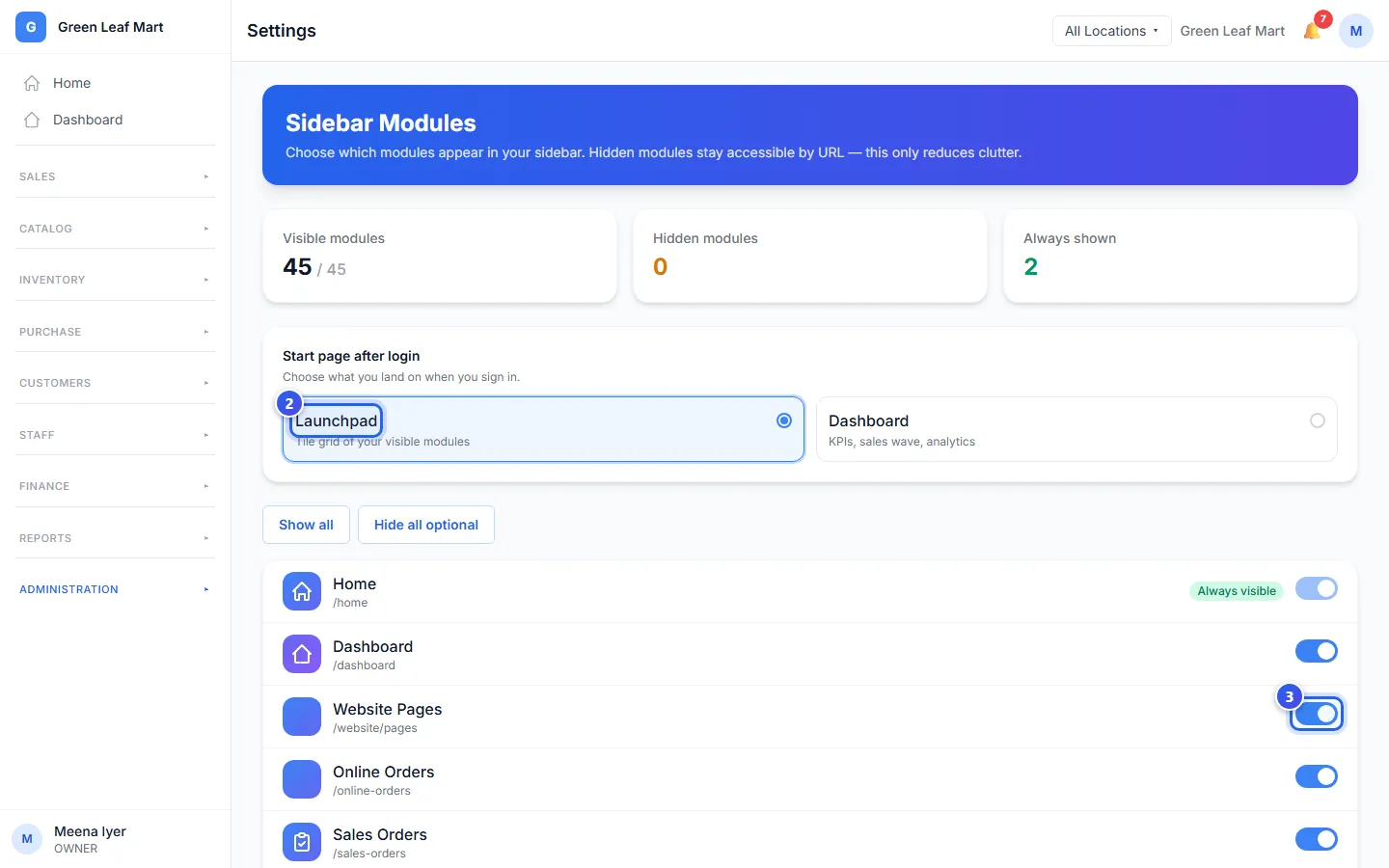
The menu changes at once. Home and Settings always stay in the menu. To bring back every part, press Show all. Orio360 keeps these choices for you on this computer.
Related help
Still need help?