Add items by speaking
Say the dish names out loud and Orio360 adds them to the bill.
Who can do this: Owner, Manager and Cashier
For restaurantsThis is not in every plan. See Pricing.
Your hands are busy, so say the order out loud. The till listens, finds the dishes and puts them on the bill. It understands 3 languages: English, Hindi and Tamil.
Speak the order
- Open the voice page at the till. See the tip below for how.
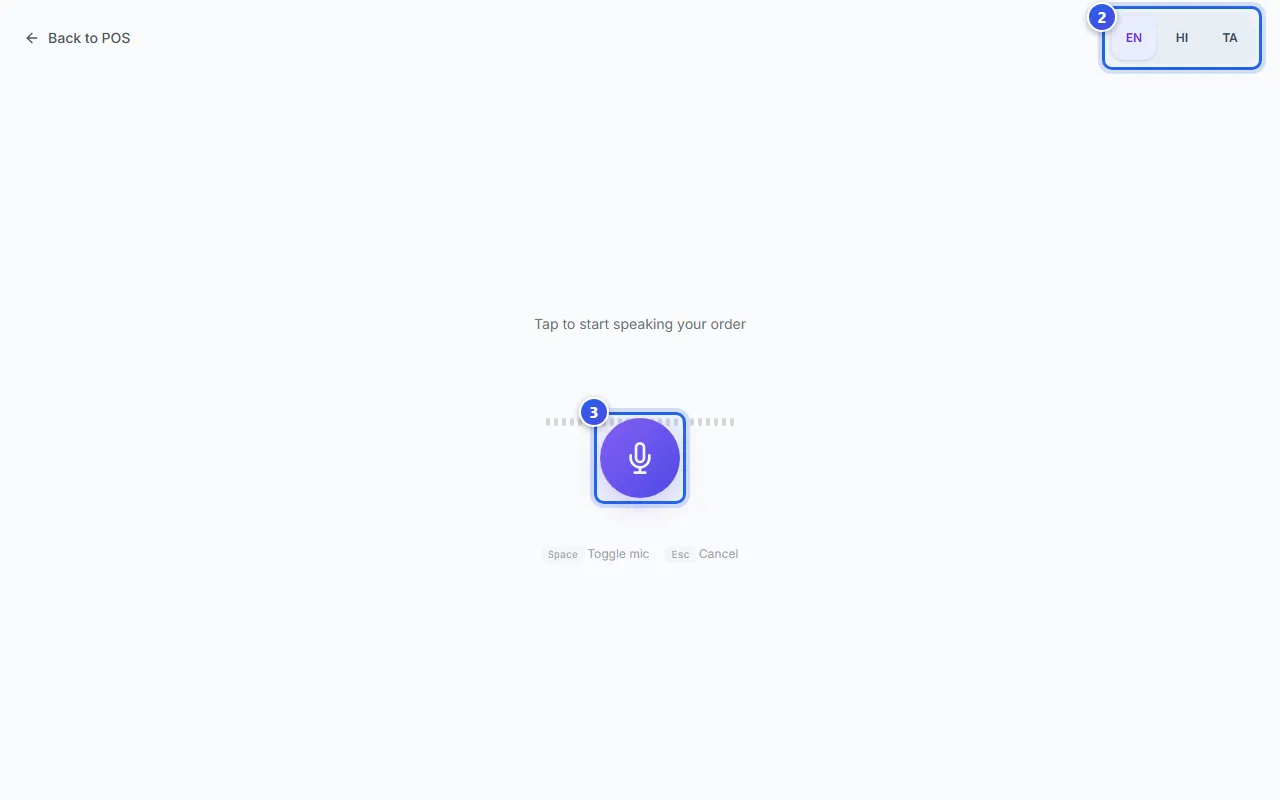
- Choose your language at the top right: EN for English, HI for Hindi or TA for Tamil.
- Press the round microphone button in the middle. You can also press the Space key.
- Say one dish, with the number first, like "2 butter naan".
- Press the microphone button again to stop.
- Check the dishes under Recognized Items. Press + or − to fix a number.
- Press Confirm Order. The button shows how many dishes it found.
The till goes back to the billing screen. The dishes are on the bill. Take the payment as usual.
When the till did not hear you
- A yellow box Low confidence items means the till is not sure. Check each dish.
- A dish it could not find shows a message. Take it off, then add it by hand.
- Press Retry to speak again. Press Cancel to start over.
The first time, the browser asks if the page may use your microphone. Say yes. Voice works in Chrome, Edge and Safari.
Related help
Still need help?