See what to reorder
See which products run out first, how many to buy and what they may cost.
Who can do this: Owner and Manager
The Reorder list shows the products that will run out first. It says how many to buy, and what they may cost. An Owner or a Manager can open it in the admin app.
See what to buy
- In the menu, open Catalog and press Products.
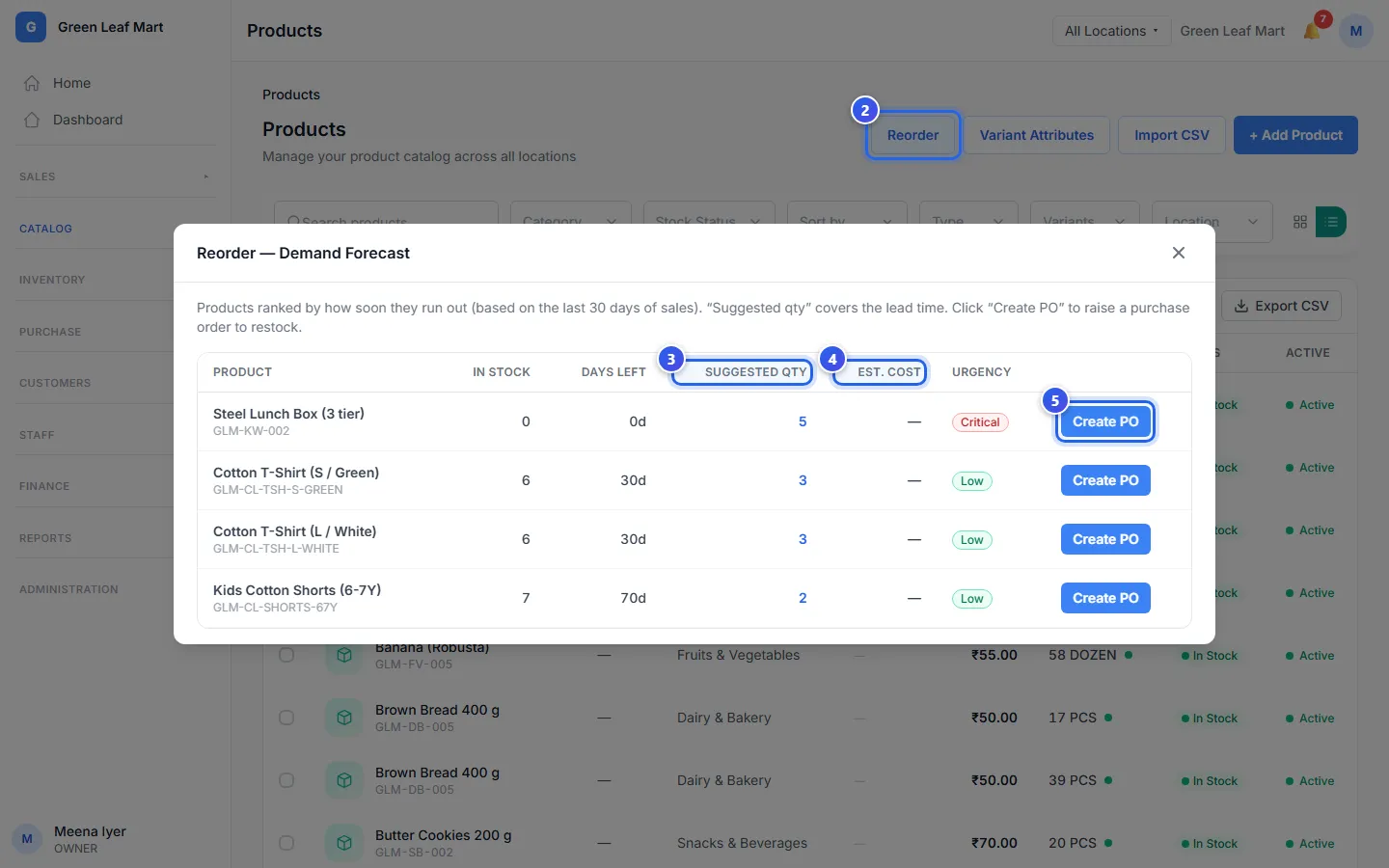
- Press Reorder at the top. The Reorder — Demand Forecast box opens.
- Look at Suggested qty. It is how many to buy.
- Look at Est. cost. It is about what you will pay.
- Press Create PO on a row to buy that product.
What the list shows
A product is on the list when its stock is at its threshold or below. You set the threshold on each product. See Find items that run low. The product that runs out first is at the top.
- In stock is how many you have now.
- Days left is how long your stock may last. It looks at your sales in the last 30 days.
- Suggested qty is enough for about 2 weeks of sales. With no sales in 30 days, it is 2 times the threshold, and at least 10.
- Urgency says how soon you need it, from Critical to Low.
What the cost column means
Est. cost is the price you paid for 1 the last time it came in, times the Suggested qty. Say you paid ₹40 each last time, and the Suggested qty is 5. Then Est. cost is ₹200.
Did this product never come in from a supplier? Then Est. cost shows "—", because there is no price to use yet. It shows a price after you receive goods for it.
Order from the list
Create PO opens a new purchase order. The product is already on it, with its SKU. Its Quantity is the Suggested qty. In a shop, the Unit Cost starts at what you paid last time.
Then choose the supplier and check the order before you save it. See Make a purchase order. Purchase orders are not in every plan.
Related help
Still need help?