See table and kitchen reports
See how long guests stay, how fast the kitchen cooks and which dishes get cancelled.
Who can do this: Owner and Manager
For restaurantsThis is not in every plan. See Pricing.
Three reports help you run your restaurant. They show how long guests stay at a table, how fast the kitchen cooks, and which dishes get cancelled.
See how your tables are used
- In the menu, open Reports and press Table Turnover.
- Under Period, choose the dates.
- Read Avg Duration. It is how long guests stay, from the order to the bill.
- Look at Table Usage Heatmap. It shows how many times each table was used.
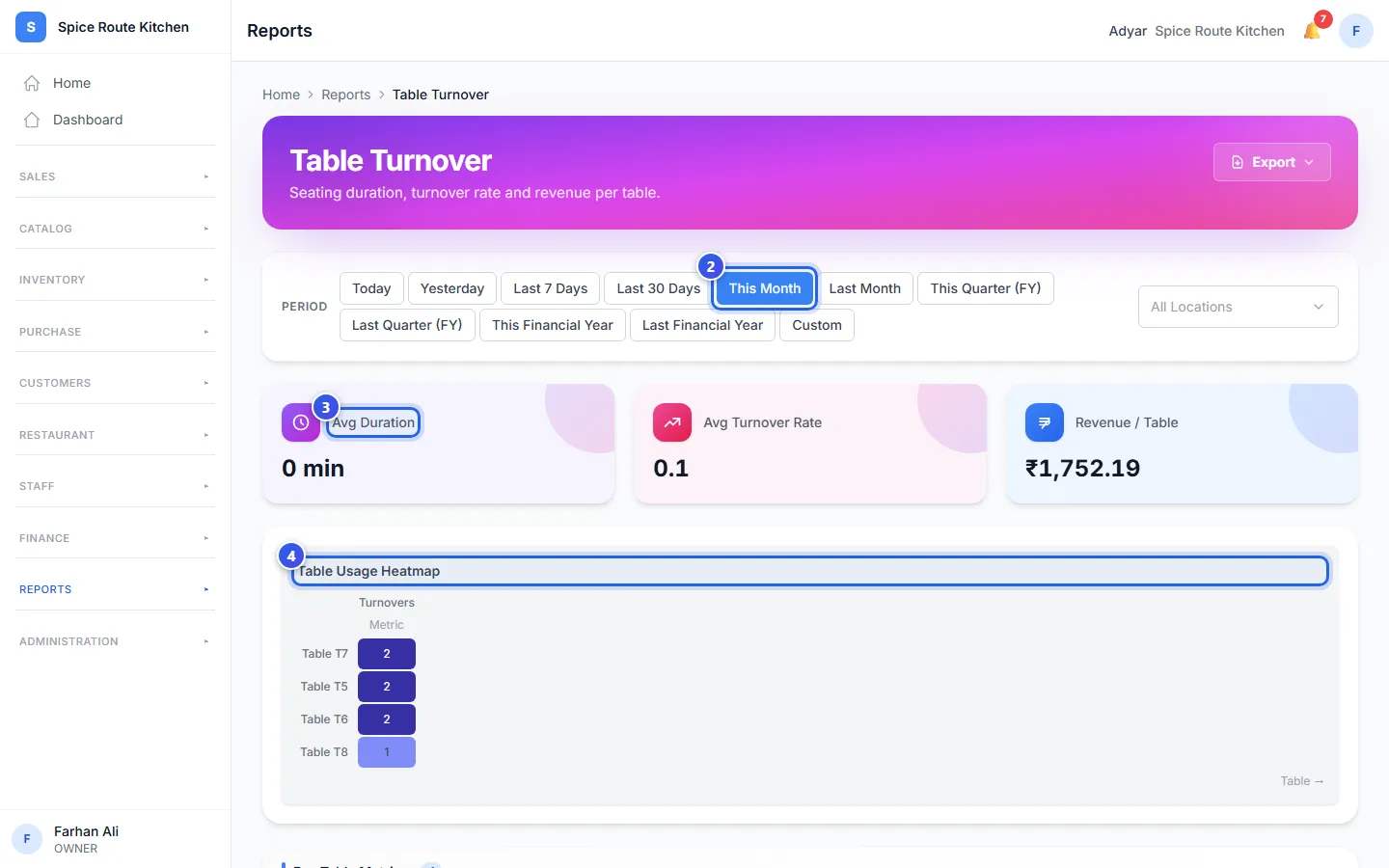
Avg Turnover Rate is how many orders each table had in a day. Revenue / Table is the average money from one table. The Per-Table Metrics table lower down has the numbers for each table.
See how fast the kitchen cooks
Kitchen Performance shows how fast each kitchen station cooks.
- Avg Prep Time is how long a dish takes, from the order to ready.
- Items / Hour is how many dishes the kitchen makes in an hour.
- Delayed % is the share of dishes that took more than 30 minutes.
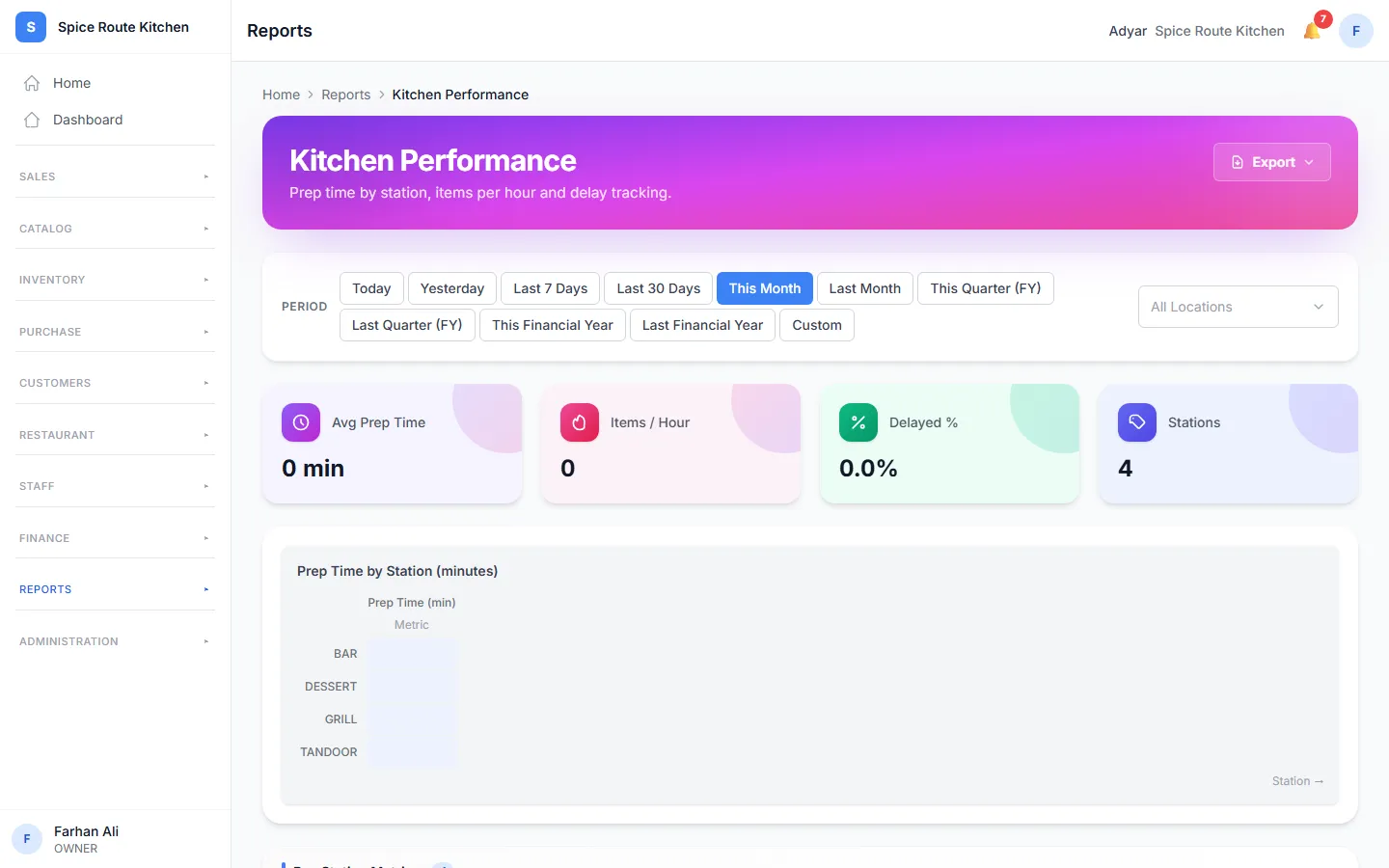
The times come from the kitchen screen. A dish counts when a cook marks it ready.
See which dishes get cancelled
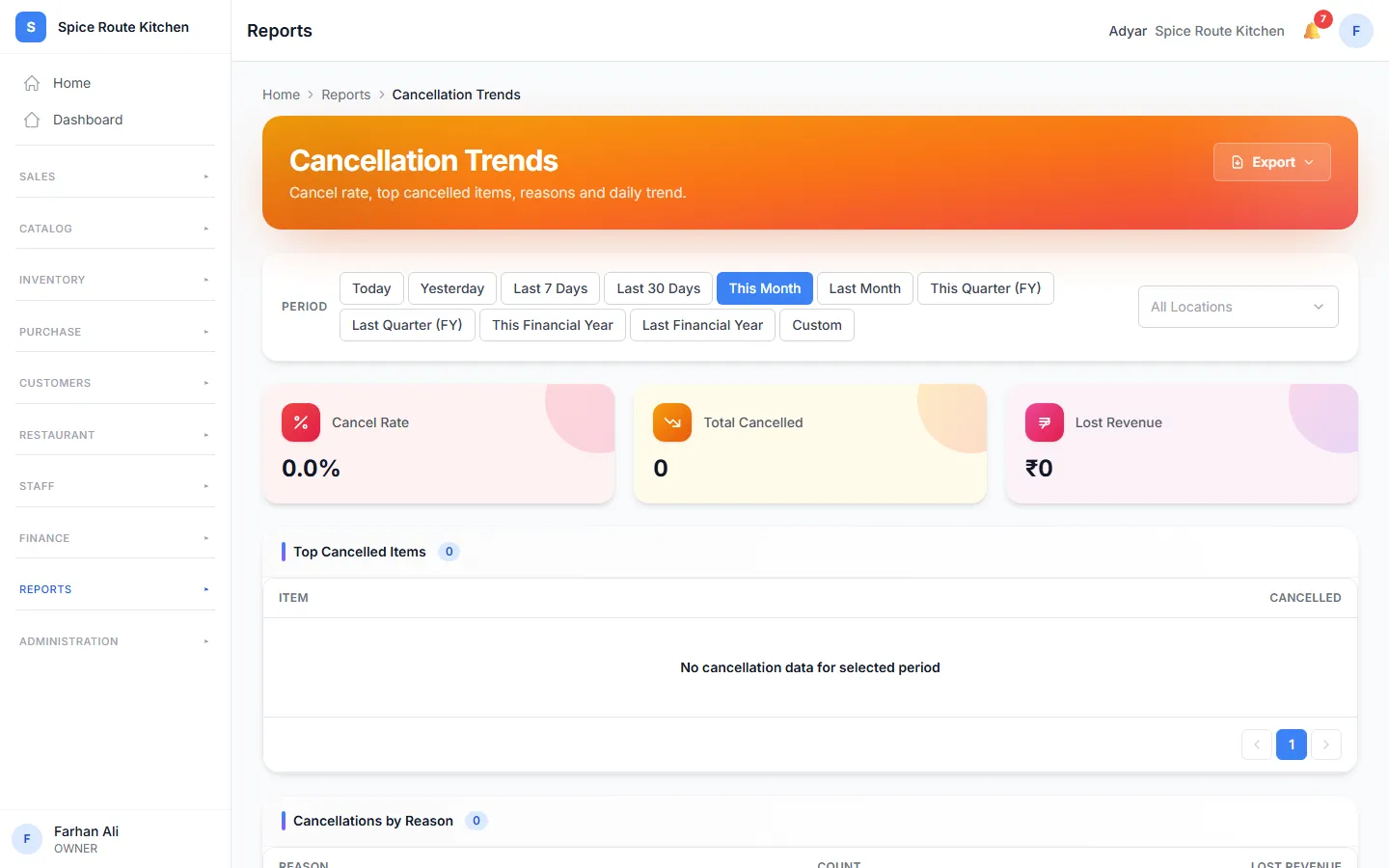
Cancellation Trends shows the dishes that guests or staff cancelled.
- Cancel Rate is the share of dishes that were cancelled.
- Lost Revenue is the money from those dishes.
- Top Cancelled Items and Cancellations by Reason show what was cancelled, and why.
Related help
Mark food ready on the kitchen screen
See new orders on the kitchen screen and mark each one ready when it is cooked.
For restaurantsOn some plans
Put cooks on kitchen stations
Choose which staff work at each kitchen station.
For restaurantsOn some plans
Use the table screen
See which tables are free or busy, and move or join tables.
For restaurants
Still need help?